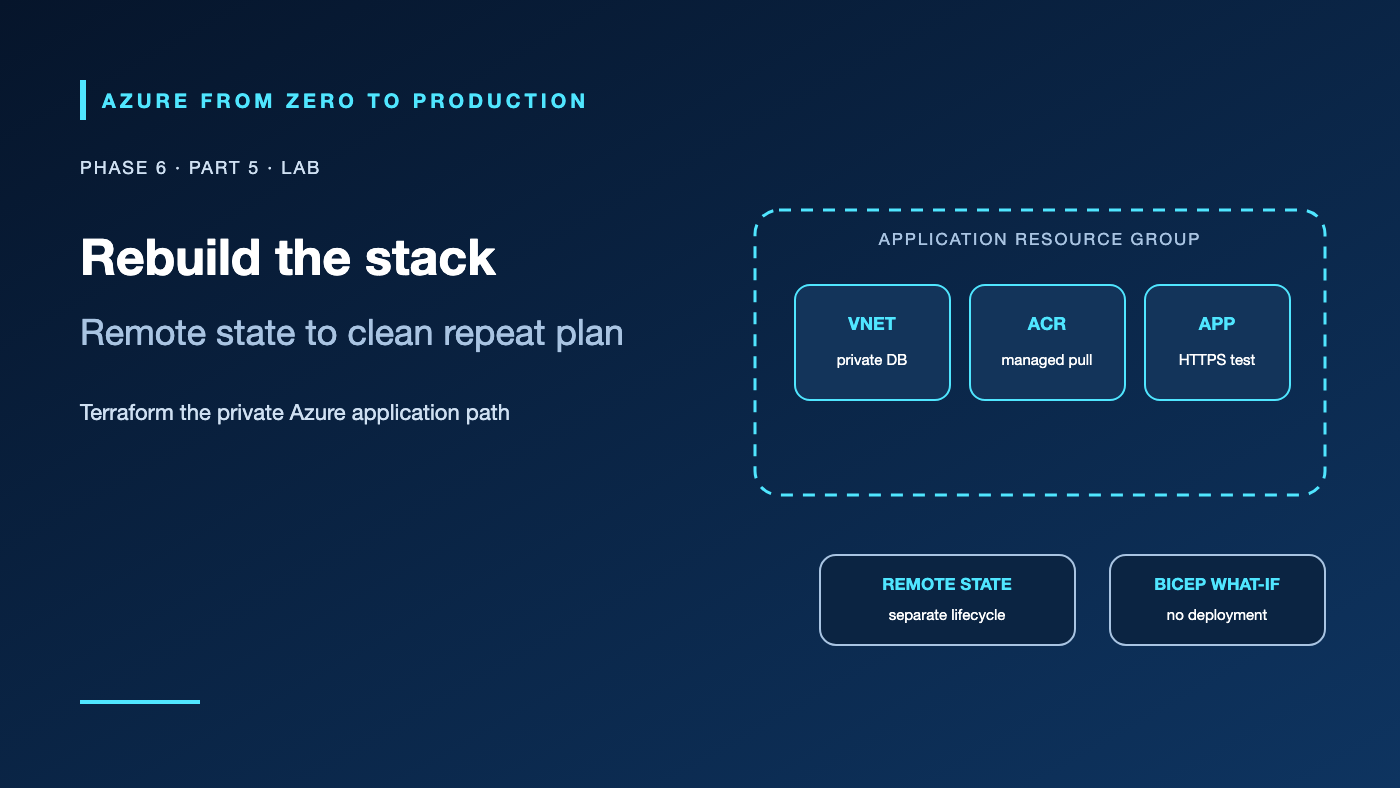
A portal-built application stack may work, but rebuilding it consistently is difficult. This lab expresses the network, Azure Container Registry (ACR), private PostgreSQL server, and Container App as Terraform resources. A separate Azure Storage account holds remote state; ACR receives a public sample image; the app is smoke-tested; and a second plan confirms the configuration converged.
This lab creates billable Azure resources. Use an approved development subscription, do not use production data, and follow the two-stage cleanup. It has been reviewed against Terraform 1.17.0, AzureRM provider documentation, and Azure CLI help, but has not been applied to a live subscription.
What you’ll build
- A dedicated Azure Blob backend for Terraform state, outside the managed application resource group.
- One VNet with a Container Apps subnet and a PostgreSQL-delegated subnet.
- Private DNS and a PostgreSQL Flexible Server with Entra authentication.
- A Basic ACR, a scoped
AcrPullidentity assignment, a VNet-integrated Container Apps environment, and an app. - A Bicep
what-ifcomparison that previews a separate resource but does not deploy it. - A repeat Terraform plan that should report no changes.
The sample Container App uses a public quickstart image imported into the lab ACR. This lab verifies infrastructure and HTTP ingress; it does not configure the sample image to query PostgreSQL. Phase 5’s private PostgreSQL lab covers the app-to-database identity and query path.
Prerequisites
- An Azure development subscription and permissions to create resource groups, storage accounts, VNets, private DNS zones, PostgreSQL servers, ACR, Container Apps, managed identities, and role assignments.
- Azure RBAC: Contributor at the temporary application resource group; User Access Administrator or Role Based Access Control Administrator at that scope to create the
AcrPullassignment. For state bootstrap, the signed-in user also needs role-assignment permission on the state storage account. - Azure CLI 2.91.0+, Terraform 1.10+, Bicep CLI,
curl,uuidgen, and Bash. - The
Microsoft.Storage,Microsoft.Network,Microsoft.DBforPostgreSQL,Microsoft.ContainerRegistry,Microsoft.App,Microsoft.ManagedIdentity, andMicrosoft.Authorizationproviders registered. - An East US example region with the required service/SKU availability and quota; verify before deployment.
- Estimated time: 90–150 minutes.
- Cost: PostgreSQL compute/storage/backups, ACR, Container Apps environment and replica, VNet/DNS, state storage, and data transfer can incur charges. Review current prices and delete both resource groups when finished.
Architecture and ownership
Terraform runner
  | Azure CLI sign-in / federated identity
  +--> remote state Blob (separate state resource group; Entra data role)
  |
  +--> lab resource group
       +-- VNet
       |    +-- Container Apps infrastructure subnet
       |    +-- PostgreSQL delegated subnet
       |    +-- private DNS zone and VNet link
       +-- PostgreSQL Flexible Server (private access, Entra auth)
       +-- ACR <-- AcrPull -- Container App user-assigned identity
       +-- Container Apps environment and sample app
Terraform owns the application resource group. The AzureRM backend owns a single state blob in a separate resource group, and that state account is intentionally not declared in the stack it protects. Azure RBAC controls resource creation and ACR pull; PostgreSQL authentication is configured but its application database principal is outside this infrastructure exercise.
Step 1: Select the subscription and bootstrap remote state
set -euo pipefail
az login
az account list --query "[?state=='Enabled'].{name:name, isDefault:isDefault}" --output table
az account set --subscription "<YOUR_DEVELOPMENT_SUBSCRIPTION_ID_OR_NAME>"
az account show --query "{name:name, id:id, tenantId:tenantId}" --output table

SUFFIX="$(uuidgen | tr -d '-' | tr '[:upper:]' '[:lower:]' | cut -c1-8)"
LOCATION="eastus"
RESOURCE_GROUP="rg-tf-lab-${SUFFIX}"
STATE_RG="rg-tf-state-${SUFFIX}"
STATE_STORAGE="sttf${SUFFIX}"
STATE_CONTAINER="tfstate"
SUBSCRIPTION_ID="$(az account show --query id --output tsv)"
TENANT_ID="$(az account show --query tenantId --output tsv)"
SIGNED_IN_OBJECT_ID="$(az ad signed-in-user show --query id --output tsv)"

az group create --name "$STATE_RG" --location "$LOCATION" \
  --tags purpose=learning lab=terraform-state --output none
az storage account create --resource-group "$STATE_RG" \
  --name "$STATE_STORAGE" --location "$LOCATION" \
  --sku Standard_LRS --kind StorageV2 \
  --allow-blob-public-access false --min-tls-version TLS1_2 \
  --output none

STATE_STORAGE_ID="$(az storage account show --resource-group "$STATE_RG" \
  --name "$STATE_STORAGE" --query id --output tsv)"
az role assignment create --assignee-object-id "$SIGNED_IN_OBJECT_ID" \
  --assignee-principal-type User \
  --role "Storage Blob Data Contributor" --scope "$STATE_STORAGE_ID" \
  --output none
az storage container create --account-name "$STATE_STORAGE" \
  --name "$STATE_CONTAINER" --auth-mode login --output none
The state container is private by default. Storage Blob Data Contributor is a data-plane role; a management-plane Contributor assignment alone does not grant Blob reads or writes. Wait for role propagation if the container command returns authorization denied. In a team pipeline, use an OIDC-federated deployment identity rather than a developer’s user account.
✅ Checkpoint: Verify that the container exists and the account disallows anonymous blob access. Keep the state storage account outside RESOURCE_GROUP.
Keep this Bash session open for the later commands, which use the variables set here. If you open a new session, set the same values again before continuing.
Step 2: Write the Terraform configuration
Create main.tf in a new, empty working directory. This example uses the AzureRM 4.x provider, Entra authentication to the private PostgreSQL server, and a conditional app resource so ACR can be populated between foundation and app deployment.
terraform {
  required_version = ">= 1.10.0, < 2.0.0"

  required_providers {
    azurerm = {
      source  = "hashicorp/azurerm"
      version = "~> 4.0"
    }
  }

  backend "azurerm" {}
}

variable "subscription_id" {
  type = string
}

variable "tenant_id" {
  type = string
}

variable "resource_group_name" {
  type = string
}

variable "location" {
  type = string
}

variable "suffix" {
  type = string
}

variable "deploy_app" {
  type    = bool
  default = false
}

provider "azurerm" {
  features {}
  subscription_id = var.subscription_id
}

locals {
  vnet_name    = "vnet-tf-${var.suffix}"
  aca_env_name = "cae-tf-${var.suffix}"
  app_name     = "ca-tf-${var.suffix}"
  acr_name     = "aztf${var.suffix}"
  pg_name      = "pgtf${var.suffix}"
  pg_dns_zone  = "${local.pg_name}.private.postgres.database.azure.com"
}

resource "azurerm_resource_group" "lab" {
  name     = var.resource_group_name
  location = var.location
  tags = {
    purpose = "learning"
    lab     = "terraform-stack"
  }
}

resource "azurerm_virtual_network" "lab" {
  name                = local.vnet_name
  location            = azurerm_resource_group.lab.location
  resource_group_name = azurerm_resource_group.lab.name
  address_space       = ["10.80.0.0/16"]
}

resource "azurerm_subnet" "aca" {
  name                 = "snet-container-apps"
  resource_group_name  = azurerm_resource_group.lab.name
  virtual_network_name = azurerm_virtual_network.lab.name
  address_prefixes     = ["10.80.0.0/23"]
}

resource "azurerm_subnet" "postgres" {
  name                 = "snet-postgres"
  resource_group_name  = azurerm_resource_group.lab.name
  virtual_network_name = azurerm_virtual_network.lab.name
  address_prefixes     = ["10.80.2.0/28"]

  delegation {
    name = "postgres-flexible-server"
    service_delegation {
      name    = "Microsoft.DBforPostgreSQL/flexibleServers"
      actions = ["Microsoft.Network/virtualNetworks/subnets/join/action"]
    }
  }
}

resource "azurerm_private_dns_zone" "postgres" {
  name                = local.pg_dns_zone
  resource_group_name = azurerm_resource_group.lab.name
}

resource "azurerm_private_dns_zone_virtual_network_link" "postgres" {
  name                  = "link-postgres-${var.suffix}"
  resource_group_name   = azurerm_resource_group.lab.name
  private_dns_zone_name = azurerm_private_dns_zone.postgres.name
  virtual_network_id    = azurerm_virtual_network.lab.id
  registration_enabled  = false
}

resource "azurerm_user_assigned_identity" "acr_pull" {
  name                = "mi-acr-pull-${var.suffix}"
  location            = azurerm_resource_group.lab.location
  resource_group_name = azurerm_resource_group.lab.name
}

resource "azurerm_user_assigned_identity" "postgres_admin" {
  name                = "mi-pg-admin-${var.suffix}"
  location            = azurerm_resource_group.lab.location
  resource_group_name = azurerm_resource_group.lab.name
}

resource "azurerm_container_registry" "lab" {
  name                                         = local.acr_name
  resource_group_name                          = azurerm_resource_group.lab.name
  location                                     = azurerm_resource_group.lab.location
  sku                                          = "Basic"
  admin_enabled                                = false
  public_network_access_enabled                = true
  azuread_authentication_as_arm_policy_enabled = true
}

resource "azurerm_role_assignment" "acr_pull" {
  scope                            = azurerm_container_registry.lab.id
  role_definition_name             = "AcrPull"
  principal_id                     = azurerm_user_assigned_identity.acr_pull.principal_id
  principal_type                   = "ServicePrincipal"
  skip_service_principal_aad_check = true
}

resource "azurerm_postgresql_flexible_server" "lab" {
  name                          = local.pg_name
  resource_group_name           = azurerm_resource_group.lab.name
  location                      = azurerm_resource_group.lab.location
  version                       = "16"
  sku_name                      = "B_Standard_B1ms"
  storage_mb                    = 32768
  storage_tier                  = "P4"
  backup_retention_days         = 7
  delegated_subnet_id           = azurerm_subnet.postgres.id
  private_dns_zone_id           = azurerm_private_dns_zone.postgres.id
  public_network_access_enabled = false

  authentication {
    active_directory_auth_enabled = true
    password_auth_enabled         = false
    tenant_id                     = var.tenant_id
  }

  depends_on = [azurerm_private_dns_zone_virtual_network_link.postgres]
}

resource "azurerm_postgresql_flexible_server_active_directory_administrator" "lab" {
  server_name         = azurerm_postgresql_flexible_server.lab.name
  resource_group_name = azurerm_resource_group.lab.name
  tenant_id           = var.tenant_id
  object_id           = azurerm_user_assigned_identity.postgres_admin.principal_id
  principal_name      = azurerm_user_assigned_identity.postgres_admin.name
  principal_type      = "ServicePrincipal"
}

resource "azurerm_container_app_environment" "lab" {
  name                           = local.aca_env_name
  location                       = azurerm_resource_group.lab.location
  resource_group_name            = azurerm_resource_group.lab.name
  infrastructure_subnet_id       = azurerm_subnet.aca.id
  internal_load_balancer_enabled = false
}

resource "azurerm_container_app" "lab" {
  count                        = var.deploy_app ? 1 : 0
  name                         = local.app_name
  container_app_environment_id = azurerm_container_app_environment.lab.id
  resource_group_name          = azurerm_resource_group.lab.name
  revision_mode                = "Single"

  identity {
    type         = "UserAssigned"
    identity_ids = [azurerm_user_assigned_identity.acr_pull.id]
  }

  registry {
    server   = azurerm_container_registry.lab.login_server
    identity = azurerm_user_assigned_identity.acr_pull.id
  }

  ingress {
    external_enabled           = true
    allow_insecure_connections = false
    target_port                = 80
    transport                  = "auto"
    traffic_weight {
      percentage      = 100
      latest_revision = true
    }
  }

  template {
    min_replicas = 1
    max_replicas = 1
    container {
      name   = "quickstart"
      image  = "${azurerm_container_registry.lab.login_server}/demo:v1"
      cpu    = 0.25
      memory = "0.5Gi"
    }
  }

  depends_on = [azurerm_role_assignment.acr_pull]
}

output "acr_name" {
  value = azurerm_container_registry.lab.name
}

output "app_fqdn" {
  value = try(azurerm_container_app.lab[0].ingress[0].fqdn, null)
}
Create terraform.tfvars using the values from Step 1:
subscription_id     = "<SUBSCRIPTION_ID_FROM_AZ_ACCOUNT_SHOW>"
tenant_id           = "<TENANT_ID_FROM_AZ_ACCOUNT_SHOW>"
resource_group_name = "<THE_RG_TF_LAB_SUFFIX_NAME_FROM_STEP_1>"
location            = "eastus"
suffix              = "<THE_EIGHT_CHARACTER_SUFFIX_FROM_STEP_1>"
The example’s /23 Container Apps subnet also meets the legacy Consumption-only minimum; the PostgreSQL /28 is isolated and delegated. The app environment has external ingress for a temporary HTTP smoke test; the database itself has public network access disabled. Do not copy these CIDRs into an overlapping production network.
✅ Checkpoint: The Terraform file contains no password, access key, or client secret. The state backend is configured separately from the resources in the application group.
Step 3: Initialize and plan the foundation
In the directory containing main.tf and terraform.tfvars, initialize the AzureRM backend with Entra ID and the current Azure CLI login:
terraform init \
  -backend-config="resource_group_name=${STATE_RG}" \
  -backend-config="storage_account_name=${STATE_STORAGE}" \
  -backend-config="container_name=${STATE_CONTAINER}" \
  -backend-config="key=${SUFFIX}/application.tfstate" \
  -backend-config="use_azuread_auth=true" \
  -backend-config="use_cli=true"

terraform fmt -check
terraform validate
terraform plan -var-file=terraform.tfvars \
  -var="deploy_app=false" -out=foundation.tfplan
Inspect the saved plan for the exact resource group, location, VNet ranges, database SKU, and private-access setting. Stop if it proposes resources outside the isolated lab.
terraform apply foundation.tfplan
This creates the network, DNS link, private PostgreSQL server, ACR, identities, role assignment, and Container Apps environment. PostgreSQL authentication is configured with a separate Entra administrator identity; this lab does not create application database principals.
✅ Checkpoint: The PostgreSQL server and environment are ready, the ACR exists with admin credentials disabled, and the role assignment is scoped to the lab registry.
Step 4: Import the image and deploy the app
Use ACR import to copy a public quickstart image into the private lab registry; the running Container App will pull from ACR using its user-assigned identity.
ACR_NAME="$(terraform output -raw acr_name)"
az acr import --name "$ACR_NAME" \
  --source mcr.microsoft.com/k8se/quickstart:latest \
  --image demo:v1
Create a second reviewed plan and apply it with deploy_app=true:
terraform plan -var-file=terraform.tfvars \
  -var="deploy_app=true" -out=app.tfplan
terraform apply app.tfplan
Wait for the latest revision to become active, then smoke-test its HTTPS endpoint:
APP_FQDN="$(terraform output -raw app_fqdn)"
curl --fail --show-error --retry 10 --retry-delay 5 \
  --retry-connrefused "https://${APP_FQDN}/"
The sample page confirms that the app revision starts and ACR pull authorization works. It does not validate the private PostgreSQL connection; use the Phase 5 lab for that data path.
✅ Checkpoint: The HTTPS request succeeds, and the active revision uses the demo:v1 image from the lab ACR.
Step 5: Compare Bicep and confirm a stable Terraform plan
Save this separate, non-deployed comparison template as comparison.bicep. It previews a different VNet name so it cannot collide with Terraform-managed resources:
param previewVnetName string
param location string = resourceGroup().location

resource previewVnet 'Microsoft.Network/virtualNetworks@2024-05-01' = {
  name: previewVnetName
  location: location
  properties: {
    addressSpace: {
      addressPrefixes: [
        '10.90.0.0/16'
      ]
    }
  }
}
Compile and preview it, then repeat Terraform’s plan:
az bicep build --file comparison.bicep --stdout > /dev/null
az deployment group what-if --resource-group "$RESOURCE_GROUP" \
  --template-file comparison.bicep \
  --parameters previewVnetName="vnet-preview-${SUFFIX}"

terraform plan -var-file=terraform.tfvars -var="deploy_app=true"
The Bicep preview should propose one separate VNet and makes no changes. Terraform should report that there are no changes. If not, inspect provider drift, service defaults, out-of-band edits, and any unfinished role assignment before applying again.
Security, cost, and production
The lab uses Azure CLI user authentication for local state access. Production pipelines should use workload identity federation with a deployment identity scoped to the target resource group and a separate data-plane role for state. Never store storage account keys in backend configuration. The state account holds a map of infrastructure; apply blob versioning/soft-delete, restricted network access, and retention controls appropriate to the organization.
The ACR role grant is registry-scoped and the app admin user is disabled. PostgreSQL has private access and password authentication disabled. The sample app has external ingress only to test a non-sensitive quickstart image; remove it promptly. For production, restrict ingress, create database principals with least privilege, add diagnostics, configure HA and recovery, use immutable image digests, and test the private DNS path.
Costs can continue after the test: PostgreSQL, ACR, Container Apps, network services, and retained state are independent resources. Cost alerts are not spending limits. Use the Azure Pricing Calculator and remove both lab and state resources after verifying no other state depends on them.
Troubleshooting
- Backend returns 403: Check account/tenant,
use_azuread_auth,use_cli, Blob data role, storage firewall, and role propagation. - Provider asks for a subscription ID: Confirm the Terraform provider’s subscription variable and the active Azure CLI context.
- PostgreSQL rejects the private DNS zone: Use a zone ending in
.postgres.database.azure.com, link it to the VNet, and confirm the server uses that exact zone. - Container Apps subnet is rejected: Verify the dedicated subnet size and region; this lab uses
/23, which meets both documented minimums. - ACR pull fails after role creation: Check the registry’s ARM audience authentication setting, identity assignment,
AcrPullscope, imported image tag, and role propagation; create a new revision after fixing permissions. - PostgreSQL server is not ready: Check provider registration, SKU/region availability, delegated subnet, private DNS VNet link, and subscription quota.
- Second plan is not empty: Do not immediately apply. Compare state, Azure portal changes, provider lock file, and planned replacement fields to identify drift.
- Destroy is blocked by a deny assignment or dependency: Inspect role assignment and stack/lock policies, then resolve only the lab-owned blocker; do not remove a shared guardrail.
Five-pillar readiness checklist
- Reliability: Keep remote state recoverable and test deployments, app health, database restore, and rollback.
- Security: Use Entra for state, private PostgreSQL, a scoped ACR role, and separate production deployment identities.
- Cost Optimization: Use small lab SKUs, set a short working window, and delete application and state groups.
- Operational Excellence: Commit provider lock files, review plans, tag resources, and record ownership and cleanup.
- Performance Efficiency: Measure image startup, database capacity, network path, and scaling before choosing production sizes.
Cleanup
First destroy only the resources managed in this lab state. Keep the state backend until destroy completes:
terraform destroy -var-file=terraform.tfvars -var="deploy_app=true"
Confirm Terraform reports all lab resources destroyed. Then remove the separate state storage container and resource group:
az storage container delete --account-name "$STATE_STORAGE" \
  --name "$STATE_CONTAINER" --auth-mode login
az group delete --name "$STATE_RG" --yes --no-wait
rm -f foundation.tfplan app.tfplan
The storage account is a deliberately separate lifecycle and is not removed by terraform destroy. Do not delete it while another state file still depends on it. Check completion of both resource-group deletions:
az group exists --name "$RESOURCE_GROUP" --output tsv
az group exists --name "$STATE_RG" --output tsv
Both commands should return false.
Key takeaways
- Keep remote state in an independently protected lifecycle.
- Use Entra data-plane access for state and scoped RBAC for Azure resources.
- Review a saved plan before each apply.
- Import container images before deploying apps that reference them.
- A second no-change plan is evidence of convergence, not proof of application correctness.
- Destroy the managed stack first; remove the state backend last.
Next: Merge, Build, Deploy: CI/CD Fundamentals for Azure (planned).
Series navigation: Previous: Fleet Automation and Arc · Current: Phase 6, Part 5 · Next: CI/CD Fundamentals (planned)