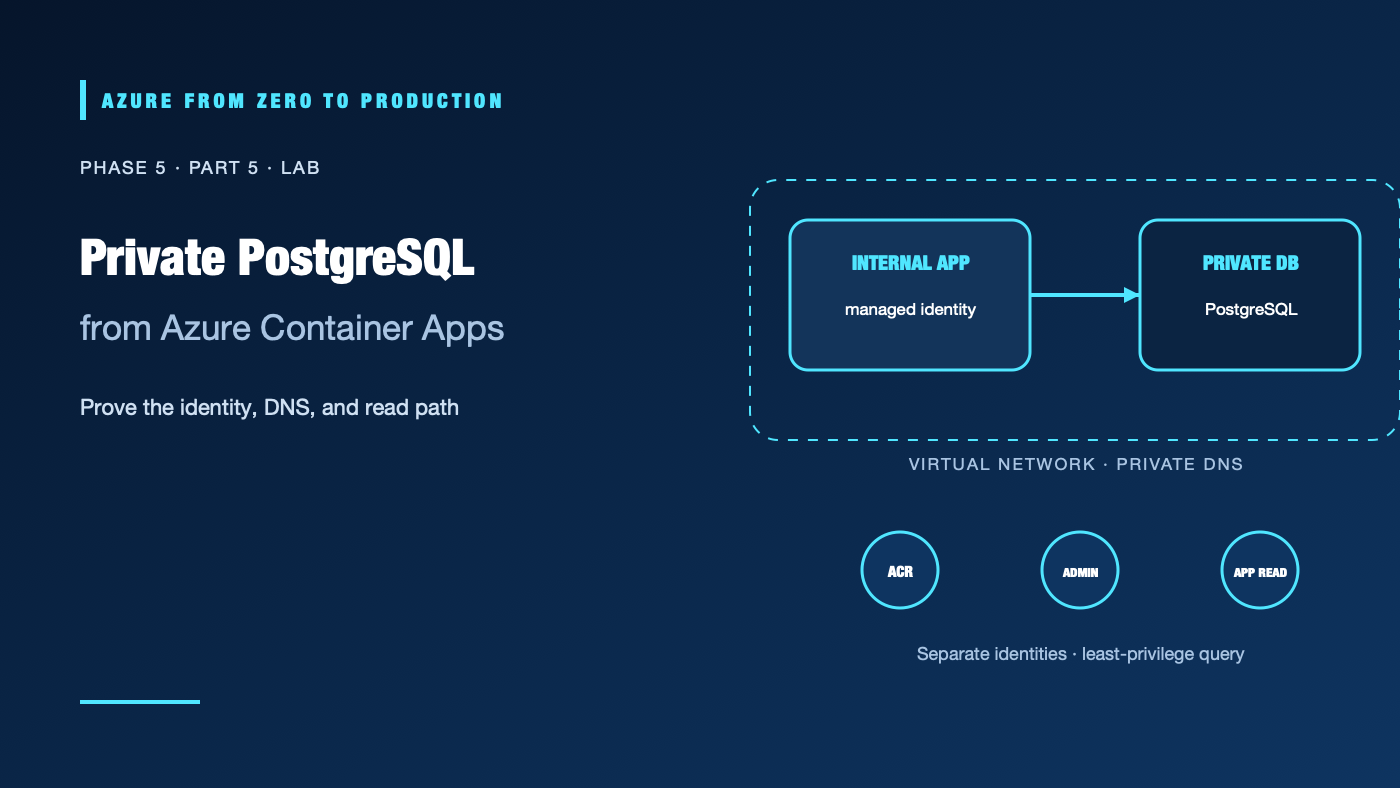
A database can have a private IP and still be unreachable. An app can have a managed identity and still be unauthorized. This lab makes both boundaries explicit: a VNet-integrated Container Apps environment talks to a PostgreSQL Flexible Server on a delegated subnet, and the app uses its own managed identity to query one table.
This lab creates billable Azure resources. Use an approved development subscription, do not use production data, and delete the isolated resource group promptly. The commands and service configuration have been checked against Azure CLI 2.91.0 help and Microsoft documentation; this lab has not been run against a live Azure subscription.
What you’ll build
- One VNet with a dedicated Container Apps infrastructure subnet and a delegated PostgreSQL subnet.
- A private DNS zone for PostgreSQL, linked to the VNet.
- A PostgreSQL Flexible Server with Microsoft Entra authentication and password authentication disabled.
- An Azure Container Registry and an internal-only Container Apps environment.
- Separate managed identities for registry pulls, temporary database administration, and application access.
- A small API whose
/healthendpoint authenticates to PostgreSQL with a managed-identity token and reads a single row.
Prerequisites
- An approved Azure development subscription and permission to create resource groups, VNets/subnets, private DNS zones, PostgreSQL Flexible Servers, Container Apps environments/apps, ACR, and user-assigned managed identities.
Microsoft.Network,Microsoft.DBforPostgreSQL,Microsoft.App,Microsoft.ContainerRegistry, andMicrosoft.ManagedIdentityproviders registered. Provider registration may require an administrator.- Azure RBAC permission to assign
AcrPullto the registry identity at the registry scope; this includesMicrosoft.Authorization/roleAssignments/write. Contributor alone is insufficient. - Azure CLI 2.91.0 or later, Bash,
uuidgen,curl, andmktemp. - A region where all selected services and the PostgreSQL SKU are available, plus sufficient quota.
- Estimated time: 75–120 minutes.
- Cost: PostgreSQL compute/storage/backups, ACR, Container Apps environment/replicas, network resources, and data transfer can incur charges. Review current regional prices before starting.
Architecture and identity boundaries
                         VNet: 10.70.0.0/16
                         |
  Container Apps env ----+---- snet-aca 10.70.0.0/23
  internal ingress       |       |
  app identity           |       +-- API -> private PostgreSQL hostname
                         |
                         +---- snet-postgres 10.70.2.0/28
                         |       delegated to Microsoft.DBforPostgreSQL/flexibleServers
                         |       PostgreSQL Flexible Server (no public endpoint)
                         |
                         +---- private DNS zone linked to this VNet

  ACR <-- AcrPull -- registry identity
  PostgreSQL Entra administrator <-- temporary admin identity
  PostgreSQL table reader <-- app identity
The Container Apps subnet is dedicated to environment infrastructure and containers. PostgreSQL uses a separate delegated subnet. DNS resolves the server’s normal hostname to its private address inside the VNet. Azure RBAC controls resource management and the registry pull; PostgreSQL roles control database access. The temporary Entra administrator identity is distinct from the app identity and receives no AcrPull role.
Step 1: Select and validate your subscription
az login
az account list --query "[?state=='Enabled'].{name:name, isDefault:isDefault}" --output table
az account set --subscription "<YOUR_DEVELOPMENT_SUBSCRIPTION_ID_OR_NAME>"
az account show --query "{name:name, id:id, tenantId:tenantId}" --output table
Stop if this is not the intended development subscription. Confirm provider registration and regional availability before creating resources.
Step 2: Create the isolated network and private DNS
Keep all commands in the same Bash session so the variables persist.
set -euo pipefail
SUFFIX="$(uuidgen | tr -d '-' | tr '[:upper:]' '[:lower:]' | cut -c1-8)"
LOCATION="eastus"
RESOURCE_GROUP="rg-pg-private-${SUFFIX}"
VNET_NAME="vnet-pg-${SUFFIX}"
ACA_SUBNET="snet-aca"
PG_SUBNET="snet-postgres"
ACA_ENV="cae-pg-${SUFFIX}"
PG_SERVER="pgpriv${SUFFIX}"
PG_DNS_ZONE="${PG_SERVER}.private.postgres.database.azure.com"
ACR_NAME="acrpglab${SUFFIX}"
PULL_IDENTITY="mi-acr-pull-${SUFFIX}"
ADMIN_IDENTITY="mi-pg-admin-${SUFFIX}"
APP_IDENTITY="mi-pg-app-${SUFFIX}"
APP_NAME="ca-pg-api-${SUFFIX}"
IMAGE_TAG="private-pg-api:v1"
SOURCE_DIR="$(mktemp -d)"

az group create --name "$RESOURCE_GROUP" --location "$LOCATION" \
  --tags purpose=learning lab=private-postgresql --output none

az network vnet create --resource-group "$RESOURCE_GROUP" \
  --name "$VNET_NAME" --location "$LOCATION" \
  --address-prefixes 10.70.0.0/16 \
  --subnet-name "$ACA_SUBNET" --subnet-prefixes 10.70.0.0/23 \
  --output none

az network vnet subnet create --resource-group "$RESOURCE_GROUP" \
  --vnet-name "$VNET_NAME" --name "$PG_SUBNET" \
  --address-prefixes 10.70.2.0/28 \
  --delegations Microsoft.DBforPostgreSQL/flexibleServers \
  --output none

az network private-dns zone create --resource-group "$RESOURCE_GROUP" \
  --name "$PG_DNS_ZONE" --output none

az network private-dns link vnet create --resource-group "$RESOURCE_GROUP" \
  --zone-name "$PG_DNS_ZONE" --name "link-${SUFFIX}" \
  --virtual-network "$VNET_NAME" --registration-enabled false \
  --output none

ACA_SUBNET_ID="$(az network vnet subnet show --resource-group "$RESOURCE_GROUP" \
  --vnet-name "$VNET_NAME" --name "$ACA_SUBNET" --query id --output tsv)"
The /23 Container Apps subnet exceeds the documented minimum for workload-profile environments and meets the larger minimum for legacy Consumption-only environments; it is dedicated to this environment. The /28 PostgreSQL subnet is separate and delegated only to Flexible Server. Do not reuse either subnet for unrelated resources. Verify current subnet requirements before changing environment type.
✅ Checkpoint: The VNet contains the two non-overlapping subnets, PostgreSQL subnet delegation is Microsoft.DBforPostgreSQL/flexibleServers, and the DNS zone has a VNet link.
Step 3: Create identities, registry, and the application image
az identity create --resource-group "$RESOURCE_GROUP" --name "$PULL_IDENTITY" \
  --location "$LOCATION" --output none
az identity create --resource-group "$RESOURCE_GROUP" --name "$ADMIN_IDENTITY" \
  --location "$LOCATION" --output none
az identity create --resource-group "$RESOURCE_GROUP" --name "$APP_IDENTITY" \
  --location "$LOCATION" --output none

PULL_ID="$(az identity show --resource-group "$RESOURCE_GROUP" \
  --name "$PULL_IDENTITY" --query id --output tsv)"
PULL_PRINCIPAL_ID="$(az identity show --resource-group "$RESOURCE_GROUP" \
  --name "$PULL_IDENTITY" --query principalId --output tsv)"
ADMIN_PRINCIPAL_ID="$(az identity show --resource-group "$RESOURCE_GROUP" \
  --name "$ADMIN_IDENTITY" --query principalId --output tsv)"
ADMIN_CLIENT_ID="$(az identity show --resource-group "$RESOURCE_GROUP" \
  --name "$ADMIN_IDENTITY" --query clientId --output tsv)"
APP_ID="$(az identity show --resource-group "$RESOURCE_GROUP" \
  --name "$APP_IDENTITY" --query id --output tsv)"
APP_PRINCIPAL_ID="$(az identity show --resource-group "$RESOURCE_GROUP" \
  --name "$APP_IDENTITY" --query principalId --output tsv)"
APP_CLIENT_ID="$(az identity show --resource-group "$RESOURCE_GROUP" \
  --name "$APP_IDENTITY" --query clientId --output tsv)"

az acr create --resource-group "$RESOURCE_GROUP" --name "$ACR_NAME" \
  --location "$LOCATION" --sku Basic --admin-enabled false \
  --role-assignment-mode rbac --output none

ACR_AUTH_STATUS="$(az acr config authentication-as-arm show \
  --registry "$ACR_NAME" --query status --output tsv)"
if [ "$ACR_AUTH_STATUS" != "enabled" ]; then
  az acr config authentication-as-arm update \
    --registry "$ACR_NAME" --status enabled
fi

ACR_ID="$(az acr show --resource-group "$RESOURCE_GROUP" \
  --name "$ACR_NAME" --query id --output tsv)"
ACR_LOGIN_SERVER="$(az acr show --resource-group "$RESOURCE_GROUP" \
  --name "$ACR_NAME" --query loginServer --output tsv)"
az role assignment create --assignee-object-id "$PULL_PRINCIPAL_ID" \
  --assignee-principal-type ServicePrincipal --role AcrPull \
  --scope "$ACR_ID" --output none
The registry role assignment is intentionally scoped to this ACR. Azure role assignments can take time to propagate. Build the small API source next; no local Docker daemon is required.
cat > "$SOURCE_DIR/app.py" <<'PY'
import logging
import os

import psycopg
from azure.identity import ManagedIdentityCredential
from fastapi import FastAPI, HTTPException

app = FastAPI()
credential = ManagedIdentityCredential(client_id=os.environ["AZURE_CLIENT_ID"])


@app.get("/health")
def health():
    token = credential.get_token(
        "https://ossrdbms-aad.database.windows.net/.default"
    ).token
    try:
        with psycopg.connect(
            host=os.environ["PGHOST"],
            dbname="labdb",
            user=os.environ["PG_APP_USER"],
            password=token,
            sslmode="require",
            connect_timeout=10,
        ) as connection:
            with connection.cursor() as cursor:
                cursor.execute("SELECT status FROM public.health_check LIMIT 1")
                row = cursor.fetchone()
        if row is None:
            raise HTTPException(status_code=503, detail="health row missing")
        return {"status": "ok", "database": row[0]}
    except psycopg.Error:
        logging.exception("PostgreSQL health query failed")
        raise HTTPException(status_code=503, detail="database unavailable")
PY

cat > "$SOURCE_DIR/bootstrap.py" <<'PY'
import os

import psycopg
from azure.identity import ManagedIdentityCredential
from psycopg import sql

HOST = os.environ["PGHOST"]
ADMIN_USER = os.environ["PG_ADMIN_USER"]
APP_USER = os.environ["PG_APP_USER"]
ADMIN_CLIENT_ID = os.environ["PG_ADMIN_CLIENT_ID"]
TOKEN_SCOPE = "https://ossrdbms-aad.database.windows.net/.default"
token = ManagedIdentityCredential(
    client_id=ADMIN_CLIENT_ID
).get_token(TOKEN_SCOPE).token
connect_args = {
    "host": HOST,
    "user": ADMIN_USER,
    "password": token,
    "sslmode": "require",
    "connect_timeout": 10,
}

# Run once as the server's Entra administrator. Principal creation belongs
# in the postgres database; database grants are applied in labdb.
with psycopg.connect(dbname="postgres", autocommit=True, **connect_args) as connection:
    with connection.cursor() as cursor:
        cursor.execute(
            "SELECT * FROM pgaadauth_create_principal(%s, false, false)",
            (APP_USER,),
        )
        cursor.execute("CREATE DATABASE labdb")

with psycopg.connect(dbname="labdb", **connect_args) as connection:
    with connection.cursor() as cursor:
        cursor.execute(
            "CREATE TABLE public.health_check (status text NOT NULL)"
        )
        cursor.execute(
            "INSERT INTO public.health_check (status) VALUES (%s)",
            ("connected",),
        )
        cursor.execute(
            sql.SQL("REVOKE ALL ON DATABASE labdb FROM PUBLIC")
        )
        cursor.execute(
            sql.SQL("GRANT CONNECT ON DATABASE labdb TO {}").format(
                sql.Identifier(APP_USER)
            )
        )
        cursor.execute("REVOKE ALL ON SCHEMA public FROM PUBLIC")
        cursor.execute(
            sql.SQL("GRANT USAGE ON SCHEMA public TO {}").format(
                sql.Identifier(APP_USER)
            )
        )
        cursor.execute(
            sql.SQL("GRANT SELECT ON public.health_check TO {}").format(
                sql.Identifier(APP_USER)
            )
        )

print("Created the app principal and granted read-only access to health_check.")
PY

cat > "$SOURCE_DIR/requirements.txt" <<'REQ'
azure-identity
fastapi
psycopg[binary]
uvicorn[standard]
REQ

cat > "$SOURCE_DIR/Dockerfile" <<'DOCKER'
FROM python:3.12-slim
WORKDIR /app
COPY requirements.txt .
RUN pip install --no-cache-dir -r requirements.txt
COPY app.py bootstrap.py .
USER 10001
EXPOSE 8080
CMD ["uvicorn", "app:app", "--host", "0.0.0.0", "--port", "8080"]
DOCKER

az acr build --registry "$ACR_NAME" --image "$IMAGE_TAG" "$SOURCE_DIR"
rm -r -- "$SOURCE_DIR"
The image contains no password. ManagedIdentityCredential explicitly selects the app identity at runtime and the admin identity only for the one-time bootstrap script. The registry pull identity is separate again.
✅ Checkpoint: ACR reports the private-pg-api:v1 image, and its login server ends in .azurecr.io.
Step 4: Create PostgreSQL with private access and Entra administration
az postgres flexible-server create \
  --resource-group "$RESOURCE_GROUP" --name "$PG_SERVER" \
  --location "$LOCATION" --version 16 \
  --tier Burstable --sku-name Standard_B1ms --storage-size 32 \
  --vnet "$VNET_NAME" --subnet "$PG_SUBNET" \
  --private-dns-zone "$PG_DNS_ZONE" \
  --microsoft-entra-auth Enabled --password-auth Disabled \
  --admin-object-id "$ADMIN_PRINCIPAL_ID" \
  --admin-display-name "$ADMIN_IDENTITY" \
  --admin-type ServicePrincipal --output none

PGHOST="$(az postgres flexible-server show --resource-group "$RESOURCE_GROUP" \
  --name "$PG_SERVER" --query fullyQualifiedDomainName --output tsv)"
printf 'Private PostgreSQL hostname: %s\n' "$PGHOST"
The server is created in VNet-integration mode on the delegated subnet and has no public endpoint. The administrator identity is a service principal backed by a user-assigned managed identity. Azure CLI 2.91.0 lists ServicePrincipal as the accepted administrator type. Confirm that the server reaches a ready state before continuing.
✅ Checkpoint: The server reports Entra authentication enabled, password authentication disabled, and private networking. Its FQDN ends in .postgres.database.azure.com; from within the linked VNet, DNS must resolve it to a private address.
Step 5: Create an internal Container Apps environment and deploy the API
ACA_SUBNET_ID="$(az network vnet subnet show --resource-group "$RESOURCE_GROUP" \
  --vnet-name "$VNET_NAME" --name "$ACA_SUBNET" --query id --output tsv)"

az containerapp env create --resource-group "$RESOURCE_GROUP" \
  --name "$ACA_ENV" --location "$LOCATION" \
  --infrastructure-subnet-resource-id "$ACA_SUBNET_ID" \
  --internal-only --output none

az containerapp create --resource-group "$RESOURCE_GROUP" \
  --name "$APP_NAME" --environment "$ACA_ENV" \
  --image "${ACR_LOGIN_SERVER}/${IMAGE_TAG}" \
  --registry-server "$ACR_LOGIN_SERVER" \
  --registry-identity "$PULL_ID" \
  --user-assigned "$PULL_ID" "$APP_ID" "$ADMIN_ID" \
  --ingress internal --target-port 8080 \
  --min-replicas 1 --max-replicas 1 \
  --env-vars "PGHOST=${PGHOST}" "PG_APP_USER=${APP_IDENTITY}" \
    "AZURE_CLIENT_ID=${APP_CLIENT_ID}" \
    "PG_ADMIN_USER=${ADMIN_IDENTITY}" \
    "PG_ADMIN_CLIENT_ID=${ADMIN_CLIENT_ID}" \
  --output none
The environment uses a private load balancer; the app has internal ingress and a single replica. The container app receives the registry, app, and temporary administrator identities at creation. Do not add a public ingress route for this lab.
Verify the app revision is running, then open a shell in the running replica:
az containerapp show --resource-group "$RESOURCE_GROUP" --name "$APP_NAME" \
  --query "{provisioningState:properties.provisioningState, ingress:properties.configuration.ingress.external, fqdn:properties.configuration.ingress.fqdn}" \
  --output table
az containerapp revision list --resource-group "$RESOURCE_GROUP" \
  --name "$APP_NAME" --output table
az containerapp exec --resource-group "$RESOURCE_GROUP" \
  --name "$APP_NAME" --command sh
At the container shell, run the one-time database bootstrap and exit:
python /app/bootstrap.py
exit
The script obtains a token for the temporary Entra admin identity, creates a database principal for the app identity in the postgres database, creates labdb, and grants that app principal only CONNECT, schema USAGE, and table SELECT. Run it once; it is not an idempotent migration.
✅ Checkpoint: The script prints that it created the app principal and read-only table grant. If it fails, do not change the app identity’s database role to administrator as a shortcut.
Step 6: Remove the temporary admin identity and verify the app query
Remove the database administrator identity from the running container app; the PostgreSQL server still retains its configured Entra administrator, but the app no longer has that identity attached.
az containerapp identity remove --resource-group "$RESOURCE_GROUP" \
  --name "$APP_NAME" --user-assigned "$ADMIN_ID"
Use Container Apps exec to call the internal health endpoint from the app replica:
az containerapp exec --resource-group "$RESOURCE_GROUP" \
  --name "$APP_NAME" --command sh
At the shell:
python -c 'import urllib.request; print(urllib.request.urlopen("http://127.0.0.1:8080/health", timeout=15).read().decode())'
exit
Expected response:
{"status":"ok","database":"connected"}
Inspect the app’s logs and identity list:
az containerapp logs show --resource-group "$RESOURCE_GROUP" \
  --name "$APP_NAME" --type console --tail 30
az containerapp identity show --resource-group "$RESOURCE_GROUP" \
  --name "$APP_NAME" --output json
az postgres flexible-server show --resource-group "$RESOURCE_GROUP" \
  --name "$PG_SERVER" \
  --query "{state:state, fqdn:fullyQualifiedDomainName, auth:authConfig, network:network}" \
  --output json
The health response proves the application identity reached the table through the private network and authenticated to PostgreSQL. It does not prove a production failover, backup restore, or security review.
Troubleshooting
- PostgreSQL create rejects the subnet: Confirm it is delegated only to
Microsoft.DBforPostgreSQL/flexibleServersand that the VNet, subnet, and server are region-compatible. - Container Apps environment rejects its subnet: The subnet must be dedicated and large enough for the environment type. This lab uses
/23for legacy Consumption-only networking; verify current requirements and avoid reusing it. - App cannot resolve PostgreSQL hostname: Check the private DNS zone name, VNet link, environment subnet, and whether custom DNS forwards the zone. Confirm the FQDN resolves to a private IP inside the environment.
- App times out on port 5432: DNS may work while routing or network policy does not. Check VNet integration, NSGs/UDRs, service state, and PostgreSQL subnet delegation.
- ACR image pull is denied: Check the pull identity’s
AcrPullassignment at this registry scope, ARM-audience token setting, registry identity selection, and role propagation. - Managed identity cannot get a token: Confirm that the correct user-assigned identity is attached and
AZURE_CLIENT_IDorPG_ADMIN_CLIENT_IDmatches its client ID. Do not substitute a client secret. - PostgreSQL rejects the Entra principal: Verify Entra authentication, server administrator display name/object ID, database principal creation in
postgres, exact managed-identity display name, token resource, and PostgreSQL role grants. - Health returns 503: Inspect console logs without printing tokens. Verify
PGHOST, the private DNS result, app identity, table name,CONNECT, schemaUSAGE, and tableSELECT. - App still has admin rights after bootstrap: Remove the admin identity from the app and confirm only the registry and application identities remain attached.
Five-pillar readiness checklist
- Reliability: Set database backup/HA requirements and test restore and failover separately.
- Security: Keep the database private, disable password auth, separate identities, and grant the app only required SQL privileges.
- Cost Optimization: Use the smallest eligible lab sizes and delete the full resource group immediately after testing.
- Operational Excellence: Monitor app revisions, database availability, connection failures, and DNS behavior; automate schema migration for production.
- Performance Efficiency: Measure connection reuse, query latency, database compute, and Container Apps scaling before production sizing.
Cleanup
All lab resources, including the managed identities, registry, private DNS zone, VNet, PostgreSQL server, Container Apps environment, and app, are in the temporary resource group. Verify the exact name and contents first:
printf 'Resource group to remove: %s\n' "$RESOURCE_GROUP"
az group show --name "$RESOURCE_GROUP" \
  --query "{name:name, location:location, tags:tags}" --output table
After confirming the group is lab-only and contains nothing needed, delete it:
az group delete --name "$RESOURCE_GROUP" --yes --no-wait
Check completion later with az group exists --name "$RESOURCE_GROUP". No tenant-level identity objects were created. The ACR role assignment is scoped to the lab registry; verify it is removed with the registry and lab group.
Key takeaways
- Private access depends on subnet delegation, VNet integration, and correct DNS.
- Azure RBAC to manage a server is separate from PostgreSQL roles to read data.
- Use a separate identity for image pulls, bootstrap administration, and app access.
- PostgreSQL Entra tokens replace passwords; they do not replace database grants.
- Remove temporary admin access and prove least-privilege app access with a real query.
- Clean up the complete lab resource group to stop ongoing charges.
Next: Stop Clicking: Declare Azure Infrastructure with Bicep (planned).
Series navigation: Previous: Cosmos DB and Caching · Current: Phase 5, Part 5 · Next: Bicep (planned)
References
- PostgreSQL Flexible Server private networking
- Microsoft Entra authentication for PostgreSQL
- Connect to PostgreSQL with a managed identity
- Custom VNet for Azure Container Apps
- Managed identities in Azure Container Apps
- Authenticate Container Apps image pulls with managed identity
- Azure CLI PostgreSQL Flexible Server