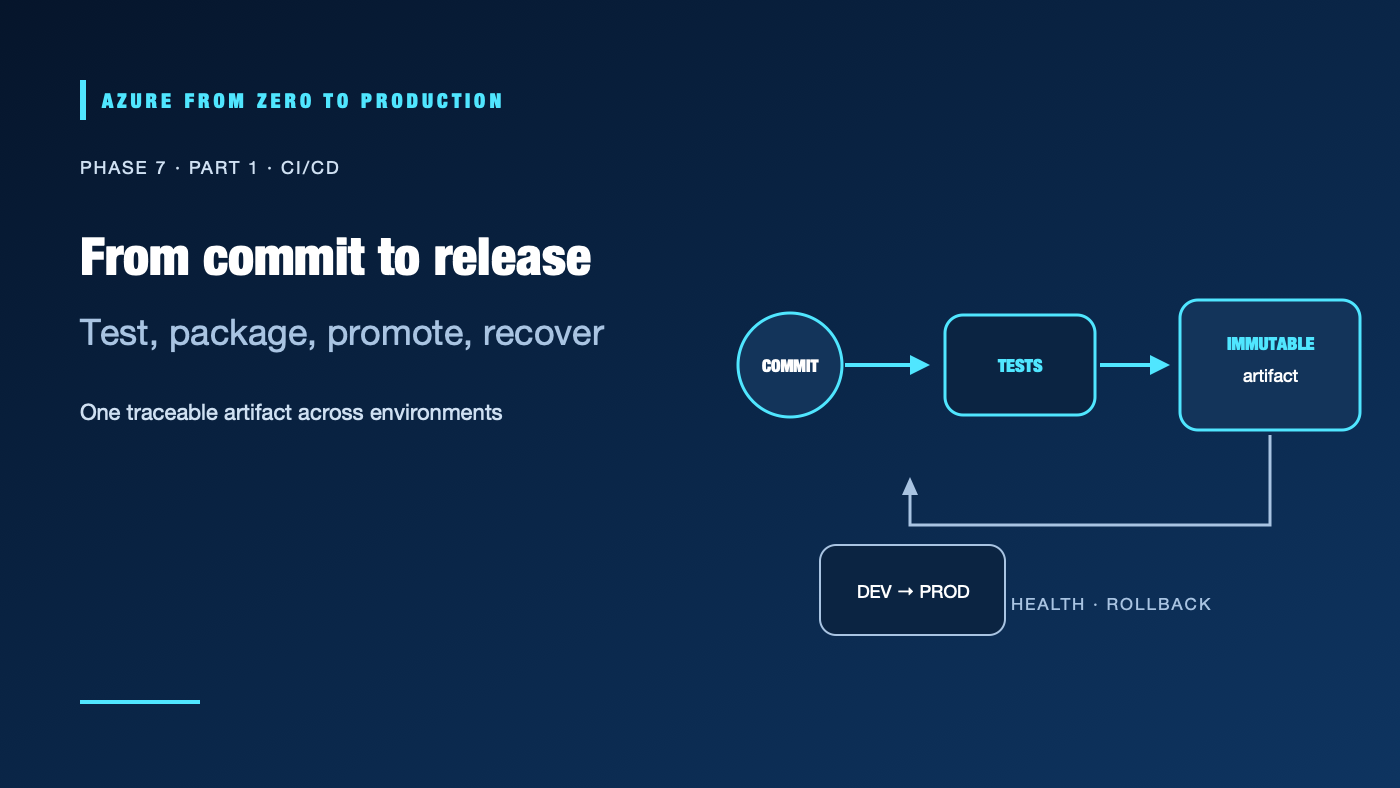
A small API change can pass local testing and still fail in production because the image, configuration, permissions, or deployment steps differ. Continuous integration and continuous delivery make those steps visible and repeatable. They do not make a release safe by themselves: teams still need trustworthy inputs, controlled identities, health checks, and a way back.
What you’ll learn
- Distinguish continuous integration, continuous delivery, and continuous deployment.
- Trace a change from source commit through tests, artifact creation, approval, and Azure rollout.
- Explain why immutable artifacts and environment promotion reduce release risk.
- Choose a deployment strategy that matches an application’s availability needs.
- Identify the identities and permissions a delivery pipeline actually requires.
Prerequisites
- Basic Git, HTTP, Azure resource-group, and container concepts.
- No Azure subscription is required for the exercise; no resources are created.
- A Git repository and a sample test/build command are useful for the exercise.
- Cost: none for the no-deployment exercise. Real runners, registries, environments, logs, and application resources can incur charges.
The problem we’re solving
An engineer tests code on a laptop, another person rebuilds the container, and an operator copies a secret into a deployment command. The production artifact may not be the one that passed tests, and nobody can prove which source revision produced it. Manual repetition also creates permission sprawl: a pipeline that only needs to publish an image can end up with subscription-wide Contributor access.
CI/CD addresses these risks by encoding the path from reviewed change to running service. A pipeline coordinates tools; it does not replace code review, Azure RBAC, workload identity federation, or operational ownership.
Understanding the delivery loop
Continuous integration (CI) validates changes frequently: compile, lint, test, scan, and package. A failed check blocks later stages. Continuous delivery keeps a verified release ready for controlled deployment, usually with an approval or a deliberate promotion. Continuous deployment automatically releases every change that passes the required policy. These are related practices, not synonyms.
Reviewed commit
    |
    v
Fast checks --> build once --> immutable artifact + provenance
                                  |
                                  v
                         development environment
                                  |
                         health and policy gates
                                  |
                         approval / promotion
                                  v
                            production
                                  |
                     metrics, alerts, rollback
The pipeline should build an artifact once and promote the same digest through environments. Rebuilding the same commit separately for production can produce different bytes if dependencies, base images, or tool versions moved. A tag such as latest is a label, not an immutable artifact identity; an image digest identifies content.
A pipeline has trust boundaries
- Source: Protect the default branch, review workflow changes, and use dependency updates deliberately.
- Runner: Treat it as a temporary privileged machine. Hosted runners are isolated between jobs; self-hosted runners need strong isolation and cleanup.
- Artifact: Record its source revision and digest. Signatures and attestations help verify provenance but do not prove the code is benign.
- Environment: Separate development and production approvals, configuration, and deployment identities.
- Azure: Authenticate with workload identity federation where supported; scope Azure RBAC to the resources the job manages.
An Azure-hosted workload often uses a managed identity. A CI runner outside Azure typically uses OIDC workload identity federation. In both cases, authentication establishes an identity; Azure RBAC and each service’s data-plane permissions authorize actions.
Deployment strategy is part of the design
- Rolling: Replace instances gradually. It is efficient but may expose users to a bad revision during rollout.
- Blue/green: Run a candidate beside the current version, validate it, then switch traffic. It uses additional capacity and needs a tested rollback path.
- Canary: Send a small share of traffic to the new revision, compare health and business signals, then increase exposure.
- Feature flag: Deploy code without exposing the behavior to every user. Flags need owners, expiry, and safe defaults.
Azure Container Apps revisions can support traffic management, while App Service slots and deployment-ring patterns serve different hosting models. A deployment command succeeding is not a health check. Verify the app’s dependency path and user-facing behavior after traffic changes.
Separate infrastructure and application delivery
Infrastructure as code (IaC) describes resource configuration; application delivery publishes code or an image. They may share a pipeline, but they have different change rates, permissions, review needs, and rollback semantics. A bad app release may be reversible by restoring an earlier image. A destructive network or database migration may not be. Preview infrastructure changes and design data migrations for backward compatibility.
Hands-on: map a release before automating it
No Azure resources are created. Choose one small service and write down its current release steps:
- Name the source branch and the people allowed to approve a change.
- Record the test and build commands, including the expected success signal.
- Identify the artifact and how its exact digest is recorded.
- List the Azure resources the deployment changes and the role/scope required.
- Name a post-deployment health check, an owner, and a known-good rollback artifact.
- Mark which steps run for an untrusted pull request and which require a trusted branch or protected environment.
✅ Checkpoint: A teammate can explain the same release path from the commit ID to the deployed artifact and its recovery point.
Security, reliability, and cost
Give pull-request validation read-only repository permissions and no production credentials. Grant id-token: write only to a job that needs to request an OIDC token; that permission allows token issuance, not Azure resource access. Restrict the federated credential to the repository and environment or branch, protect the environment, and assign a narrowly scoped Azure role.
Keep logs useful but free of tokens, connection strings, sensitive command output, and Terraform state. Do not let a workflow from a fork or an unreviewed branch deploy to a privileged self-hosted runner. Use protected branches, dependency review, action pinning, and an owner for any exception.
Pipeline minutes, build compute, artifact retention, registry storage, network egress, deployment environments, and observability ingestion can cost money. A budget sends alerts; it does not cap charges. Retain release evidence according to policy and delete temporary lab infrastructure when finished.
Troubleshooting
- Tests pass locally but fail in CI: Tool versions, environment variables, timezone, or generated files differ. Print safe version information and make the job reproduce the documented local command.
- A deployment uses an unexpected image: A mutable tag or independently rebuilt artifact was used. Record and promote the image digest produced by the trusted build.
- The job is green but users see errors: The pipeline checked deployment completion, not application health. Add a bounded smoke test and observe dependency and error-rate signals.
- OIDC login succeeds but Azure denies the operation: The federated credential authenticated the identity, but its Azure RBAC or service data role lacks the required scope/action. Inspect the denied operation and assignment scope.
- Production deploys overlap: Concurrency is not serialized or a previous run is still active. Add a deployment concurrency group and verify the active revision before retrying.
- Rollback does not restore service: The old image depends on an incompatible schema or configuration. Use backward-compatible migrations and preserve a known-good configuration as well as an image.
Five-pillar readiness checklist
- Reliability: Gate traffic on health, use progressive rollout where useful, and rehearse rollback.
- Security: Use short-lived federation, least privilege, protected branches, and reviewed dependencies.
- Cost Optimization: Bound runner/build time, image retention, environment replicas, and log volume.
- Operational Excellence: Keep pipeline definitions reviewed, observable, reproducible, and owned.
- Performance Efficiency: Measure build duration, startup time, request latency, and scaling under real workload.
Cleanup
The exercise created no resources, so no Azure cleanup is required. If you created test environments, registries, runner groups, or artifacts while practicing, remove only lab-owned items and preserve production evidence and shared resources.
Key takeaways
- CI validates; delivery promotes; deployment changes production.
- Build once and promote an immutable artifact.
- A successful ARM or container update is not an application health check.
- Pipeline identity and Azure authorization are separate controls.
- Design the rollback before the incident.
Next: GitHub Actions and Azure.
Series navigation: Previous: Terraform application stack lab · Current: Phase 7, Part 1 · Next: GitHub Actions and Azure