A deployment pipeline needs Azure access, so someone creates an application secret and saves it in GitHub. It works—until the secret expires, gets copied to the wrong workflow, or appears in a log. The pipeline has become a long-lived credential holder.
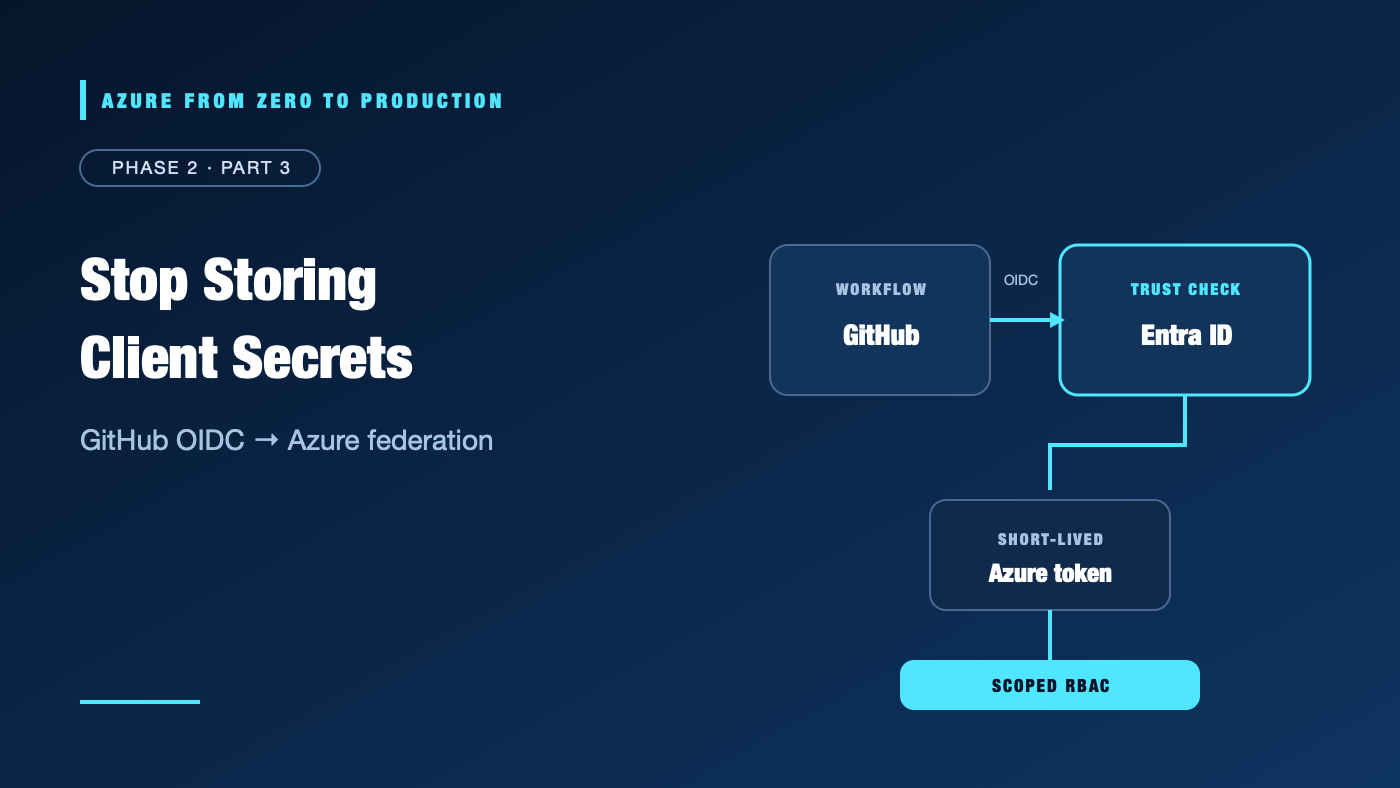
Workload identity federation replaces that stored credential with a trust rule. GitHub issues a signed OpenID Connect (OIDC) token for a specific workflow context. Microsoft Entra ID validates the token against a federated identity credential and exchanges it for an Azure access token.
What you’ll learn
- Explain OIDC issuer, subject, and audience claims.
- Compare an app registration’s service principal with a user-assigned managed identity.
- Describe how federated credentials create a trust relationship without a client secret.
- Configure GitHub Actions to request an OIDC token and log in with
azure/login. - Separate identity federation from Azure RBAC permissions.
- Inspect the trust settings required before a deployment workflow can authenticate.
Where this fits
This is Module 7 and Phase 2, Part 3. It builds on least-privilege Azure access. The next article covers Key Vault and managed identities; the phase ends with a lab that provisions and tests the GitHub trust.
Prerequisites
- Knowledge: Microsoft Entra service principals, Azure RBAC, and GitHub Actions basics.
- Azure access: None for this conceptual exercise; the final lab needs an authorized development subscription and permission to create a user-assigned managed identity and role assignment.
- Microsoft Entra roles: None for this exercise. App registration and federation administration may require tenant permissions.
- Azure RBAC: Federation does not grant resource access. A separate Azure role assignment is required for the identity.
- Tools: A GitHub repository for reviewing workflow context; no Azure CLI changes are made here.
- Estimated cost: No resources are created. GitHub usage and optional Azure features follow their current plan terms.
The three claims behind federation
OpenID Connect (OIDC) is an identity layer built on OAuth 2.0. In this pattern, GitHub is the issuer (identity provider). It issues a signed JSON Web Token (JWT) describing the workflow run. Microsoft Entra ID checks whether that token matches a trust rule configured on an application or user-assigned managed identity.
A federated identity credential matches three values:
- Issuer: where the external token came from. For GitHub Actions this is
https://token.actions.githubusercontent.com. - Subject: which repository context is trusted. For a GitHub environment, the traditional subject format is
repo:OWNER/REPOSITORY:environment:dev. Exact values depend on repository settings and GitHub’s current subject-claim format. - Audience: which token exchange service the external token is intended for. The recommended Azure audience is
api://AzureADTokenExchange.
All values must match the token exactly. A mismatch does not create partial access: the exchange is rejected.
GitHub Actions job
      |
      | signed OIDC token: issuer + subject + audience
      v
Microsoft Entra ID checks federated credential
      |
      | short-lived Azure access token for trusted identity
      v
Azure service checks that identity's Azure RBAC permissions
The federated credential answers which external workload may become this identity. Azure RBAC separately answers what that identity can do. Do not confuse trust to authenticate with permission to deploy.
App registration or user-assigned managed identity?
Both can be configured with a federated identity credential and used as a deployment identity.
- App registration and service principal: The app registration defines the application object in its home tenant. The service principal is its tenant-local security principal and receives Azure RBAC assignments. This is useful when the application identity needs app-specific configuration or a lifecycle independent from Azure resources.
- User-assigned managed identity (UAMI): A managed identity is an Azure resource represented by a service principal. It can be associated with supported Azure workloads, and its lifecycle is independent from any one attached workload. External federation can be configured on a UAMI; it does not mean GitHub is running inside Azure.
Choose one identity model and manage its lifecycle intentionally. A UAMI is convenient for Azure-native identity management; an app registration may fit existing application identity governance. In either case, keep its Azure role narrow and remove obsolete federated credentials and assignments when the workflow is retired.
GitHub Actions example
For a GitHub repository with an environment named dev, a workflow can request an OIDC token and pass it to the Azure Login action:
name: Azure deployment

on:
  workflow_dispatch:

permissions:
  contents: read

jobs:
  deploy:
    runs-on: ubuntu-latest
    environment: dev
    permissions:
      contents: read
      id-token: write
    steps:
      - name: Sign in to Azure with OIDC
        uses: azure/login@v2
        with:
          client-id: ${{ vars.AZURE_CLIENT_ID }}
          tenant-id: ${{ vars.AZURE_TENANT_ID }}
          subscription-id: ${{ vars.AZURE_SUBSCRIPTION_ID }}
id-token: write allows this job to request an OIDC token; it does not give the workflow write permission to Azure resources. The Azure Login action exchanges that token for an Azure token. The IDs are identifiers, not client secrets; GitHub repository or environment variables are suitable, although organizations may choose another configuration-management approach.
For production, pin third-party and first-party Actions to verified commit SHAs using an approved update process. A version tag such as @v2 is easier to read but can move; verify the current action documentation and security policy before adopting an example.
Environment subject and branch protection
When a job references a GitHub environment, the traditional subject claim uses the environment name rather than a branch ref. Therefore, a trust on repo:OWNER/REPOSITORY:environment:dev trusts jobs in that environment; the subject alone does not restrict which branch can enter it.
Configure GitHub environment deployment protection rules to allow only the intended branch or tag, require approval where appropriate, and restrict who can change the environment. For branches that do not use an environment, the traditional subject commonly takes the form repo:OWNER/REPOSITORY:ref:refs/heads/BRANCH.
GitHub introduced immutable default subject formats for certain repositories created or renamed/transferred after July 15, 2026. Existing repositories may retain the prior format unless opted in. Inspect the actual current OIDC subject claim and configure the federated credential to match it exactly; do not copy a subject string from another repository or assume all repositories use the same format.
Threat model and operational limits
Federation removes one class of risk: a long-lived Azure client secret stored in a CI system. It does not make an untrusted workflow safe.
- A malicious workflow that can run in the trusted repository and environment may be able to request the same federated identity.
- Restrict repository write access, environment administrators, permitted deployment branches, and workflow changes.
- Keep
id-token: writeat the job level and only on jobs that need Azure authentication. - Require review for production environments and protect changes to workflow files.
- The identity still needs least-privilege Azure RBAC; avoid subscription-wide Contributor when deployment is confined to a resource group.
- Tokens are short-lived, but logs and runners remain security-sensitive. Never print tokens or credentials.
- OIDC trust does not bypass network restrictions or service data-plane authorization.
For Microsoft-hosted GitHub runners, federation avoids a static credential but does not give a private VNet route by itself. A self-hosted runner inside a network introduces its own patching, isolation, and secret-management obligations.
Hands-on: map a workflow to an exact trust
No Azure resources or permissions are changed in this exercise.
-
Identify the owner and repository name exactly as GitHub reports them.
-
Choose one GitHub environment, for example
dev, and add it to the deployment job. -
Configure that environment to allow only the intended branch and reviewers where appropriate.
-
Determine the subject format GitHub will issue for this repository. For repositories using the traditional format, an environment subject resembles:
repo:YOUR_OWNER/YOUR_REPOSITORY:environment:dev -
Record the expected issuer
https://token.actions.githubusercontent.comand audienceapi://AzureADTokenExchange. -
Decide which Entra identity will receive the federated credential and which narrowly scoped Azure RBAC role it requires.
-
Test a valid workflow and a negative case from a branch or environment that should not be trusted. A test must prove both the allowed path and rejection of the unauthorized path.
✅ Checkpoint: Your issuer, subject, and audience describe one intended workflow context, and you can explain that a separate RBAC assignment is still required. No Azure resource or credential was created.
Cost implications
The claims-mapping exercise creates no Azure resources or Azure consumption charges. Running a GitHub Actions workflow may count against the repository’s plan or included minutes. Any Azure resources deployed by a federated workflow are billed normally; federation does not make the deployment free.
Troubleshooting federation
- Azure login reports no matching federated identity record: Compare issuer, subject, and audience character-for-character. Confirm the GitHub environment name and current subject format.
- The token subject does not match your trust: Inspect GitHub’s OIDC claim documentation and repository-specific settings. New immutable subject formats may differ from older examples.
- The workflow cannot request an OIDC token: Confirm
id-token: writeis set on the job or workflow and that the action runs in the intended job. - Azure login succeeds, but deployment returns authorization failure: Authentication worked; check the identity’s Azure RBAC role, exact scope, role-assignment propagation, and any policy or network restrictions.
- An unauthorized branch can enter the trusted environment: Restrict GitHub environment deployment branches/tags and protect repository and environment administration. The environment subject is not a branch restriction.
- A self-hosted runner works differently from GitHub-hosted runners: Check runner network egress, clock, isolation, and whether the job is obtaining a GitHub-issued token rather than using a stale credential.
Production-readiness checklist
- Reliability: Document the trusted workflow context and test token exchange from the intended runner and deployment path.
- Security: Scope issuer, subject, and audience exactly; protect GitHub environments; minimize
id-token: write; assign only the required Azure role; never retain an unused client secret. - Cost Optimization: Federation itself does not create compute resources, but pipeline minutes, runners, and deployed Azure services can incur charges.
- Operational Excellence: Record identity owners, credential trust, role scope, action versions, and revocation steps; monitor failed and successful deployments.
- Performance Efficiency: Use short-lived tokens and direct federation rather than building a custom credential-rotation service.
Cleanup
This exercise only maps claims and reviews a workflow example. It creates no federated credential, identity, role assignment, or Azure resource. No cleanup is required. The Phase 2 lab performs provisioning and includes ordered removal steps.
Key takeaways
- Workload identity federation exchanges a signed external token for an Azure token without storing a long-lived client secret.
- Issuer, subject, and audience must match exactly.
- A GitHub environment subject limits the trusted environment context; branch protection belongs in GitHub environment rules.
- GitHub repository subject formats can change; verify the claim format for the specific repository.
- Federation authenticates a workload; Azure RBAC authorizes its resource operations.
- Protect the repository, workflow, and environment because any trusted workflow can act as the federated identity.
Quick self-check
- Which claim identifies the trusted GitHub workflow context?
- Does
id-token: writegrant Azure Contributor? - If OIDC login succeeds but resource creation is forbidden, which system should you inspect next?
- Does an environment-based subject automatically restrict deployments to the
mainbranch?
Answers
- The subject (
sub), along with matching issuer and audience. - No. It lets the job request a GitHub OIDC token.
- Azure RBAC, then applicable policy, network, and service controls.
- No. Configure the GitHub environment’s deployment branch/tag protection rules.
References
- Authenticate to Azure from GitHub Actions by OpenID Connect — Microsoft Learn
- Configure OpenID Connect in Azure — GitHub Docs
- OpenID Connect reference — GitHub Docs
- Workload identity federation — Microsoft Learn
- Create trust between a user-assigned managed identity and an external identity provider — Microsoft Learn
- Azure Login action — GitHub repository
What’s next
Next, Azure Key Vault and Managed Identities: Secrets Without Hardcoding explains how Azure workloads obtain identity and how Key Vault protects secrets, keys, and certificates.
Series navigation
- ← Previous: Beyond Contributor: Design Least-Privilege Azure Access
- → Next: Azure Key Vault and Managed Identities: Secrets Without Hardcoding
- 📚 Full series roadmap
Disclaimer: GitHub claims, Azure identity features, action versions, and service limits change. Verify current documentation before implementation.