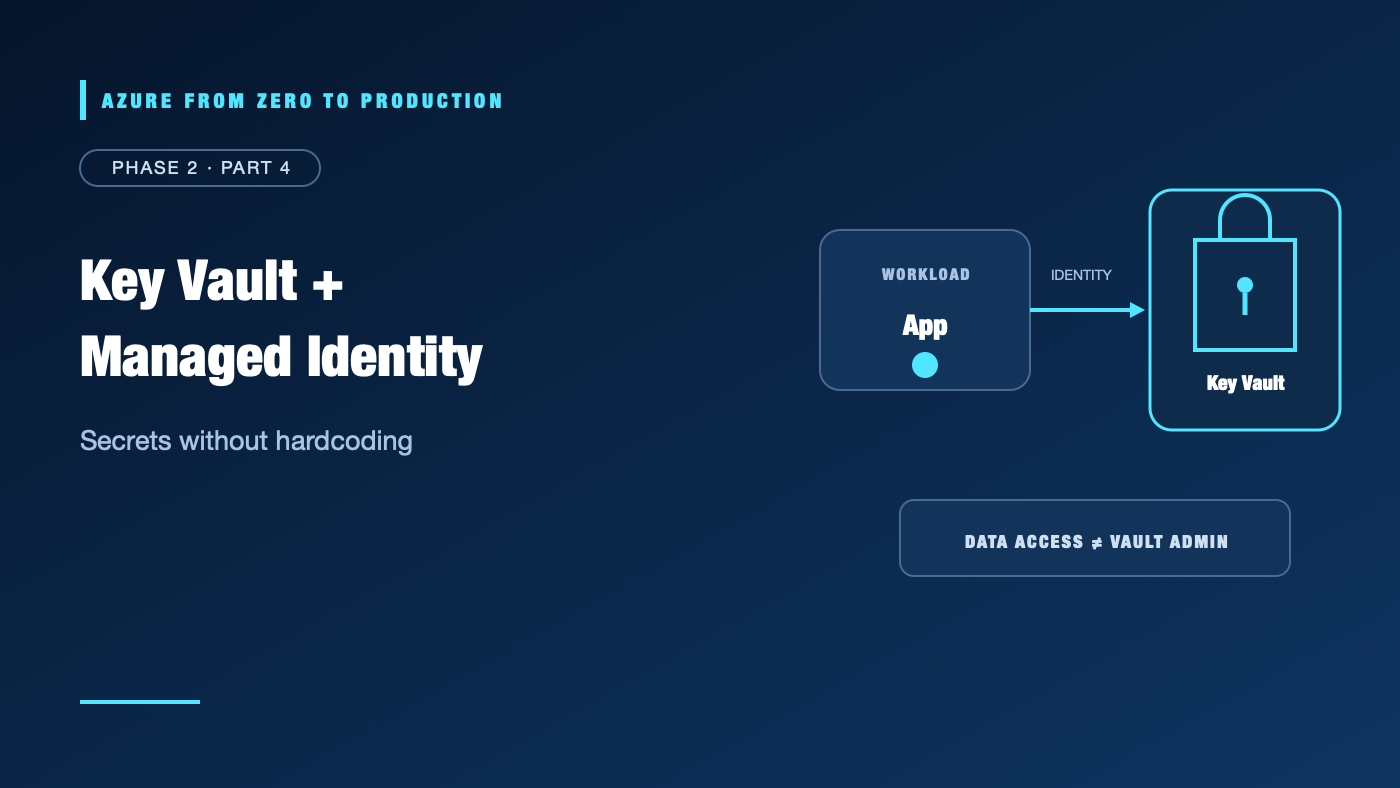
A web app needs a database password. Putting it in source control is unsafe. Putting it in an app setting is better, but now someone must provision, rotate, and protect that credential—and the app still needs a way to authenticate to Azure.
On supported Azure services, a managed identity gives the workload a Microsoft Entra identity without your code managing a client secret. Azure Key Vault stores secrets, keys, and certificates. Together, they reduce credential exposure—but only when identity, authorization, network access, and recovery are designed separately.
What you’ll learn
- Compare system-assigned and user-assigned managed identities.
- Distinguish Key Vault secrets, keys, and certificates.
- Separate Key Vault management-plane and data-plane permissions.
- Grant a workload a narrow data role and validate access safely.
- Explain Key Vault networking, soft delete, purge protection, and rotation.
- Inspect an existing vault without retrieving secret values.
Where this fits
This is Module 8 and Phase 2, Part 4. It builds on workload identity federation, which is often the right pattern for external CI/CD. Next, Azure Policy and Defender for Cloud adds organizational guardrails and security posture.
Prerequisites
- Knowledge: Azure RBAC, Microsoft Entra identities, and basic secret handling.
- Azure access: Optional for the read-only exercise; use a development vault if inspecting an existing one.
- Microsoft Entra roles: None for inspection. Creating a managed identity or vault requires resource permissions; changing app identity configuration requires appropriate service-specific rights.
- Azure RBAC: A reader of vault properties needs control-plane read access. Reading secret values requires a separate data-plane permission, such as Key Vault Secrets User, scoped to the vault or narrower supported scope.
- Tools: Azure CLI 2.91.0 or later.
- Estimated cost: No resources are created. Vault operations, tier choices, keys, certificates, private endpoints, and logging may incur charges; verify current pricing.
Two services, two security decisions
Managed identities remove app-managed credentials
A managed identity is a Microsoft Entra identity provisioned for an Azure workload. The platform handles its credentials and token acquisition. Application code asks the supported identity endpoint or SDK for a token; it does not fetch or rotate a client secret.
- A system-assigned identity is enabled on one Azure resource and follows that resource’s lifecycle. Deleting the resource removes the identity.
- A user-assigned identity is a separate Azure resource. It can be associated with multiple supported workloads and remains when one workload is removed.
Use system-assigned identity when the identity should belong to exactly one resource. Use user-assigned identity when its lifecycle needs to be independent or multiple workloads intentionally share it. A shared identity increases the impact of compromise and makes access attribution less specific; do not share by default.
Managed identity does not automatically grant access to Key Vault or any other service. The identity still needs an authorization grant at the target service, and the workload still needs network reachability.
Key Vault stores different kinds of material
- Secrets are opaque values such as passwords, connection strings, or API tokens. Key Vault does not make an unsafe secret safe merely by storing it there.
- Keys support cryptographic operations. Depending on the key type and operation, an application can request Key Vault to perform a signing, wrapping, or encryption operation without retrieving the private key material.
- Certificates combine certificate lifecycle and metadata with associated key material and can support issuance and renewal workflows.
Use Key Vault when an application or operator must access sensitive configuration or cryptographic operations. Do not use it as an arbitrary high-throughput database or as a substitute for Azure’s own managed identity and service-to-service authentication.
Authorization: management plane versus vault data
Key Vault has separate control and data planes:
- The control plane manages the vault resource: create it, read its properties, configure networking, or change settings. Azure RBAC controls this plane.
- The data plane operates on secret, key, and certificate contents. It uses Key Vault data-plane RBAC roles or the legacy access-policy model, depending on the vault configuration.
The distinction is important: permission to list a vault’s properties does not grant permission to read a secret. Likewise, a data role does not automatically grant permission to change the vault’s firewall or delete the vault.
For new deployments, prefer Azure RBAC for Key Vault data access where it fits the organization’s requirements. The access-policy model remains available in some vaults, but a principal with vault write permissions under that model may be able to grant itself data access by changing the policy. Evaluate and migrate legacy vaults deliberately rather than casually switching the authorization model.
Common data roles include:
- Key Vault Secrets User: read secret contents.
- Key Vault Secrets Officer: manage secrets, but not grant arbitrary Azure access.
- Key Vault Crypto User: perform supported cryptographic operations with keys.
- Key Vault Certificates Officer: manage certificates.
Role capabilities and supported assignment scopes can change. Inspect the current built-in role definitions and vault authorization mode. Keep identities separate for applications, operators, and deployment pipelines.
Network controls and private endpoints
Authentication and authorization do not guarantee network reachability. A vault can restrict public access, use firewall rules, or use a private endpoint connected to a virtual network.
A private endpoint creates a private network interface for the vault. To use it reliably, the client network must route to the endpoint and DNS must resolve the vault name to the private address from that network. Private DNS zone links and resolver paths matter; a private endpoint without working DNS can look like an authentication failure or a timeout.
Prefer the narrowest network exposure that meets the application’s deployment model. Do not enable a public endpoint simply to make an untrusted build runner reach a private vault. For GitHub-hosted CI, use federation for identity and a deployment design that respects the vault’s network boundary; authentication is not a network tunnel.
Encryption and customer-managed keys
Azure services generally encrypt data at rest using platform-managed keys. A customer-managed key (CMK) lets an organization control a key in Key Vault or Managed HSM for supported service encryption scenarios.
CMK can help satisfy control and lifecycle requirements, but it adds operational dependencies: the service must reach the key, the identity must retain appropriate key permissions, and key availability and rotation must be planned. Disabling, expiring, or deleting a required key can disrupt access to protected data. Use CMK when a requirement justifies the added responsibility; it is not automatically more secure than a correctly configured platform-managed key.
Transport encryption and network controls remain separate concerns. Verify the service’s current TLS behavior, private connectivity requirements, and CMK integration details before deployment.
Rotation, recovery, and deletion
Rotation is a lifecycle, not just a setting. Decide who creates the next credential, how consumers discover the active version, how overlap is handled, and how the previous value is revoked. For keys and certificates, align rotation with the service’s own versioning and renewal support.
Key Vault soft delete retains deleted vaults and objects for a configured recovery period. Purge protection prevents permanent deletion during that retention period. These protections are valuable against accidental or malicious deletion, but they make cleanup and name reuse less immediate. Recoverability does not replace backup or recovery testing for the systems that depend on the vault.
Deleting a vault can remove connected configuration such as role assignments or event subscriptions; recovering the vault may not restore those integrations. Document and test dependency recovery before relying on soft delete as a complete restore plan.
Hands-on: inspect a vault without reading secrets
This exercise makes no changes. It deliberately avoids secret values.
First, inspect non-secret vault properties:
az keyvault show \
  --name "<KEY_VAULT_NAME>" \
  --query "{Name:name, ResourceGroup:resourceGroup, Location:location, EnableRbacAuthorization:properties.enableRbacAuthorization, PublicNetworkAccess:properties.publicNetworkAccess}" \
  --output json
If you are authorized to inspect the vault’s role assignments, list them without querying secret contents:
VAULT_ID="$(az keyvault show --name "<KEY_VAULT_NAME>" --query id --output tsv)"

az role assignment list \
  --scope "$VAULT_ID" \
  --all \
  --include-inherited \
  --fill-principal-name false \
  --query "[].{Role:roleDefinitionName, PrincipalType:principalType, Scope:scope}" \
  --output table
Compare the vault’s authorization model with the intended identity and role. Do not run az keyvault secret show against a production vault or put a returned secret value in terminal history, screenshots, or logs.
✅ Checkpoint: You can tell whether the vault uses Azure RBAC for data authorization and whether the workload identity has a role at an appropriate scope. No secret value was retrieved and no configuration changed.
Cost implications
The read-only inspection creates no billable resources. A deployed vault can incur charges based on its tier, operations, keys, certificates, and other features. Private endpoints, monitoring destinations, and log ingestion can add separate costs. Check the current Azure pricing calculator for the intended region and service configuration.
Troubleshooting
- The workload receives 403 when reading a secret: Check the vault authorization model, the caller’s actual managed identity, its data-plane role or access policy, assignment scope, and token freshness.
- The vault responds with a timeout: Check public network access, firewall rules, private endpoint routing, and DNS resolution from the workload’s network.
- The portal shows the vault but the app cannot read a secret: Management-plane visibility is not data-plane permission. Grant the appropriate data role, not Owner.
- The role was granted to the wrong identity: Compare the Azure resource’s identity principal ID with the principal ID used in the assignment; client ID, object ID, and resource ID are different identifiers.
- A recovered vault still has broken integrations: Recreate dependent role assignments, event subscriptions, or other integrations that were not restored with the vault.
- A rotation broke the application: Check which secret or key version the workload retrieves, whether consumers refreshed it, and whether the old credential was revoked too early.
- A private endpoint resolves publicly: Check the private DNS zone, VNet links, DNS forwarders, and the client’s actual resolver. Do not disable network restrictions as the first fix.
Production-readiness checklist
- Reliability: Define identity and key/secret rotation ownership; test vault recovery and dependent-service reconnection.
- Security: Use managed identity, separate control and data permissions, prefer RBAC where appropriate, restrict network exposure, and enable recovery protections.
- Cost Optimization: Use the required vault tier and avoid unnecessary private endpoints, premium cryptographic features, or high-volume operations.
- Operational Excellence: Monitor access and configuration changes, document versioning and rotation, and rehearse recovery from deleted or expired material.
- Performance Efficiency: Cache non-secret configuration appropriately without creating long-lived secret exposure; account for service latency and throttling in request design.
Cleanup
This is a read-only inspection. No vault, secret, identity, role assignment, or network resource was created or modified. No cleanup is required.
Key takeaways
- Managed identities avoid app-managed Azure credentials but still require explicit authorization.
- A system-assigned identity follows one resource’s lifecycle; a user-assigned identity is independently managed.
- Key Vault secrets, keys, and certificates have different usage and lifecycle patterns.
- Vault management access and access to vault data are separate permission planes.
- Private endpoints need routing and DNS; identity alone cannot provide network access.
- Soft delete and purge protection improve recovery but affect cleanup and integrations.
Quick self-check
- Does a system-assigned identity automatically have permission to read Key Vault secrets?
- What is the difference between Key Vault control-plane and data-plane access?
- What must be configured for a workload to reach a vault private endpoint?
- Can recovering a deleted vault be assumed to restore every integration?
Answers
- No. Grant a suitable data-plane permission separately.
- The control plane manages the vault resource; the data plane operates on secrets, keys, and certificates.
- Network routing and correct DNS resolution, in addition to identity and authorization.
- No. Some role assignments and integrations may need to be recreated.
References
- Managed identities for Azure resources — Microsoft Learn
- Authenticate to Azure Key Vault — Microsoft Learn
- Grant permission to applications to access a key vault using Azure RBAC — Microsoft Learn
- Azure Key Vault soft-delete overview — Microsoft Learn
- Azure Private Endpoint DNS configuration — Microsoft Learn
- Azure Key Vault pricing — Microsoft Azure
What’s next
Next, Azure Policy and Defender for Cloud: Guardrails That Scale covers preventive policy, compliance assessment, security posture, and audit evidence.
Series navigation
- ← Previous: Stop Storing Client Secrets: Azure Workload Identity Federation
- → Next: Azure Policy and Defender for Cloud: Guardrails That Scale
- 📚 Full series roadmap
Disclaimer: Azure security models, service behavior, tiers, interfaces, and pricing change. Verify current documentation before implementation.