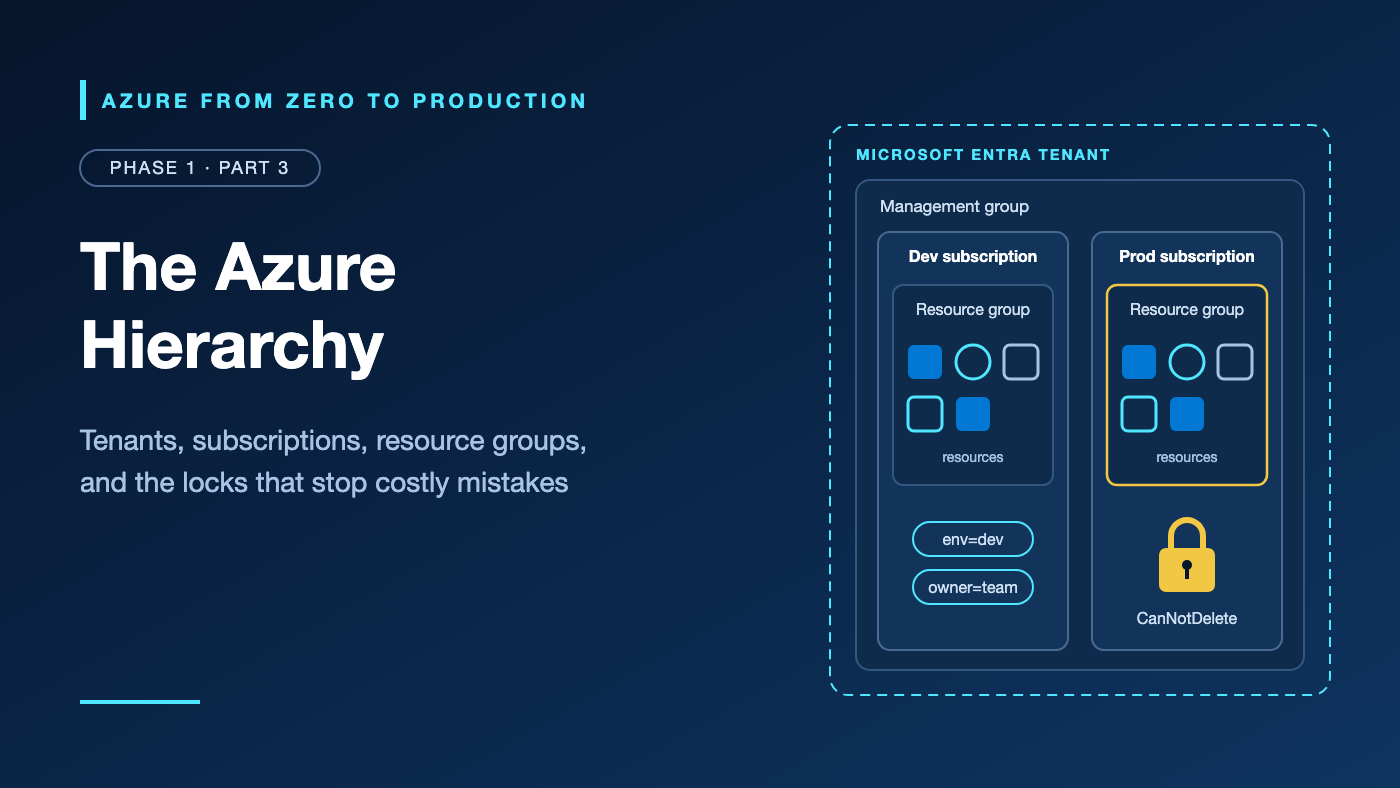
Imagine a developer wrapping up on a Thursday afternoon. They run az group delete --name rg-orders-api --yes to clear out a test environment.
The command succeeds. Ten minutes later, the production order API stops answering.
Their terminal still pointed at the production subscription from a morning incident. Dev and prod lived in separate subscriptions, but both used the same resource group name, the developer kept Contributor rights in production, and nothing was locked.
No single bad command caused the outage. Several boundaries were missing or drawn in the wrong place.
This article maps each boundary and ends with a free exercise in which a lock stops a delete.
What you’ll learn
- Name the boundary each layer enforces: Microsoft Entra tenant, management group, subscription, resource group, and resource.
- Explain how Azure Resource Manager processes control-plane requests, read a resource ID, and check provider registration.
- Choose a subscription layout that isolates development, test, and production, and relate it to landing zones.
- Explain why tags don’t reach resources without Azure Policy.
- Add and remove a CanNotDelete lock, and predict where a ReadOnly lock breaks things.
Where this fits
Part 1.2, Azure Regions and Availability Zones: Where Your Workload Lives, covered where workloads run and the tools you use to reach them. This part covers how Azure organizes and governs everything you create. Part 1.4 then explains the bill those resources generate.
Prerequisites
- Knowledge: Parts 1.1 and 1.2, or basic Azure CLI familiarity.
- Azure access: A personal or sandbox subscription (never production) that you can sign in to with
az login. - Microsoft Entra roles: None.
- Azure RBAC: Contributor on the subscription for the resource group, plus
Microsoft.Authorization/locks/*for the lock. Owner and User Access Administrator include that permission; Contributor doesn’t. If you created the subscription, you normally hold Owner. Otherwise, ask for User Access Administrator or a custom lock-only role, scoped narrowly. - Data-plane roles: None.
- Tools: Azure CLI (syntax checked against 2.91.0) in bash or Azure Cloud Shell; no extensions.
- Estimated cost: No billable resources.
The Azure hierarchy at a glance
Microsoft Entra tenant          identities: users, groups, apps
└── Tenant root group           root management group (ID = tenant ID)
    ├── mg-platform             management group: shared services
    └── mg-workloads            management group: rules for app teams
        ├── sub-orders-nonprod  subscription: dev/test bill, quotas, access
        │   └── rg-orders-api-dev      resource group: one lifecycle
        │       └── app-orders-api-dev     resource
        └── sub-orders-prod     subscription: production
            └── rg-orders-api-prod     resource group
Azure Policy and Azure role-based access control (Azure RBAC) assignments flow down this tree: a rule on mg-workloads reaches both subscriptions and everything inside them. The tenant doesn’t hold resources; it’s the directory every subscription trusts to say who is signing in.
Coming from AWS? An AWS account bundles identity, billing, and isolation. In Azure, identities live in the tenant, while subscriptions carry billing, quotas, and isolation. Management groups resemble organizational units, though Azure Policy works differently from service control policies.
Microsoft Entra tenant: the identity boundary
A Microsoft Entra tenant is your organization’s dedicated instance of Microsoft Entra ID (formerly Azure Active Directory). It holds users, groups, app registrations, and managed identities, and has its own tenant ID.
Every subscription trusts exactly one tenant; one tenant can serve many subscriptions. Two consequences catch newcomers:
- Directory roles aren’t resource roles. Microsoft Entra roles such as Global Administrator manage users, groups, and domains; Azure RBAC roles such as Owner manage resources. A Global Administrator has no subscription access by default but can elevate to User Access Administrator at root scope, a break-glass step to undo afterward.
- Moving a subscription to another tenant breaks access. Role assignments don’t transfer, and key vaults and managed identities need repair.
Use one tenant per organization; separate dev and prod tenants mostly duplicate identities and admin work.
Management groups: governance above subscriptions
Management groups arrange subscriptions into a tree, so Azure Policy and Azure RBAC assigned once flow to everything below.
- Each tenant has one root, displayed by default as Tenant root group, whose ID matches the tenant ID. Nobody has access to it by default, and new subscriptions land under it unless you set a default management group.
- The tree allows up to six levels of management groups below the root, and every subscription or management group has one parent. Verify this value in the current Microsoft Azure documentation before implementation.
- Management groups can’t carry tags or locks.
Keep the tree shallow. The Cloud Adoption Framework (CAF) advises against per-environment management groups: put dev, test, and prod in separate subscriptions, usually under one management group, so they inherit the same policies.
Subscriptions: billing, quota, and isolation boundary
A subscription is three boundaries in one:
- Billing: each subscription is linked to a billing account, and Microsoft Cost Management reports costs per subscription.
- Quotas: many limits, such as virtual machine (VM) cores, apply per subscription and per region. Quotas aren’t capacity guarantees.
- Access and governance: assignments on a subscription cover everything inside it and nothing outside it.
Subscriptions aren’t regional. Create another one for a separate environment, team bill, access boundary, quota headroom, or compliance isolation. Don’t create one per region or per feature branch.
Resource groups: containers that share a lifecycle
A resource group is a logical container for resources you deploy, update, and delete together. Every resource belongs to exactly one, and groups don’t nest.
- Location stores metadata. It’s where Azure stores metadata about the group’s resources and routes their control-plane operations. Resources inside can live in other regions, but matching regions limits outage exposure.
- Deletion cascades. Deleting a group irreversibly deletes everything in it; only some resource types offer soft delete.
- Delete rights are coarse. You need delete permission on the group only, not on each resource inside.
- Moves change the ID. Moving a resource changes its resource ID, not its region, and its role assignments don’t follow.
Name groups by purpose and environment, such as rg-orders-api-prod; that alone would have made the opening mistake harder.
Azure Resource Manager: the control plane
Azure Resource Manager (ARM) is the management service behind every Azure management tool, from the portal to Terraform’s Azure provider. All of them call https://management.azure.com in global Azure.
portal, CLI, PowerShell, SDKs, Bicep, Terraform
                   │  request + Microsoft Entra token
                   ▼
Azure Resource Manager: authenticate, check Azure RBAC,
enforce Azure Policy and locks, write the Activity Log
                   │
                   ▼
resource provider (Microsoft.Storage, Microsoft.Web, ...)
                   │
                   ▼
resource ◄── data plane (blob reads, SQL queries) skips ARM
The control plane manages resources: create a storage account, resize a VM. The data plane uses them: upload a blob, run a query. Because data-plane calls go straight to the resource, ARM features such as locks don’t apply there.
Each service plugs into ARM through a resource provider, such as Microsoft.Storage, which defines resource types like Microsoft.Storage/storageAccounts. A subscription must be registered for a provider before using it. A few are registered by default, the portal usually registers what you use, and ARM template or Bicep deployments register the providers they declare. Registering needs the /register/action permission, which Contributor and Owner include. Register only what you need: registration can add the provider’s application to your tenant.
Reading a resource ID
/subscriptions/<AZURE_SUBSCRIPTION_ID>     subscription
  /resourceGroups/rg-orders-api-dev        resource group
  /providers/Microsoft.Storage             provider namespace
  /storageAccounts/stordersapidev          resource type and name
Child resources append more type and name pairs, such as .../blobServices/default. Extension resources, such as locks and role assignments, append another /providers/... segment to the ID they extend. Higher scopes drop segments: a management group’s ID is /providers/Microsoft.Management/managementGroups/<GROUP_ID>.
Compare IDs case-insensitively; APIs may return different casing.
Separating dev, test, and production
Put production in its own subscription. A subscription boundary is much harder to cross by accident than a resource group boundary.
mg-workloads                  policy: approved regions, required tags
├── sub-orders-nonprod        developers: Contributor
│   ├── rg-orders-api-dev
│   └── rg-orders-api-test
└── sub-orders-prod           pipeline identity deploys; humans: Reader
    └── rg-orders-api-prod    CanNotDelete lock on stateful resources
Landing zones, briefly. CAF calls a governed, multi-subscription foundation an Azure landing zone: a platform landing zone with shared management, connectivity, identity, and security subscriptions, plus workload landing zones where application teams deploy within its guardrails. The reference tree has Platform, Landing zones (such as Corp and Online), Sandboxes, and Decommissioned management groups. You need one when several teams share Azure; this series needs only one well-secured subscription.
Tags: metadata you can query and enforce
A tag is a name-value pair on a resource, resource group, or subscription. Use tags for ownership, environment, and cost allocation.
- Not inherited. Tagging a resource group doesn’t tag its resources. Azure Policy built-ins such as Require a tag on resource groups (deny) and Inherit a tag from the resource group if missing (modify, with remediation for existing resources) enforce or copy them.
- Limited. Each resource, group, or subscription holds up to 50 tags, and some resource types don’t support tags. Verify this value in the current Microsoft Azure documentation before implementation.
- Case-sensitive values.
Prodandprodsplit your cost reports. - Plain text. Never put secrets or personal data in tags.
Resource locks: a last check before deletion
A lock blocks deletes or changes on a subscription, resource group, or resource for everyone, including Owners:
- CanNotDelete (portal: Delete): users can read and modify, but not delete.
- ReadOnly (portal: Read-only): users can only read, roughly as if everyone held Reader.
Locks inherit downward, including to resources added later, and the most restrictive lock wins. A delete lock on one resource blocks deleting its whole resource group. Locks also govern only the control plane: a locked storage account still lets someone delete blobs.
ReadOnly surprises. A ReadOnly lock blocks POST requests, and many harmless-looking actions are POSTs. Under one, listing storage account keys fails, VMs in a locked group can’t start or restart, App Service plans can’t scale, and Azure Advisor can’t save results on a locked subscription. Even CanNotDelete on a group stops ARM from pruning deployment history, so deployments eventually fail at the history limit.
Who can manage locks. Creating or deleting a lock requires Microsoft.Authorization/locks/*. Owner and User Access Administrator have it, as do a few specialized built-in roles. Contributor doesn’t, because its definition excludes Microsoft.Authorization/*/Write and Microsoft.Authorization/*/Delete. A custom lock-only role is the least-privileged option.
Use CanNotDelete on stateful and shared production resources. Avoid ReadOnly on anything that scales or starts. Locks stop accidents, not attackers: anyone with Owner can remove them.
Try it: Lock a resource group and watch the delete fail
This exercise creates one empty resource group and a lock, both free.
1. Set variables and select the subscription.
# Replace the values in angle brackets, then run this block.
export AZURE_SUBSCRIPTION_ID="<AZURE_SUBSCRIPTION_ID>"
export AZURE_REGION="eastus"
export RESOURCE_GROUP_NAME="rg-azlearn-hierarchy-dev"
export OWNER_ALIAS="<YOUR_ALIAS>"
export LOCK_NAME="lock-azlearn-no-delete"

az account set --subscription "$AZURE_SUBSCRIPTION_ID"
az account show --query "{name:name, subscriptionId:id, tenantId:tenantId}" --output table
Save these exports in a file such as azlearn.env and source it in new terminals.
✅ Checkpoint: The table shows your sandbox subscription and the tenant it trusts. If not, stop and fix the context.
2. Create a tagged resource group and inspect its ID.
az group create \
  --name "$RESOURCE_GROUP_NAME" \
  --location "$AZURE_REGION" \
  --tags project=azure-learning environment=dev lab=1.3 owner="$OWNER_ALIAS" \
  --query "properties.provisioningState" --output tsv

az group show --name "$RESOURCE_GROUP_NAME" --query "{id:id, location:location, tags:tags}" --output json
The first command prints Succeeded. The second shows location eastus, your four tags, and the ID /subscriptions/<AZURE_SUBSCRIPTION_ID>/resourceGroups/rg-azlearn-hierarchy-dev. Resources inside would extend it with /providers/<namespace>/<type>/<name>.
3. Check resource provider registration (read-only).
az provider list \
  --query "sort_by([?registrationState=='Registered'], &namespace)[].{namespace:namespace, state:registrationState}" \
  --output table

az provider show --namespace Microsoft.Storage --query registrationState --output tsv
Expect defaults such as Microsoft.Authorization and Microsoft.Resources, plus whatever your subscription has used. The second command prints Registered or NotRegistered. Don’t register anything here.
4. Add a CanNotDelete lock.
az lock create \
  --name "$LOCK_NAME" \
  --lock-type CanNotDelete \
  --resource-group "$RESOURCE_GROUP_NAME" \
  --notes "Hierarchy lab: block accidental deletion" \
  --query "{name:name, level:level}" --output table

az lock show --name "$LOCK_NAME" --resource-group "$RESOURCE_GROUP_NAME" --query id --output tsv
Keep --resource-group: without it, az lock create locks the whole subscription. The lock’s ID shows an extension resource (casing may differ):
/subscriptions/<AZURE_SUBSCRIPTION_ID>/resourceGroups/rg-azlearn-hierarchy-dev/providers/Microsoft.Authorization/locks/lock-azlearn-no-delete
5. Try to delete the group.
az group delete --name "$RESOURCE_GROUP_NAME" --yes
az group exists --name "$RESOURCE_GROUP_NAME"
The delete fails with an error like this (wording can vary):
(ScopeLocked) The scope '/subscriptions/<AZURE_SUBSCRIPTION_ID>/resourcegroups/rg-azlearn-hierarchy-dev' cannot perform delete operation because following scope(s) are locked: '...'. Please remove the lock and try again.
✅ Checkpoint: az group exists prints true. Your role allowed the delete; the lock overruled it.
6. Remove the lock, delete the group, and verify.
az lock delete --name "$LOCK_NAME" --resource-group "$RESOURCE_GROUP_NAME"
az group delete --name "$RESOURCE_GROUP_NAME" --yes
az group exists --name "$RESOURCE_GROUP_NAME"
✅ Checkpoint: The last command prints false.
Security considerations
- Isolate production by subscription and assign roles to groups at the narrowest scope; Part 2.2 covers just-in-time access.
- Treat Global Administrator elevation as break-glass; it grants User Access Administrator across every subscription.
- Protect the hierarchy. Any user can create management groups by default. Turn on Require write permissions for creating new management groups and set a restricted default management group.
- Lock critical resource groups, because the group delete permission removes everything inside. Locks prevent accidents, not misuse; Azure RBAC, Azure Policy, soft delete, and backups cover the rest.
Cost considerations
- Resource groups, tags, locks, and management groups aren’t billed; the resources inside them are.
- Separate subscriptions give per-environment cost reporting for free, and tags split costs further (Part 1.4).
- Locks can raise costs: a CanNotDelete lock can stop Azure Machine Learning compute clusters from removing idle nodes, and can make Azure Backup fail to clean up restore points.
- Budgets alert; they don’t stop spending.
Common mistakes and troubleshooting
Problem: az group delete fails with ScopeLocked
Likely cause: A lock on the group, a resource inside it, or the subscription.
How to diagnose: az lock list --output table lists every lock in the subscription.
Resolution: Confirm the delete is intended, remove the lock (or ask someone who can), and retry. For service-owned locks, such as an Azure Databricks managed resource group, delete the parent service instead.
Problem: AuthorizationFailed for Microsoft.Authorization/locks/write
Likely cause: You hold Contributor, which excludes Microsoft.Authorization write and delete actions.
How to diagnose: az role assignment list --assignee "<YOUR_USER_PRINCIPAL_NAME>" --all --include-inherited --output table.
Resolution: Request User Access Administrator or a custom lock role at the needed scope, rather than Owner.
Problem: Deployment fails with MissingSubscriptionRegistration
Likely cause: The subscription isn’t registered for that resource provider, often because nobody has used the service there before.
How to diagnose: az provider show --namespace <NAMESPACE> --query registrationState --output tsv.
Resolution: Run az provider register --namespace <NAMESPACE> and retry; registration completes region by region.
Problem: Resources land in the wrong subscription, or yours is missing
Likely cause: The CLI default subscription changed, or you signed in to the wrong tenant.
How to diagnose: az account list --query "[].{name:name, id:id, tenantId:tenantId, isDefault:isDefault}" --output table.
Resolution: Run az login --tenant "<AZURE_TENANT_ID>" and az account set --subscription "<AZURE_SUBSCRIPTION_ID>", and pass --subscription in scripts. If it’s still missing, you have no Azure role on it.
Problem: VMs won’t start or storage keys won’t list after a lock was added
Likely cause: A ReadOnly lock blocks these POST operations.
How to diagnose: az lock list --resource-group "$RESOURCE_GROUP_NAME" --output table, then find the failed operations in the Activity Log.
Resolution: Switch to CanNotDelete, and govern configuration with Azure RBAC and Azure Policy.
Production readiness checklist
- [ ] Security: Production has its own subscription with minimal, reviewed Owner and User Access Administrator assignments.
- [ ] Security: Management group creation requires permission, and new subscriptions land in a restricted default group.
- [ ] Reliability: Stateful production resources carry CanNotDelete locks and a documented removal process.
- [ ] Operational Excellence: Names encode workload and environment; Azure Policy enforces required tags.
- [ ] Cost Optimization: Every subscription has a budget alert; costs are reported by subscription and tag.
- [ ] Performance Efficiency: Regional quotas are checked before launches and planned scale-ups.
Cleanup
If you finished step 6, nothing remains. Otherwise, remove the lock (ignore a not-found error), then the group:
az lock delete --name "$LOCK_NAME" --resource-group "$RESOURCE_GROUP_NAME"
az group delete --name "$RESOURCE_GROUP_NAME" --yes
az group exists --name "$RESOURCE_GROUP_NAME"
false confirms the group is gone. The exercise created nothing outside it: no role assignments, policy assignments, or provider registrations.
Key takeaways
- The tenant answers “who are you?”; the management hierarchy answers “what can you touch, under which rules, and who pays?”
- Management groups apply Azure Policy and Azure RBAC across subscriptions; keep the tree shallow.
- A subscription is the billing, quota, and isolation boundary, so production gets its own.
- Resource groups are lifecycle containers; their location stores metadata, and deleting one deletes everything inside.
- Azure Resource Manager enforces RBAC, policy, and locks on the control plane only.
- Tags don’t inherit without Azure Policy, and ReadOnly locks break more than most teams expect.
Quick self-check
- Can a Global Administrator delete a VM in your subscription by default?
- Can a resource group in East US hold a resource in another region? What does the group’s location control?
- Does a CanNotDelete lock on a storage account stop someone from deleting blobs?
Answers
- No. Microsoft Entra roles don’t grant Azure RBAC access, though a Global Administrator can elevate to User Access Administrator and then assign roles.
- Yes. The location sets where the group’s metadata lives and where control-plane operations for its resources are routed.
- No. Locks govern the control plane; deleting blobs is a data-plane operation.
References
- What is Azure Resource Manager?
- Organize your resources with management groups
- Add an existing Azure subscription to your tenant
- Azure resource providers and types
- Use tags to organize your Azure resources and management hierarchy
- Lock your Azure resources to protect your infrastructure
- What is an Azure landing zone?
- Subscription considerations and recommendations
What’s next
You now know where Azure draws its lines. Part 1.4, Understand Your Azure Bill Before You Deploy, puts numbers on them: how pricing works, how to read costs by subscription and tag, and why budgets alert but never stop spending.
How do you separate environments today? Share your layout in the comments.
Series navigation
- ← Previous: Azure Regions and Availability Zones: Where Your Workload Lives
- → Next: Understand Your Azure Bill Before You Deploy
- 📚 Full series roadmap
Disclaimer: Azure services, SKUs, interfaces, limits, and pricing change over time. Verify details in the current Microsoft Azure documentation before implementation.