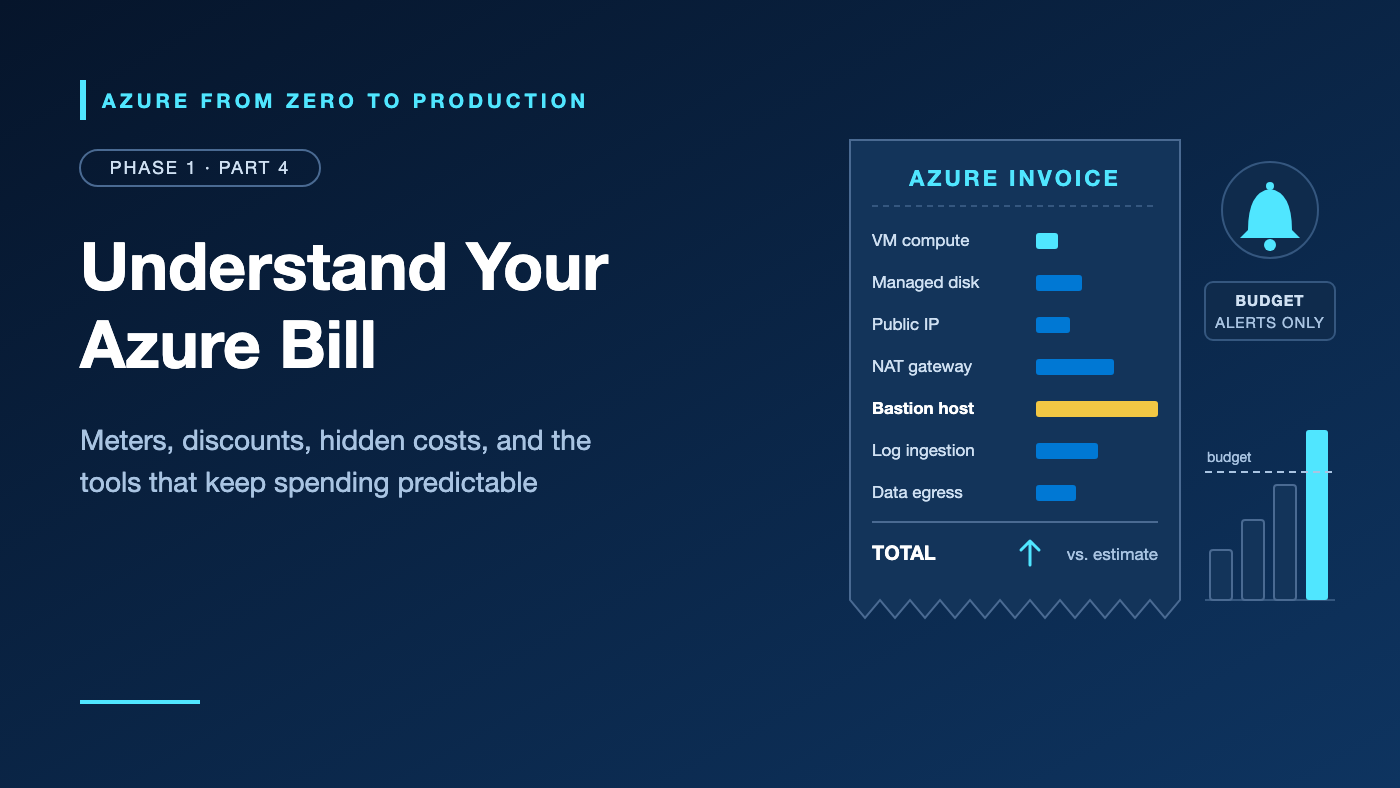
Imagine a weekend tutorial. You create a small Linux virtual machine (VM), add Azure Bastion so you never expose Secure Shell (SSH), and send logs to Log Analytics. On Sunday, you shut the VM down from its terminal.
A month later, the invoice lists the VM (shutting down inside the operating system, or OS, doesn’t release the hardware), Bastion for every hour, the static public IP (Internet Protocol) address Bastion needed, the disk, and log ingestion. The tutorial created every line.
Nothing in that bill is random. Each line maps to a meter with a published rule, and free tools reveal those rules early.
One rule matters most: an Azure budget sends alerts. It does not stop spending.
What you’ll learn
- Explain how meters turn usage into charges, and spot hidden cost drivers.
- Choose between pay-as-you-go, savings plans, reservations, Spot, and Azure Hybrid Benefit.
- Describe the free account and its spending limit.
- Match the Pricing Calculator, Cost analysis, budgets, exports, and Advisor to project stages.
- Design allocation tags and know when tag inheritance applies.
- Compare four ways to pay for one VM with the Azure Retail Prices API.
- Pick a support plan.
Where this fits
Part 1.3, Tenant, Subscription, Resource Group: The Azure Hierarchy Explained, showed how Azure organizes resources. Costs follow that hierarchy: charges land on the owning subscription and split by resource group or tag. This article adds the money layer; Part 1.5 applies it with a budget alert.
Prerequisites
- Knowledge: Part 1.3 concepts; basic terminal use.
- Azure access: None for the exercise (public API). Optional checks need a subscription you can read.
- Microsoft Entra roles: None.
- Azure RBAC (role-based access control): None for the exercise; Reader at subscription scope for optional checks.
- Data-plane roles: None.
- Tools:
curl,python3, and optionally Azure CLI (command-line interface) 2.91.0, no extensions. - Estimated cost: No billable resources.
How Azure turns usage into a bill
Azure bills meters, not products. Each resource emits usage against meters, and each meter has a unit (an hour, a GB per month) and a price set by region and agreement.
Resource   VM, disk, IP address, gateway
   |  emits usage records
   v
Meter      "D2s v5"   unit: 1 Hour   region: eastus
   |  quantity x your price
   v
Charge     on the subscription that owns the resource
   |  grouped by resource group, tag, service, meter
   v
Invoice    billing account / billing profile
One VM feeds several meters: compute, disks, perhaps a public IP address, and outbound data. Deleting it stops only its own meters. Retail list prices are the starting point; an Enterprise Agreement (EA) or Microsoft Customer Agreement (MCA) can change them.
The cost drivers tutorials skip
Network plumbing, such as network address translation (NAT) and virtual private network (VPN) gateways, bills hourly even when idle. The middle column shows when each meter runs.
Resource                Meter runs while...               Billed by
VM stopped inside OS    still allocated to hardware       compute hours
Managed disk            it exists, attached or not        provisioned size
Snapshot                it exists                         used GB
Static public IPv4      it exists, associated or not      hours
NAT gateway             it exists                         hours + GB processed
Private endpoint        it exists                         hours + GB processed
Azure Bastion           it exists (Developer tier free)   hours + outbound GB
Azure Firewall          it exists                         hours + GB processed
VPN gateway             it is provisioned                 hours
Log Analytics           data arrives and is retained      GB ingested + retention
Internet egress         data leaves Azure                 GB above free allowance
- Stop and delete properly. An OS shutdown keeps compute billing; use the portal’s Stop button or
az vm deallocate. Deleted VMs leave their disks unless created with delete-with-VM options. - Data out, logs in. Inbound data is free. Internet egress bills per GB above a monthly allowance (100 GB on 1 November 2026); cross-region traffic bills per GB. Log Analytics charges per GB ingested, with 31 days of retention included. A chatty diagnostic setting can cost more than the resource it watches. Verify this value in the current Microsoft Azure documentation before implementation.
Pricing models: pay-as-you-go, commitments, Spot, and licenses
Pay-as-you-go
Published rates, no commitment, stop anytime: the highest unit price, the most flexibility. Ideal for new or unpredictable workloads.
Savings plans
You commit to a fixed spend per hour for one or three years. Each hour, eligible usage gets discounted rates until the commitment is used; the rest bills at pay-as-you-go rates, and unused commitment is lost. The compute plan spans regions, VM sizes, and services such as App Service and Container Apps, but not licenses, storage, or networking. A database plan also exists. Neither can be canceled.
Reservations
You commit to a specific product, such as a VM series in one region, for one or three years. Steady, matching usage can earn a deeper discount than a savings plan, with less flexibility. Refunds are capped at USD 50,000 per rolling 12 months, and reservations bought after 1 February 2027 for services that savings plans cover, VMs included, won’t be exchangeable. Verify this value in the current Microsoft Azure documentation before implementation.
Spot Virtual Machines
Spot VMs use spare capacity at a deep, variable discount, but Azure evicts them when it needs capacity or the price passes your maximum, with up to 30 seconds’ best-effort notice through Scheduled Events and no service-level agreement (SLA). The default Deallocate eviction policy keeps disks billing; Delete removes them. B-series sizes and free-account credit are excluded. Use it for batch jobs and continuous integration (CI) runners, never databases or single-instance apps.
Azure Hybrid Benefit
Bring Windows Server or SQL Server licenses with active Software Assurance (or qualifying subscriptions), or Red Hat and SUSE Linux subscriptions, and stop paying Azure for the license portion. It stacks with commitments but not with free-account credit.
Choosing a model
Interruptible (batch, CI)?          -> Spot, with regular-capacity fallback
Steady for 1-3 years, fixed size?   -> reservation
Steady, but sizes or regions shift? -> savings plan
Not sure yet?                       -> pay-as-you-go; measure first
Own eligible licenses?              -> add Azure Hybrid Benefit
Remove waste first; discounts lower rates, not idle time.
The Azure free account and its spending limit
On 1 November 2026, new customers got USD 200 of credit for 30 days, 65+ always-free services, and popular services free for 12 months, all with monthly limits. Verify this value in the current Microsoft Azure documentation before implementation.
The spending limit equals the credit. When the credit runs out or 30 days pass, Azure disables the subscription instead of charging you: VMs are deallocated and storage turns read-only. Moving to pay-as-you-go keeps you going, including the 12-month services: leftover credit lasts until day 30, the limit disappears, and disabled resources resume billing. From then on, budgets are your only warning.
Traps: free amounts are monthly and cover specific sizes and tiers; a free VM’s extra disks or egress can still bill; credit can’t pay for Marketplace offers or Spot; and services running after month 12 bill normally. Azure for Students and Visual Studio credits differ.
The cost toolkit: estimate, watch, explain, optimize
Microsoft Cost Management and Azure Advisor are free with Azure subscriptions.
- Pricing Calculator (before you build): estimate product by product (VMs default to 730 hours, one month), compare commitment pricing, and save, share, or export. Signing in shows negotiated prices.
- Cost analysis (to explain spend): actual and forecast cost by service, resource, meter, tag, or pricing model; smart views flag anomalies. Data lags 8 to 24 hours, up to 72 for some pay-as-you-go subscriptions.
- Budgets and alerts (to warn): monthly, quarterly, or yearly amounts with actual or forecasted thresholds that email people and can call an action group to run your automation. They’re evaluated about daily and never stop resources. Anomaly alerts flag unusual daily spend, even under budget. Part 1.5 creates your first budget.
- Exports (to keep history): scheduled cost data in a storage account as CSV or Parquet, including the FinOps Open Cost and Usage Specification (FOCUS).
- Azure Advisor (to optimize): suggests right-sizing or shutting down underused VMs, commitments for steady usage, and reviews of unattached disks and rising log ingestion.
Allocation tags and tag inheritance
Tags are name-value pairs that answer “who spent this?” This series uses four everywhere:
project=azure-learning environment=dev lab=1.5 owner=<YOUR_ALIAS>
There’s no activation step; resource tags flow into cost data on their own, with three catches:
- Resources don’t inherit resource-group tags; tags must be on the resource.
- Tags apply only to usage recorded while they exist.
- Some resource types don’t support tags or omit them from usage data.
Tag inheritance in Cost Management fixes the first catch for EA, MCA, and Microsoft Partner Agreement accounts: it copies subscription and resource-group tags onto child usage records (not the resources) for the current month, and a resource’s own tag wins by default. Enabling it at subscription scope needs Cost Management Contributor. Phases 2 and 6 enforce tags with Azure Policy and infrastructure as code (IaC).
Azure support plans
Basic is free: unlimited billing, subscription, and quota help, plus documentation, Microsoft Q&A, Advisor, and Service Health, but no technical cases. Paid plans listed on 1 November 2026:
- Developer, USD 29/month: non-production, business-hours help.
- Standard, USD 100/month: production, 24x7, one-hour target for critical issues.
- Professional Direct, USD 1,000/month: business-critical, faster targets, delivery managers, Support API.
- Unified Enterprise: organization-wide, priced separately.
Verify this value in the current Microsoft Azure documentation before implementation. Plans renew monthly without pro-rata refunds; Basic suits a learning sandbox. Opening a request needs Owner, Contributor, or Support Request Contributor on the subscription.
Try it: Compare four ways to pay for the same VM
Query the public Azure Retail Prices API (application programming interface) for one VM size in eastus, then compare pay-as-you-go (PAYG), savings plan, reservation, and Spot rates. No sign-in; nothing is created.
1. Set the variables.
# Replace the values in angle brackets, then run this block.
export AZURE_REGION="eastus"
export VM_SKU="Standard_D2s_v5"
# Optional: only for the read-only troubleshooting checks.
export AZURE_SUBSCRIPTION_ID="<AZURE_SUBSCRIPTION_ID>"
export RESOURCE_GROUP_NAME="<RESOURCE_GROUP_NAME>"
2. Fetch the prices. --data-urlencode encodes the filter, 2023-01-01-preview adds savings plan rates, and \$ stops the shell from expanding $filter. Filter values are case-sensitive.
export PRICES_JSON="$(curl --silent --show-error --fail --get \
  "https://prices.azure.com/api/retail/prices" \
  --data-urlencode "api-version=2023-01-01-preview" \
  --data-urlencode "\$filter=serviceName eq 'Virtual Machines' and armRegionName eq '${AZURE_REGION}' and armSkuName eq '${VM_SKU}'")"
3. Compare the options. The script keeps Linux meters and converts reservation rows, whose retailPrice is the whole-term total despite a “1 Hour” unit.
python3 - <<'PY'
import json
import os

TERM_HOURS = {"1 Year": 8760, "3 Years": 26280}
rates = {}
for item in json.loads(os.environ["PRICES_JSON"])["Items"]:
    # Linux only: skip Windows, Dev/Test, and Low Priority meters.
    if (item["productName"].endswith("Windows") or item["type"] == "DevTestConsumption"
            or "Low Priority" in item["meterName"]):
        continue
    if item["type"] == "Reservation":
        term = item["reservationTerm"]
        rates[f"Reservation, {term}"] = item["retailPrice"] / TERM_HOURS[term]
    elif "Spot" in item["meterName"]:
        rates["Spot (current price)"] = item["retailPrice"]
    else:
        rates["Pay-as-you-go"] = item["retailPrice"]
        for plan in item.get("savingsPlan", []):
            rates[f"Savings plan, {plan['term']}"] = plan["retailPrice"]

if "Pay-as-you-go" not in rates:
    raise SystemExit("No Linux pay-as-you-go price found. Check VM_SKU and AZURE_REGION.")
payg = rates["Pay-as-you-go"]
print(f"{'Pricing option':<24}{'USD/hour':>10}{'USD/month':>11}{'vs PAYG':>9}")
for label, hourly in sorted(rates.items(), key=lambda pair: -pair[1]):
    print(f"{label:<24}{hourly:>10.4f}{hourly * 730:>11.2f}{hourly / payg - 1:>9.0%}")
PY
✅ Checkpoint: Six rows print, with PAYG at 0%. These list prices are from 1 November 2026; yours will differ:
Pricing option            USD/hour  USD/month  vs PAYG
Pay-as-you-go               0.0960      70.08       0%
Savings plan, 1 Year        0.0658      48.06     -31%
Reservation, 1 Year         0.0592      43.25     -38%
Savings plan, 3 Years       0.0442      32.25     -54%
Reservation, 3 Years        0.0379      27.69     -60%
Spot (current price)        0.0203      14.79     -79%
Verify this value in the current Microsoft Azure documentation before implementation.
The ranking is the lesson, not the decimals: commitment buys a discount, and interruptibility buys a bigger one. These are USD list prices for Linux compute only; disks, IPs, data transfer, Windows licenses, and negotiated EA or MCA rates change the picture. Cost analysis grouped by Pricing model shows what you actually paid.
Security considerations
- Cost data is sensitive; it reveals architecture and scale. Grant Cost Management roles instead of Owner or Contributor.
- Keep three permission systems apart: Microsoft Entra roles (directory; not needed here), Azure RBAC (resource scopes), and EA or MCA billing roles (invoices, billing scopes).
- Spikes can signal compromise: stolen credentials often run costly compute, so anomaly alerts double as a tripwire.
- Protect export storage. The Retail Prices API needs no credentials.
Cost considerations
- The exercise, Cost Management, and Advisor are free; exports bill for storage.
- Commitments are contracts: savings plans can’t be canceled, reservations limit exchanges and refunds, and support plans auto-renew.
- In later labs, delete each lab resource group when done, deallocate kept VMs, shorten log retention, and create hourly network resources only when needed.
Common mistakes and troubleshooting
Select the subscription before the read-only checks:
az account set --subscription "$AZURE_SUBSCRIPTION_ID"
az account show --query "{name:name, subscriptionId:id, state:state}" --output table
Problem: Charges continue after you stopped or deleted the lab VM
Likely cause: An OS shutdown left the VM allocated, or separate resources survived: disks, snapshots, static public IPs, or hourly network resources.
How to diagnose: Group Cost analysis by Resource, then list leftovers:
az vm list --resource-group "$RESOURCE_GROUP_NAME" --show-details \
  --query "[?powerState=='VM stopped'].name" --output tsv
az disk list --resource-group "$RESOURCE_GROUP_NAME" --query "[?managedBy==null].name" --output tsv
az network public-ip list --resource-group "$RESOURCE_GROUP_NAME" \
  --query "[?ipConfiguration==null && natGateway==null].name" --output tsv
az resource list --output table --query "[?type=='Microsoft.Network/bastionHosts' \
|| type=='Microsoft.Network/natGateways' || type=='Microsoft.Network/privateEndpoints' \
|| type=='Microsoft.Network/azureFirewalls' || type=='Microsoft.Network/virtualNetworkGateways'] \
.{name:name, group:resourceGroup}"
Resolution: Deallocate with az vm deallocate (Virtual Machine Contributor), delete unneeded leftovers and snapshots, and use delete-with-VM options next time. Basic support covers billing requests if a charge still looks wrong.
Problem: A budget alert never arrived, or arrived after the overspend
Likely cause: Cost data lags by hours, and budgets are evaluated about daily. Or the scope or filters miss the resources, or the email went to junk.
How to diagnose: In Cost Management > Budgets, compare the budget’s scope, filters, and expiry with where Cost analysis shows the cost.
Resolution: Fix the scope, add a forecasted threshold, allow azure-noreply@microsoft.com as a sender, and alert a watched action group. Automatic stops are yours to build.
Problem: Cost analysis shows most costs as untagged
Likely cause: Tags sit only on the resource group, are recent, or aren’t emitted by the resource type.
How to diagnose: Group Cost analysis by the tag key, then list untagged resources:
az resource list --query "[?tags.project==null].{name:name, type:type}" --output table
Resolution: Tag resources in IaC, enable tag inheritance where supported, and enforce tags with Azure Policy (Contributor or Tag Contributor can manage tags).
Problem: Log Analytics charges grow faster than the workload
Likely cause: Verbose diagnostic settings, debug logs, or retention beyond need.
How to diagnose: On the workspace’s Logs page, find the largest billable tables:
Usage
| where TimeGenerated > ago(31d) and IsBillable == true
| summarize BillableGB = round(sum(Quantity) / 1000.0, 2) by DataType
| top 10 by BillableGB desc
Resolution: Collect less, move noisy, rarely queried tables to the Basic or Auxiliary plan, shorten retention, and set a daily cap on non-production workspaces (collection pauses at the cap).
Problem: The Retail Prices API returns “Count”: 0
Likely cause: Filter values are case-sensitive in 2023-01-01-preview, so 'virtual machines' matches nothing; so does a size the region doesn’t sell.
How to diagnose: echo "$PRICES_JSON" | python3 -m json.tool | head -n 10 shows "Count": 0 and empty Items.
Resolution: Use exact values such as Virtual Machines and Standard_D2s_v5, or loosen the filter with contains(armSkuName, 'D2s').
Production readiness checklist
Cost Optimization
- [ ] Budgets have actual and forecasted thresholds that notify a monitored action group.
- [ ] Anomaly alerts cover every production subscription.
- [ ] Commitments cover only a measured baseline; utilization is reviewed monthly.
Operational Excellence
- [ ] Required tags are set in IaC and enforced by Azure Policy.
- [ ] Exports keep cost history; Advisor recommendations have a named reviewer.
Security
- [ ] Cost access uses Cost Management roles; billing roles are reviewed separately.
Reliability
- [ ] Spot runs only interruptible work, with eviction handling and fallback capacity.
- [ ] Production has a Standard or higher support plan.
Performance Efficiency
- [ ] Rightsizing is validated against performance metrics first.
Cleanup
This article created no Azure resources or files; closing the terminal clears the PRICES_JSON variable.
Key takeaways
- Azure bills meters; each stops only when its own resource is deallocated or deleted.
- Hourly network resources, orphaned disks and snapshots, static public IPs, egress, and log ingestion drive most surprise bills.
- Commitments buy discounts, Spot trades interruptibility for deeper ones, and Azure Hybrid Benefit reuses licenses you own.
- The free account’s spending limit, the only built-in hard stop, ends when you move to pay-as-you-go.
- Budgets alert; they don’t cap spending.
- Estimate with the Pricing Calculator, explain with Cost analysis, optimize with Advisor, and tag each resource.
Quick self-check
- You run
sudo shutdown nowon a Linux VM. Is compute still billed? - A budget’s 100% threshold fires mid-month. What happens to your resources?
- Your VM sizes and regions change often. Reservation or savings plan?
- Why can’t you compare a reservation row’s
retailPricedirectly with the PAYG row?
Answers
- Yes. It’s Stopped but allocated; deallocate it. Disks bill either way.
- Nothing. People are notified and action groups run, but resources keep billing.
- A savings plan; it flexes across sizes and regions.
- It’s the whole-term total despite the “1 Hour” unit. Divide by the term’s hours first.
References
- Azure free account FAQ — Microsoft Azure
- Azure spending limit — Microsoft Learn
- Decide between a savings plan and a reservation — Microsoft Learn
- About Azure Spot Virtual Machines — Microsoft Learn
- Tutorial: Create and manage budgets — Microsoft Learn
- Group and allocate costs using tag inheritance — Microsoft Learn
- Azure Retail Prices REST API overview — Microsoft Learn
- Compare Azure support plans — Microsoft Azure
What’s next
Part 1.5, Set Up a Secure Azure Sandbox Before Building Anything, puts this into practice: a verified subscription, a secured sign-in, a tagged resource group, a budget alert, and the Azure CLI. That budget will warn you, not protect you.
What’s the most surprising line you’ve seen on an Azure invoice? Share it in the comments.
Series navigation
- ← Previous: Tenant, Subscription, Resource Group: The Azure Hierarchy Explained
- → Next: Set Up a Secure Azure Sandbox Before Building Anything
- 📚 Full series roadmap
Disclaimer: Azure services, SKUs, interfaces, limits, and pricing change over time. Verify details in the current Microsoft Azure documentation before implementation.