Picture a team moving a customer portal to Azure. The first resource group lands in East US, near the top of the location list, and everything else follows.
Three months later, three questions arrive in one week. Legal asks whether European customers’ records ever leave the EU. An architect asks what happens if one datacenter loses power. And a GPU-backed service fails to deploy because that virtual machine (VM) size isn’t offered there.
All three trace back to a decision that took seconds: where the workload lives.
On Azure, location is not a cosmetic setting. It decides latency, available services, which failures you survive, which rules apply to your data, and part of your bill. It’s also hard to change: moving most resources to another region means redeploying or migrating them.
What you’ll learn
- Explain how geographies, regions, availability zones, and datacenters relate.
- Explain why zone 1 can be a different datacenter in another subscription.
- Classify deployments as zonal, zone-redundant, nonzonal, or nonregional, and predict their outage behavior.
- Evaluate a region for residency, availability, quota, zones, pairing, latency, and price.
- Choose between the portal, Cloud Shell, Azure CLI, Azure PowerShell, and SDKs.
- Query regions, pairs, zone mappings, SKUs, and quotas with read-only CLI commands.
Where this fits
The Cloud Concepts Every Azure Engineer Must Know (Part 1.1) introduced availability, fault tolerance, and disaster recovery as ideas. This article maps them onto Azure’s physical footprint and tools. Next, Tenant, Subscription, Resource Group: The Azure Hierarchy Explained covers the logical containers every resource belongs to.
Prerequisites
- Knowledge: Part 1.1, especially recovery time objective (RTO) and recovery point objective (RPO).
- Azure access: A Microsoft Entra tenant with an Azure subscription you can sign in to.
- Microsoft Entra roles: None.
- Azure RBAC: Reader at subscription scope; the exercise only reads control-plane metadata.
- Data-plane roles: None.
- Tools: Azure CLI (syntax checked against 2.91.0; no extensions) or Azure Cloud Shell. Optional: the Az PowerShell module and Python 3.10 or later.
- Estimated cost: No billable resources. Cloud Shell persistent storage, if you choose it, incurs standard storage charges.
Azure’s physical map
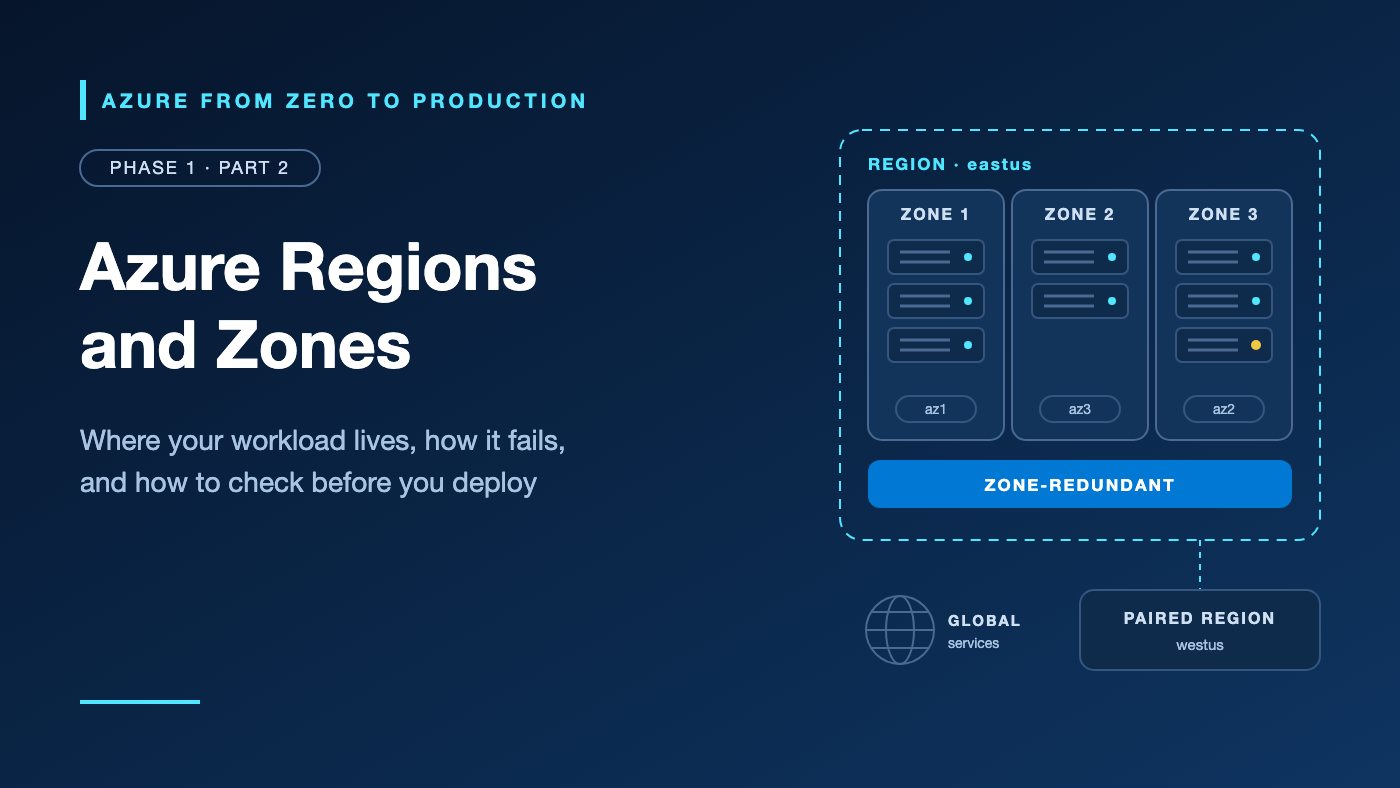
Start with nested boxes. A geography is a data residency boundary, such as the United States or Europe. It contains regions: sets of datacenters in one metropolitan area, joined by a low-latency network. Many regions contain availability zones: separate groups of datacenters, each with independent power, cooling, and networking.
Geography: United States (data residency boundary)
 ├── Region: eastus (East US, Virginia)
 │    ├── Zone ── one or more datacenters
 │    ├── Zone ── one or more datacenters
 │    └── Zone ── one or more datacenters
 └── Region: westus (West US, California)
      └── No availability zones
The geography sets the residency boundary for your data, the region sets latency and the service menu, and zones isolate failures within the region.
As of this writing, Azure lists more than 70 regions. Zone-enabled regions have at least three zones (East US 2 lists four), usually within about 100 km of each other, with a round-trip latency target under about 2 milliseconds: close enough for synchronous replication. Microsoft also aims to roll out updates one zone at a time. Verify this value in the current Microsoft Azure documentation before implementation.
Two day-one details: each region has a display name (East US) and a programmatic name (eastus) used by the CLI and APIs. And zones protect against a zone failure, not a region failure; surviving a region outage takes a second region.
Logical zones are per subscription
When you deploy a zonal resource, you pick zone 1, 2, or 3. These logical labels map to physical zones when your subscription is created, and the mapping can differ between subscriptions: your zone 1 may be another team’s zone 3.
That matters when you co-locate or separate resources across subscriptions. Compare physical zones, not numbers. az account list-locations shows your mapping; the Check Zone Peers API compares subscriptions after you register the Microsoft.Resources/AvailabilityZonePeering feature.
Coming from AWS? Logical zone numbers resemble AWS Availability Zone names, and physical zones such as
eastus-az1resemble AZ IDs. The Azure portal has no Region switcher; you pick a location per resource.
Zonal, zone-redundant, nonzonal, or nonregional?
Resources use zones in different ways, and each placement fails differently.
Placement       Who chooses the zone       Survives one zone outage?
--------------  -------------------------  ------------------------------------
Zonal           You (one zone)             Only with copies in other zones
Zone-redundant  The service (2+ zones)     Yes; Microsoft handles failover
Nonzonal        Nobody; Azure places it    No guarantee
Nonregional     Not deployed to a region   Global services ride out region loss
Zonal resources, such as a VM pinned to zone 1, sit where you put them. Use them when placement matters, but resilience is then your job.
Zone-redundant resources, such as zone-redundant storage (ZRS), are spread and failed over by the service. Make them your production default; support depends on tier or SKU, so check each service’s reliability guide.
Nonzonal (regional) resources, such as a VM created without a zone, can land in any zone, including the one that fails. Keep them for development and test.
Nonregional services aren’t deployed into a region. Global ones include Azure Front Door, Azure DNS, and Azure Policy; geographic ones, such as Azure DevOps, stay within an area. Their resources often show global as the location.
Region pairs and nonpaired regions
Microsoft links many regions into pairs, usually within one geography, such as East US with West US. You can’t choose your own pairs, and many newer regions have none.
eastus       <───>  westus           Two-way pair, same geography
westus3      ────>  eastus           One-way pair
brazilsouth  ────>  southcentralus   One-way, leaves the geography
italynorth          (no pair)        Zones are the primary redundancy
A pair provides a fixed replication target for some services, staggered planned updates across the two regions, and recovery priority for one region of each pair in a geography-wide outage.
A pair does not give you failover. Microsoft-managed failover of geo-redundant storage happens only in catastrophic situations, so plan your own. Pair use also varies by service:
- Tied to the pair: geo-redundant storage (GRS), Azure SQL Database automated backups, and Azure Key Vault’s Microsoft-managed failover. You can’t change GRS’s target.
- Any region you pick: Azure SQL Database active geo-replication, Azure Cosmos DB multi-region accounts, Azure Site Recovery, and Blob Storage object replication.
Nonpaired regions such as Italy North, Poland Central, and Mexico Central rely on zones first; for cross-region recovery, use features from the second list. Geo-zone-redundant storage (GZRS) needs a region with both zones and a pair.
Choosing a region: five questions
Answer these in order; early answers eliminate the most options.
- Where must the data live? Most services keep customer data in the geography you select, but configuration can move it: pair replication (Brazil South’s pair is outside Brazil), AI model deployments labeled Global, and nonregional services. If no compliant second region exists, use zones plus backups and document the tradeoff.
- Is everything offered there? Services, tiers, VM sizes, and zone support vary by region; confirm with
az provider showandaz vm list-skus. Restricted regions, such as those reserved for in-country disaster recovery, need an access request. - Do you have quota? vCPU quotas apply per subscription and per region. Request increases early; some go through review.
- How will it survive failure? Prefer a zone-enabled region for production, and decide where the recovery copy goes.
- How close is it, and what does it cost? Measure latency from your users, then compare regional prices.
Some workloads need a sovereign or national cloud: Azure Government and Azure operated by 21Vianet are physically separate clouds with their own sign-in, endpoints, and services, and az cloud set points the CLI at them. Microsoft Sovereign Cloud adds sovereignty controls inside the public cloud.
Five ways to work with Azure
Every tool here is a client of one control plane, Azure Resource Manager (ARM). You sign in with Microsoft Entra ID, and ARM applies the same Azure role-based access control (RBAC) whichever tool you use: if the CLI denies an action, so will the portal.
Keep the planes apart: listing regions or creating a VM is a control-plane call to ARM, while reading a blob or querying a database is a data-plane call to the service’s own endpoint, often under different roles. A region outage hits the data plane in that region; ARM can reroute control-plane requests to a backup region.
Task                                          Reach for
--------------------------------------------  -----------------------------
Explore, learn, one-off checks                Azure portal
Quick commands in a browser, no installs      Cloud Shell
Scripts, pipelines, bash automation           Azure CLI
PowerShell-centric automation and admin       Azure PowerShell
Application code that manages or uses Azure   Azure SDKs
Repeatable infrastructure                     Bicep or Terraform (Phase 6)
The Azure portal shows how things fit together, but click-ops is hard to repeat or review.
Azure Cloud Shell is a browser terminal, Bash or PowerShell, already signed in, with the Azure CLI and Az PowerShell preinstalled. The session machine is free, and sessions end after 20 minutes without interaction. On first launch, you choose storage:
- No storage account required (ephemeral): free; files vanish when the session ends.
- Mount storage account: an Azure Files share persists
$HOMEand mounts asclouddrive, at standard storage rates. Files rest in the storage account’s region but are processed wherever Cloud Shell runs your session.
The Azure CLI (az) is cross-platform, returns JSON, and filters output with --query; it’s this series’ default. Azure PowerShell (the Az module) uses verb-noun cmdlets that return objects, and its feature coverage doesn’t always match the CLI’s. This lists regions offering the Microsoft.App provider:
Connect-AzAccount
Set-AzContext -Subscription "<AZURE_SUBSCRIPTION_ID>"
Get-AzLocation | Where-Object { $_.Providers -contains "Microsoft.App" } | Select-Object Location, DisplayName
The Azure SDKs (.NET, Java, JavaScript, Python, Go, and more) bring Azure into application code: management libraries for the control plane, client libraries for the data plane. DefaultAzureCredential uses a managed identity in Azure and your CLI sign-in locally, so no secret lives in code:
# pip install azure-identity azure-mgmt-resource-subscriptions
from azure.identity import DefaultAzureCredential
from azure.mgmt.resource.subscriptions import SubscriptionClient

client = SubscriptionClient(credential=DefaultAzureCredential())
for location in client.subscriptions.list_locations("<AZURE_SUBSCRIPTION_ID>"):
    print(location.name, len(location.availability_zone_mappings or []))
Try it: Read Azure’s map from your subscription
This exercise only reads metadata: nothing is created, nothing is billable, and Reader is enough. Run it locally after az login, or in Cloud Shell (Bash) with an ephemeral session, where you’re already signed in.
Set your variables, and save them in a file such as azlearn.env to source in new terminals.
# Replace the values in angle brackets, then run this block.
export AZURE_SUBSCRIPTION_ID="<AZURE_SUBSCRIPTION_ID>"
export AZURE_REGION="eastus"
export VM_SIZE="Standard_D2s_v5"
1. Sign in and pin the subscription. Expect one row showing the subscription you meant to use.
az login
az account set --subscription "$AZURE_SUBSCRIPTION_ID"
az account show --query "{name:name, subscriptionId:id, tenantId:tenantId}" --output table
2. List physical regions with their pair and zone count.
az account list-locations \
  --query "[?metadata.regionType=='Physical'].{Region:name, Geography:metadata.geography, PairedWith:metadata.pairedRegion[0].name, Zones:length(availabilityZoneMappings || '')}" \
  --output table
The filter drops logical, geography-wide entries, and || '' turns a missing mapping into a zero. A blank PairedWith marks a nonpaired region. Abridged rows:
Region      Geography      PairedWith    Zones
----------  -------------  ------------  -------
eastus      United States  westus        3
westus      United States  eastus        0
italynorth  Italy                        3
3. Show your zone mapping. You get one row per logical zone with its physical zone, such as 1 eastus-az1; a colleague’s subscription may differ.
az account list-locations \
  --query "[?name=='$AZURE_REGION'].availabilityZoneMappings[]" \
  --output table
4. Check that a service is offered. Provider metadata uses display names, so look yours up first. Microsoft.App/managedEnvironments is the Azure Container Apps environment used later in the series. Expect true.
REGION_DISPLAY_NAME="$(az account list-locations --query "[?name=='$AZURE_REGION'].displayName | [0]" --output tsv)"
az provider show \
  --namespace Microsoft.App \
  --query "contains(resourceTypes[?resourceType=='managedEnvironments'].locations[], '$REGION_DISPLAY_NAME')" \
  --output tsv
5. Check a VM size and your quota. Zones lists the logical zones offering the size to you, and Restrictions flags blocked regions or zones. The usage table shows vCPUs used and allowed for the region and the DSv5 family.
az vm list-skus \
  --location "$AZURE_REGION" \
  --size "$VM_SIZE" \
  --all \
  --output table

az vm list-usage \
  --location "$AZURE_REGION" \
  --query "[?localName=='Total Regional vCPUs' || contains(localName, 'DSv5')].{Quota:localName, Used:currentValue, Limit:limit}" \
  --output table
Verify. This prints 3 for eastus; set AZURE_REGION to westus and it prints 0. Every command was a read, so nothing was created.
az account list-locations \
  --query "length([?name=='$AZURE_REGION'].availabilityZoneMappings[])" \
  --output tsv
Security considerations
- Least privilege: Reader covers this article; don’t explore as Owner or Contributor.
- Location guardrails: Assign the built-in Azure Policy definitions Allowed locations and Allowed locations for resource groups with the Deny effect. The first skips resources located in
global, so review nonregional services separately. - Residency is per feature: Check replication targets, backups, and log destinations, not only the primary region.
- Cloud Shell storage: The share holds your
$HOME, including any tokens or SSH keys, and users with enough subscription access can read it. Use your own storage account with restricted access, or stay ephemeral.
Cost considerations
- Nothing here is billable; only Cloud Shell’s optional mounted storage is.
- The same SKU is priced differently by region; compare in the Azure Pricing Calculator.
- Data transfer between availability zones in a region is free; transfer between regions is billed per GB at continent-based rates.
- Zone resilience mostly costs extra instances or pricier SKUs, such as ZRS instead of locally redundant storage (LRS). A full second region can roughly double compute.
- On the bandwidth price list, “Zone 1” to “Zone 3” are billing zones, not availability zones.
Verify this value in the current Microsoft Azure documentation before implementation.
Common mistakes and troubleshooting
Problem: SkuNotAvailable: “The requested size … is currently not available in location ‘eastus’ zones ‘2’”
Likely cause: The size isn’t offered to your subscription in that region or zone, or capacity is constrained.
How to diagnose: Run az vm list-skus --location "$AZURE_REGION" --size "$VM_SIZE" --all --output table and read Zones and Restrictions.
Resolution: Choose another zone, size, or region, or request SKU access from support.
Problem: OperationNotAllowed: “Operation results in exceeding quota limits of Core”
Likely cause: The deployment exceeds your vCPU quota for that region or VM family.
How to diagnose: Run az vm list-usage --location "$AZURE_REGION" --output table, or open Quotas in the portal.
Resolution: Request an increase for that region and family, recovery region included, or deploy where you have headroom.
Problem: MissingSubscriptionRegistration: “The subscription is not registered to use namespace ‘Microsoft.Compute’”
Likely cause: The resource provider was never registered, and Reader can’t register it.
How to diagnose: az provider show --namespace Microsoft.Compute --query registrationState --output tsv returns NotRegistered.
Resolution: Someone with Contributor or Owner at subscription scope runs az provider register --namespace Microsoft.Compute, which is free. Cloud Shell likewise needs Microsoft.CloudShell registered.
Problem: A region filter returns nothing, or contains(...) prints false for a supported region
Likely cause: Mixed names: --location values and the name field use eastus, while provider metadata uses East US.
How to diagnose: az account list-locations --query "[].{name:name, displayName:displayName}" --output table
Resolution: Use programmatic names for --location and display names for provider matches.
Problem: Cloud Shell files disappeared after a break
Likely cause: An ephemeral session ended; idle sessions time out after 20 minutes.
How to diagnose: ls "$HOME/clouddrive" fails unless a storage account is mounted.
Resolution: Keep scripts in Git, or choose Settings > Reset User Settings and mount storage (billable).
Production readiness checklist
- [ ] Reliability: Production runs in a zone-enabled region, with every tier zone-redundant or spread across zones.
- [ ] Reliability: A recovery region, paired or not, has RTO and RPO targets, per-service replication, and a tested restore.
- [ ] Security: Allowed locations policies are assigned at management group or subscription scope.
- [ ] Security: Residency is confirmed per service, including global services, replicas, backups, and logs.
- [ ] Cost Optimization: Regional prices and inter-region transfer were compared before committing.
- [ ] Operational Excellence: Regions, zone layout, and zone mappings are recorded in infrastructure as code (IaC) and runbooks.
- [ ] Operational Excellence: Quotas are raised in primary and recovery regions before launch.
- [ ] Performance Efficiency: User latency was measured, and required SKUs exist in every zone you use.
Cleanup
No resources were created in this article, so there is nothing to clean up.
Key takeaways
- A geography is a residency boundary, a region is a set of datacenters inside it, and zone-enabled regions add at least three isolated zones.
- Zone numbers are logical and per subscription; compare physical zones across subscriptions.
- Zonal means you place it, zone-redundant means the service spreads it, and nonzonal means no zone guarantee.
- Region pairs drive a few features such as GRS but never fail over your workload, and many newer regions have none.
- Choose regions by residency, availability and quota, resilience, latency, then price.
- Every tool calls Azure Resource Manager under the same RBAC; pick by task and repeatability.
Quick self-check
- Another team’s zone 2 VMs survived an incident. Will yours, in zone 2 of another subscription?
- Can a storage account in Italy North use GRS for a cross-region copy?
- Which survives a zone outage: one VM created without a zone, or two VMs in zones 1 and 2 behind a zone-redundant load balancer?
- Which tool and storage option give you a free check from a laptop with nothing installed?
Answers
- Not necessarily. Zone numbers are per subscription; compare
availabilityZoneMappings. - No. GRS targets only the fixed pair, and Italy North has none. Use a feature such as Blob Storage object replication.
- The two zonal VMs; the nonzonal VM might sit in the failed zone.
- Cloud Shell, with No storage account required.
References
- What are Azure availability zones?
- List of Azure regions
- Azure region pairs and nonpaired regions
- Azure nonregional services
- Select Azure regions (Cloud Adoption Framework)
- Using availability zones and regions (Well-Architected Framework)
- Persist files in Azure Cloud Shell
- Choose the right Azure command-line tool
What’s next
Next: who owns resources, and how they’re organized. Tenant, Subscription, Resource Group: The Azure Hierarchy Explained covers tenants, management groups, subscriptions, and resource groups, including why a resource group has its own location.
Which region do you deploy to first, and did you choose it or inherit it? Share your reasoning in the comments.
Series navigation
- ← Previous: The Cloud Concepts Every Azure Engineer Must Know
- → Next: Tenant, Subscription, Resource Group: The Azure Hierarchy Explained
- 📚 Full series roadmap
Disclaimer: Azure services, SKUs, interfaces, limits, and pricing change over time. Verify details in the current Microsoft Azure documentation before implementation.