AWS from Zero to Production — Phase 9, Part 2 of 11 · See the full series roadmap
Every data lake starts clean.
Six months later, there are folders called final, final_v2, and final_v2_USE_THIS. Nobody knows which files are raw and which are cleaned. A query that should take seconds scans 40 TB. A million tiny JSON files make every job crawl. And the bill grows every month because nothing is ever deleted.
That’s a data swamp, and it’s the default outcome without design.
The fix isn’t a fancy tool. It’s a handful of conventions — zones, prefixes, partitions, formats, and lifecycle rules — decided up front and enforced everywhere. This article gives you those conventions.
What you’ll walk away with
- 🏞️ Data lake zones: raw, curated, and consumption
- 🗂️ S3 prefix design and date-based partitioning
- 📦 Parquet, ORC, Avro, and compression
- 🐜 The small-file problem — and how to fix it
- ♻️ Lifecycle management
- 🔐 Encryption and cross-account access
- ⚡ Event-driven pipelines from S3
Data lake zones
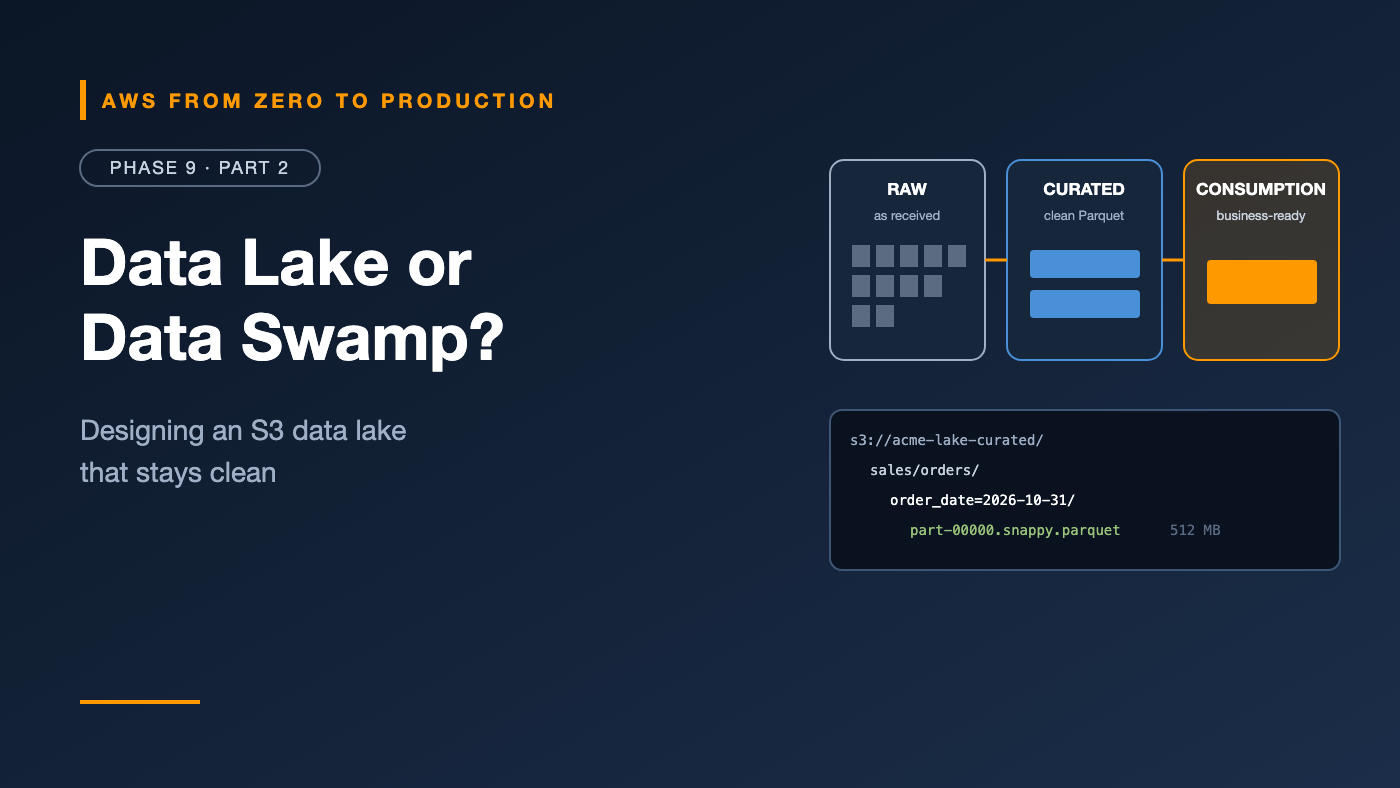
A zone is a stage of data refinement. Most lakes use three:
Raw (bronze, landing)
- Data exactly as received from the source — JSON, CSV, Parquet from DMS, log files.
- Immutable and append-only. Never edited.
- Your source of truth for reprocessing when transformation logic changes.
- Access: restricted to pipelines and data engineers.
Curated (silver, cleaned)
- Cleaned, validated, typed, deduplicated data.
- Converted to Parquet or Iceberg, partitioned, and cataloged.
- One table per business entity: orders, customers, products.
- Access: data engineers, analysts, and data scientists.
Consumption (gold, analytics)
- Business-ready datasets: aggregates, joined models, metrics.
- Built for specific uses: dashboards, finance reports, ML features.
- Access: broad, through governed permissions.
Source -> RAW (as-is) -> CURATED (clean, typed, Parquet) -> CONSUMPTION (business-ready)
Engineer’s note: Many teams use separate buckets per zone — like
acme-lake-rawandacme-lake-curated— so bucket policies, encryption keys, lifecycle rules, and replication can differ by zone.
S3 prefix design
Decide a naming pattern once, and enforce it:
s3://acme-lake-raw/{source_system}/{dataset}/ingest_date=YYYY-MM-DD/{files}
s3://acme-lake-curated/{domain}/{table}/{partition_column}=value/{files}
s3://acme-lake-consumption/{use_case}/{table}/{partition_column}=value/{files}
Examples:
s3://acme-lake-raw/orders_db/public.orders/ingest_date=2026-10-31/LOAD00000001.parquet
s3://acme-lake-curated/sales/orders/order_date=2026-10-31/part-00000.snappy.parquet
s3://acme-lake-consumption/finance/daily_revenue/month=2026-10/part-00000.snappy.parquet
Rules worth following:
- Lowercase, with underscores — no spaces.
- No environment in the path — use separate buckets or accounts per environment instead.
- One table per prefix — never mix datasets in the same folder.
- Hive-style partitions (
column=value) so Glue, Athena, Spark, and Redshift Spectrum recognize them automatically.
Date-based partitioning
Most analytics filters by time, so most tables partition by date.
Which date?
- Event date (when the order happened) — what analysts filter on. Best for curated and consumption zones.
- Ingestion date (when the data arrived) — simple and append-only. Common for the raw zone.
How granular?
order_date=2026-10-31                  daily: the common default
year=2026/month=10/day=31              nested: works, but harder to filter on ranges
event_hour=2026-10-31-14               hourly: for very high volume
- Aim for partitions holding hundreds of MB to a few GB each.
- Too fine — hourly partitions with a few KB each — creates the small-file problem.
- Too coarse — yearly — means queries scan far more than needed.
Tip: A single date column like
order_date=2026-10-31is easier to query (WHERE order_date BETWEEN ...) than separate year, month, and day columns.
File formats
Parquet
- Columnar, compressed, with column statistics stored in the file.
- Query engines skip columns and row groups that don’t match filters.
- The default choice for curated and consumption zones.
ORC
- Also columnar, with similar benefits. Common in Hive-based ecosystems. Choose Parquet unless your tools prefer ORC.
Avro
- Row-based binary, with the schema embedded.
- Great for streaming, message payloads, and write-heavy landing data.
- Strong schema evolution support, and the Glue Schema Registry supports it.
Open table formats
Apache Iceberg — supported by Athena, Glue, EMR, and Redshift — adds a metadata layer on top of Parquet files:
- ACID transactions, including
UPDATE,DELETE, andMERGE - Schema evolution by column ID, and partition evolution
- Time travel to query data as it was yesterday
- Built-in compaction
For curated tables that change — late updates, deletes for privacy requests, CDC — Iceberg is increasingly the default.
Compression
- Snappy: fast, moderate compression. The common default for Parquet.
- ZSTD: better compression at good speed. Increasingly popular.
- GZIP: high compression, but slower — and a gzipped CSV can’t be split, so one big file is processed by one worker.
Rule: Compress everything. Storage, scan cost, and network transfer all drop.
The small-file problem
Thousands of tiny files are far slower than a few big ones — even with the same total data.
Why:
- Every file means S3 requests, metadata reads, and open and close overhead.
- Query engines plan tasks per file — millions of files means millions of tiny tasks.
- Column statistics and compression work poorly on tiny files.
Where small files come from
- Streaming ingestion writing every few seconds
- Over-partitioning — by hour and customer and region
- Spark jobs with too many output partitions
How to fix it
- Batch writes: Amazon Data Firehose buffers by size and time before writing.
- Compact regularly: rewrite small files into larger ones — Iceberg does this with built-in compaction.
- Control output partitions in Spark with
coalesceorrepartition. - Target file sizes of roughly 128 MB to 1 GB.
S3 lifecycle management
From Phase 5, applied to a lake:
Raw zone:
  Standard -> Standard-IA after 30 days -> Glacier Instant Retrieval after 90 days
  Expire after 2 years (or keep, if reprocessing and compliance require it)

Curated zone:
  Intelligent-Tiering (access patterns vary by table)

Query results and temporary data:
  Expire after 7 days

Everywhere:
  Abort incomplete multipart uploads after 7 days
  Expire noncurrent versions after 30 days
Tag objects or use prefixes per zone, so rules apply cleanly.
Data lake encryption
- Default encryption is always on with SSE-S3.
- Use SSE-KMS with customer managed keys for sensitive zones, so access requires both S3 and KMS permissions — and every decrypt is logged.
- Enable S3 Bucket Keys to cut KMS request costs on large lakes.
- Require TLS with a bucket policy denying
aws:SecureTransport = false. - Consider separate keys per zone or domain, so you can control and audit access at that level.
Cross-account access
Large organizations run the lake in a central data account and let consumer accounts — analytics, ML, and business units — read from it.
Options:
- Bucket policies granting access to roles in other accounts — simple, but coarse.
- S3 Access Points per consumer, each with its own policy.
- AWS Lake Formation cross-account sharing — table-, column-, and row-level, without bucket policy sprawl (Part 10).
Remember: with SSE-KMS, the KMS key policy must also allow the consumer account.
Event-driven pipelines
S3 can trigger processing as data arrives, instead of waiting for a schedule:
New object in s3://acme-lake-raw/partner_feed/
   -> S3 event notification to EventBridge
   -> EventBridge rule
   -> Step Functions: validate -> Glue job -> update catalog -> notify
- EventBridge gives the most flexible filtering and routing.
- SQS in between adds buffering and retries.
- Lambda is great for small, fast transformations — under 15 minutes.
Watch out: Event-driven pipelines run once per file. If a source drops 10,000 files, you get 10,000 events. Batch them — with SQS and a scheduled or size-based trigger — when per-file processing would be wasteful.
Common mistakes
- No zones — raw and cleaned data mixed together.
- Editing raw data in place, losing the ability to reprocess.
- CSV and JSON in the curated zone.
- Over-partitioning into millions of tiny files.
- No lifecycle rules, so raw data and query results grow forever.
- Environment names in paths instead of separate buckets or accounts.
- Forgetting the KMS key policy for cross-account readers.
Key takeaways
- Raw is immutable, curated is clean Parquet or Iceberg, and consumption is business-ready.
- Use consistent, lowercase, Hive-style prefixes — one table per prefix.
- Partition by how people filter, aiming for partitions of hundreds of MB or more.
- Target files of roughly 128 MB to 1 GB, and compact small files.
- Automate lifecycle, encrypt with KMS where it matters, and require TLS.
- Use events to trigger pipelines — but batch when per-file processing is wasteful.
Quick self-check
Test yourself before moving on:
- Why should the raw zone be immutable?
- What’s wrong with partitioning a table by hour when each hour has 50 KB of data?
- Which format suits streaming landing data: Avro or Parquet?
- A consumer account can list objects but gets
AccessDeniedreading them, and the bucket uses SSE-KMS. What’s missing?
Answers
- So you can reprocess from the original data when logic changes or bugs are found.
- It creates the small-file problem — huge overhead for very little data.
- Avro — row-based, compact, with an embedded schema.
- Permission in the KMS key policy — and the consumer’s IAM policy — for the key.
What’s next
In Part 3, we meet the workhorse of AWS data engineering: AWS Glue — the Data Catalog, crawlers, PySpark ETL jobs, DynamicFrames, bookmarks, worker types, triggers, workflows, and Data Quality.
What’s the strangest folder name you’ve found in a data lake? Share it in the comments.