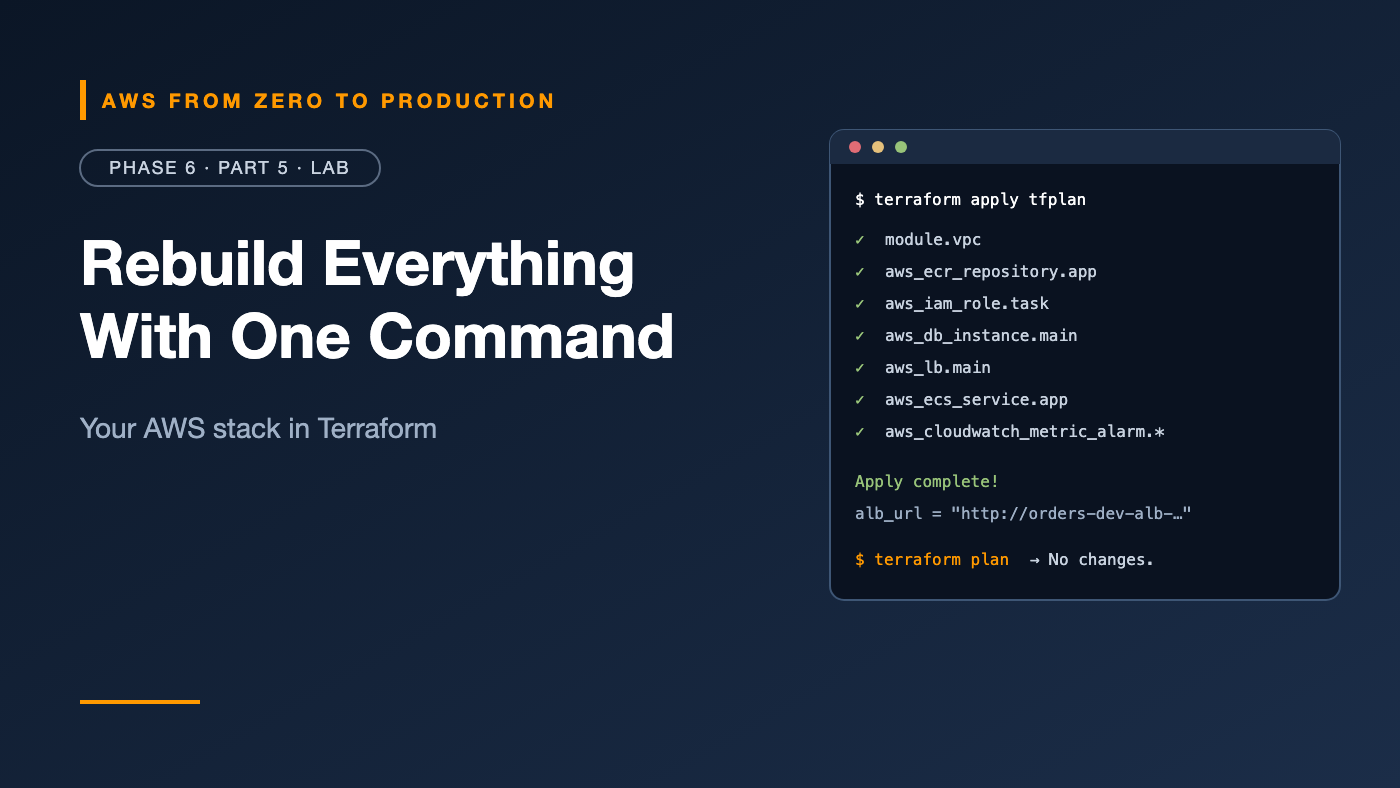
AWS from Zero to Production — Phase 6, Part 5 of 5 · See the full series roadmap
In Phases 3 through 5, you built a production-shaped stack by hand: a two-AZ VPC, a load balancer, an ECS service on Fargate, a private PostgreSQL database with a managed secret, and the IAM roles to tie it together.
It took a few hours. It took dozens of commands. And if you had to do it again tomorrow — or for a second environment — you’d have to do it all again, and hope you didn’t miss a step.
In this lab, you’ll write it once, as Terraform. Then terraform apply builds the whole thing, terraform destroy removes it, and a pull request is all it takes to change it.
What you’ll build
- 🗄️ A secure S3 bucket for remote Terraform state, with locking
- 🏠 A two-AZ VPC with public, private, and database subnets — using a community module
- 🛡️ Chained security groups
- 🗃️ An ECR repository with scanning, immutable tags, and a lifecycle policy
- 🔐 Execution and task roles with least privilege
- 🐘 An encrypted RDS PostgreSQL database with an RDS-managed secret
- ⚖️ An Application Load Balancer and an ECS service on Fargate
- 🚨 CloudWatch alarms that email you through SNS
orders-infra/
  versions.tf      Terraform, provider, backend
  variables.tf     inputs
  network.tf       VPC module
  security.tf      security groups
  ecr.tf           repository + lifecycle policy
  iam.tf           execution and task roles
  database.tf      RDS PostgreSQL
  alb.tf           load balancer, target group, listener
  ecs.tf           cluster, log group, task definition, service
  monitoring.tf    SNS topic and CloudWatch alarms
  outputs.tf       useful values
Prerequisites
- Terraform 1.11 or later (
terraform -version) - The
orders-apiapp folder from the Phase 5 lab, and Docker - Your sandbox with the
sandboxCLI profile, and permissions to create everything above - An email address you can confirm, for alarm notifications
- About 90 minutes
Cost note: This creates the same billable resources as Phases 4 and 5 — NAT gateway, load balancer, Fargate tasks, RDS, and public IPv4 addresses — plus a tiny S3 state bucket. Run
terraform destroywhen you’re done. Check current pricing before you start.
Step 1: Create the state bucket
Terraform can’t store its state in a bucket it hasn’t created yet, so the state bucket is made once, by hand. This is the only resource you’ll create outside Terraform:
export AWS_PROFILE=sandbox
export AWS_REGION=us-east-1
ACCOUNT_ID=$(aws sts get-caller-identity --query Account --output text)
STATE_BUCKET="tfstate-$ACCOUNT_ID-$AWS_REGION"

aws s3api create-bucket --bucket "$STATE_BUCKET"

aws s3api put-bucket-versioning --bucket "$STATE_BUCKET" \
  --versioning-configuration Status=Enabled

aws s3api put-public-access-block --bucket "$STATE_BUCKET" \
  --public-access-block-configuration \
  BlockPublicAcls=true,IgnorePublicAcls=true,BlockPublicPolicy=true,RestrictPublicBuckets=true

echo "$STATE_BUCKET"
New buckets are encrypted by default. Versioning lets you recover an older state if something goes wrong.
Outside
us-east-1? Add--create-bucket-configuration LocationConstraint=$AWS_REGIONtocreate-bucket.
✅ Checkpoint: The bucket exists, with versioning enabled and public access blocked.
Step 2: Set up the project
mkdir orders-infra && cd orders-infra
versions.tf
Replace REPLACE_WITH_STATE_BUCKET with the bucket name from Step 1. Backend settings can’t use variables.
terraform {
  required_version = ">= 1.11"

  required_providers {
    aws = {
      source  = "hashicorp/aws"
      version = "~> 6.0"
    }
  }

  backend "s3" {
    bucket       = "REPLACE_WITH_STATE_BUCKET"
    key          = "orders/dev/terraform.tfstate"
    region       = "us-east-1"
    encrypt      = true
    use_lockfile = true
  }
}

provider "aws" {
  region = var.region

  default_tags {
    tags = {
      Project     = var.name
      Environment = var.environment
      ManagedBy   = "terraform"
    }
  }
}
variables.tf
variable "region" {
  type    = string
  default = "us-east-1"
}

variable "name" {
  type    = string
  default = "orders"
}

variable "environment" {
  type    = string
  default = "dev"
}

variable "image_tag" {
  type        = string
  description = "Container image tag to deploy"
}

variable "desired_count" {
  type    = number
  default = 2
}

variable "alert_email" {
  type        = string
  description = "Email address for alarm notifications"
}

locals {
  prefix = "${var.name}-${var.environment}"
}
terraform.tfvars
image_tag   = "3.0.0"
alert_email = "you@example.com"
Add a .gitignore before you ever commit:
.terraform/
*.tfstate
*.tfstate.*
*.tfplan
Step 3: The network
network.tf
data "aws_availability_zones" "available" {
  state = "available"
}

module "vpc" {
  source  = "terraform-aws-modules/vpc/aws"
  version = "~> 6.0"

  name = local.prefix
  cidr = "10.0.0.0/16"
  azs  = slice(data.aws_availability_zones.available.names, 0, 2)

  public_subnets   = ["10.0.1.0/24", "10.0.2.0/24"]
  private_subnets  = ["10.0.11.0/24", "10.0.12.0/24"]
  database_subnets = ["10.0.21.0/24", "10.0.22.0/24"]

  create_database_subnet_group = true

  enable_nat_gateway = true
  single_nat_gateway = true
}
This one module creates the VPC, six subnets across two AZs, an internet gateway, a NAT gateway, route tables, and a DB subnet group — the same three-tier layout you built by hand in Phase 3.
security.tf
resource "aws_security_group" "alb" {
  name        = "${local.prefix}-alb"
  description = "Load balancer"
  vpc_id      = module.vpc.vpc_id
}

resource "aws_security_group" "app" {
  name        = "${local.prefix}-app"
  description = "ECS tasks"
  vpc_id      = module.vpc.vpc_id
}

resource "aws_security_group" "db" {
  name        = "${local.prefix}-db"
  description = "PostgreSQL"
  vpc_id      = module.vpc.vpc_id
}

resource "aws_vpc_security_group_ingress_rule" "alb_http" {
  security_group_id = aws_security_group.alb.id
  cidr_ipv4         = "0.0.0.0/0"
  ip_protocol       = "tcp"
  from_port         = 80
  to_port           = 80
}

resource "aws_vpc_security_group_egress_rule" "alb_to_app" {
  security_group_id            = aws_security_group.alb.id
  referenced_security_group_id = aws_security_group.app.id
  ip_protocol                  = "tcp"
  from_port                    = 8080
  to_port                      = 8080
}

resource "aws_vpc_security_group_ingress_rule" "app_from_alb" {
  security_group_id            = aws_security_group.app.id
  referenced_security_group_id = aws_security_group.alb.id
  ip_protocol                  = "tcp"
  from_port                    = 8080
  to_port                      = 8080
}

resource "aws_vpc_security_group_egress_rule" "app_all" {
  security_group_id = aws_security_group.app.id
  cidr_ipv4         = "0.0.0.0/0"
  ip_protocol       = "-1"
}

resource "aws_vpc_security_group_ingress_rule" "db_from_app" {
  security_group_id            = aws_security_group.db.id
  referenced_security_group_id = aws_security_group.app.id
  ip_protocol                  = "tcp"
  from_port                    = 5432
  to_port                      = 5432
}
Terraform gotcha: Unlike the console, a security group created by Terraform has no outbound rules until you add them. That’s why the load balancer and app get explicit egress rules. The database needs none.
Step 4: ECR and IAM
ecr.tf
resource "aws_ecr_repository" "app" {
  name                 = var.name
  image_tag_mutability = "IMMUTABLE"
  force_delete         = true # lab only: lets destroy remove images

  image_scanning_configuration {
    scan_on_push = true
  }
}

resource "aws_ecr_lifecycle_policy" "app" {
  repository = aws_ecr_repository.app.name

  policy = jsonencode({
    rules = [{
      rulePriority = 1
      description  = "Keep the 10 most recent images"
      selection = {
        tagStatus   = "any"
        countType   = "imageCountMoreThan"
        countNumber = 10
      }
      action = { type = "expire" }
    }]
  })
}
iam.tf
data "aws_iam_policy_document" "ecs_tasks_assume" {
  statement {
    actions = ["sts:AssumeRole"]

    principals {
      type        = "Service"
      identifiers = ["ecs-tasks.amazonaws.com"]
    }
  }
}

resource "aws_iam_role" "execution" {
  name               = "${local.prefix}-ecs-execution"
  assume_role_policy = data.aws_iam_policy_document.ecs_tasks_assume.json
}

resource "aws_iam_role_policy_attachment" "execution" {
  role       = aws_iam_role.execution.name
  policy_arn = "arn:aws:iam::aws:policy/service-role/AmazonECSTaskExecutionRolePolicy"
}

resource "aws_iam_role" "task" {
  name               = "${local.prefix}-task"
  assume_role_policy = data.aws_iam_policy_document.ecs_tasks_assume.json
}

resource "aws_iam_role_policy" "task_read_db_secret" {
  name = "read-db-secret"
  role = aws_iam_role.task.id

  policy = jsonencode({
    Version = "2012-10-17"
    Statement = [{
      Effect   = "Allow"
      Action   = "secretsmanager:GetSecretValue"
      Resource = aws_db_instance.main.master_user_secret[0].secret_arn
    }]
  })
}
The task role’s policy references the database’s secret ARN directly — no copying and pasting, and it can never point at the wrong secret.
Step 5: The database
database.tf
resource "aws_db_instance" "main" {
  identifier     = "${local.prefix}-db"
  engine         = "postgres"
  instance_class = "db.t4g.micro"

  allocated_storage = 20
  storage_type      = "gp3"
  storage_encrypted = true

  db_name                     = "orders"
  username                    = "orders_admin"
  manage_master_user_password = true

  db_subnet_group_name   = module.vpc.database_subnet_group_name
  vpc_security_group_ids = [aws_security_group.db.id]
  publicly_accessible    = false
  multi_az               = false # use true in production

  backup_retention_period = 7

  deletion_protection = false # lab only
  skip_final_snapshot = true  # lab only
}
No password appears anywhere — in code, in variables, or in Terraform state. RDS creates it in Secrets Manager.
In production: set
multi_az = true,deletion_protection = true,skip_final_snapshot = false, and addlifecycle { prevent_destroy = true }.
Step 6: The load balancer and ECS service
alb.tf
resource "aws_lb" "main" {
  name               = "${local.prefix}-alb"
  load_balancer_type = "application"
  subnets            = module.vpc.public_subnets
  security_groups    = [aws_security_group.alb.id]
}

resource "aws_lb_target_group" "app" {
  name                 = "${local.prefix}-tg"
  port                 = 8080
  protocol             = "HTTP"
  vpc_id               = module.vpc.vpc_id
  target_type          = "ip"
  deregistration_delay = 30

  health_check {
    path                = "/health"
    interval            = 15
    healthy_threshold   = 2
    unhealthy_threshold = 2
  }
}

resource "aws_lb_listener" "http" {
  load_balancer_arn = aws_lb.main.arn
  port              = 80
  protocol          = "HTTP"

  default_action {
    type             = "forward"
    target_group_arn = aws_lb_target_group.app.arn
  }
}
ecs.tf
resource "aws_ecs_cluster" "main" {
  name = local.prefix
}

resource "aws_cloudwatch_log_group" "app" {
  name              = "/ecs/${local.prefix}"
  retention_in_days = 14
}

resource "aws_ecs_task_definition" "app" {
  family                   = local.prefix
  network_mode             = "awsvpc"
  requires_compatibilities = ["FARGATE"]
  cpu                      = 256
  memory                   = 512
  execution_role_arn       = aws_iam_role.execution.arn
  task_role_arn            = aws_iam_role.task.arn

  runtime_platform {
    cpu_architecture        = "X86_64"
    operating_system_family = "LINUX"
  }

  container_definitions = jsonencode([{
    name         = var.name
    image        = "${aws_ecr_repository.app.repository_url}:${var.image_tag}"
    essential    = true
    portMappings = [{ containerPort = 8080, protocol = "tcp" }]
    environment = [
      { name = "APP_VERSION", value = var.image_tag },
      { name = "DB_HOST", value = aws_db_instance.main.address },
      { name = "DB_NAME", value = aws_db_instance.main.db_name },
      { name = "DB_SECRET_ARN", value = aws_db_instance.main.master_user_secret[0].secret_arn },
    ]
    logConfiguration = {
      logDriver = "awslogs"
      options = {
        "awslogs-group"         = aws_cloudwatch_log_group.app.name
        "awslogs-region"        = var.region
        "awslogs-stream-prefix" = "app"
      }
    }
  }])
}

resource "aws_ecs_service" "app" {
  name            = var.name
  cluster         = aws_ecs_cluster.main.id
  task_definition = aws_ecs_task_definition.app.arn
  desired_count   = var.desired_count
  launch_type     = "FARGATE"

  health_check_grace_period_seconds  = 30
  deployment_minimum_healthy_percent = 100
  deployment_maximum_percent         = 200

  deployment_circuit_breaker {
    enable   = true
    rollback = true
  }

  network_configuration {
    subnets          = module.vpc.private_subnets
    security_groups  = [aws_security_group.app.id]
    assign_public_ip = false
  }

  load_balancer {
    target_group_arn = aws_lb_target_group.app.arn
    container_name   = var.name
    container_port   = 8080
  }

  depends_on = [aws_lb_listener.http]
}
Every value that used to be a shell variable — the image URL, the database address, the secret ARN, the subnet IDs — is now a reference. Terraform works out the order and fills them in.
Step 7: Monitoring and outputs
monitoring.tf
resource "aws_sns_topic" "alerts" {
  name = "${local.prefix}-alerts"
}

resource "aws_sns_topic_subscription" "email" {
  topic_arn = aws_sns_topic.alerts.arn
  protocol  = "email"
  endpoint  = var.alert_email
}

resource "aws_cloudwatch_metric_alarm" "alb_5xx" {
  alarm_name          = "${local.prefix}-target-5xx"
  alarm_description   = "The app is returning 5xx errors"
  namespace           = "AWS/ApplicationELB"
  metric_name         = "HTTPCode_Target_5XX_Count"
  dimensions          = { LoadBalancer = aws_lb.main.arn_suffix }
  statistic           = "Sum"
  period              = 300
  evaluation_periods  = 1
  threshold           = 10
  comparison_operator = "GreaterThanThreshold"
  treat_missing_data  = "notBreaching"
  alarm_actions       = [aws_sns_topic.alerts.arn]
  ok_actions          = [aws_sns_topic.alerts.arn]
}

resource "aws_cloudwatch_metric_alarm" "unhealthy_targets" {
  alarm_name          = "${local.prefix}-unhealthy-targets"
  alarm_description   = "At least one target is failing health checks"
  namespace           = "AWS/ApplicationELB"
  metric_name         = "UnHealthyHostCount"
  dimensions = {
    LoadBalancer = aws_lb.main.arn_suffix
    TargetGroup  = aws_lb_target_group.app.arn_suffix
  }
  statistic           = "Maximum"
  period              = 60
  evaluation_periods  = 3
  threshold           = 0
  comparison_operator = "GreaterThanThreshold"
  alarm_actions       = [aws_sns_topic.alerts.arn]
  ok_actions          = [aws_sns_topic.alerts.arn]
}

resource "aws_cloudwatch_metric_alarm" "db_cpu" {
  alarm_name          = "${local.prefix}-db-cpu"
  alarm_description   = "Database CPU is high"
  namespace           = "AWS/RDS"
  metric_name         = "CPUUtilization"
  dimensions          = { DBInstanceIdentifier = aws_db_instance.main.identifier }
  statistic           = "Average"
  period              = 300
  evaluation_periods  = 3
  threshold           = 80
  comparison_operator = "GreaterThanThreshold"
  alarm_actions       = [aws_sns_topic.alerts.arn]
}

resource "aws_cloudwatch_metric_alarm" "db_storage" {
  alarm_name          = "${local.prefix}-db-free-storage"
  alarm_description   = "Database free storage is below 2 GiB"
  namespace           = "AWS/RDS"
  metric_name         = "FreeStorageSpace"
  dimensions          = { DBInstanceIdentifier = aws_db_instance.main.identifier }
  statistic           = "Minimum"
  period              = 300
  evaluation_periods  = 1
  threshold           = 2147483648
  comparison_operator = "LessThanThreshold"
  alarm_actions       = [aws_sns_topic.alerts.arn]
}
outputs.tf
output "alb_url" {
  value = "http://${aws_lb.main.dns_name}"
}

output "ecr_repository_url" {
  value = aws_ecr_repository.app.repository_url
}

output "db_endpoint" {
  value = aws_db_instance.main.address
}
Step 8: Initialize and validate
terraform init
terraform fmt
terraform validate
init downloads the AWS provider and VPC module, and connects to your S3 backend.
✅ Checkpoint: terraform validate prints Success! The configuration is valid. Commit .terraform.lock.hcl along with your code.
Step 9: Create the repository and push the image
The ECS service needs an image to run, and the image needs a repository. Create just the repository first:
terraform apply -target=aws_ecr_repository.app
About
-target: It’s meant for exceptional cases like this bootstrap step — not everyday use. Many teams keep ECR repositories in a separate, long-lived configuration instead.
Then build and push, from your orders-api folder:
REPO_URL=$(terraform output -raw ecr_repository_url)
REGISTRY="${REPO_URL%%/*}"

aws ecr get-login-password | docker login --username AWS --password-stdin "$REGISTRY"

docker build --platform linux/amd64 -t "$REPO_URL:3.0.0" ../orders-api
docker push "$REPO_URL:3.0.0"
Adjust ../orders-api to wherever your app folder is.
✅ Checkpoint: The image orders:3.0.0 is in the ECR repository.
Step 10: Plan and apply everything
terraform plan -out=tfplan
Read the plan. You’ll see around 50 resources to create — and nothing to change or destroy. Then:
terraform apply tfplan
This takes 10–15 minutes, mostly waiting for the database and NAT gateway.
Check your email and confirm the SNS subscription, or alarms can’t reach you.
✅ Checkpoint: The apply finishes with Apply complete! and prints alb_url.
Step 11: Test the app
ALB_URL=$(terraform output -raw alb_url)

curl -s -X POST "$ALB_URL/orders" \
  -H "Content-Type: application/json" -d '{"item": "built by terraform"}'

curl -s "$ALB_URL/orders"
It may take a minute after apply for the tasks to become healthy.
✅ Checkpoint: The same orders API from Phase 5 — but this time, every piece of infrastructure came from code.
Step 12: Catch a manual change
Simulate a colleague “quickly fixing” something in the console:
aws ecs update-service --cluster orders-dev --service orders --desired-count 3
Now ask Terraform what it thinks:
terraform plan
The plan shows desired_count changing from 3 back to 2. Terraform noticed the drift and wants to restore what the code says.
You have two choices — and this is the real lesson of IaC:
- If the manual change was a mistake:
terraform applyputs it back. - If it was right: change
desired_countin code, open a pull request, and apply it from code.
Either way, the code stays the source of truth.
terraform apply
✅ Checkpoint: The service is back to 2 tasks, and terraform plan shows No changes.
Step 13: Ship a change through code
Change something real: in variables.tf, set the desired_count default to 3. Then:
terraform plan -out=tfplan
terraform apply tfplan
The plan shows exactly one in-place update. That’s what infrastructure changes should look like: small, reviewed, and predictable.
Cleanup
terraform destroy
Review the plan — every resource listed for destruction — and type yes. It takes 10–15 minutes.
Then remove the state bucket. Because it’s versioned, empty it first in the S3 console (Empty, then Delete), or with:
aws s3api delete-objects --bucket "$STATE_BUCKET" \
  --delete "$(aws s3api list-object-versions --bucket "$STATE_BUCKET" \
    --query '{Objects: Versions[].{Key:Key,VersionId:VersionId}}' --output json)"
aws s3api delete-objects --bucket "$STATE_BUCKET" \
  --delete "$(aws s3api list-object-versions --bucket "$STATE_BUCKET" \
    --query '{Objects: DeleteMarkers[].{Key:Key,VersionId:VersionId}}' --output json)"
aws s3api delete-bucket --bucket "$STATE_BUCKET"
Keep it instead? If you’re continuing to Phase 7, you can keep the state bucket — it costs almost nothing — and reuse this configuration for the CI/CD lab.
✅ Final checkpoint: terraform destroy reports Destroy complete!, and there are no NAT gateways, load balancers, or RDS instances left.
Troubleshooting
Error acquiring the state lock
Cause: another run is in progress, or a previous run crashed. Fix: wait, or — if you’re sure nothing else is running — terraform force-unlock LOCK_ID.
Failed to get existing workspaces: S3 bucket does not exist
Cause: the backend bucket name is wrong. Fix: check versions.tf and rerun terraform init.
ECS deployment fails, and the circuit breaker rolls back
Cause: the image tag in terraform.tfvars doesn’t exist in ECR. Fix: push the image, or correct the tag.
Unsupported argument errors
Cause: provider or module major version differences. Fix: check the pinned versions and the provider’s upgrade guide.
DependencyViolation during destroy
Cause: network interfaces from the load balancer or tasks are still being released. Fix: run terraform destroy again after a few minutes.
What you accomplished
- ✅ Stored Terraform state remotely, encrypted, versioned, and locked
- ✅ Described a full production-shaped stack in about 400 lines of code
- ✅ Wired resources together with references instead of copied IDs
- ✅ Kept the database password out of code and state
- ✅ Added alarms with email notifications
- ✅ Detected and corrected drift with
terraform plan
Quick self-check
Test yourself before moving on:
- Why is the state bucket created outside Terraform?
- Why do the app and load balancer security groups need explicit egress rules?
- How did the task role get the correct secret ARN?
- Someone changed the service in the console. How did you find out?
Answers
- Terraform needs the bucket to exist before it can store state in it.
- Terraform-created security groups have no outbound rules by default.
- By referencing
aws_db_instance.main.master_user_secret[0].secret_arn. terraform planshowed the difference between the code and reality.
What’s next
Phase 7 automates everything you’ve done by hand so far. GitHub Actions will build and test the API, scan it, authenticate to AWS with OIDC, push to ECR, deploy to ECS, run a smoke test, and roll back automatically on failure.
How many resources did your plan create? And did drift detection surprise you? Tell me in the comments.