AWS from Zero to Production — Phase 5, Part 3 of 5 · See the full series roadmap
Running your own database server sounds manageable — until you list the jobs: installing, patching, backups, point-in-time recovery, replication, failover, monitoring, storage growth, encryption, and upgrades.
Every one of those is a chance for a 3 a.m. page.
Amazon RDS and Amazon Aurora take most of those jobs off your plate. But not all of them, and not automatically. You still choose the right settings — and the defaults aren’t always production-ready.
This article shows you what RDS does, what you still own, and how to configure a database that survives failure.
What you’ll walk away with
- 🗃️ RDS engines and instances
- 🧩 DB subnet groups, parameter groups, and option groups
- 🛡️ Security groups, encryption, and network placement
- 💾 Automated backups, point-in-time recovery, and snapshots
- 🔁 Multi-AZ vs. read replicas — and why they’re not the same thing
- 🔧 Maintenance windows and RDS Proxy
- 🚀 Amazon Aurora and Aurora Serverless
- 🚚 What to think about before migrating a database
Amazon RDS in one paragraph
Amazon Relational Database Service (RDS) runs relational databases for you. You choose an engine, instance class, and storage; AWS handles provisioning, patching, backups, and failover. You connect with your normal database driver — it’s still PostgreSQL or MySQL underneath.
Database engines
- PostgreSQL
- MySQL
- MariaDB
- Oracle
- Microsoft SQL Server
- IBM Db2
- Amazon Aurora (MySQL-compatible and PostgreSQL-compatible)
Commercial engines may require license fees, either included in the price or bring-your-own.
Instances and storage
- Instance classes follow EC2 naming:
db.t4g.micro(burstable, for dev),db.m7g.large(general purpose),db.r7g.xlarge(memory optimized, common for production databases). - Storage: gp3 for most workloads, io2 for consistently high I/O. Turn on storage autoscaling to grow before you run out.
Where the database lives
DB subnet groups
A DB subnet group tells RDS which subnets it may use. Include private subnets in at least two AZs. In Phase 3, you built isolated data subnets for exactly this.
Security groups
The database security group should allow the database port only from the app’s security group:
db-sg inbound 5432 from app-sg
Public accessibility
Set Publicly accessible = No. A production database never needs a public IP. Connect from your laptop through a bastion with Session Manager port forwarding, or a VPN — not the internet.
Encryption
- At rest: enable encryption at creation, with KMS. You can’t simply turn it on later; you’d have to restore from an encrypted snapshot copy.
- In transit: require TLS. For PostgreSQL, the
rds.force_sslparameter enforces it, and clients should verify the server certificate with the RDS certificate bundle.
Credentials
Let RDS manage the master password in Secrets Manager. RDS generates it, stores it, and rotates it — and the password never appears in your templates or terminal history:
aws rds create-db-instance ... --manage-master-user-password
Engineer’s note: Don’t let your application use the master user. Create an app user with only the privileges it needs.
Parameter groups and option groups
- A DB parameter group holds engine configuration:
max_connections,log_min_duration_statement,rds.force_ssl, and so on. The default group can’t be changed, so create your own from day one — changing a database’s parameter group later requires a reboot. - An option group enables extra engine features, mainly for Oracle, SQL Server, and MySQL: things like native backup and restore, or Oracle TDE.
Some parameter changes apply immediately (dynamic); others need a reboot (static).
Backups and recovery
Automated backups
- Daily snapshots plus transaction logs.
- Retention from 1 to 35 days. Never use 0 in production — that disables automated backups.
- Enables point-in-time recovery (PITR) to any second within the retention period, typically up to about five minutes ago.
Manual snapshots
- Taken when you choose, for example before a risky migration.
- Kept until you delete them — even after the database is deleted.
- Can be copied to other Regions and shared with other accounts.
Restoring creates a new database
Every restore — from PITR or a snapshot — creates a new DB instance with a new endpoint. Your app must point to it. Plan for that in your runbook.
Watch out: When you delete a database, RDS offers a final snapshot. Take it. Automated backups can be deleted with the instance unless you choose to retain them.
Multi-AZ vs. read replicas
This is the most commonly confused topic in RDS.
Multi-AZ: for availability
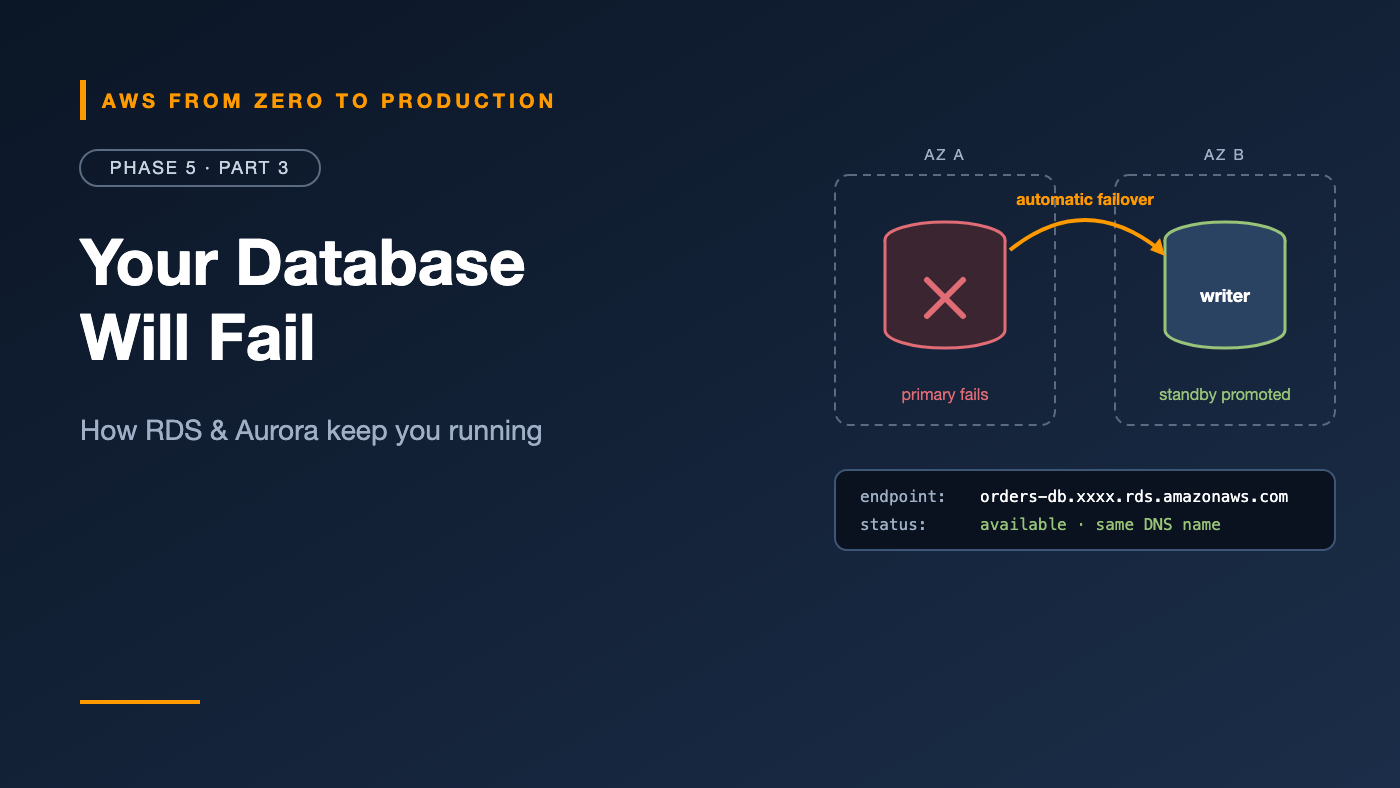
- Multi-AZ DB instance: a synchronous standby in another AZ. If the primary fails, RDS fails over automatically, usually in a minute or two, by pointing the same DNS endpoint to the standby. The standby doesn’t serve reads.
- Multi-AZ DB cluster (MySQL and PostgreSQL): one writer and two readable standbys in three AZs, with faster failover.
Read replicas: for scaling reads
- Asynchronous copies that serve read-only queries — reports, dashboards, search.
- Have their own endpoints; your app must send reads to them.
- Can be in another Region, and can be promoted to standalone databases, for example during a Regional disaster.
- Replication lag means reads may be slightly stale.
In short
- Problem: “the database must survive an AZ failure.” Solution: Multi-AZ.
- Problem: “too many reads for one server.” Solution: read replicas.
- Problem: “survive a Regional outage.” Solution: a cross-Region read replica, or Aurora Global Database.
Rule: Every production database should be Multi-AZ. A read replica is not a substitute.
Maintenance windows
RDS applies patches and minor version upgrades during a weekly maintenance window you choose.
- Pick a low-traffic time.
- With Multi-AZ, RDS patches the standby first and fails over, reducing downtime to roughly a failover.
- Major version upgrades are never automatic. Plan and test them — and keep an eye on end-of-standard-support dates, after which extended support charges apply.
RDS Proxy
Applications — especially Lambda functions and autoscaled containers — can open many short-lived connections. Databases handle that badly.
RDS Proxy sits between your app and the database:
- Pools and reuses connections, so thousands of clients share far fewer database connections.
- Makes failovers faster and smoother for clients, holding connections while the database switches over.
- Supports IAM authentication, with credentials in Secrets Manager.
Lambda (1,000 concurrent) -> RDS Proxy (pool) -> PostgreSQL (100 connections)
Amazon Aurora
Aurora is AWS’s cloud-native relational database, compatible with MySQL and PostgreSQL.
The big difference is storage:
- Data is stored in a distributed storage layer with six copies across three AZs.
- Storage grows automatically.
- Up to 15 low-latency Aurora Replicas share the same storage, so replica lag is typically very low.
- Failover to a replica is fast, usually under a minute.
Aurora clusters have endpoints: a writer endpoint, a reader endpoint that load-balances across replicas, and optional custom endpoints.
Extra features include Aurora Global Database for cross-Region replication with fast recovery, backtrack for MySQL, and fast database cloning for testing against production-like data.
Aurora Serverless v2
Aurora Serverless v2 scales capacity up and down in fine-grained increments, measured in Aurora Capacity Units (ACUs):
- You set a minimum and maximum ACU range.
- It scales in place, within seconds, as load changes.
- It can scale to zero and pause when idle, for dev and test environments.
- You can mix serverless and provisioned instances in one cluster.
Good for variable workloads, dev and test, and multi-tenant apps with unpredictable load.
RDS or Aurora?
- RDS: simpler pricing, the full range of engines, and often cheaper for small, steady workloads.
- Aurora: better availability and read scaling, faster failover, Global Database, and Serverless v2 — at a higher base price.
Database migration considerations
Moving an existing database to AWS? Think about:
- Compatibility: same engine (homogeneous) or a different one (heterogeneous, like Oracle to PostgreSQL)?
- Downtime tolerance: can you stop writes for hours, or do you need change data capture to keep source and target in sync until a short cutover?
- Size and network: how long will the initial copy take?
- Tools: native dump and restore for small databases; AWS Database Migration Service (DMS) for continuous replication; schema conversion for heterogeneous migrations. Phase 9 covers DMS.
- Validation: row counts, checksums, and application testing before cutover.
- Rollback plan: what if the cutover fails?
Common mistakes
- Publicly accessible databases.
- Single-AZ production databases.
- Using read replicas as a high-availability strategy.
- Backup retention set to 0, or no final snapshot on delete.
- Default parameter groups, then needing a reboot to change them later.
- Applications connecting as the master user.
- Hundreds of Lambda functions connecting directly without RDS Proxy.
- Ignoring major version end-of-support dates.
Key takeaways
- RDS manages provisioning, patching, backups, and failover; you still own design and configuration.
- Put databases in private subnets, behind security groups, encrypted, with managed credentials.
- Automated backups give point-in-time recovery; restores create new instances.
- Multi-AZ is for availability; read replicas are for read scaling.
- RDS Proxy pools connections for serverless and highly scaled apps.
- Aurora adds distributed storage, fast failover, many replicas, and Serverless v2.
Quick self-check
Test yourself before moving on:
- Does the standby in a Multi-AZ DB instance serve read traffic?
- You restore a database to 10:42 this morning. What’s the endpoint?
- Your Lambda functions exhaust database connections during traffic spikes. What do you add?
- How many copies of data does Aurora storage keep, and across how many AZs?
Answers
- No. It exists only for failover. Use read replicas, or a Multi-AZ DB cluster, for reads.
- A new endpoint — restores create a new DB instance.
- RDS Proxy.
- Six copies across three AZs.
What’s next
In Part 4, we go beyond relational: DynamoDB keys, indexes, capacity modes, streams, TTL, global tables, and transactions — plus caching with ElastiCache and MemoryDB.
RDS or Aurora — which does your team run, and why? Tell me in the comments.