AWS from Zero to Production — Phase 5, Part 4 of 5 · See the full series roadmap
Here’s how most people’s first DynamoDB table goes:
They design it like a relational database — one table per entity, an id key, and plan to “query it later.” Then they need “all orders for a customer, newest first,” and discover DynamoDB can’t do that without a full table scan. The scan is slow, expensive, and gets worse every day.
DynamoDB is incredibly fast and scalable. Single-digit millisecond reads at almost any scale, no servers, no connection pools. But it rewards a completely different way of designing data: start from your access patterns, then design keys to serve them.
This article teaches that mindset — and covers caching with ElastiCache and MemoryDB, for when even DynamoDB isn’t fast enough.
What you’ll walk away with
- 🔑 Partition keys and sort keys — the heart of DynamoDB design
- 🗂️ Global and local secondary indexes
- ⚙️ On-demand vs. provisioned capacity
- 🌊 DynamoDB Streams, Time to Live, global tables, and transactions
- ⚡ Caching with ElastiCache for Valkey and Redis OSS
- 🧠 Amazon MemoryDB — when the cache is the database
What makes DynamoDB different
Amazon DynamoDB is a fully managed, serverless key-value and document database.
- No servers, no connections to manage — just HTTPS API calls with IAM authentication.
- Consistent performance at any scale.
- Items (rows) can have different attributes. The only required attributes are the keys.
- Items can be up to 400 KB.
- Encrypted at rest, always.
What it doesn’t do: joins, arbitrary ad hoc queries, or efficient queries on attributes that aren’t keys or indexed.
Keys: the most important design decision
Partition key
Every table has a partition key. DynamoDB hashes it to decide which internal partition stores the item.
- A table with only a partition key is a simple key-value store:
GetItemby key. - Good partition keys have many distinct values, accessed fairly evenly — like
customerIdororderId. - Bad partition keys concentrate traffic — like
statuswith three values, or today’s date. That creates hot partitions and throttling.
Sort key
Add a sort key, and items with the same partition key are stored together, sorted. Now you can Query ranges:
Partition key: customerId    Sort key: sk  (format: orderDate#orderId)

customerId = C42
  2026-10-01#A17
  2026-10-14#B03
  2026-10-31#C88      <- Query: begins_with "2026-10", newest first
“All orders for customer C42 in October, newest first” is now one efficient Query:
import boto3
from boto3.dynamodb.conditions import Key

table = boto3.resource("dynamodb").Table("orders")
resp = table.query(
    KeyConditionExpression=Key("customerId").eq("C42")
    & Key("sk").begins_with("2026-10"),
    ScanIndexForward=False,
)
Query vs. Scan
- Query reads items from one partition key, optionally a sort key range. Fast and cheap.
- Scan reads the entire table. Slow and expensive at scale.
Rule: If a core feature needs a Scan, your key design is missing an access pattern.
Design from access patterns
Write down every question the app will ask before creating the table:
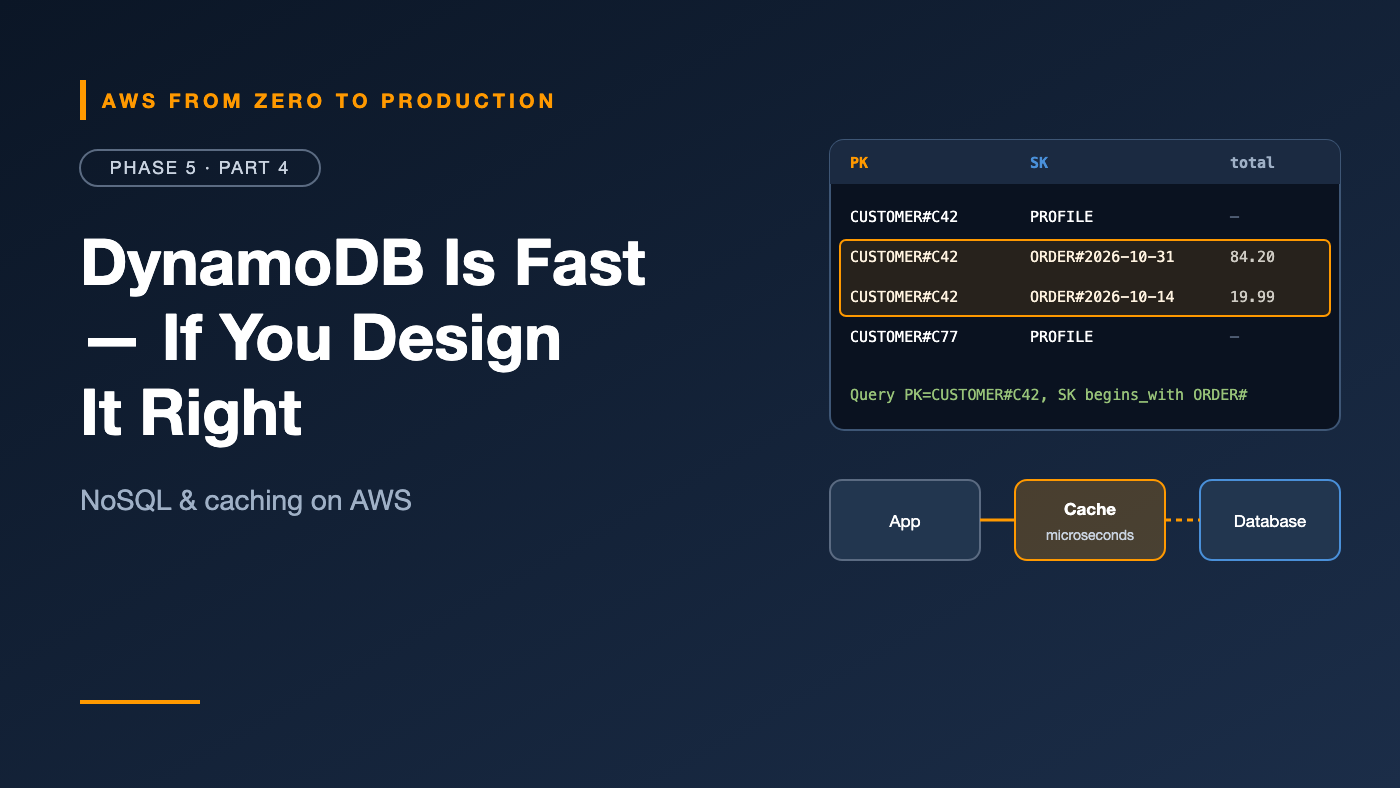
1. Get a customer's profile               -> PK = CUSTOMER#C42, SK = PROFILE
2. List a customer's orders, newest first -> PK = CUSTOMER#C42, SK begins_with ORDER#
3. Get one order by ID                    -> GSI: PK = ORDER#A17
Advanced teams often use single-table design, storing several entity types in one table with generic key names (PK, SK). It’s powerful but harder to learn. Separate tables per service are fine to start.
Secondary indexes
Need another way to query? Add an index.
Global secondary index (GSI)
- A different partition key and sort key from the table.
- Can be added or removed any time.
- Eventually consistent reads only.
- Has its own capacity, and writes to the table are copied to it.
Example: the table is keyed by customerId; a GSI keyed by status and createdAt finds “all pending orders, oldest first.”
Local secondary index (LSI)
- Same partition key, different sort key.
- Must be created with the table.
- Supports strongly consistent reads.
Default choice: Use GSIs. LSIs are only for specific cases, and they can’t be added later.
Capacity modes
On-demand
- Pay per request. No capacity planning.
- Scales instantly to your traffic.
- The best default for new, spiky, or unpredictable workloads.
Provisioned
- You set read and write capacity units, optionally with auto scaling.
- Cheaper for steady, predictable traffic.
- Exceeding capacity causes throttling.
You can switch modes, with some limits on how often.
DynamoDB Streams
DynamoDB Streams captures every change — insert, update, delete — in order, per item, for 24 hours.
Use it to trigger actions on change:
orders table
  -> DynamoDB Stream
  -> Lambda (event source mapping)
  -> send confirmation email / update search index / publish event
You can choose what each record contains: keys only, the new image, the old image, or both.
Time to Live (TTL)
TTL deletes items automatically after a timestamp you store in an attribute:
{ "PK": "SESSION#9f2c", "userId": "C42", "expiresAt": 1767225600 }
- No extra cost for TTL deletes.
- Deletion isn’t instant — expired items are typically removed within a few days, so filter them out in queries if exactness matters.
- Deletes appear in the stream, so you can archive expired items.
Perfect for sessions, temporary tokens, and data with a retention limit.
Global tables
Global tables replicate a table across multiple Regions, with multi-active writes:
- Users read and write to the nearest Region.
- If a Region fails, traffic moves to another, with the data already there.
- Concurrent writes to the same item in different Regions are resolved with last writer wins by default; multi-Region strong consistency is also available for applications that need it.
Transactions
DynamoDB supports ACID transactions across multiple items and tables:
TransactWriteItems: up to 100 actions — puts, updates, deletes, and condition checks — that all succeed or all fail.TransactGetItems: consistent reads across items.
Transfer stock:
  Update warehouse A: quantity -= 5   (condition: quantity >= 5)
  Update warehouse B: quantity += 5
  -> both happen, or neither
Transactions cost more per item than standard writes. Use conditional writes for simpler cases, like “create only if it doesn’t exist.”
Caching with Amazon ElastiCache
Sometimes you need microsecond reads, or need to protect a database from repeated identical queries. That’s a cache.
Amazon ElastiCache runs in-memory data stores:
- Valkey — an open-source, Redis-compatible engine, and a cost-effective default.
- Redis OSS — the original engine.
- Memcached — simple, multi-threaded key-value caching.
ElastiCache comes in serverless form (no capacity planning) or node-based clusters.
Redis and Valkey concepts
- Data structures: strings, hashes, lists, sets, sorted sets, streams.
- TTL per key: keys expire automatically.
- Replication with automatic failover across AZs.
- Cluster mode: data sharded across multiple nodes.
Typical uses: session stores, leaderboards with sorted sets, rate limiting, and caching expensive queries.
Caching patterns
Cache-aside (lazy loading) — the most common:
1. App checks the cache
2. Hit  -> return it
3. Miss -> read from the database, write to the cache with a TTL, return it
Write-through: write to the cache whenever you write to the database. The cache is always fresh, at the cost of extra writes.
The hard part is invalidation. Always set a TTL, so stale data eventually expires — even if your invalidation logic has a bug.
Amazon MemoryDB
ElastiCache is a cache: if nodes fail, you may lose recent data, so the real data lives in a database.
Amazon MemoryDB is a durable, Valkey- and Redis OSS-compatible primary database:
- Microsecond reads and single-digit millisecond writes.
- Data is durably stored in a multi-AZ transaction log.
- Use it when you want Redis-style data structures and speed as your system of record.
Choosing a database
- Relational data, joins, ad hoc queries, strong constraints: RDS or Aurora.
- Known access patterns, massive scale, serverless, single-digit milliseconds: DynamoDB.
- Microsecond reads in front of another database: ElastiCache.
- Redis-style data structures as the primary store: MemoryDB.
Many systems use several — each for what it’s best at.
Common mistakes
- Designing DynamoDB tables like relational tables, then scanning.
- Low-cardinality partition keys that create hot partitions.
- Creating a table and only later realizing you needed an LSI.
- Expecting TTL deletes to be instant.
- Caching without TTLs, and serving stale data forever.
- Treating ElastiCache as durable storage.
Key takeaways
- Design DynamoDB tables from access patterns; keys decide what you can query.
- Query is efficient; Scan is a warning sign.
- GSIs add new access patterns any time; LSIs must be created with the table.
- On-demand is the best default capacity mode.
- Streams, TTL, global tables, and transactions cover change capture, expiry, multi-Region, and atomicity.
- ElastiCache caches; MemoryDB is a durable in-memory database.
Quick self-check
Test yourself before moving on:
- Why is
statusa poor partition key? - Can you add a local secondary index to an existing table?
- Which capacity mode suits a new app with unpredictable traffic?
- In cache-aside, what happens on a cache miss?
Answers
- It has few distinct values, creating hot partitions.
- No. LSIs must be created with the table. Use a GSI.
- On-demand.
- The app reads from the database, writes the result to the cache with a TTL, and returns it.
What’s next
In Part 5, the Phase 5 lab: give the orders API a private PostgreSQL database on RDS, with credentials in Secrets Manager, automated backups, and an app that survives password rotation.
Single-table design: genius or overkill? I want to hear your take in the comments.