AWS from Zero to Production — Phase 5, Part 5 of 5 · See the full series roadmap
Somewhere right now, a production database password is sitting in a .env file, a Kubernetes manifest, or a Slack message from 2023.
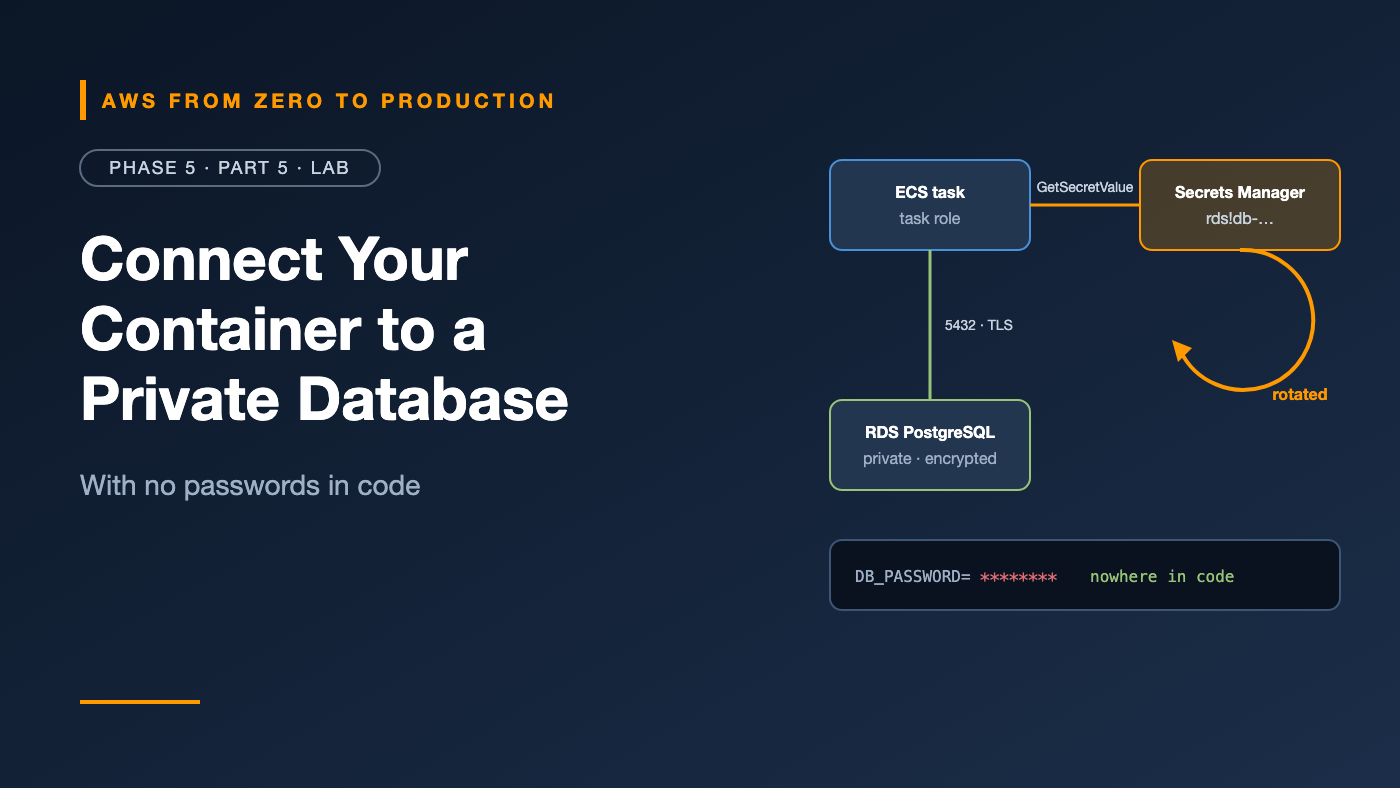
In this lab, the password for your database will never appear anywhere you can see it: not in code, not in the task definition, not in your terminal history. RDS generates it, Secrets Manager stores and rotates it, and your app fetches it at runtime using an IAM role.
Then you’ll rotate the password while the app is running — and watch it keep working.
What you’ll build
- 🗄️ An encrypted PostgreSQL database on Amazon RDS, in private subnets, with no public access
- 🔐 A master password generated and managed by RDS in Secrets Manager
- 💾 Automated backups with point-in-time recovery, and a manual snapshot
- 🧩 An updated orders API that reads and writes orders
- 🪪 A task role that can read exactly one secret
- 🔄 A live password rotation the app survives
Internet
   |
   v
Application Load Balancer (public subnets)
   |
   v
ECS Fargate tasks (private subnets)  ---- task role ----> Secrets Manager
   |                                                     (RDS-managed secret)
   | 5432, TLS, db-sg allows only app-sg
   v
RDS PostgreSQL (private subnets, encrypted, backups on)
Prerequisites
- Completed the Phase 4 lab — you’ll reuse its app, Dockerfile, and commands
- Your sandbox with the
sandboxCLI profile, and permissions for RDS, Secrets Manager, ECS, ECR, EC2, Elastic Load Balancing, IAM, and CloudWatch Logs - Docker, the AWS CLI v2, and a bash or zsh terminal
- About 90 minutes — the database takes a while to create
Cost note: On top of the Phase 4 resources — NAT gateway, load balancer, Fargate tasks — this lab adds a small RDS instance, its storage and backups, and a Secrets Manager secret. Check current RDS and Free Tier eligibility. Everything keeps charging until you run Cleanup, so plan to finish in one sitting.
Step 1: Recreate the network and base resources
If you cleaned up after Phase 4 (good!), recreate the base:
- VPC: repeat Phase 4, Step 4 with the name tag
lab5— two AZs, two public and two private subnets, one NAT gateway, and an S3 gateway endpoint. - Capture the IDs:
export AWS_PROFILE=sandbox
export AWS_REGION=us-east-1
ACCOUNT_ID=$(aws sts get-caller-identity --query Account --output text)
REGISTRY="$ACCOUNT_ID.dkr.ecr.$AWS_REGION.amazonaws.com"

VPC_ID=$(aws ec2 describe-vpcs --filters Name=tag:Name,Values=lab5-vpc \
  --query 'Vpcs[0].VpcId' --output text)
PUBLIC_SUBNETS=$(aws ec2 describe-subnets \
  --filters Name=vpc-id,Values="$VPC_ID" Name=tag:Name,Values='*public*' \
  --query 'Subnets[].SubnetId' --output text)
PRIVATE_SUBNETS=$(aws ec2 describe-subnets \
  --filters Name=vpc-id,Values="$VPC_ID" Name=tag:Name,Values='*private*' \
  --query 'Subnets[].SubnetId' --output text)
- Security groups — now three of them:
ALB_SG=$(aws ec2 create-security-group --vpc-id "$VPC_ID" \
  --group-name lab5-alb-sg --description "ALB" --query GroupId --output text)
APP_SG=$(aws ec2 create-security-group --vpc-id "$VPC_ID" \
  --group-name lab5-app-sg --description "App tasks" --query GroupId --output text)
DB_SG=$(aws ec2 create-security-group --vpc-id "$VPC_ID" \
  --group-name lab5-db-sg --description "PostgreSQL" --query GroupId --output text)

aws ec2 authorize-security-group-ingress --group-id "$ALB_SG" \
  --protocol tcp --port 80 --cidr 0.0.0.0/0
aws ec2 authorize-security-group-ingress --group-id "$APP_SG" \
  --protocol tcp --port 8080 --source-group "$ALB_SG"
aws ec2 authorize-security-group-ingress --group-id "$DB_SG" \
  --protocol tcp --port 5432 --source-group "$APP_SG"
Simplification: The wizard creates two private subnets, so the app and database share them here. In production, use the separate isolated data subnets from Phase 3. The security groups still make sure only the app can reach the database.
✅ Checkpoint: lab5-db-sg allows port 5432 only from lab5-app-sg.
Step 2: Create the database
Create a DB subnet group from the private subnets:
aws rds create-db-subnet-group \
  --db-subnet-group-name lab5-db-subnets \
  --db-subnet-group-description "Private subnets for lab5" \
  --subnet-ids $PRIVATE_SUBNETS
Create the database. Notice there’s no password anywhere in this command:
aws rds create-db-instance \
  --db-instance-identifier lab5-orders-db \
  --engine postgres \
  --db-instance-class db.t4g.micro \
  --allocated-storage 20 \
  --storage-type gp3 \
  --storage-encrypted \
  --db-name orders \
  --master-username orders_admin \
  --manage-master-user-password \
  --db-subnet-group-name lab5-db-subnets \
  --vpc-security-group-ids "$DB_SG" \
  --no-publicly-accessible \
  --backup-retention-period 7 \
  --no-multi-az

aws rds wait db-instance-available --db-instance-identifier lab5-orders-db
What each important flag does:
--manage-master-user-password: RDS generates the password and stores it in Secrets Manager, with rotation turned on.--storage-encrypted: encryption at rest with KMS — only possible at creation.--no-publicly-accessible: no public IP, ever.--backup-retention-period 7: daily automated backups and point-in-time recovery for seven days.--no-multi-az: saves cost in the lab. In production, use Multi-AZ.
The wait can take 10 minutes or more. While you wait, do Step 3.
Then capture the endpoint and secret ARN:
DB_HOST=$(aws rds describe-db-instances --db-instance-identifier lab5-orders-db \
  --query 'DBInstances[0].Endpoint.Address' --output text)

SECRET_ARN=$(aws rds describe-db-instances --db-instance-identifier lab5-orders-db \
  --query 'DBInstances[0].MasterUserSecret.SecretArn' --output text)

echo "$DB_HOST"
echo "$SECRET_ARN"
✅ Checkpoint: In the Secrets Manager console, there’s a secret whose name starts with rds!db-, with rotation enabled. You never typed its value.
Step 3: Update the app to use the database
In your orders-api folder from Phase 4, replace requirements.txt:
flask==3.1.*
gunicorn==23.*
psycopg[binary]==3.2.*
boto3==1.*
Replace app.py:
import json
import os
import socket

import boto3
import psycopg
from flask import Flask, jsonify, request

app = Flask(__name__)

VERSION = os.environ.get("APP_VERSION", "dev")
DB_HOST = os.environ["DB_HOST"]
DB_NAME = os.environ.get("DB_NAME", "orders")
SECRET_ARN = os.environ["DB_SECRET_ARN"]

_secrets = boto3.client("secretsmanager")
_creds = None


def get_creds(refresh=False):
    global _creds
    if _creds is None or refresh:
        value = _secrets.get_secret_value(SecretId=SECRET_ARN)
        _creds = json.loads(value["SecretString"])
    return _creds


def connect():
    # On failure, fetch the secret again: the password may have been rotated.
    for attempt in (1, 2):
        creds = get_creds(refresh=attempt == 2)
        try:
            return psycopg.connect(
                host=DB_HOST,
                dbname=DB_NAME,
                user=creds["username"],
                password=creds["password"],
                sslmode="require",
                connect_timeout=5,
            )
        except psycopg.OperationalError:
            if attempt == 2:
                raise


def init_db():
    try:
        with connect() as conn:
            conn.execute(
                "CREATE TABLE IF NOT EXISTS orders ("
                " id SERIAL PRIMARY KEY,"
                " item TEXT NOT NULL,"
                " created_at TIMESTAMPTZ NOT NULL DEFAULT now())"
            )
    except psycopg.errors.UniqueViolation:
        pass  # Another task created the table at the same moment.


init_db()


@app.get("/")
def index():
    return jsonify(service="orders-api", version=VERSION, host=socket.gethostname())


@app.get("/health")
def health():
    return jsonify(status="ok")


@app.get("/orders")
def list_orders():
    with connect() as conn:
        rows = conn.execute(
            "SELECT id, item, created_at FROM orders ORDER BY id DESC LIMIT 20"
        ).fetchall()
    return jsonify(
        [{"id": r[0], "item": r[1], "created_at": r[2].isoformat()} for r in rows]
    )


@app.post("/orders")
def create_order():
    item = (request.get_json(silent=True) or {}).get("item")
    if not item or not isinstance(item, str) or len(item) > 200:
        return jsonify(error="item must be a string of 1-200 characters"), 400
    with connect() as conn:
        row = conn.execute(
            "INSERT INTO orders (item) VALUES (%s) RETURNING id", (item,)
        ).fetchone()
    return jsonify(id=row[0], item=item), 201
Key design choices:
- The password is fetched at runtime from Secrets Manager, not passed in an environment variable.
- If connecting fails, the app re-fetches the secret and tries again — that’s what makes rotation safe.
- Queries use parameters (
%s), never string formatting, which prevents SQL injection. /healthdoesn’t touch the database, so a database blip doesn’t make every task fail its health check.
In the Dockerfile, change the CMD line to use one worker with threads, so each task initializes the table only once:
CMD ["gunicorn", "--bind", "0.0.0.0:8080", "--workers", "1", "--threads", "4", "app:app"]
Production notes: Use a dedicated app database user instead of the master user, verify the server certificate with
sslmode=verify-fulland the RDS certificate bundle, use a connection pool, and run schema changes as migrations — not at app startup.
Step 4: Build and push the image
aws ecr create-repository --repository-name orders-api \
  --image-scanning-configuration scanOnPush=true --image-tag-mutability IMMUTABLE

aws ecr get-login-password | docker login --username AWS --password-stdin "$REGISTRY"

docker build --platform linux/amd64 -t "$REGISTRY/orders-api:3.0.0" .
docker push "$REGISTRY/orders-api:3.0.0"
Step 5: Create the roles
Execution role — for ECS
Same as Phase 4: pull the image, write logs.
cat > ecs-trust.json <<'EOF'
{
  "Version": "2012-10-17",
  "Statement": [{
    "Effect": "Allow",
    "Principal": { "Service": "ecs-tasks.amazonaws.com" },
    "Action": "sts:AssumeRole"
  }]
}
EOF

aws iam create-role --role-name lab5-ecs-execution \
  --assume-role-policy-document file://ecs-trust.json
aws iam attach-role-policy --role-name lab5-ecs-execution \
  --policy-arn arn:aws:iam::aws:policy/service-role/AmazonECSTaskExecutionRolePolicy
EXEC_ROLE_ARN=$(aws iam get-role --role-name lab5-ecs-execution --query Role.Arn --output text)
Task role — for your app
This is new. The app needs to read one secret, and nothing else:
aws iam create-role --role-name lab5-orders-task \
  --assume-role-policy-document file://ecs-trust.json

cat > read-db-secret.json <<EOF
{
  "Version": "2012-10-17",
  "Statement": [{
    "Effect": "Allow",
    "Action": "secretsmanager:GetSecretValue",
    "Resource": "$SECRET_ARN"
  }]
}
EOF

aws iam put-role-policy --role-name lab5-orders-task \
  --policy-name read-db-secret --policy-document file://read-db-secret.json

TASK_ROLE_ARN=$(aws iam get-role --role-name lab5-orders-task --query Role.Arn --output text)
The RDS-managed secret is encrypted with the AWS managed key for Secrets Manager, so no extra KMS permission is needed. If you use a customer managed key, add kms:Decrypt for it.
✅ Checkpoint: lab5-orders-task has exactly one permission: reading your database secret.
Step 6: Register the task definition
aws logs create-log-group --log-group-name /ecs/orders-api
aws logs put-retention-policy --log-group-name /ecs/orders-api --retention-in-days 7
aws ecs create-cluster --cluster-name lab5-cluster

cat > taskdef.json <<EOF
{
  "family": "orders-api",
  "networkMode": "awsvpc",
  "requiresCompatibilities": ["FARGATE"],
  "cpu": "256",
  "memory": "512",
  "runtimePlatform": { "cpuArchitecture": "X86_64", "operatingSystemFamily": "LINUX" },
  "executionRoleArn": "$EXEC_ROLE_ARN",
  "taskRoleArn": "$TASK_ROLE_ARN",
  "containerDefinitions": [
    {
      "name": "orders-api",
      "image": "$REGISTRY/orders-api:3.0.0",
      "essential": true,
      "portMappings": [{ "containerPort": 8080, "protocol": "tcp" }],
      "environment": [
        { "name": "APP_VERSION", "value": "3.0.0" },
        { "name": "DB_HOST", "value": "$DB_HOST" },
        { "name": "DB_NAME", "value": "orders" },
        { "name": "DB_SECRET_ARN", "value": "$SECRET_ARN" }
      ],
      "logConfiguration": {
        "logDriver": "awslogs",
        "options": {
          "awslogs-group": "/ecs/orders-api",
          "awslogs-region": "$AWS_REGION",
          "awslogs-stream-prefix": "app"
        }
      }
    }
  ]
}
EOF

aws ecs register-task-definition --cli-input-json file://taskdef.json \
  --query 'taskDefinition.taskDefinitionArn' --output text
The task definition contains the secret’s ARN — a pointer — not its value. Anyone reading the task definition learns nothing sensitive.
Step 7: Create the load balancer and service
These are the same commands as Phase 4, Steps 8 and 9, with lab5 names:
ALB_ARN=$(aws elbv2 create-load-balancer --name lab5-alb --type application \
  --scheme internet-facing --subnets $PUBLIC_SUBNETS --security-groups "$ALB_SG" \
  --query 'LoadBalancers[0].LoadBalancerArn' --output text)

TG_ARN=$(aws elbv2 create-target-group --name lab5-orders-tg --protocol HTTP --port 8080 \
  --vpc-id "$VPC_ID" --target-type ip --health-check-path /health \
  --health-check-interval-seconds 15 --healthy-threshold-count 2 \
  --query 'TargetGroups[0].TargetGroupArn' --output text)

aws elbv2 create-listener --load-balancer-arn "$ALB_ARN" --protocol HTTP --port 80 \
  --default-actions Type=forward,TargetGroupArn="$TG_ARN"

SUBNETS_CSV=$(echo $PRIVATE_SUBNETS | tr ' ' ',')

aws ecs create-service --cluster lab5-cluster --service-name orders-api \
  --task-definition orders-api --desired-count 2 --launch-type FARGATE \
  --network-configuration "awsvpcConfiguration={subnets=[$SUBNETS_CSV],securityGroups=[$APP_SG],assignPublicIp=DISABLED}" \
  --load-balancers "targetGroupArn=$TG_ARN,containerName=orders-api,containerPort=8080" \
  --health-check-grace-period-seconds 30 \
  --deployment-configuration "deploymentCircuitBreaker={enable=true,rollback=true},minimumHealthyPercent=100,maximumPercent=200"

aws ecs wait services-stable --cluster lab5-cluster --services orders-api
✅ Checkpoint: Two tasks are running and healthy.
Step 8: Write and read orders
ALB_DNS=$(aws elbv2 describe-load-balancers --load-balancer-arns "$ALB_ARN" \
  --query 'LoadBalancers[0].DNSName' --output text)

curl -s -X POST "http://$ALB_DNS/orders" \
  -H "Content-Type: application/json" -d '{"item": "coffee beans"}'

curl -s -X POST "http://$ALB_DNS/orders" \
  -H "Content-Type: application/json" -d '{"item": "oat milk"}'

curl -s "http://$ALB_DNS/orders"
✅ Checkpoint: The GET returns both orders, newest first. The data lives in a database that has no public address and whose password you’ve never seen.
Step 9: Rotate the password while the app runs
This is the moment of truth. Ask Secrets Manager to rotate the password right now:
aws secretsmanager rotate-secret --secret-id "$SECRET_ARN"
Rotation takes a short while. Check the secret’s versions until a new AWSCURRENT appears:
aws secretsmanager describe-secret --secret-id "$SECRET_ARN" \
  --query '[LastRotatedDate,VersionIdsToStages]'
When LastRotatedDate updates and a new version ID holds AWSCURRENT, rotation is done.
Now use the app again:
curl -s -X POST "http://$ALB_DNS/orders" \
  -H "Content-Type: application/json" -d '{"item": "after rotation"}'
curl -s "http://$ALB_DNS/orders"
The tasks still have the old password cached. Their first connection attempt fails, they re-fetch the secret, and the retry succeeds.
✅ Checkpoint: Orders still work after rotation, with no redeploy and no restart.
Why this matters: If the password had been baked into an environment variable at deploy time, rotation would have broken the app until the next deployment. Fetching at runtime is what makes rotation safe.
Step 10: Verify backups
Check point-in-time recovery:
aws rds describe-db-instances --db-instance-identifier lab5-orders-db \
  --query 'DBInstances[0].[BackupRetentionPeriod,LatestRestorableTime]' --output text
Take a manual snapshot — the kind you’d take before a risky migration:
aws rds create-db-snapshot \
  --db-instance-identifier lab5-orders-db \
  --db-snapshot-identifier lab5-before-migration

aws rds wait db-snapshot-available --db-snapshot-identifier lab5-before-migration
✅ Checkpoint: Retention is 7, LatestRestorableTime is within the last few minutes, and the manual snapshot is available.
Optional stretch: In the RDS console, choose Actions → Restore to point in time and restore to a new instance a few minutes back. Note how long it takes — that’s part of your real recovery time. It creates a second database that you must delete afterward, so it adds cost.
Cleanup
# 1. ECS
aws ecs update-service --cluster lab5-cluster --service orders-api --desired-count 0
aws ecs delete-service --cluster lab5-cluster --service orders-api --force
aws ecs wait services-inactive --cluster lab5-cluster --services orders-api
aws ecs delete-cluster --cluster lab5-cluster

# 2. Load balancer
aws elbv2 delete-load-balancer --load-balancer-arn "$ALB_ARN"
aws elbv2 wait load-balancers-deleted --load-balancer-arns "$ALB_ARN"
aws elbv2 delete-target-group --target-group-arn "$TG_ARN"

# 3. Database, snapshot, and subnet group
aws rds delete-db-instance --db-instance-identifier lab5-orders-db \
  --skip-final-snapshot --delete-automated-backups
aws rds wait db-instance-deleted --db-instance-identifier lab5-orders-db
aws rds delete-db-snapshot --db-snapshot-identifier lab5-before-migration
aws rds delete-db-subnet-group --db-subnet-group-name lab5-db-subnets

# 4. ECR, logs, and IAM
aws ecr delete-repository --repository-name orders-api --force
aws logs delete-log-group --log-group-name /ecs/orders-api
aws iam delete-role-policy --role-name lab5-orders-task --policy-name read-db-secret
aws iam delete-role --role-name lab5-orders-task
aws iam detach-role-policy --role-name lab5-ecs-execution \
  --policy-arn arn:aws:iam::aws:policy/service-role/AmazonECSTaskExecutionRolePolicy
aws iam delete-role --role-name lab5-ecs-execution

# 5. Security groups
aws ec2 delete-security-group --group-id "$DB_SG"
aws ec2 delete-security-group --group-id "$APP_SG"
aws ec2 delete-security-group --group-id "$ALB_SG"
In production, never use
--skip-final-snapshot. It’s here only because this is a throwaway lab database.
The RDS-managed secret is deleted along with the database.
Finally, in the VPC console: delete the lab5 NAT gateway, release its Elastic IP, then delete lab5-vpc.
✅ Final checkpoint: No RDS instances or snapshots, NAT gateways, Elastic IPs, load balancers, or ECS clusters remain.
Troubleshooting
Tasks fail with KeyError: 'DB_HOST'
Cause: the environment variables are missing from the task definition. Fix: check that $DB_HOST and $SECRET_ARN were set when you created taskdef.json.
AccessDeniedException calling GetSecretValue
Cause: the task role is missing, or its policy names the wrong secret. Fix: check taskRoleArn in the task definition and the ARN in the inline policy.
connection timeout to the database
Cause: lab5-db-sg doesn’t allow 5432 from lab5-app-sg. Fix: check the rule.
no pg_hba.conf entry ... no encryption
Cause: the client connected without TLS. Fix: keep sslmode="require".
Tasks restart in a loop right after deploying
Cause: the app can’t reach the database at startup, so init_db() fails. Fix: check the logs with aws logs tail /ecs/orders-api --since 10m.
What you accomplished
- ✅ Ran an encrypted, private PostgreSQL database with automated backups
- ✅ Let RDS create and manage the password in Secrets Manager
- ✅ Gave the app a task role that can read exactly one secret
- ✅ Fetched credentials at runtime instead of baking them into config
- ✅ Rotated the password live without downtime
- ✅ Verified point-in-time recovery and took a manual snapshot
Quick self-check
Test yourself before moving on:
- Which role reads the database secret: the execution role or the task role? Why?
- Why does the task definition contain the secret’s ARN but not its value?
- What made the app survive password rotation?
- Why doesn’t
/healthquery the database?
Answers
- The task role — because your code fetches the secret at runtime.
- The ARN is just a pointer; only principals with permission can read the value.
- It re-fetches the secret and retries when a connection fails.
- So a brief database problem doesn’t make every task fail its health check at once.
What’s next
You’ve now built a VPC, an ECS service, a load balancer, IAM roles, an ECR repository, and a database — all by hand. Phase 6 turns all of it into code with CloudFormation, Terraform, and the AWS CDK, so you can recreate the whole stack with one command.
Did your app survive the rotation on the first try? Tell me in the comments.