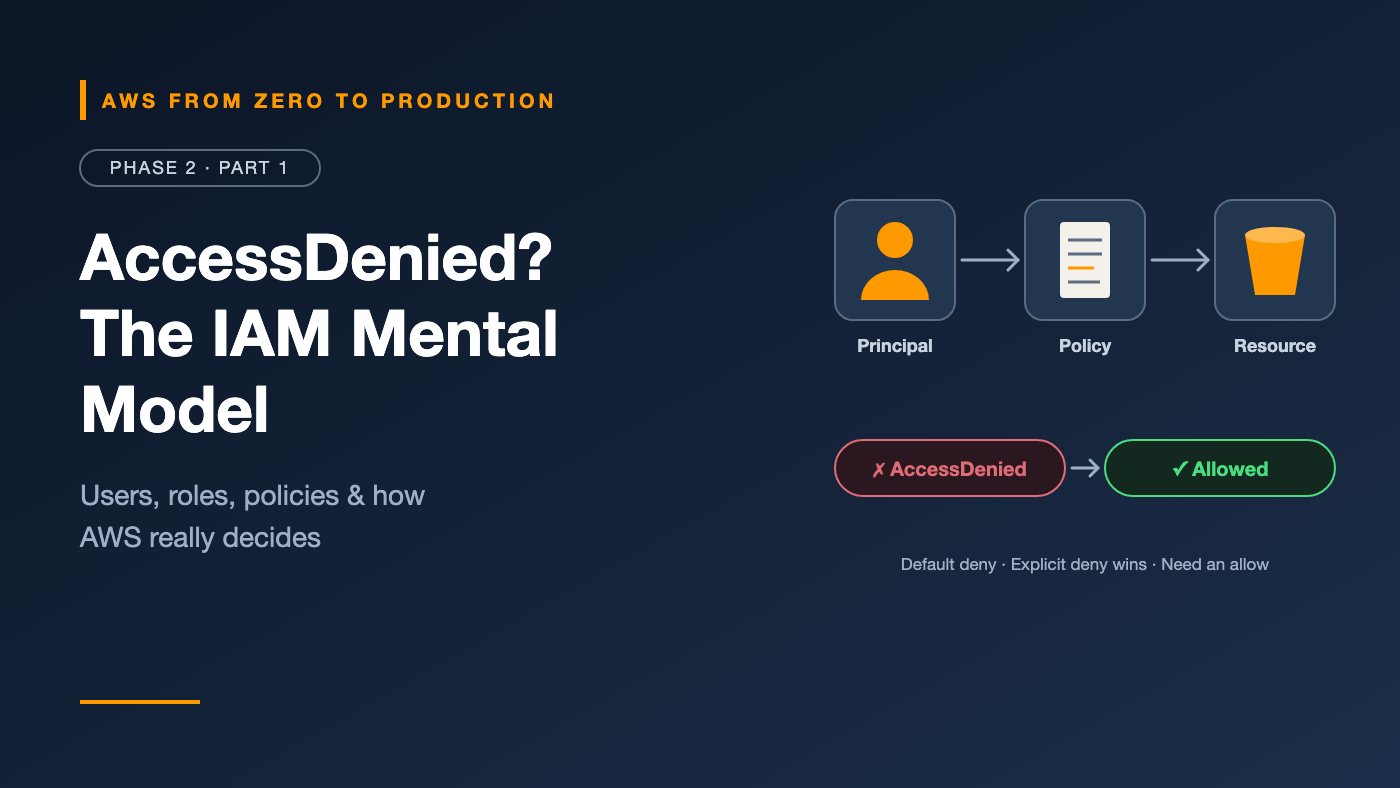
AWS from Zero to Production — Phase 2, Part 1 of 6 · See the full series roadmap
You run a command. AWS replies:
An error occurred (AccessDenied) when calling the PutObject operation:
User: arn:aws:sts::111122223333:assumed-role/app-role/session
is not authorized to perform: s3:PutObject on resource: arn:aws:s3:::my-bucket/report.csv
Most people react by adding more permissions until the error goes away. Sometimes they add "Action": "*". It works — and it quietly turns a small bug into a large security risk.
The real fix is understanding how AWS decides. Every request is evaluated against a small set of rules. Once you know them, you can read an AccessDenied message like a sentence and fix it precisely.
That system is AWS Identity and Access Management (IAM). It’s the most important service in AWS, because every other service depends on it.
What you’ll walk away with
- 👤 The four kinds of identities in AWS — and which one to use when
- 📜 How to read and write an IAM policy, line by line
- 🧭 Identity-based vs. resource-based policies, and when you need both
- 🗂️ AWS managed, customer managed, and inline policies
- ⚖️ The exact logic AWS uses to allow or deny a request
- 🔑 Access keys vs. temporary credentials, and why STS matters so much
The one sentence that explains IAM
Every request to AWS boils down to:
Can this principal perform this action on this resource, under these conditions?
- Principal: who is making the request — a user, a role, or an AWS service.
- Action: what they want to do, such as
s3:GetObjectorec2:StartInstances. - Resource: what they want to do it to, identified by an ARN (Amazon Resource Name).
- Conditions: the context — time, IP address, MFA, tags, and more.
IAM’s job is to answer “yes” or “no.” Everything else in this article is detail on how it reaches that answer.
Reading an ARN
ARNs uniquely identify AWS resources:
arn:aws:s3:::my-bucket/report.csv
arn:aws:iam::111122223333:role/app-role
arn:aws:ec2:eu-west-1:111122223333:instance/i-0abc123def4567890
     |   |      |           |            |
     |   |      Region      Account ID   Resource
     |   Service
     Partition
Some services, like S3 and IAM, leave the Region or account empty because their resource names are global.
Identities: who can make requests
The root user
You met it in Phase 1: complete access, locked away with MFA, used only for a few account-level tasks. It’s not part of day-to-day IAM design.
IAM users
An IAM user is a long-lived identity in one account, with its own credentials:
- A password for the console
- Up to two access keys for the CLI and APIs
Those credentials don’t expire on their own. That’s the problem.
Engineer’s note: AWS now recommends that people sign in through IAM Identity Center or another identity provider, and that workloads use roles. IAM users are for the few cases that genuinely need long-term credentials, such as some third-party tools that can’t assume roles.
IAM groups
A group is a collection of IAM users. Attach policies to the group, and every member inherits them.
- Groups make user permissions manageable: “developers,” “auditors,” “admins.”
- A group is not an identity. You can’t sign in as a group, and you can’t name a group as a principal in a policy.
IAM roles
A role is an identity with permissions but no long-term credentials. Instead, a trusted principal assumes the role and receives temporary credentials that expire automatically.
Roles are used by:
- AWS services, such as an EC2 instance or Lambda function that needs to read from S3
- People, through IAM Identity Center — the
AWSReservedSSO_...role you saw in Phase 1 is exactly this - Other AWS accounts, for cross-account access
- External systems, such as GitHub Actions, through federation
Rule of thumb: If something runs code or automation, it should use a role. If it’s a person, they should sign in through IAM Identity Center, which gives them a role behind the scenes.
Policies: the rules themselves
A policy is a JSON document that grants or denies permissions.
Anatomy of a policy
{
  "Version": "2012-10-17",
  "Statement": [
    {
      "Sid": "ReadReports",
      "Effect": "Allow",
      "Action": [
        "s3:GetObject",
        "s3:ListBucket"
      ],
      "Resource": [
        "arn:aws:s3:::my-reports-bucket",
        "arn:aws:s3:::my-reports-bucket/*"
      ],
      "Condition": {
        "Bool": { "aws:SecureTransport": "true" }
      }
    }
  ]
}
- Version: always
2012-10-17, the current policy language version. It’s not a date you update. - Statement: a list of rules.
- Sid: an optional label for humans.
- Effect:
AlloworDeny. - Action: the API operations covered, in
service:Operationform. Wildcards likes3:Get*are allowed. - Resource: the ARNs the statement applies to.
- Condition: optional extra requirements — here, the request must use HTTPS.
Watch out:
s3:ListBucketapplies to the bucket ARN, whiles3:GetObjectapplies to objects inside it (bucket/*). Mixing these up is one of the most common causes of AccessDenied with S3.
Identity-based policies
Attached to a user, group, or role. They say what that identity can do.
The example above is an identity-based policy. Notice there’s no Principal element — the principal is whoever the policy is attached to.
Resource-based policies
Attached to a resource, such as an S3 bucket, a KMS key, an SQS queue, or a Lambda function. They say who can access that resource, so they include a Principal:
{
  "Version": "2012-10-17",
  "Statement": [
    {
      "Sid": "AllowAnalyticsAccountRead",
      "Effect": "Allow",
      "Principal": { "AWS": "arn:aws:iam::444455556666:role/analytics-role" },
      "Action": "s3:GetObject",
      "Resource": "arn:aws:s3:::my-reports-bucket/*"
    }
  ]
}
This bucket policy lets a role in another account read objects. Resource-based policies are a key tool for cross-account access.
Important: A role’s trust policy — which says who can assume it — is also a resource-based policy. The role is the resource. We’ll go deep on trust policies in Part 2.
Three ways to manage policies
- AWS managed policies: created and maintained by AWS, such as
ReadOnlyAccessorAmazonS3ReadOnlyAccess. Convenient, but usually broader than you need, and AWS can update them. - Customer managed policies: created by you, reusable across many identities, versioned. The best default for real workloads.
- Inline policies: embedded directly in a single user, group, or role, and deleted with it. Useful when a permission must never be reused elsewhere.
Engineer’s note: Start from AWS managed policies to learn and prototype. Move to customer managed policies, scoped to specific resources, before anything reaches production.
How AWS decides: policy evaluation logic
This is the part that makes AccessDenied make sense.
The three core rules
- Everything is denied by default. If nothing allows a request, it’s denied. This is called an implicit deny.
- An explicit
Denyalways wins. If any applicable policy saysDeny, the request is denied — no matter how many policies allow it. - Otherwise, you need an explicit
Allow. At least one applicable policy must allow the request.
The simplified decision flow
Request arrives
      |
      v
Any explicit Deny in any applicable policy? --- yes ---> DENIED
      |
      no
      v
Do organization guardrails (SCPs, RCPs) allow it? --- no ---> DENIED
      |
      yes
      v
Does a permissions boundary or session policy
apply, and does it block the action? --- yes ---> DENIED
      |
      no
      v
Does an identity-based or resource-based
policy explicitly Allow it? --- no ---> DENIED (implicit)
      |
      yes
      v
   ALLOWED
This is a simplified view. AWS’s full evaluation logic covers more edge cases, but this flow explains the vast majority of real-world decisions. Permissions boundaries and session policies are covered in Part 2.
Same account vs. cross-account
- Within one account: an
Allowin either the identity-based policy or the resource-based policy is enough. - Across accounts: you usually need both — the caller’s identity policy must allow the action, and the resource’s policy must allow the caller’s account or role.
Reading the error again
Go back to the error at the top of this article:
- Principal:
assumed-role/app-role/session— a role, not a user. - Action:
s3:PutObject. - Resource:
arn:aws:s3:::my-bucket/report.csv— an object, so the policy needsmy-bucket/*.
Now you know exactly what to check: does app-role have an Allow for s3:PutObject on my-bucket/*, and is there an explicit Deny anywhere — in an SCP, the bucket policy, or a boundary?
Engineer’s note: Many AccessDenied messages now say which kind of policy blocked the request, such as “with an explicit deny in a service control policy.” Read the whole message before changing anything.
Least privilege
Least privilege means granting only the permissions needed to do a task — no more.
In practice:
- Start narrow. Scope actions and resources tightly, then add what’s missing.
- Avoid
*in both Action and Resource."Action": "*", "Resource": "*"is administrator access. - Use separate roles for separate jobs. A deployment role and an application role should have different permissions.
- Review regularly. IAM shows when each service was last accessed, so you can remove permissions nobody uses.
- Use the tools. IAM Access Analyzer can validate policies and even generate least-privilege policies from real activity. We’ll cover it in Part 2.
Credentials: long-term vs. temporary
MFA
Multi-factor authentication adds a second proof of identity, such as an authenticator app, a security key, or a passkey. Use it on every human sign-in. Policies can even require it with the aws:MultiFactorAuthPresent condition.
Access keys
An access key is a pair used to sign API requests:
- Access key ID: long-term keys start with
AKIA. - Secret access key: shown only once, at creation.
Long-term access keys never expire on their own. Anyone who copies them — from a laptop, a Git commit, a CI log — can use them until someone notices.
Temporary credentials
Temporary credentials include an access key ID (starting with ASIA), a secret, a session token, and an expiration time. They’re valid for minutes or hours, then stop working automatically.
You’ve already used them: aws configure sso in Phase 1 gave you temporary credentials.
AWS Security Token Service (STS)
STS is the service that issues temporary credentials. Its key operations:
AssumeRole: a principal assumes a role in the same or another account.AssumeRoleWithWebIdentity: an external OIDC identity, such as GitHub Actions, exchanges its token for AWS credentials.AssumeRoleWithSAML: a SAML identity provider’s user exchanges an assertion for AWS credentials.GetCallerIdentity: tells you who you are. No permissions are required, which makes it the perfect first troubleshooting command.
Here’s what assuming a role looks like from the CLI:
aws sts assume-role \
  --role-arn arn:aws:iam::111122223333:role/read-only-role \
  --role-session-name alice-debugging
{
  "Credentials": {
    "AccessKeyId": "ASIAEXAMPLEID",
    "SecretAccessKey": "wJalr...EXAMPLE",
    "SessionToken": "IQoJb3JpZ2luX2Vj...",
    "Expiration": "2026-10-31T13:00:00Z"
  },
  "AssumedRoleUser": {
    "AssumedRoleId": "AROAEXAMPLEID:alice-debugging",
    "Arn": "arn:aws:sts::111122223333:assumed-role/read-only-role/alice-debugging"
  }
}
The big idea: Modern AWS security is built on roles and temporary credentials. By the end of Phase 2, you’ll deploy from GitHub to AWS without a single long-term key.
Common mistakes
- Using
"Action": "*"to make an error go away. - Confusing bucket and object ARNs in S3 policies.
- Creating IAM users for applications instead of using roles.
- Attaching policies to individual users instead of groups or roles.
- Ignoring explicit denies in SCPs or resource policies when debugging.
- Committing access keys to Git, even in private repositories.
Key takeaways
- Every request asks: can this principal perform this action on this resource, under these conditions?
- Use roles for workloads and IAM Identity Center for people; keep IAM users rare.
- Identity-based policies attach to identities; resource-based policies attach to resources and name a principal.
- Default deny, explicit deny wins, and you need an explicit allow.
- Temporary credentials from STS are safer than long-term access keys.
Quick self-check
Test yourself before moving on:
- Can you use an IAM group as the
Principalin a bucket policy? - One policy allows
s3:DeleteObject, and another applicable policy explicitly denies it. What happens? - A policy allows
s3:ListBucketonarn:aws:s3:::my-bucket/*, but listing fails. Why? - An access key ID starts with
ASIA. Is it long-term or temporary?
Answers
- No. Groups aren’t identities. Use the users or, better, a role.
- Denied. An explicit deny always overrides an allow.
s3:ListBucketapplies to the bucket ARN,arn:aws:s3:::my-bucket, not to the objects inside it.- Temporary. It came from STS and has a session token and an expiration.
What’s next
In Part 2, we go beyond the basics: role trust policies, cross-account access, permissions boundaries, conditions, attribute-based access control, and the tools that keep permissions tight over time.
What’s the most confusing AccessDenied error you’ve ever hit? Share it in the comments.