AWS from Zero to Production — Phase 2, Part 2 of 6 · See the full series roadmap
In a small team, everyone has AdministratorAccess. It’s simple, and nothing breaks.
Then the team grows. Developers need to create roles for their Lambda functions — but if they can create any role, they can create one with admin rights and give it to themselves. The data team needs read access to production logs from another account. An auditor needs to see everything but change nothing. A contractor needs access for two weeks.
“Give everyone admin” stops working. “Make every developer file a ticket” doesn’t work either.
Advanced IAM is how real teams solve this: delegating safely, crossing account boundaries cleanly, and scaling permissions with tags instead of endless policies.
What you’ll walk away with
- 🤝 How role trust policies work — and why every role has two policies
- 🌉 How to set up cross-account access safely
- 🧱 Permissions boundaries: letting developers create roles without escalating privileges
- 🎯 Session policies, conditions, and condition keys you’ll actually use
- 🏷️ Attribute-based access control (ABAC) with tags
- 🔗 Role chaining and service-linked roles
- 🔍 IAM Access Analyzer, credential reports, and IAM Identity Center permission sets
Every role has two policies
A role is defined by two different policies that answer two different questions:
- Trust policy: Who is allowed to assume this role?
- Permissions policy: What can the role do once assumed?
Both must line up. If the trust policy doesn’t allow you, you can’t assume the role. If the permissions policy doesn’t allow an action, the role can’t perform it.
A trust policy for an AWS service
This role can be assumed by Lambda functions:
{
  "Version": "2012-10-17",
  "Statement": [
    {
      "Effect": "Allow",
      "Principal": { "Service": "lambda.amazonaws.com" },
      "Action": "sts:AssumeRole"
    }
  ]
}
A trust policy for another account
This role, in account 111122223333, can be assumed by a specific role in account 444455556666:
{
  "Version": "2012-10-17",
  "Statement": [
    {
      "Effect": "Allow",
      "Principal": { "AWS": "arn:aws:iam::444455556666:role/analytics-role" },
      "Action": "sts:AssumeRole"
    }
  ]
}
Engineer’s note: Trust a specific role ARN rather than a whole account (
arn:aws:iam::444455556666:root) whenever you can. Trusting the account root delegates the decision to every administrator in that account.
Cross-account access
Cross-account access is how a multi-account organization actually works day to day.
How it works
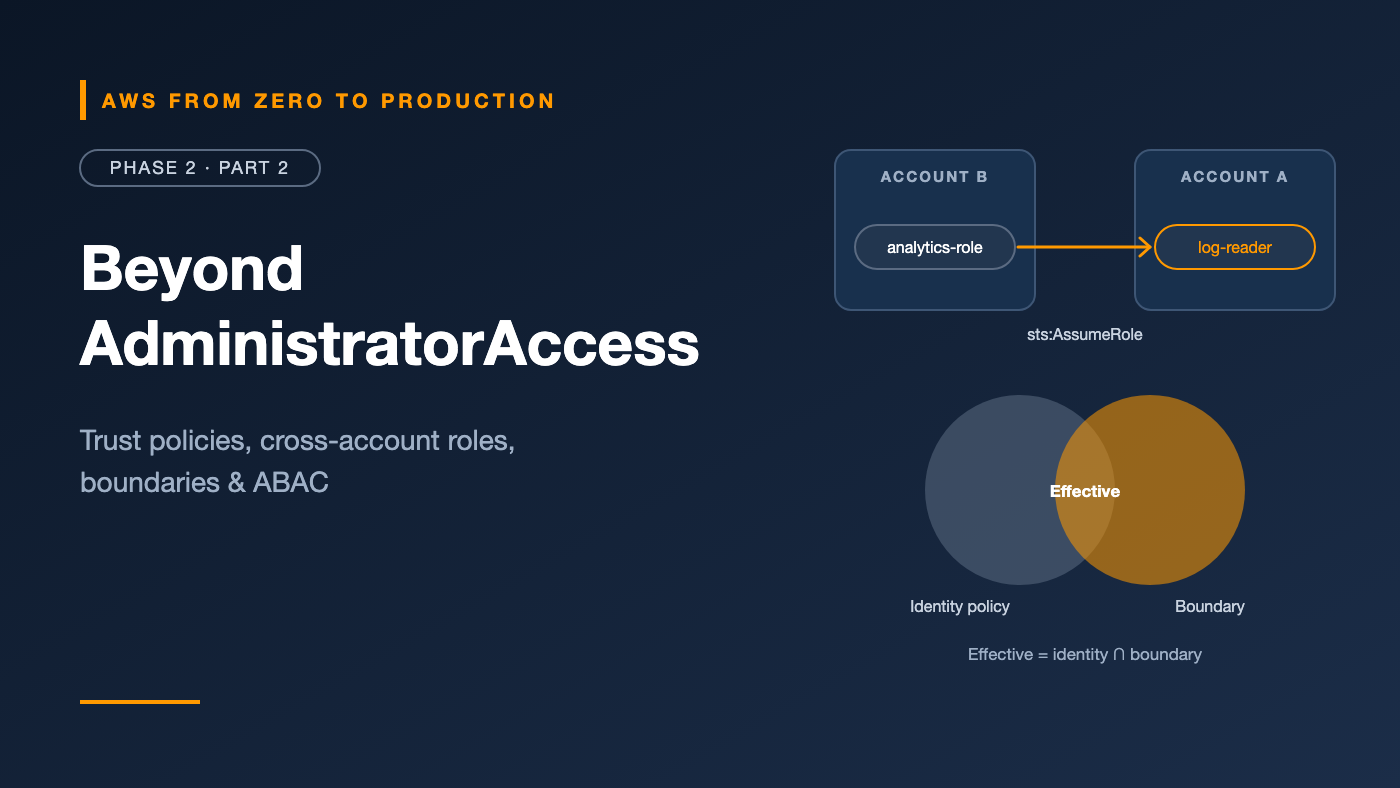
Account B (analytics)                  Account A (production)
---------------------                  ----------------------
analytics-role                          prod-log-reader role
  identity policy allows:                 trust policy allows:
  sts:AssumeRole on                       analytics-role from Account B
  prod-log-reader            ------>      permissions policy allows:
                                          read production logs
Two sides must agree:
- Account A (the resource owner) creates a role whose trust policy names the principal in Account B.
- Account B (the caller) grants its principal permission to call
sts:AssumeRoleon that role’s ARN.
The caller then assumes the role and receives temporary credentials that act inside Account A.
Third parties and the confused deputy problem
When a third-party vendor assumes a role in your account, add an external ID condition:
{
  "Condition": {
    "StringEquals": { "sts:ExternalId": "a-unique-value-from-the-vendor" }
  }
}
The external ID prevents the “confused deputy” problem: another customer of the same vendor can’t trick the vendor into accessing your account, because they don’t know your external ID.
Permissions boundaries
A permissions boundary sets the maximum permissions an IAM user or role can have. It doesn’t grant anything on its own.
Effective permissions = identity policy ∩ permissions boundary.
The problem it solves
You want developers to create IAM roles for their own Lambda functions — without waiting for the platform team. But iam:CreateRole plus iam:AttachRolePolicy normally means a developer could create an admin role.
The pattern
- Create a boundary policy, such as
DeveloperBoundary, that allows only the services your developers should use — for example, S3, DynamoDB, Lambda, and CloudWatch Logs — and nothing in IAM. - Let developers create roles only if they attach that boundary:
{
  "Sid": "CreateRolesOnlyWithBoundary",
  "Effect": "Allow",
  "Action": [
    "iam:CreateRole",
    "iam:AttachRolePolicy",
    "iam:PutRolePolicy"
  ],
  "Resource": "arn:aws:iam::111122223333:role/app-*",
  "Condition": {
    "StringEquals": {
      "iam:PermissionsBoundary": "arn:aws:iam::111122223333:policy/DeveloperBoundary"
    }
  }
}
- Also deny developers the ability to change or remove boundaries (
iam:DeleteRolePermissionsBoundary,iam:PutRolePermissionsBoundary, and edits to the boundary policy itself).
Now any role a developer creates can never exceed DeveloperBoundary — even if they attach AdministratorAccess to it.
SCP vs. boundary: An SCP limits every identity in an account. A permissions boundary limits one user or role. Use SCPs for organization-wide guardrails and boundaries for safe delegation inside an account.
Session policies
A session policy is passed when assuming a role, and it further limits that one session:
aws sts assume-role \
  --role-arn arn:aws:iam::111122223333:role/data-engineer \
  --role-session-name quick-read \
  --policy '{"Version":"2012-10-17","Statement":[{"Effect":"Allow","Action":"s3:GetObject","Resource":"arn:aws:s3:::raw-data/*"}]}'
The session gets the intersection of the role’s permissions and the session policy. It’s useful when a tool or a pipeline step should use only a slice of a broader role.
Conditions: the context of a request
Conditions turn “allow this action” into “allow this action only when…”.
Condition operators you’ll use most
StringEquals/StringLike: exact match, or wildcard match with*and?Bool: true or false values, such asaws:SecureTransportIpAddress/NotIpAddress: source IP rangesDateGreaterThan/DateLessThan: time windowsArnLike: matching ARNs with wildcards
Global condition keys worth knowing
aws:RequestedRegion: which Region the request targetsaws:MultiFactorAuthPresent: whether the session used MFAaws:SecureTransport: whether the request used HTTPSaws:SourceIp: the caller’s public IP addressaws:PrincipalTag/<key>: a tag on the calling identityaws:ResourceTag/<key>: a tag on the target resourceaws:PrincipalOrgID: whether the caller belongs to your AWS Organization
Example: require MFA for destructive actions
{
  "Sid": "DenyDeleteWithoutMFA",
  "Effect": "Deny",
  "Action": [
    "s3:DeleteBucket",
    "ec2:TerminateInstances"
  ],
  "Resource": "*",
  "Condition": {
    "BoolIfExists": { "aws:MultiFactorAuthPresent": "false" }
  }
}
Watch out: The
...IfExistsvariant matters. Without it, requests that don’t include the MFA key at all — such as those made with long-term access keys — would slip past the condition.
Attribute-based access control (ABAC)
Traditional, role-based access control (RBAC) writes a policy per team and resource. As teams and projects grow, so does the number of policies.
Attribute-based access control (ABAC) uses tags instead: allow access when the principal’s tag matches the resource’s tag.
Example: teams manage only their own instances
{
  "Sid": "ManageOwnProjectInstances",
  "Effect": "Allow",
  "Action": [
    "ec2:StartInstances",
    "ec2:StopInstances",
    "ec2:RebootInstances"
  ],
  "Resource": "arn:aws:ec2:*:*:instance/*",
  "Condition": {
    "StringEquals": {
      "aws:ResourceTag/project": "${aws:PrincipalTag/project}"
    }
  }
}
A user tagged project=payments can manage instances tagged project=payments — and no others. When a new project starts, you add tags, not policies.
Engineer’s note: ABAC only works if tags are trustworthy. Control who can change tags with
aws:RequestTagandaws:TagKeysconditions, and standardize tag keys with tag policies from Phase 1.
Role chaining
Role chaining is assuming a role while already using a role’s temporary credentials — for example, a CI role assuming a deployment role in another account.
- It’s common and useful in multi-account pipelines.
- A chained session is limited to a maximum of one hour, regardless of the role’s maximum session duration setting.
- Session tags can be passed along the chain if marked as transitive.
Service-linked roles
A service-linked role is a special role that an AWS service creates and manages in your account, such as AWSServiceRoleForElasticLoadBalancing.
- Its trust and permissions policies are predefined by the service.
- You usually can’t edit its permissions.
- As you saw in Phase 1, SCPs don’t restrict service-linked roles.
You’ll see them appear automatically as you use services. That’s normal.
Tools that keep permissions tight
IAM Access Analyzer
IAM Access Analyzer helps you find and fix overly broad access:
- External access findings: resources, such as S3 buckets, KMS keys, or roles, that are shared outside your account or organization.
- Unused access findings: roles, access keys, and permissions that haven’t been used. This is a paid feature; check current pricing.
- Policy validation: checks your policies for errors, security warnings, and suggestions as you write them.
- Policy generation: builds a least-privilege policy based on a role’s actual activity in CloudTrail.
Engineer’s note: Policy generation is the easiest path to least privilege. Run a workload with a broad role in a test account, generate a policy from its real activity, then replace the broad role.
IAM credential reports
A credential report is a CSV listing every IAM user and the state of their credentials: password last used, MFA enabled, access key age and last use.
aws iam generate-credential-report
aws iam get-credential-report \
  --query Content \
  --output text | base64 --decode > credential-report.csv
Use it to find old access keys, users without MFA, and accounts nobody has signed in to for months.
IAM Identity Center and permission sets
You set up IAM Identity Center in Phase 1. Here’s what was happening behind the scenes:
- A permission set is a template of policies, such as
AdministratorAccess,ReadOnlyAccess, or a custom set. - When you assign a user or group to an account with a permission set, Identity Center creates a role in that account, named
AWSReservedSSO_<PermissionSetName>_<suffix>. - When you sign in, you assume that role and receive temporary credentials.
That’s why your CLI identity in Phase 1 was an assumed-role ARN. Identity Center is IAM roles, managed centrally.
Engineer’s note: Design permission sets around job functions, not individuals:
PlatformAdmin,Developer,DataEngineer,ReadOnlyAuditor. Assign them to groups, and give production accounts narrower permission sets than development accounts.
The full picture
Putting Parts 1 and 2 together, a request can be shaped by:
- Identity-based policies: what the identity can do
- Resource-based policies: who can access the resource
- Permissions boundaries: the maximum an identity can ever do
- Session policies: the maximum for this session
- SCPs and RCPs: the maximum for the whole account or organization
An explicit deny in any of them wins. An allow is needed from the identity or resource policy, and every limiting layer must permit the action.
Common mistakes
- Trusting an entire account when you meant one role.
- Forgetting the caller’s side of cross-account access — the trust policy alone isn’t enough.
- Letting developers create roles without a boundary.
- Using
Boolinstead ofBoolIfExistsfor MFA conditions. - Building ABAC on tags anyone can change.
- Never reviewing unused access after a project ends.
Key takeaways
- Every role has a trust policy (who can assume it) and a permissions policy (what it can do).
- Cross-account access needs both sides to agree; use external IDs for third parties.
- Permissions boundaries make it safe to delegate role creation.
- Conditions and tags let you write fewer, smarter policies with ABAC.
- Access Analyzer and credential reports keep permissions honest over time.
Quick self-check
Test yourself before moving on:
- A role’s permissions policy allows
s3:*, but its trust policy doesn’t list you. Can you use the role? - An identity policy allows
iam:*, and its permissions boundary allows onlys3:*. Can it create an IAM role? - Why should a third-party vendor’s role include an external ID condition?
- What’s the maximum session duration when you chain roles?
Answers
- No. If the trust policy doesn’t allow you to assume the role, its permissions don’t matter.
- No. Effective permissions are the intersection of the identity policy and the boundary — here, only S3.
- To prevent the confused deputy problem: another customer can’t trick the vendor into accessing your account.
- One hour.
What’s next
In Part 3, we stop using long-term keys entirely: SAML, OpenID Connect, and how GitHub Actions can get AWS credentials without storing a single secret.
Do you use permissions boundaries or ABAC in your team? What worked — and what didn’t? Tell me in the comments.