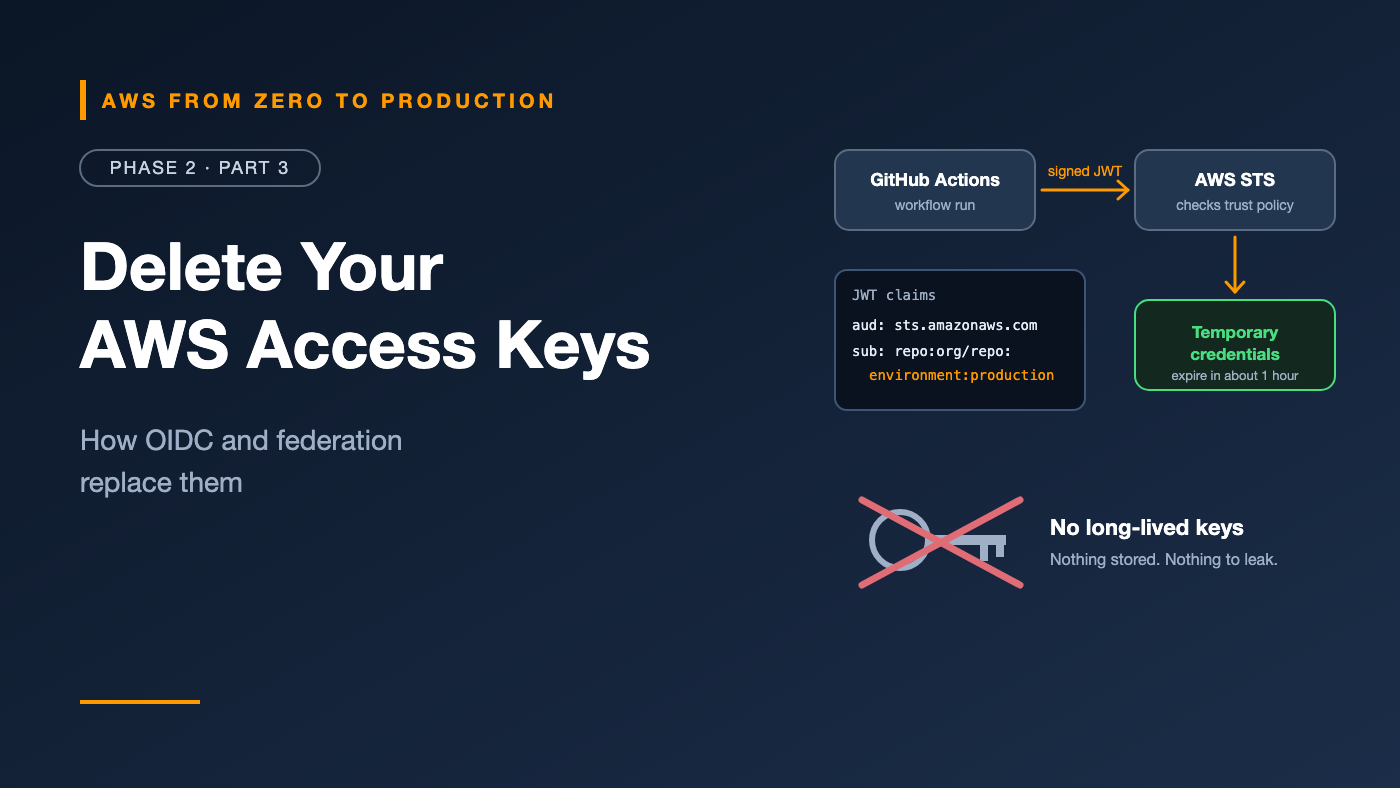
AWS from Zero to Production — Phase 2, Part 3 of 6 · See the full series roadmap
Here’s how most teams first connect GitHub Actions to AWS:
- Create an IAM user called
github-deployer. - Generate an access key.
- Paste it into GitHub as
AWS_ACCESS_KEY_IDandAWS_SECRET_ACCESS_KEY. - Forget about it.
That key never expires. It’s copied into every fork’s settings someone configures, every log that accidentally prints environment variables, and every laptop where someone tested the workflow locally. Rotating it means updating every repository that uses it — so nobody does.
There’s a better model: federation. Instead of giving GitHub a secret, you teach AWS to trust GitHub’s identity. Each workflow run proves who it is, receives credentials that last minutes, and leaves nothing behind to steal.
What you’ll walk away with
- 🪪 What federation is, in plain language
- 🏢 SAML vs. OpenID Connect (OIDC) vs. web identity federation
- 🔄 Exactly how GitHub Actions gets AWS credentials with OIDC
- 🔒 How to restrict access by repository, branch, and environment
- ⚠️ The 2026 change to GitHub’s subject claims — and how it affects your trust policies
- 🧹 A plan to find and remove long-lived access keys
Federation in one sentence
Federation means AWS trusts an external identity provider (IdP) to vouch for who someone is — and exchanges that proof for temporary AWS credentials.
External identity          AWS
-----------------          ---
"I am X" (signed token) --> STS checks the signature and the role's trust policy
                        <-- temporary credentials for the role (minutes to hours)
Nothing long-lived is stored on the caller’s side. The trust is configured once, in AWS, and every session proves itself fresh.
Three kinds of federation
SAML 2.0 — for your workforce
SAML is an XML-based standard used by corporate identity providers such as Microsoft Entra ID, Okta, and Google Workspace.
- Employees sign in to their company IdP.
- The IdP sends a signed SAML assertion to AWS.
- AWS exchanges it for a role session through
AssumeRoleWithSAML.
Engineer’s note: Today, most organizations connect their corporate IdP to IAM Identity Center rather than configuring SAML directly on IAM in every account. Identity Center then handles access to all accounts through permission sets — exactly what you used in Phase 1.
OpenID Connect (OIDC) — for workloads and apps
OIDC is a modern, JSON-based identity layer built on OAuth 2.0. An OIDC provider issues a signed JSON Web Token (JWT) that contains claims — facts about the identity, such as which repository a workflow runs in.
AWS exchanges a valid JWT for a role session through AssumeRoleWithWebIdentity.
Common OIDC providers for AWS:
- GitHub Actions, GitLab CI/CD, and many other CI systems
- Kubernetes clusters, including Amazon EKS service accounts
- Any standards-compliant OIDC provider
Web identity federation — for end-user apps
Mobile and web apps can let users sign in with providers like Google or Apple, then call AWS directly with temporary credentials.
Engineer’s note: For customer-facing apps, use Amazon Cognito instead of wiring identity providers directly to IAM. Cognito handles user pools, token exchange, and scoping far more safely.
How GitHub Actions authenticates to AWS with OIDC
This is the pattern you’ll build in Part 6.
The flow
1. Workflow job starts (with permission: id-token: write)
2. GitHub's OIDC provider issues a short-lived JWT for this job
       claims include: repository, branch or environment, workflow, run ID
3. The aws-actions/configure-aws-credentials action sends the JWT to AWS STS
       (AssumeRoleWithWebIdentity)
4. STS checks:
       - Is the token signed by a provider registered in IAM?
       - Does the token's audience match?
       - Does the role's trust policy allow these claims?
5. STS returns temporary credentials (typically valid for one hour)
6. The job uses them, finishes, and the credentials expire
What you configure in AWS
1. An IAM OIDC identity provider — once per account:
- Provider URL:
https://token.actions.githubusercontent.com - Audience:
sts.amazonaws.com
aws iam create-open-id-connect-provider \
  --url https://token.actions.githubusercontent.com \
  --client-id-list sts.amazonaws.com
No thumbprint needed. Older tutorials tell you to calculate and enter a certificate thumbprint. AWS now verifies GitHub’s endpoint using its library of trusted certificate authorities, so the thumbprint isn’t necessary — and if you specify one, AWS ignores it for providers like GitHub.
2. An IAM role with a trust policy that allows the GitHub provider — with conditions.
What you configure in GitHub
In the workflow:
permissions:
  id-token: write   # allows the job to request an OIDC token
  contents: read

steps:
  - uses: aws-actions/configure-aws-credentials@v6
    with:
      role-to-assume: arn:aws:iam::111122223333:role/github-deploy
      aws-region: eu-west-1
That’s it. No AWS_ACCESS_KEY_ID. No secrets.
Claims: how you restrict which workflows get in
A trust policy without conditions would let any GitHub repository in the world assume your role. Conditions on the token’s claims prevent that.
The two claims that matter most
aud(audience): should bests.amazonaws.com.sub(subject): identifies what is running — the repository plus the branch, environment, tag, or pull request.
sub formats
The subject depends on how the job runs:
Branch:       repo:my-org/my-repo:ref:refs/heads/main
Tag:          repo:my-org/my-repo:ref:refs/tags/v1.2.0
Environment:  repo:my-org/my-repo:environment:production
Pull request: repo:my-org/my-repo:pull_request
Important: When a job specifies a GitHub environment, the
subclaim uses the environment form — not the branch form. A trust policy that only allowsref:refs/heads/mainwill reject a job running in theproductionenvironment, even onmain.
⚠️ The 2026 change: immutable subject claims
Repositories created on GitHub on or after 15 July 2026 — and older repositories that opt in or are renamed after that date — emit an immutable sub claim. It adds the permanent numeric IDs of the organization and repository:
Legacy:     repo:my-org/my-repo:environment:production
Immutable:  repo:my-org@123456/my-repo@789012:environment:production
Why? If an organization or repository is deleted and someone else later claims the same name, a name-only trust policy could accept their tokens. Numeric IDs can’t be recycled.
What this means for you:
- If your trust policy uses the legacy form but your repository emits the immutable form, assuming the role fails with
Not authorized to perform sts:AssumeRoleWithWebIdentity. - Check which form your repository uses before writing the trust policy. Part 6 shows how.
Example: allow only the production environment of one repository
{
  "Version": "2012-10-17",
  "Statement": [
    {
      "Effect": "Allow",
      "Principal": {
        "Federated": "arn:aws:iam::111122223333:oidc-provider/token.actions.githubusercontent.com"
      },
      "Action": "sts:AssumeRoleWithWebIdentity",
      "Condition": {
        "StringEquals": {
          "token.actions.githubusercontent.com:aud": "sts.amazonaws.com",
          "token.actions.githubusercontent.com:sub": "repo:my-org@123456/my-repo@789012:environment:production"
        }
      }
    }
  ]
}
Patterns to avoid
- No
subcondition at all. Any GitHub workflow anywhere could assume the role. repo:*orrepo:my-org/*withStringLike. Every repository in the org — including ones created later by anyone with access — could deploy.ForAllValues:operators inAllowstatements. They return true when the claim is missing or misspelled, which can grant unintended access.
Engineer’s note: Wildcards aren’t always wrong —
repo:my-org/my-repo:ref:refs/heads/release/*is a reasonable way to allow release branches. The danger is wildcards in the organization or repository part of the claim.
Environment-based trust: the production gate
GitHub environments let you add protection rules, such as required reviewers or wait timers, before a job can run in that environment.
Combine them with environment-based trust policies:
- A staging role trusts
environment:staging. - A production role trusts only
environment:production. - The
productionenvironment requires approval from a reviewer.
Now production credentials can only be issued to a job that someone approved. Even a compromised branch can’t reach production without that approval.
Note: Environment protection rules such as required reviewers are available for public repositories and for private repositories on eligible paid GitHub plans. Check GitHub’s current plan details.
The same idea for people: CLI and Identity Center
Federation isn’t just for pipelines. You’ve been using it since Phase 1:
aws configure ssoandaws sso loginauthenticate you through IAM Identity Center.- The CLI receives temporary credentials for your permission set’s role.
- When they expire, you sign in again — no keys on disk.
The principle is identical: prove who you are, get short-lived credentials, never store a long-term secret.
Temporary credentials everywhere
Here’s how each kind of caller should get AWS credentials:
- People at the console or CLI: IAM Identity Center
- GitHub Actions and other CI/CD systems: OIDC federation to an IAM role
- EC2 instances: an instance profile (an IAM role attached to the instance)
- Lambda functions and ECS tasks: an execution or task role
- EKS pods: EKS Pod Identity or IAM roles for service accounts
- Third-party SaaS tools: a cross-account role with an external ID
- Long-term access keys: only when nothing above is possible — and rotated, monitored, and scoped tightly
Finding and removing long-lived access keys
If you already have access keys in use, here’s a practical cleanup plan:
- Inventory. Generate an IAM credential report (Part 2) and list every active access key, its age, and when it was last used.
- Find the callers. Use the “last used” service and Region, plus CloudTrail, to see what each key does.
- Replace. Move each caller to a role: OIDC for CI, instance profiles or task roles for workloads, Identity Center for people.
- Deactivate, then delete. Deactivate the key first and watch for errors for a few days. If nothing breaks, delete it.
- Prevent new ones. Add secret scanning to your repositories, and consider an SCP or IAM policy that restricts
iam:CreateAccessKeyto a small admin group.
Common mistakes
- Trust policies with no
subcondition. - Wildcards on the organization or repository name.
- Forgetting
id-token: writein the workflow permissions — the job can’t request a token without it. - Matching the branch form when the job runs in an environment.
- Missing the immutable
subformat on repositories created after 15 July 2026. - Keeping the old access key “just in case” after moving to OIDC.
Key takeaways
- Federation exchanges a trusted identity for temporary AWS credentials; nothing long-lived is stored.
- SAML is for workforce sign-in, usually through IAM Identity Center; OIDC is for workloads like CI/CD.
- GitHub Actions uses OIDC:
id-token: write, an IAM OIDC provider, and a role trust policy with conditions. - Always restrict the
subclaim to a specific repository and environment — and check for the immutable format. - Long-term access keys should be the rare exception, not the default.
Quick self-check
Test yourself before moving on:
- Which workflow permission must be set for GitHub Actions to request an OIDC token?
- A job runs on
mainwithenvironment: production. Whichsubform does its token use? - Your trust policy matches
repo:my-org/my-repo:environment:production, but a brand-new repository fails to assume the role. What’s the likely cause? - Why is
StringLikewithrepo:my-org/*dangerous?
Answers
id-token: write.- The environment form:
repo:my-org/my-repo:environment:production(or the immutable equivalent). - Repositories created on or after 15 July 2026 emit the immutable
subclaim with numeric IDs, such asrepo:my-org@123456/my-repo@789012:.... - It lets every repository in the organization — including future ones — assume the role.
What’s next
In Part 4, we protect the data itself: encryption at rest and in transit, AWS KMS, and where your application’s passwords and API keys should actually live.
Are you still using access keys in CI? What’s stopping the switch to OIDC? Share it in the comments.