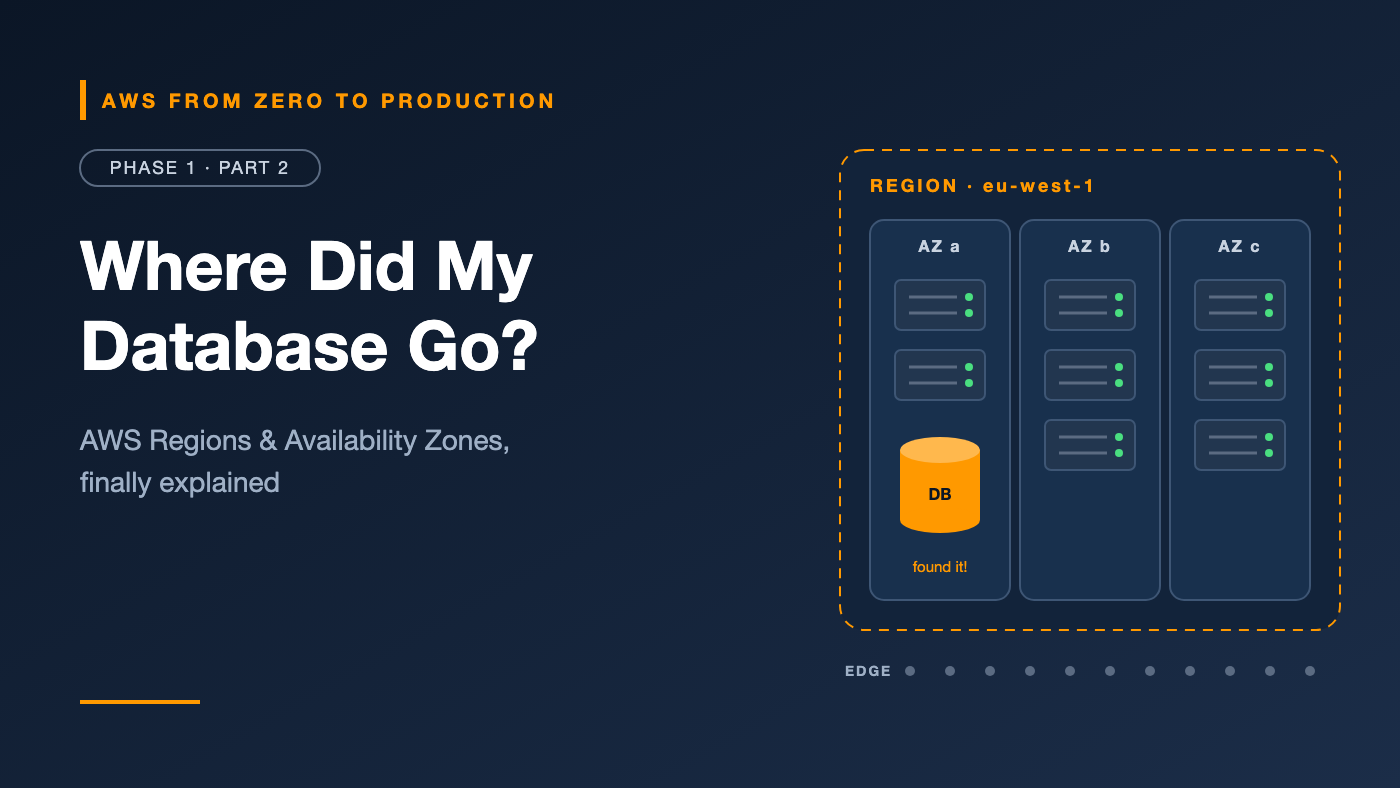
AWS from Zero to Production — Phase 1, Part 2 of 5 · See the full series roadmap
You create a database. You refresh the console. It’s gone.
You panic. You check the billing page. It’s still costing money — so it exists somewhere.
Then you notice the tiny dropdown in the top-right corner of the console. You switch Regions, and there it is.
Almost every AWS engineer has had this moment. And it points to something bigger: where your resources live decides how fast, how reliable, how expensive, and how legal your application is.
This article turns AWS’s global map into something you can actually reason about.
What you’ll walk away with
- 🌍 How Regions, Availability Zones, and edge locations fit together — in one diagram
- 🧭 Why some services ask for a Region and others never do
- ✅ A 4-question checklist for choosing the right Region
- 🏗️ When multi-AZ is enough — and when multi-Region is worth the pain
- 🛠️ The four ways to talk to AWS, and when to use each
The physical hierarchy
AWS global network
 └── Region (e.g., eu-west-1, Ireland)
      ├── Availability Zone A ── one or more data centers
      ├── Availability Zone B ── one or more data centers
      └── Availability Zone C ── one or more data centers

Edge locations (many cities worldwide)
 └── Used by services such as CloudFront and Route 53
Regions
A Region is a separate geographic area where AWS operates infrastructure, identified by a code such as:
us-east-1— US East (N. Virginia)eu-west-1— Europe (Ireland)ap-south-1— Asia Pacific (Mumbai)
Regions are designed to be isolated from each other. A failure in one Region should not affect another. Your data does not leave a Region unless you, or a service you configure, move it.
AWS adds Regions regularly, so check the AWS global infrastructure page for the current list.
Opt-in Regions: Newer Regions are often disabled by default for an account and must be enabled before use. If a Region doesn’t appear in the console’s Region selector, check Account settings.
Availability Zones
An Availability Zone (AZ) is one or more discrete data centers within a Region, with independent power, cooling, and networking. AZs in a Region are physically separated — far enough to reduce the chance of a shared disaster, close enough for low-latency, high-bandwidth connections between them.
AWS designs every Region with at least three AZs. At the time of writing, AWS operates 39 Regions and 124 Availability Zones — check the AWS global infrastructure page for current numbers.
Why this matters: an AZ is your basic failure domain. If you run two copies of an application in two AZs, a power or network failure in one AZ leaves the other running. That’s the foundation of high availability on AWS.
Engineer’s note — AZ names vs. AZ IDs: An AZ name such as
us-east-1amay map to a different physical zone in your account than in someone else’s. The AZ ID (for example,use1-az1) identifies the same physical zone across accounts. Use AZ IDs when coordinating resources across multiple accounts.
Edge locations
Edge locations are sites in many cities worldwide, far more numerous than Regions. They don’t host your general workloads. Instead, specific services use them to get closer to users:
- Amazon CloudFront caches and serves content near users.
- Amazon Route 53 answers DNS queries from the edge.
- AWS Global Accelerator routes user traffic onto the AWS network close to the user.
We’ll use CloudFront and Route 53 in Phase 3.
Regional vs. global services
Most AWS services are regional: you choose a Region, and the resource exists only there.
- Regional (EC2, VPC, RDS, ECS, Lambda, S3 buckets, Glue, Athena) — choose a Region; resources are visible only in that Region.
- Global (IAM, AWS Organizations, Route 53, CloudFront) — no Region selection; configuration applies account- or organization-wide.
- Zonal (EC2 instances, EBS volumes, subnets) — live in a single AZ within a Region.
The S3 special case
S3 confuses many people:
- Each bucket is created in a specific Region, and its data is stored there.
- Bucket names for general-purpose buckets are globally unique across all AWS accounts.
- The S3 console lists buckets from all Regions in one view.
So S3 looks global but stores data regionally.
Engineer’s note: Zonal resources can’t move between AZs directly. An EBS volume in
us-east-1acan only attach to an EC2 instance inus-east-1a. You’d snapshot and restore it to move it. Design around this early.
How to choose a Region
Use these four questions, in order.
1. Compliance and data residency
Are there legal or contractual requirements about where data lives? Some regulations require data to stay inside a country or economic area. This can eliminate most options immediately.
2. Latency to users
Choose a Region close to the users or systems that call your application most. For a user in Europe, a European Region will usually respond faster than one in the US.
You can do a rough check with community latency-testing tools, or by measuring from your own network.
3. Service and feature availability
Not every service, instance type, or feature launches in every Region at the same time. Check the AWS Regional services list for the services you plan to use — especially newer AI or analytics features.
4. Price
Prices for the same resource differ between Regions. Use the AWS Pricing Calculator to compare candidates once the first three questions have narrowed the list.
Engineer’s note: For a learning sandbox, pick one Region near you and stay there. Most “missing resource” confusion disappears once everything lives in one Region.
Multi-AZ vs. multi-Region
Multi-AZ
Run redundant resources across two or more AZs in one Region.
- Protects against: an AZ-level failure, such as a data center power or network problem
- Complexity: low to moderate; many managed services support it directly
- Cost: extra capacity and some cross-AZ data transfer
- Examples: RDS Multi-AZ deployments, an Application Load Balancer across subnets in multiple AZs, ECS services spread across AZs
For production workloads, multi-AZ is the standard starting point.
Multi-Region
Run your workload, or a recovery copy of it, in two or more Regions.
- Protects against: a Regional outage; also serves global users with lower latency
- Complexity: high — data replication, consistency, failover routing, and deployments in multiple places
- Cost: potentially double infrastructure, plus inter-Region data transfer
                    Multi-AZ                  Multi-Region
Failure covered     Data center / AZ          Entire Region
Typical use         Most production systems   Strict RTO/RPO, global users
Data replication    Usually synchronous       Usually asynchronous (lag)
Operational effort  Moderate                  High
Engineer’s note: Start with multi-AZ plus backups copied to another Region. That gives strong availability and a recovery path for a fraction of the cost of active multi-Region. We’ll go deeper in Phase 10.
Service availability
Each AWS service publishes its own availability design and service-level agreement. When you design for availability, check:
- Whether the service is regional, zonal, or global
- Whether it’s multi-AZ by default (like S3 Standard) or needs configuration (like RDS)
- The service’s published SLA
Four ways to interact with AWS
1. AWS Management Console
The web interface.
- Best for: learning, exploring, viewing dashboards, one-off tasks
- Watch out for: the Region selector at the top right — it controls what you see. Manual “click-ops” is also hard to repeat and audit.
2. AWS CLI
A command-line tool that calls AWS APIs.
aws s3 ls
aws ec2 describe-instances --region eu-west-1
- Best for: scripting, automation, quick queries, and learning the API
- Tip: almost every console action maps to a CLI command, and the output can be filtered with
--query
3. AWS SDKs
Libraries for calling AWS from application code — Python (boto3), JavaScript, Java, Go, .NET, and others.
import boto3

ec2 = boto3.client("ec2", region_name="eu-west-1")
zones = ec2.describe_availability_zones()["AvailabilityZones"]

for zone in zones:
    print(zone["ZoneName"], zone["ZoneId"], zone["State"])
- Best for: applications and data pipelines that interact with AWS services
4. AWS CloudShell
A browser-based shell launched from the console, already authenticated as your console identity, with the AWS CLI and common tools preinstalled.
- Best for: quick CLI work without installing anything or handling local credentials
- Note: CloudShell provides a small persistent home directory per Region. Don’t treat it as long-term storage.
All four use the same underlying APIs and the same permissions. If you’re denied in the CLI, you’d be denied in the console too.
Common mistakes
- Creating resources in the wrong Region and assuming they disappeared.
- Using AZ names across accounts when you need AZ IDs.
- Choosing a Region by price first before checking compliance and service availability.
- Jumping straight to multi-Region when multi-AZ and cross-Region backups would meet the requirements.
- Running everything in one AZ in production “just for now.”
Key takeaways
- A Region contains multiple isolated Availability Zones; edge locations serve content and DNS close to users.
- Most services are regional, some are global (IAM, Route 53, CloudFront), and some resources are zonal (EC2, EBS, subnets).
- Choose Regions by compliance, latency, service availability, then price.
- Multi-AZ is the production default; multi-Region is a deliberate, expensive choice.
- Console, CLI, SDKs, and CloudShell all call the same APIs with the same permissions.
Quick self-check
Test yourself before moving on:
- You created an RDS database but can’t find it in the console. What’s the first thing to check?
- Is IAM regional or global? What about an EBS volume?
- Can an EBS volume in
us-east-1aattach to an EC2 instance inus-east-1b? - Your
us-east-1aand a teammate’sus-east-1a— are they the same physical zone? How would you know for sure?
Answers
- The Region selector. The database almost certainly lives in another Region.
- IAM is global. An EBS volume is zonal — it lives in one Availability Zone.
- No. You’d snapshot the volume and restore it in the other AZ.
- Not necessarily. AZ names can map to different physical zones in different accounts. Compare AZ IDs, such as
use1-az1, instead.
What’s next
In Part 3, we move from geography to governance: AWS accounts, protecting the root user, and how AWS Organizations and Control Tower help teams manage many accounts safely.
Which Region do you use most, and why? Share your reasoning in the comments.