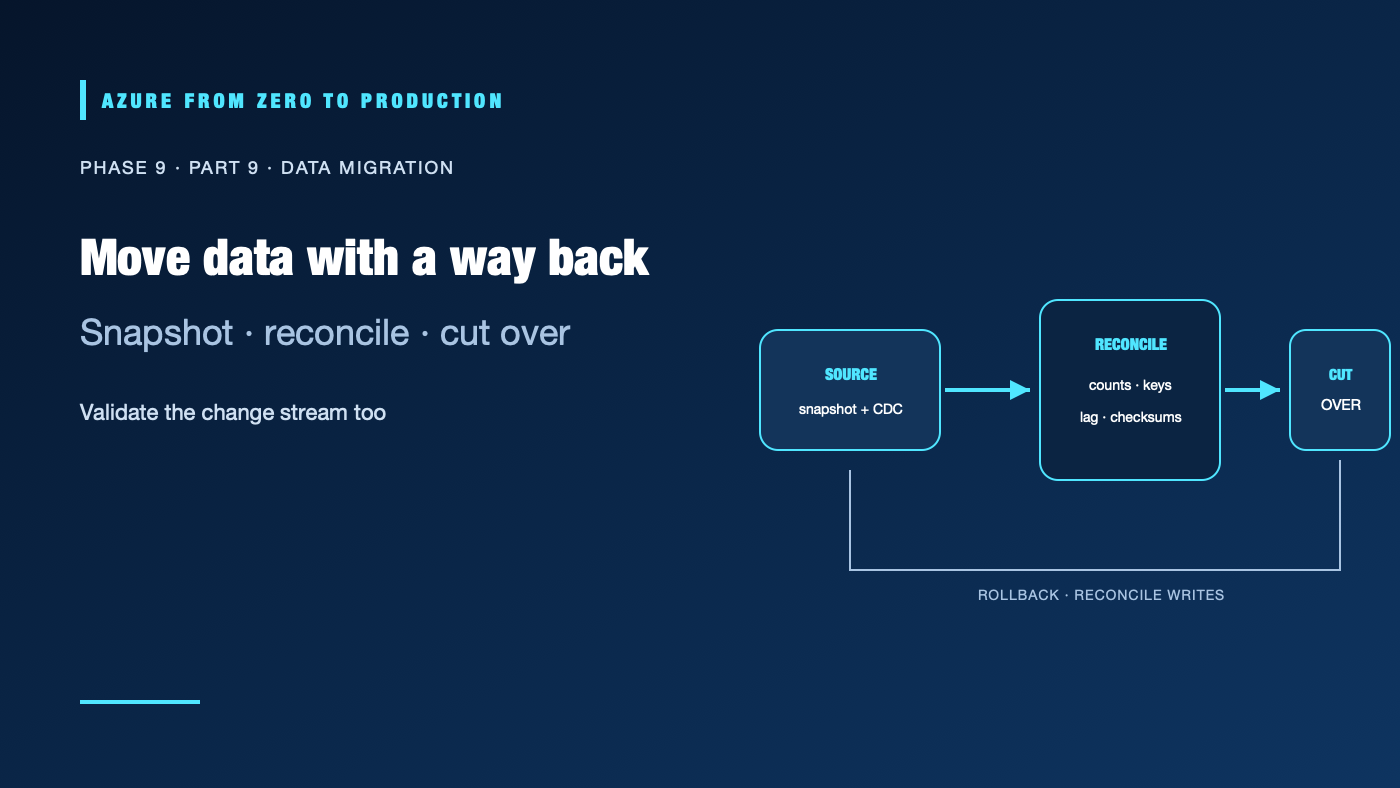
Moving a table is not the same as migrating a data product. The source may keep changing during transfer, schemas may differ, private networks may block the runtime, and a cutover can expose hidden consumers. Successful integration preserves meaning, confirms completeness, and gives the team a tested way to stop or reverse the change.
What you’ll learn
- Choose batch, API, bulk, or change-data-capture (CDC) ingestion.
- Plan Azure Data Factory connectivity and self-hosted runtimes.
- Identify when Azure Database Migration Service (DMS) is appropriate.
- Reconcile records and changes before cutover.
- Budget for network transfer, downtime, rollback, and data retention.
Prerequisites
- Basic database, network, identity, and data pipeline concepts.
- No subscription is required for the planning exercise.
- Large transfers, temporary dual-running, DMS resources, and repeated validation can incur cost.
Select an ingestion pattern
| Pattern | Useful when | Design risks |
|---|---|---|
| Scheduled batch | Source can provide stable snapshots or bounded extracts | Freshness delay, late files, and repeated-load duplicates |
| API ingestion | A supported service exposes paginated data or incremental cursors | Rate limits, pagination drift, expiring tokens, and API version changes |
| CDC | Consumers need changes between initial load and ongoing sync | Log retention, ordering, schema changes, tombstones, and source load |
| Bulk transfer | Initial data volume is too large or network throughput is constrained | Transfer integrity, physical-device handling, access controls, and incremental catch-up |
| Database migration service | A supported source/target pair and migration mode match DMS capabilities | Compatibility gaps, topology, downtime, and a separate application cutover |
Use the source’s supported migration path and test its exact versions, extensions, data types, and downtime behavior. Azure Data Factory copy activity is a data movement tool; it does not automatically provide database schema conversion, transactional CDC, or application cutover semantics.
Plan the data path and identity
Map the source, runtime, network route, target, authentication, and firewall at each hop. A self-hosted integration runtime can reach on-premises sources but creates a host that must be patched, monitored, and secured. Private endpoints need working DNS and routing from the runtime. Use managed identity or a supported secret store; never put credentials in pipeline parameters or a checked-in config file.
For an initial bulk load, record a source snapshot point or high-water mark. If the source continues changing, capture subsequent changes and define how they are merged into the target. A CDC stream can be at-least-once and may include deletes or schema changes; handle those explicitly.
Validate before cutover
Reconcile more than a single row count:
- Compare source and target counts for each entity and time/partition range.
- Compare key uniqueness, nulls, totals, and representative aggregates.
- Validate checksums or sampled values where appropriate.
- Confirm timestamps, time zones, decimal precision, encoding, and null semantics.
- Measure CDC lag and reconcile changes that occurred during the transfer.
- Run downstream queries and application tests using the target.
Define a cutover gate with an owner and a threshold for acceptable lag or discrepancy. Freeze writes only if the business process and rollback plan require it; otherwise use a proven replication/cutover method. Record the exact point at which the target becomes authoritative.
Preserve a rollback path
Keep the old source read-only or otherwise recoverable for an agreed period. Decide how to route traffic back, how writes made after cutover are reconciled, and who approves rollback. A database restore is not the same as reverse replication. Test the rollback procedure before production migration and include a point after which rollback would lose or fork data.
Estimate storage, temporary duplicate copies, network egress, private connectivity, compute, retries, and the cost of running both systems during validation. Encrypt transfer paths, restrict temporary credentials, and apply retention rules to staged files and migration logs.
✅ Checkpoint: Write a migration plan with source boundary, snapshot/watermark, transfer route, target identity, reconciliation thresholds, cutover owner, rollback trigger, and expiry for temporary copies.
Next: Govern data with Microsoft Purview.
Series navigation: Previous: Reliable data pipelines · Current: Phase 9, Part 9 · Next: Microsoft Purview