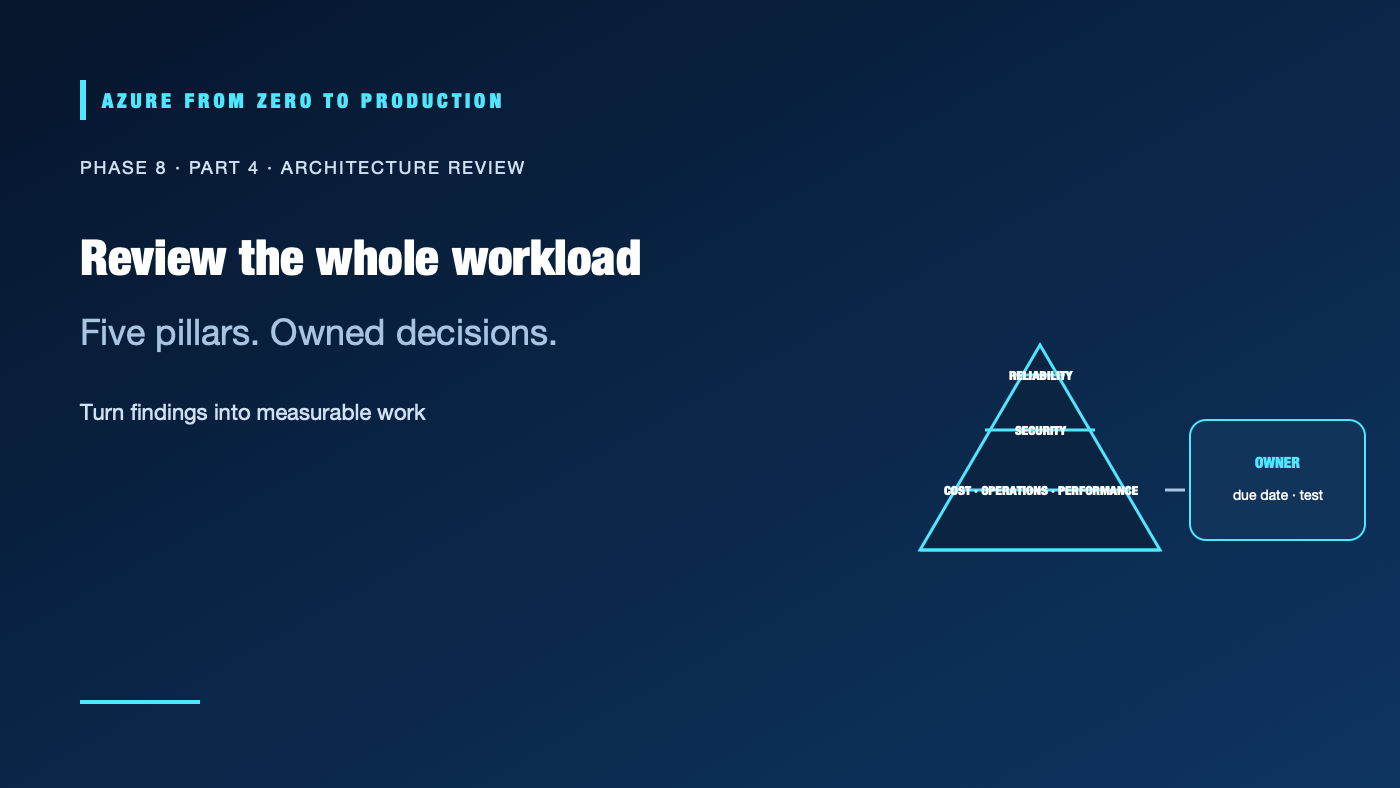
An architecture diagram can look complete while leaving unanswered questions about recovery, access, cost, operations, and performance. A Well-Architected review makes those tradeoffs explicit against a workload’s goals. It is not a certification, a one-time checklist, or a promise that Azure will operate the workload for you.
What you’ll learn
- Apply the five Azure Well-Architected Framework pillars to a specific workload.
- Distinguish the workload-level Framework from the Cloud Adoption Framework (CAF).
- Use Azure Advisor recommendations as inputs, not automatic design decisions.
- Record architecture tradeoffs with measurable goals, owners, and due dates.
- Build a repeatable review and remediation backlog.
Prerequisites
- An Azure workload or a representative architecture diagram to review.
- Read-only access is enough for the desk exercise; Advisor visibility depends on subscription permissions.
- No resources are created. Implementing recommendations can change resource capacity and cost.
The five pillars are connected
| Pillar | Review question | Evidence to bring |
|---|---|---|
| Reliability | Can the workload meet its availability and recovery goals during component or regional failures? | SLOs, dependency map, restore and failover test results |
| Security | Are identities, data, network paths, and software protected throughout their lifecycle? | Threat model, RBAC review, key/data protection, incident path |
| Cost Optimization | Does the design deliver the needed outcomes at a sustainable and visible cost? | Cost allocation, budgets, utilization, capacity assumptions |
| Operational Excellence | Can the team deploy, observe, diagnose, and safely change the workload? | Runbooks, alerts, deployment controls, ownership and on-call |
| Performance Efficiency | Does the workload meet demand with appropriate latency and resource use? | Load tests, scaling behavior, bottleneck and capacity data |
Optimizing one pillar can affect another. Multi-region active/active may improve recovery but add data-transfer cost, consistency complexity, and operational work. A larger database tier might improve latency but worsen cost. Record the workload’s required outcome, constraints, options considered, chosen tradeoff, and trigger for revisiting it.
Framework, Advisor, and CAF serve different jobs
The Azure Well-Architected Framework (WAF) provides workload-level design guidance across the five pillars. Use it to review a specific architecture, identify risks, and agree on engineering changes.
Azure Advisor analyzes Azure usage and configuration and surfaces recommendations, including reliability, security, cost, operational, and performance guidance. A recommendation is a useful signal—not proof that the suggested action fits your availability target, workload dependencies, change window, or compliance policy. Verify the finding, its scope and freshness, the proposed action, and the expected costs and risks before applying it.
The Cloud Adoption Framework (CAF) is broader. It helps organizations plan and govern cloud adoption across strategy, planning, readiness, adoption, governance, security, and management. CAF can establish enterprise guardrails and operating models; WAF helps a workload team assess how a particular solution is designed and operated. They complement each other rather than compete.
Run a review that leads to action
- Set the boundary. Name the workload, business owner, users, regions, data classification, dependencies, and review date.
- Agree on outcomes. Write the target availability, latency, recovery, security, and cost constraints. If they are unknown, make that a finding rather than inventing a target.
- Gather evidence. Bring current diagrams, resource inventory, access assignments, telemetry, deployment records, backup/restore results, incidents, and cost trends.
- Review each pillar. Ask what can fail, how it is detected, who acts, and what evidence proves recovery or control effectiveness.
- Record tradeoffs. Note alternatives and why the chosen option meets the workload’s needs. Mark assumptions and missing evidence explicitly.
- Prioritize. Rank by user/business impact, likelihood, exposure, effort, and dependency. Assign one owner, one due date, and an acceptance test to each action.
- Revisit. Review after a major architecture change, incident, new regulatory requirement, or material change in workload scale.
An action such as “improve reliability” is not actionable. Prefer “restore the latest database backup into an isolated environment by the end of the quarter; validate row counts and application login; record measured RTO and RPO; owner: data platform team.”
A lightweight decision record
Workload / boundary:
Business owner / technical owner:
User-facing SLOs and recovery objectives:
Data classification / region constraints:
Highest-risk findings:
Decision and alternatives:
Expected cost or operational tradeoff:
Owner / due date / acceptance test:
Evidence reviewed / assumptions:
Next review trigger:
✅ Checkpoint: Select one Advisor recommendation for a workload. Verify it against the service’s actual architecture and goals, then write whether to apply, defer, or reject it—with an owner and rationale.
Next: Build an Azure dashboard and alert.
Series navigation: Previous: Reliability engineering · Current: Phase 8, Part 4 · Next: Monitoring dashboard lab