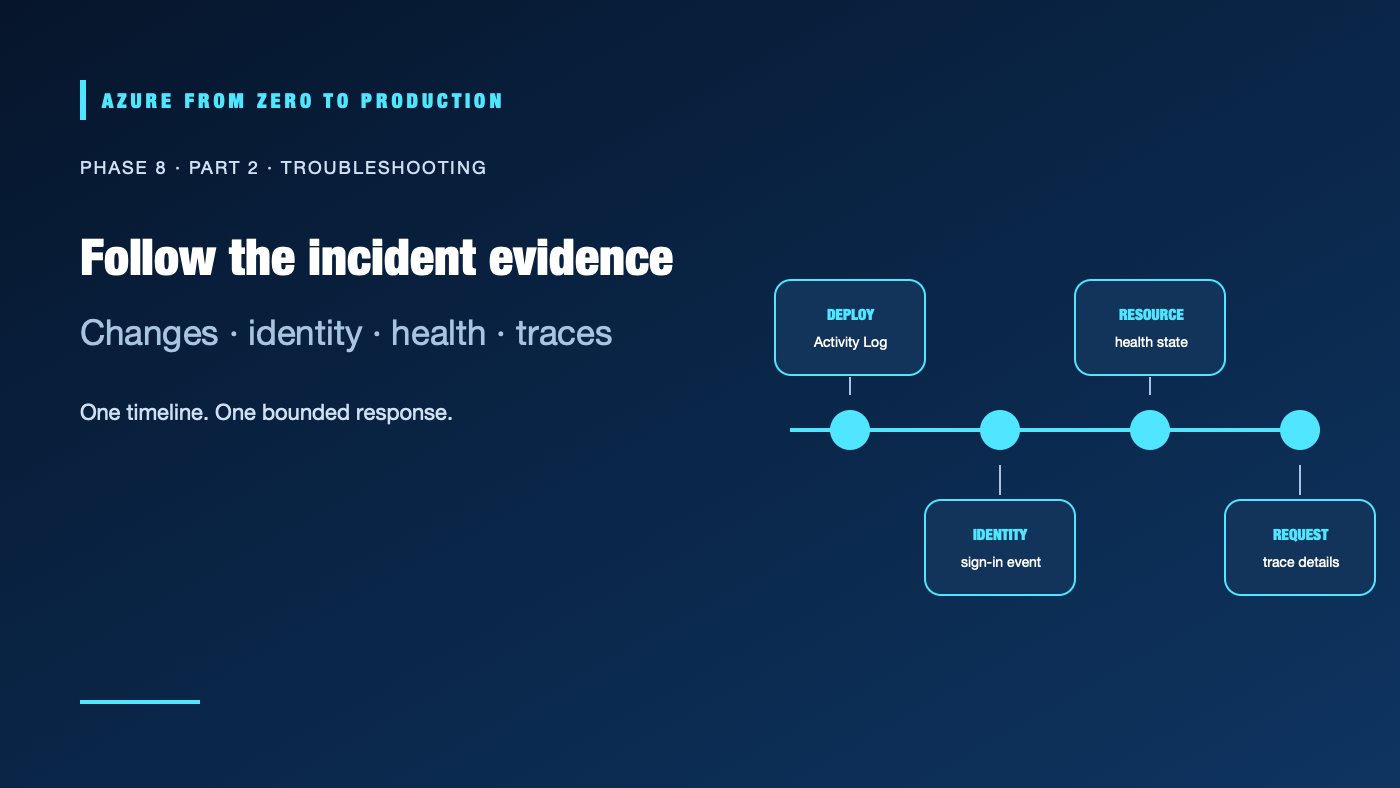
An application starts returning errors after a release. The immediate cause might be a code regression, a network rule, a role assignment, a provider outage, or a dependency that is timing out. Looking at only one log stream can send the responder in the wrong direction. A disciplined investigation aligns the timeline, confirms the affected scope, and follows correlation identifiers across the control plane, identity, platform, and application.
What you’ll learn
- Distinguish Azure Activity Log, resource logs, Entra sign-in/audit logs, and application telemetry.
- Use Service Health and Resource Health to separate platform incidents from workload faults.
- Correlate deployment, identity, network, and application events on a common timeline.
- Diagnose access-denied and deployment failures without collecting credentials.
- Capture evidence and write a runbook that preserves a safe, reversible response.
Prerequisites
- Basic familiarity with Azure subscriptions, resource groups, RBAC, and Application Insights.
- Reader access to the relevant resource and log workspace is sufficient for the investigation examples.
- No resources are created; exporting logs or retaining incident evidence can incur storage and ingestion costs.
Pick the evidence source that answers the question
| Evidence | What it records | Typical use |
|---|---|---|
| Activity Log | Subscription-level control-plane operations and their status | What deployment, role, policy, or configuration operation happened? |
| Resource logs | Service-specific operations emitted by a resource | What did a storage account, network service, or database report? |
| Entra sign-in and audit logs | Authentication attempts and directory changes | Which identity authenticated, and what directory operation changed? |
| Application telemetry | Requests, dependencies, traces, and exceptions | Which user journey failed, and where did latency or errors occur? |
| Resource Health / Service Health | Resource availability and Azure service issues | Is Azure reporting a service-side problem affecting this resource or region? |
The Activity Log is not a complete application audit trail, and resource logs are not automatically available in a workspace. Configure diagnostic settings for the sources and categories you need. Entra logs have their own permissions, retention, and licensing considerations; verify the current tenant configuration instead of assuming they are already exported to the workspace.
Use a timeline, then follow the request
- Bound the incident. Record the first known failure, affected users and regions, request path, resource IDs, and current impact. Use UTC and a narrow time range.
- Check Azure status. Review Service Health for incidents or advisories relevant to your subscription and Resource Health for the affected resource. A broad Azure status page is useful context, not a substitute for personalized health.
- Compare the change timeline. Check deployment history and Activity Log events for writes, role changes, policy changes, restarts, and configuration updates around the onset.
- Inspect identity evidence. Look for failed sign-ins, token audience or issuer mismatches, missing role assignments, denied conditional-access results, and role-scope mistakes. Never request a user’s password or copy a bearer token into a ticket.
- Follow application evidence. Start with a failed request or trace, then inspect its dependency calls and related exceptions. Compare healthy and failing instances.
- Test one hypothesis at a time. Use read-only inspection first. If a change is needed, record the owner, expected effect, rollback, and verification signal.
- Close the loop. Confirm the user-facing symptom recovered, preserve a minimal evidence set, and write down the root cause, contributing factors, and follow-up work.
Query the change record
If the subscription Activity Log is exported to a Log Analytics workspace, the AzureActivity table can help establish a control-plane timeline:
AzureActivity
| where TimeGenerated > ago(2h)
| where ResourceGroup =~ "rg-example"
| project
    TimeGenerated,
    OperationNameValue,
    ActivityStatusValue,
    Caller,
    ResourceId,
    CorrelationId
| order by TimeGenerated desc
Adjust the resource-group filter to the actual incident scope. The Activity Log is available in Azure even when it is not exported to this table; export is a separate configuration. A correlation ID can connect related platform operations, but it does not automatically correlate every application request. Application traces need their own operation context and propagated trace identifiers.
For Application Insights resource-specific data, inspect AppRequests, AppDependencies, and AppExceptions. Legacy workspaces can use tables such as requests, so check the schema before using saved queries. Use the same time range and a specific operation or resource whenever possible. Do not query or export more personal data than the investigation needs.
Diagnose common access-denied failures
Separate authentication from authorization:
- No token or failed token exchange: confirm tenant, issuer, audience, federated subject, sign-in context, and whether the caller can obtain a token at all.
- Token succeeds, operation is denied: check the role definition, principal object ID, assignment scope, deny assignments, policy, and whether the service expects data-plane rather than management-plane access.
- Role was just assigned: account for propagation delay, then request a new token and retry the smallest read-only operation.
- Only one resource fails: compare the exact resource ID, inherited scope, and resource-specific firewall/network controls with a working peer.
- An operation is absent from logs: confirm that the correct source category is enabled and routed to the destination; collection gaps are not proof that no event occurred.
Use Azure’s access-checking and sign-in diagnostic experiences with appropriate Reader or security-log permissions. Avoid granting broad Owner or Contributor access as a troubleshooting shortcut. Capture the failed operation name, timestamp, correlation/request ID, principal object ID where appropriate, and sanitized error text—not access tokens, secrets, or full credential-bearing command output.
Preserve useful incident evidence
An incident note should include scope, UTC timestamps, affected resource IDs, impact, deployment/version, relevant correlation IDs, query links, actions taken, and the verification result. Keep evidence in an access-controlled location with a retention period that matches policy. Redact personal data and secrets before sharing. Do not export entire workspaces to a public ticket or repository.
✅ Checkpoint: Given a deployment-related failure, identify one data source for the attempted change, one for the identity decision, one for resource health, and one for the user-visible request. State which data is not collected yet.
Next: Design for failure with reliability engineering.
Series navigation: Previous: Azure Monitor and Application Insights · Current: Phase 8, Part 2 · Next: Reliability engineering