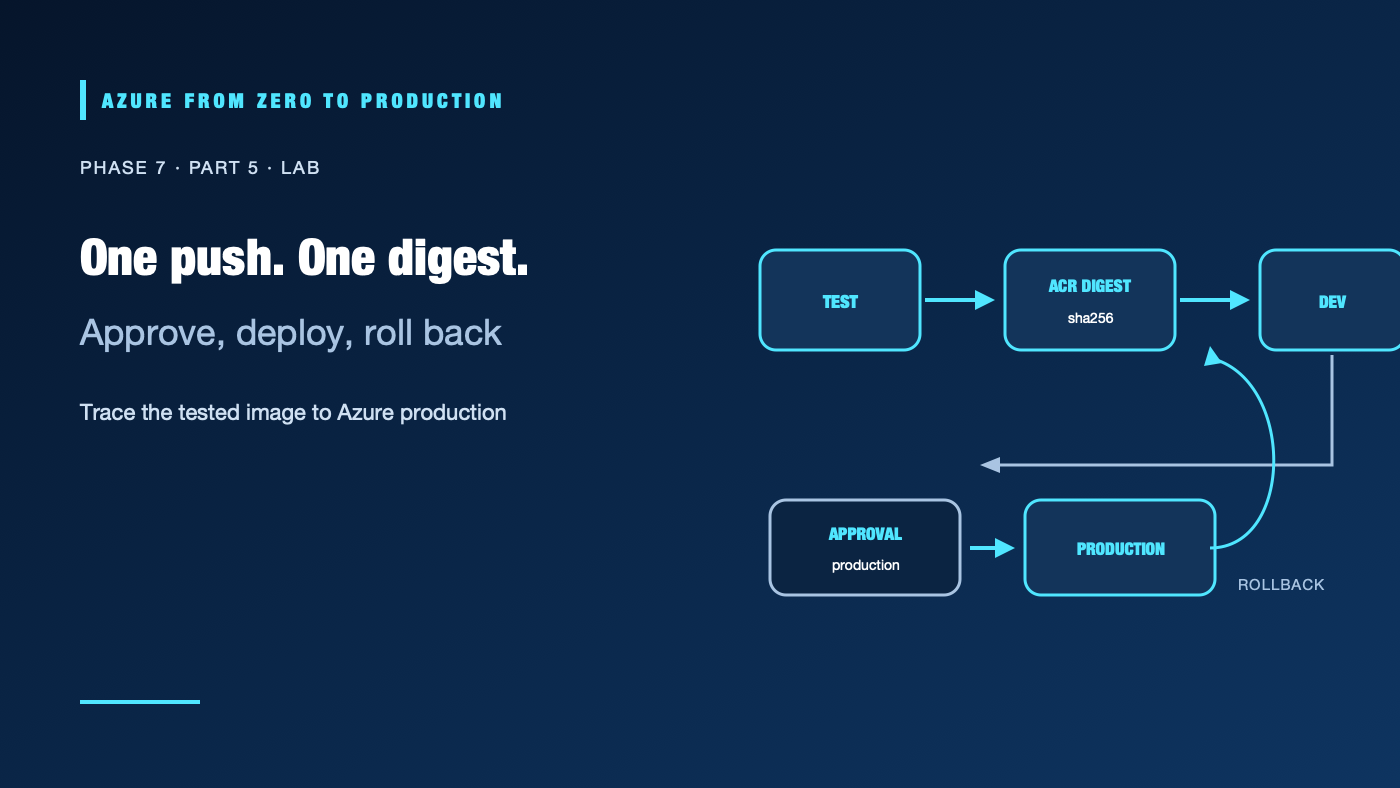
A green build is not a release unless the image that passed tests is the image that reached production. In this lab, a GitHub Actions workflow tests a small Node.js service, builds one container, pushes it to Azure Container Registry (ACR), previews a Container Apps deployment with Bicep, and deploys to development. Production uses a separate identity and a protected GitHub environment. A manual rollback workflow accepts only a previously published image digest.
The lab creates billable Azure resources and GitHub configuration. Use a disposable development subscription, a dedicated public repository or an eligible private-repository plan, and no production data. The commands and templates were syntax-reviewed; no live Azure deployment or GitHub run was performed.
What you’ll build
- A shared ACR, separate development and production Container Apps environments/resource groups, and two apps.
- One managed identity per app to pull from ACR.
- Separate dev and production pipeline identities with different federated GitHub environment subjects.
- A validation job with no Azure token, an OIDC-protected dev deployment, and an approval-gated production promotion.
- Bicep
what-ifbefore each deployment and a manual rollback using the original image digest.
Pull request
   | no Azure credentials
   +--> unit tests + container build ------------------> block on failure

Push to main
   +--> build once --> ACR digest --> dev what-if --> dev deploy --> smoke test
                                                        |
                                                        v
                                     production approval/checks
                                                        |
                                        prod what-if --> prod deploy
                                                        |
                                            smoke test / rollback
The build job can validate untrusted changes but cannot sign in to Azure. Dev and production jobs use separate GitHub environment subjects and Azure identities. The production app pulls the image with its own managed identity; the pipeline identity does not need AcrPush in production.
Prerequisites and costs
- A GitHub repository on
main, GitHub Actions enabled, and permission to create environments and variables. Required reviewers and branch restrictions depend on repository visibility and plan; verify availability before relying on them. az2.91.0+, Bicep CLI 0.48.1,gh, Docker, Bash, anduuidgen. RegisterMicrosoft.App,Microsoft.ContainerRegistry,Microsoft.ManagedIdentity, andMicrosoft.Authorizationif an authorized administrator approves.- An Azure development subscription and permissions to create resource groups, ACR, Container Apps environments/apps, user-assigned managed identities, federated credentials, and role assignments. The setup identity needs permission to assign roles at the lab scopes; Contributor alone cannot create role assignments.
- About 2–3 hours. Container Apps environments, replicas, ACR storage/operations, Log Analytics ingestion, GitHub-hosted runner minutes, and network transfer can incur costs.
Prices and quotas vary. Check the Azure Pricing Calculator and current GitHub plan before starting. Budgets alert; they do not stop resources or cap charges.
Step 1: Create the application and test files
In the repository root, create server.js:
const http = require("node:http");

function createServer() {
  return http.createServer((request, response) => {
    if (request.url === "/healthz") {
      response.writeHead(200, { "content-type": "text/plain" });
      response.end("ok\n");
      return;
    }

    response.writeHead(200, { "content-type": "text/plain" });
    response.end("Hello from a verified Azure release.\n");
  });
}

if (require.main === module) {
  const port = Number(process.env.PORT || "8080");
  createServer().listen(port, "0.0.0.0");
}

module.exports = { createServer };
Create server.test.js:
const assert = require("node:assert/strict");
const { test } = require("node:test");
const { createServer } = require("./server");

test("health endpoint returns 200 and ok", async (t) => {
  const server = createServer();
  await new Promise((resolve) => server.listen(0, "127.0.0.1", resolve));
  const { port } = server.address();
  t.after(() => new Promise((resolve, reject) => {
    server.close((error) => error ? reject(error) : resolve());
  }));

  const response = await fetch(`http://127.0.0.1:${port}/healthz`);
  assert.equal(response.status, 200);
  assert.equal(await response.text(), "ok\n");
});
Create Dockerfile:
FROM node:24-alpine
WORKDIR /app
COPY --chown=node:node server.js ./
USER node
ENV NODE_ENV=production PORT=8080
EXPOSE 8080
CMD ["node", "server.js"]
The test uses Node’s built-in test runner and HTTP client; there is no package to install. In a production repository, pin the base image by digest, update it deliberately, and scan the resulting image.
✅ Checkpoint: Run node --test and docker build --tag sample-api:test . locally. The test passes, and the image builds without credentials.
Step 2: Define the Container App deployment
Install the pinned Bicep CLI:
az bicep install --version v0.48.1
az bicep version
Then create infra/app.bicep:
targetScope = 'resourceGroup'

param appName string
param location string
param environmentId string
param registryServer string
param pullIdentityId string
param image string

resource app 'Microsoft.App/containerApps@2024-03-01' = {
  name: appName
  location: location
  identity: {
    type: 'UserAssigned'
    userAssignedIdentities: {
      '${pullIdentityId}': {}
    }
  }
  properties: {
    managedEnvironmentId: environmentId
    configuration: {
      activeRevisionsMode: 'Single'
      ingress: {
        external: true
        targetPort: 8080
        transport: 'auto'
        traffic: [
          {
            latestRevision: true
            weight: 100
          }
        ]
      }
      registries: [
        {
          server: registryServer
          identity: pullIdentityId
        }
      ]
    }
    template: {
      containers: [
        {
          name: 'sample-api'
          image: image
          resources: {
            cpu: any('0.25')
            memory: '0.5Gi'
          }
        }
      ]
      scale: {
        minReplicas: 1
        maxReplicas: 1
      }
    }
  }
}
The template deploys one app into an existing Container Apps environment. The app’s user-assigned identity is configured for ACR pulls; its AcrPull assignment is created before the app. The template uses one active revision and a single replica to keep this learning topology small, not to represent production availability.
Step 3: Provision isolated Azure environments
Run the setup commands in one Bash session. Replace the subscription placeholder, then keep the generated values available for later steps:
set -euo pipefail
az login
az account set --subscription "<YOUR_DEVELOPMENT_SUBSCRIPTION_ID_OR_NAME>"
az account show --query "{name:name, id:id, tenantId:tenantId}" --output table

LOCATION="eastus"
SUFFIX="$(uuidgen | tr -d '-' | tr '[:upper:]' '[:lower:]' | cut -c1-8)"
SHARED_RG="rg-pipeline-shared-${SUFFIX}"
DEV_RG="rg-pipeline-dev-${SUFFIX}"
PROD_RG="rg-pipeline-prod-${SUFFIX}"
ACR_NAME="acrpipeline${SUFFIX}"
DEV_ENV="cae-dev-${SUFFIX}"
PROD_ENV="cae-prod-${SUFFIX}"
DEV_APP="ca-dev-${SUFFIX}"
PROD_APP="ca-prod-${SUFFIX}"
DEV_PIPELINE_ID="mi-gh-dev-${SUFFIX}"
PROD_PIPELINE_ID="mi-gh-prod-${SUFFIX}"
DEV_PULL_ID="mi-pull-dev-${SUFFIX}"
PROD_PULL_ID="mi-pull-prod-${SUFFIX}"
TENANT_ID="$(az account show --query tenantId --output tsv)"
SUBSCRIPTION_ID="$(az account show --query id --output tsv)"

for group in "$SHARED_RG" "$DEV_RG" "$PROD_RG"; do
  az group create --name "$group" --location "$LOCATION" \
    --tags purpose=learning lab=github-delivery --output none
done

az acr create --resource-group "$SHARED_RG" --name "$ACR_NAME" \
  --location "$LOCATION" --sku Basic --admin-enabled false --output none
az acr config authentication-as-arm update --registry "$ACR_NAME" \
  --status Enabled --output none

az containerapp env create --name "$DEV_ENV" --resource-group "$DEV_RG" \
  --location "$LOCATION" --output none
az containerapp env create --name "$PROD_ENV" --resource-group "$PROD_RG" \
  --location "$LOCATION" --output none
Enabled allows the managed-identity token audience used for ACR pulls. Do not enable the ACR admin account.
Create two pipeline identities and two app-pull identities. Only the dev pipeline identity can push images. Production receives an image reference from the dev job and updates only its app resource group.
for identity in "$DEV_PIPELINE_ID" "$DEV_PULL_ID"; do
  az identity create --name "$identity" --resource-group "$DEV_RG" \
    --location "$LOCATION" --output none
done
for identity in "$PROD_PIPELINE_ID" "$PROD_PULL_ID"; do
  az identity create --name "$identity" --resource-group "$PROD_RG" \
    --location "$LOCATION" --output none
done

ACR_ID="$(az acr show --name "$ACR_NAME" --resource-group "$SHARED_RG" --query id --output tsv)"
ACR_SERVER="$(az acr show --name "$ACR_NAME" --resource-group "$SHARED_RG" --query loginServer --output tsv)"
DEV_RG_ID="$(az group show --name "$DEV_RG" --query id --output tsv)"
PROD_RG_ID="$(az group show --name "$PROD_RG" --query id --output tsv)"

DEV_PIPELINE_PRINCIPAL="$(az identity show --name "$DEV_PIPELINE_ID" --resource-group "$DEV_RG" --query principalId --output tsv)"
PROD_PIPELINE_PRINCIPAL="$(az identity show --name "$PROD_PIPELINE_ID" --resource-group "$PROD_RG" --query principalId --output tsv)"
DEV_PULL_PRINCIPAL="$(az identity show --name "$DEV_PULL_ID" --resource-group "$DEV_RG" --query principalId --output tsv)"
PROD_PULL_PRINCIPAL="$(az identity show --name "$PROD_PULL_ID" --resource-group "$PROD_RG" --query principalId --output tsv)"

az role assignment create --assignee-object-id "$DEV_PIPELINE_PRINCIPAL" \
  --assignee-principal-type ServicePrincipal --role "Contributor" \
  --scope "$DEV_RG_ID" --output none
az role assignment create --assignee-object-id "$DEV_PIPELINE_PRINCIPAL" \
  --assignee-principal-type ServicePrincipal --role "AcrPush" \
  --scope "$ACR_ID" --output none
az role assignment create --assignee-object-id "$PROD_PIPELINE_PRINCIPAL" \
  --assignee-principal-type ServicePrincipal --role "Contributor" \
  --scope "$PROD_RG_ID" --output none
az role assignment create --assignee-object-id "$DEV_PULL_PRINCIPAL" \
  --assignee-principal-type ServicePrincipal --role "AcrPull" \
  --scope "$ACR_ID" --output none
az role assignment create --assignee-object-id "$PROD_PULL_PRINCIPAL" \
  --assignee-principal-type ServicePrincipal --role "AcrPull" \
  --scope "$ACR_ID" --output none
Contributor is intentionally limited to the isolated dev or production resource group so each pipeline can run a group-scoped Bicep deployment. AcrPush applies only to the shared registry. The app pull identities have only AcrPull; they are not deployment identities.
Create the two apps initially with a public quickstart image. The Bicep deployment writes the image reference and uses each environment and pull identity:
az bicep build --file infra/app.bicep --stdout >/dev/null
DEV_ENV_ID="$(az containerapp env show --name "$DEV_ENV" --resource-group "$DEV_RG" --query id --output tsv)"
PROD_ENV_ID="$(az containerapp env show --name "$PROD_ENV" --resource-group "$PROD_RG" --query id --output tsv)"
DEV_PULL_ID_VALUE="$(az identity show --name "$DEV_PULL_ID" --resource-group "$DEV_RG" --query id --output tsv)"
PROD_PULL_ID_VALUE="$(az identity show --name "$PROD_PULL_ID" --resource-group "$PROD_RG" --query id --output tsv)"

az deployment group create --resource-group "$DEV_RG" --template-file infra/app.bicep \
  --parameters appName="$DEV_APP" location="$LOCATION" environmentId="$DEV_ENV_ID" \
    registryServer="$ACR_SERVER" pullIdentityId="$DEV_PULL_ID_VALUE" \
    image="mcr.microsoft.com/k8se/quickstart:latest" --output none
az deployment group create --resource-group "$PROD_RG" --template-file infra/app.bicep \
  --parameters appName="$PROD_APP" location="$LOCATION" environmentId="$PROD_ENV_ID" \
    registryServer="$ACR_SERVER" pullIdentityId="$PROD_PULL_ID_VALUE" \
    image="mcr.microsoft.com/k8se/quickstart:latest" --output none
The initial image is only a bootstrap so Azure creates each app; the workflow replaces it with the lab image. Confirm the subscription, region, resource groups, ACR, and estimated costs before running. Wait for role assignment propagation if the app cannot pull from ACR.
✅ Checkpoint: The ACR admin user is disabled, ACR ARM-audience authentication is enabled, and dev/prod have separate environments, app identities, and pipeline identities.
Step 4: Add GitHub environment trust
Create two GitHub environments named dev and production. Restrict both to the main branch where the repository plan supports branch protection; configure required reviewers for production. The OIDC subject is not itself a branch policy.
Set the repository owner and name and derive the immutable subjects used by new repositories. The default claim for a repository created after July 15, 2026 includes immutable owner and repository IDs. Older repositories can retain a different format; use the exact subject GitHub emits.
GH_OWNER="<YOUR_GITHUB_OWNER>"
GH_REPO="<YOUR_REPOSITORY_NAME>"
DEV_SUBJECT="$(gh api "repos/${GH_OWNER}/${GH_REPO}" \
  --jq '"repo:\(.owner.login)@\(.owner.id)/\(.name)@\(.id):environment:dev"')"
PROD_SUBJECT="$(gh api "repos/${GH_OWNER}/${GH_REPO}" \
  --jq '"repo:\(.owner.login)@\(.owner.id)/\(.name)@\(.id):environment:production"')"

az identity federated-credential create --name github-dev \
  --identity-name "$DEV_PIPELINE_ID" --resource-group "$DEV_RG" \
  --issuer "https://token.actions.githubusercontent.com" \
  --subject "$DEV_SUBJECT" --audiences "api://AzureADTokenExchange" --output none
az identity federated-credential create --name github-production \
  --identity-name "$PROD_PIPELINE_ID" --resource-group "$PROD_RG" \
  --issuer "https://token.actions.githubusercontent.com" \
  --subject "$PROD_SUBJECT" --audiences "api://AzureADTokenExchange" --output none
Get the two client IDs and the app/environment identifiers for GitHub’s environment variables:
DEV_CLIENT_ID="$(az identity show --name "$DEV_PIPELINE_ID" --resource-group "$DEV_RG" --query clientId --output tsv)"
PROD_CLIENT_ID="$(az identity show --name "$PROD_PIPELINE_ID" --resource-group "$PROD_RG" --query clientId --output tsv)"
DEV_PULL_ID_VALUE="$(az identity show --name "$DEV_PULL_ID" --resource-group "$DEV_RG" --query id --output tsv)"
PROD_PULL_ID_VALUE="$(az identity show --name "$PROD_PULL_ID" --resource-group "$PROD_RG" --query id --output tsv)"

printf 'LOCATION=%s\nAZURE_TENANT_ID=%s\nAZURE_SUBSCRIPTION_ID=%s\nACR_NAME=%s\nACR_LOGIN_SERVER=%s\n' \
  "$LOCATION" "$TENANT_ID" "$SUBSCRIPTION_ID" "$ACR_NAME" "$ACR_SERVER"
printf 'DEV_CLIENT_ID=%s\nDEV_RG=%s\nDEV_APP=%s\nDEV_ENV_ID=%s\nDEV_PULL_ID=%s\n' \
  "$DEV_CLIENT_ID" "$DEV_RG" "$DEV_APP" "$DEV_ENV_ID" "$DEV_PULL_ID_VALUE"
printf 'PROD_CLIENT_ID=%s\nPROD_RG=%s\nPROD_APP=%s\nPROD_ENV_ID=%s\nPROD_PULL_ID=%s\n' \
  "$PROD_CLIENT_ID" "$PROD_RG" "$PROD_APP" "$PROD_ENV_ID" "$PROD_PULL_ID_VALUE"
Add these as environment variables, not secrets, to the matching GitHub environment:
- Both:
LOCATION,AZURE_TENANT_ID,AZURE_SUBSCRIPTION_ID,ACR_LOGIN_SERVER dev:AZURE_CLIENT_ID=DEV_CLIENT_ID,AZURE_RESOURCE_GROUP=DEV_RG,AZURE_APP_NAME=DEV_APP,AZURE_ENVIRONMENT_ID=DEV_ENV_ID,AZURE_PULL_IDENTITY_ID=DEV_PULL_ID, andACR_NAMEproduction: use the correspondingPROD_*values for client ID, group, app, environment, and pull identity
These are identifiers and resource locations, not credentials. The workflow never stores an Azure client secret or registry password.
Step 5: Add the production pipeline
Create .github/workflows/release.yml. It runs tests and a local container smoke test for pull requests. Only a push to main can request an Azure token. The production job references a protected environment, so GitHub checks run before its job starts.
name: Azure release

on:
  pull_request:
    branches: [main]
  push:
    branches: [main]
  workflow_dispatch:
    inputs:
      rollback_image:
        description: "Previously successful ACR image reference ending in @sha256:<digest>"
        required: false
        type: string

concurrency:
  group: azure-release-${{ github.ref }}
  cancel-in-progress: false

permissions:
  contents: read

jobs:
  validate:
    runs-on: ubuntu-24.04
    steps:
      - uses: actions/checkout@3d3c42e5aac5ba805825da76410c181273ba90b1 # v7.0.1
      - name: Install Bicep and validate the template
        run: |
          az bicep install --version v0.48.1
          az bicep build --file infra/app.bicep --stdout >/dev/null
      - name: Unit test
        run: node --test
      - name: Build and smoke-test the container
        shell: bash
        run: |
          set -euo pipefail
          docker build --tag sample-api:test .
          docker run --detach --rm --name sample-api-test \
            --publish 18080:8080 sample-api:test
          trap 'docker stop sample-api-test >/dev/null 2>&1 || true' EXIT
          curl --fail --show-error --retry 10 --retry-delay 2 \
            --retry-connrefused http://127.0.0.1:18080/healthz

  deploy-dev:
    if: github.event_name == 'push' && github.ref == 'refs/heads/main'
    needs: validate
    runs-on: ubuntu-24.04
    environment: dev
    permissions:
      contents: read
      id-token: write
    outputs:
      image: ${{ steps.publish.outputs.image }}
    env:
      AZURE_TENANT_ID: ${{ vars.AZURE_TENANT_ID }}
      AZURE_SUBSCRIPTION_ID: ${{ vars.AZURE_SUBSCRIPTION_ID }}
      AZURE_CLIENT_ID: ${{ vars.AZURE_CLIENT_ID }}
      AZURE_RESOURCE_GROUP: ${{ vars.AZURE_RESOURCE_GROUP }}
      AZURE_APP_NAME: ${{ vars.AZURE_APP_NAME }}
      AZURE_ENVIRONMENT_ID: ${{ vars.AZURE_ENVIRONMENT_ID }}
      AZURE_PULL_IDENTITY_ID: ${{ vars.AZURE_PULL_IDENTITY_ID }}
      ACR_NAME: ${{ vars.ACR_NAME }}
      ACR_LOGIN_SERVER: ${{ vars.ACR_LOGIN_SERVER }}
      LOCATION: ${{ vars.LOCATION }}
    steps:
      - uses: actions/checkout@3d3c42e5aac5ba805825da76410c181273ba90b1 # v7.0.1
      - uses: Azure/login@a641126d1b8aa4d1fa005f4f92df94a3a4c4c906 # v3.1.0
        with:
          client-id: ${{ vars.AZURE_CLIENT_ID }}
          tenant-id: ${{ vars.AZURE_TENANT_ID }}
          subscription-id: ${{ vars.AZURE_SUBSCRIPTION_ID }}
      - name: Install Bicep CLI
        run: az bicep install --version v0.48.1
      - id: publish
        name: Build once and publish the commit
        shell: bash
        run: |
          set -euo pipefail
          token="$(az acr login --name "$ACR_NAME" --expose-token \
            --query accessToken --output tsv)"
          echo "::add-mask::$token"
          printf '%s' "$token" | docker login "$ACR_LOGIN_SERVER" \
            --username 00000000-0000-0000-0000-000000000000 --password-stdin
          unset token

          tag="${ACR_LOGIN_SERVER}/sample-api:${GITHUB_SHA}"
          docker build --tag "$tag" .
          docker push "$tag"
          digest="$(az acr repository show --name "$ACR_NAME" \
            --image "sample-api:${GITHUB_SHA}" --query digest --output tsv)"
          image="${ACR_LOGIN_SERVER}/sample-api@${digest}"
          echo "image=$image" >> "$GITHUB_OUTPUT"

      - name: Preview the development deployment
        run: |
          az deployment group what-if --resource-group "$AZURE_RESOURCE_GROUP" \
            --template-file infra/app.bicep \
            --parameters appName="$AZURE_APP_NAME" location="$LOCATION" \
              environmentId="$AZURE_ENVIRONMENT_ID" registryServer="$ACR_LOGIN_SERVER" \
              pullIdentityId="$AZURE_PULL_IDENTITY_ID" image="${{ steps.publish.outputs.image }}"
      - name: Deploy the reviewed digest to development
        run: |
          az deployment group create --resource-group "$AZURE_RESOURCE_GROUP" \
            --template-file infra/app.bicep \
            --parameters appName="$AZURE_APP_NAME" location="$LOCATION" \
              environmentId="$AZURE_ENVIRONMENT_ID" registryServer="$ACR_LOGIN_SERVER" \
              pullIdentityId="$AZURE_PULL_IDENTITY_ID" image="${{ steps.publish.outputs.image }}" \
            --output none
      - name: Smoke-test development
        shell: bash
        run: |
          set -euo pipefail
          fqdn="$(az containerapp show --name "$AZURE_APP_NAME" \
            --resource-group "$AZURE_RESOURCE_GROUP" \
            --query properties.configuration.ingress.fqdn --output tsv)"
          curl --fail --show-error --retry 12 --retry-delay 5 \
            --retry-connrefused "https://${fqdn}/healthz"

  deploy-production:
    if: github.event_name == 'push' && github.ref == 'refs/heads/main'
    needs: deploy-dev
    runs-on: ubuntu-24.04
    environment: production
    permissions:
      contents: read
      id-token: write
    env:
      AZURE_TENANT_ID: ${{ vars.AZURE_TENANT_ID }}
      AZURE_SUBSCRIPTION_ID: ${{ vars.AZURE_SUBSCRIPTION_ID }}
      AZURE_CLIENT_ID: ${{ vars.AZURE_CLIENT_ID }}
      AZURE_RESOURCE_GROUP: ${{ vars.AZURE_RESOURCE_GROUP }}
      AZURE_APP_NAME: ${{ vars.AZURE_APP_NAME }}
      AZURE_ENVIRONMENT_ID: ${{ vars.AZURE_ENVIRONMENT_ID }}
      AZURE_PULL_IDENTITY_ID: ${{ vars.AZURE_PULL_IDENTITY_ID }}
      ACR_LOGIN_SERVER: ${{ vars.ACR_LOGIN_SERVER }}
      LOCATION: ${{ vars.LOCATION }}
      IMAGE: ${{ needs.deploy-dev.outputs.image }}
    steps:
      - uses: actions/checkout@3d3c42e5aac5ba805825da76410c181273ba90b1 # v7.0.1
      - uses: Azure/login@a641126d1b8aa4d1fa005f4f92df94a3a4c4c906 # v3.1.0
        with:
          client-id: ${{ vars.AZURE_CLIENT_ID }}
          tenant-id: ${{ vars.AZURE_TENANT_ID }}
          subscription-id: ${{ vars.AZURE_SUBSCRIPTION_ID }}
      - name: Install Bicep CLI
        run: az bicep install --version v0.48.1
      - name: Preview and deploy the exact development digest
        shell: bash
        run: |
          set -euo pipefail
          az deployment group what-if --resource-group "$AZURE_RESOURCE_GROUP" \
            --template-file infra/app.bicep \
            --parameters appName="$AZURE_APP_NAME" location="$LOCATION" \
              environmentId="$AZURE_ENVIRONMENT_ID" registryServer="$ACR_LOGIN_SERVER" \
              pullIdentityId="$AZURE_PULL_IDENTITY_ID" image="$IMAGE"
          az deployment group create --resource-group "$AZURE_RESOURCE_GROUP" \
            --template-file infra/app.bicep \
            --parameters appName="$AZURE_APP_NAME" location="$LOCATION" \
              environmentId="$AZURE_ENVIRONMENT_ID" registryServer="$ACR_LOGIN_SERVER" \
              pullIdentityId="$AZURE_PULL_IDENTITY_ID" image="$IMAGE" --output none
      - name: Smoke-test production
        shell: bash
        run: |
          set -euo pipefail
          fqdn="$(az containerapp show --name "$AZURE_APP_NAME" \
            --resource-group "$AZURE_RESOURCE_GROUP" \
            --query properties.configuration.ingress.fqdn --output tsv)"
          curl --fail --show-error --retry 12 --retry-delay 5 \
            --retry-connrefused "https://${fqdn}/healthz"

  rollback-production:
    if: github.event_name == 'workflow_dispatch' && inputs.rollback_image != ''
    needs: validate
    runs-on: ubuntu-24.04
    environment: production
    permissions:
      contents: read
      id-token: write
    env:
      AZURE_TENANT_ID: ${{ vars.AZURE_TENANT_ID }}
      AZURE_SUBSCRIPTION_ID: ${{ vars.AZURE_SUBSCRIPTION_ID }}
      AZURE_CLIENT_ID: ${{ vars.AZURE_CLIENT_ID }}
      AZURE_RESOURCE_GROUP: ${{ vars.AZURE_RESOURCE_GROUP }}
      AZURE_APP_NAME: ${{ vars.AZURE_APP_NAME }}
      AZURE_ENVIRONMENT_ID: ${{ vars.AZURE_ENVIRONMENT_ID }}
      AZURE_PULL_IDENTITY_ID: ${{ vars.AZURE_PULL_IDENTITY_ID }}
      ACR_LOGIN_SERVER: ${{ vars.ACR_LOGIN_SERVER }}
      LOCATION: ${{ vars.LOCATION }}
      ROLLBACK_IMAGE: ${{ inputs.rollback_image }}
    steps:
      - uses: actions/checkout@3d3c42e5aac5ba805825da76410c181273ba90b1 # v7.0.1
      - uses: Azure/login@a641126d1b8aa4d1fa005f4f92df94a3a4c4c906 # v3.1.0
        with:
          client-id: ${{ vars.AZURE_CLIENT_ID }}
          tenant-id: ${{ vars.AZURE_TENANT_ID }}
          subscription-id: ${{ vars.AZURE_SUBSCRIPTION_ID }}
      - name: Install Bicep CLI
        run: az bicep install --version v0.48.1
      - name: Validate and restore a known-good digest
        shell: bash
        run: |
          set -euo pipefail
          prefix="${ACR_LOGIN_SERVER}/sample-api@sha256:"
          case "$ROLLBACK_IMAGE" in
            "$prefix"*) digest="${ROLLBACK_IMAGE#"$prefix"}" ;;
            *) echo "Rollback image must be this registry's sample-api digest." >&2; exit 1 ;;
          esac
          [[ "$digest" =~ ^[0-9a-f]{64}$ ]] || {
            echo "Rollback digest must contain 64 lowercase hexadecimal characters." >&2
            exit 1
          }
          az deployment group what-if --resource-group "$AZURE_RESOURCE_GROUP" \
            --template-file infra/app.bicep \
            --parameters appName="$AZURE_APP_NAME" location="$LOCATION" \
              environmentId="$AZURE_ENVIRONMENT_ID" registryServer="$ACR_LOGIN_SERVER" \
              pullIdentityId="$AZURE_PULL_IDENTITY_ID" image="$ROLLBACK_IMAGE"
          az deployment group create --resource-group "$AZURE_RESOURCE_GROUP" \
            --template-file infra/app.bicep \
            --parameters appName="$AZURE_APP_NAME" location="$LOCATION" \
              environmentId="$AZURE_ENVIRONMENT_ID" registryServer="$ACR_LOGIN_SERVER" \
              pullIdentityId="$AZURE_PULL_IDENTITY_ID" image="$ROLLBACK_IMAGE" --output none
          fqdn="$(az containerapp show --name "$AZURE_APP_NAME" \
            --resource-group "$AZURE_RESOURCE_GROUP" \
            --query properties.configuration.ingress.fqdn --output tsv)"
          curl --fail --show-error --retry 12 --retry-delay 5 \
            --retry-connrefused "https://${fqdn}/healthz"
The SHAs pin the official actions/checkout v7.0.1 and Azure/login v3.1.0 releases as verified on 2026-11-01. Review both action sources and verify current release metadata before using the example. The production environment must require approval and allow only the intended branch; job-level conditions alone are not a production gate.
The deploy-dev job builds and pushes once, queries the registry digest, and passes the digest as a job output. Production uses that exact digest rather than rebuilding. The two environment-specific identities are authorized by distinct federated subjects. The production pipeline identity has no image-push role; the production app’s pull identity has AcrPull.
Step 6: Validate success, failure, and rollback
- Push a small change to a feature branch and open a pull request. Confirm tests, container build, and the local health check run without an Azure login step.
- Break the health assertion or add a test that intentionally fails, then open a second pull request. Confirm
validatefails and both deployment jobs are skipped. Do not merge the failing change. - Restore the passing test and merge a safe change to
main. Confirm the dev job pushes one commit-tagged image, records its digest, previews Bicep, deploys to dev, and passes the health check. - Record the image digest in the successful deployment output. Approve the
productionenvironment only after reviewing the dev health check and change. - To rehearse rollback, use Actions → Azure release → Run workflow and enter a previously successful image reference such as
ACR_LOGIN_SERVER/sample-api@sha256:<64-character-digest>. The workflow validates that it belongs to this lab repository’s image name, requires the production environment check, previews the change, restores the digest, and smoke-tests it.
The rollback input is data, not a credential. It is validated before use and passed through an environment variable rather than interpolated into shell source. A production rollback is still an Azure deployment and must follow the same approval, audit, and incident-response policy as a release.
✅ Checkpoint: A failed test blocks deployment, the successful development and production jobs use the same digest, and the rollback workflow restores a known-good digest.
Security, operations, and cost
Pull-request validation receives only contents: read. Deployment jobs receive id-token: write only because they exchange OIDC tokens. The federated credential subjects include the repository and dev or production environment; GitHub branch restrictions and reviewer checks are additional gates. Never give these identities subscription-wide Owner or role-assignment permissions.
The user-assigned app identities are separate from CI identities. ACR admin credentials remain disabled. The dev pipeline identity has AcrPush on the registry and Contributor only in the dev resource group; the production pipeline identity has Contributor only in the prod resource group. Contributor is a lab-friendly deployment role, not a universal production recommendation—use a custom role or narrower scope where your deployment method permits it.
Both apps have external HTTPS ingress for the lab’s smoke test and run one replica. Restrict ingress, configure health probes, diagnostics, image retention, and availability controls before using a production architecture. Runner minutes, ACR storage, Container Apps, environment logging, and egress all contribute to cost.
Troubleshooting
- Federated login fails: Compare the identity’s issuer, audience, and exact environment subject with GitHub’s current OIDC claim. Confirm the workflow references the same environment name.
- ACR push is denied: Verify the dev identity’s
AcrPushassignment at the registry, wait for role propagation, and check the login server and access token. - Container App cannot pull: Verify ARM-audience authentication is enabled, the correct pull identity is attached, and its
AcrPullrole is scoped to the ACR. - Bicep deployment is denied: Check the dev/prod identity’s role at the matching resource group; do not broaden it to the subscription to silence the error.
- Smoke test fails after deployment: Inspect the active revision, container logs, target port 8080, image digest, and health endpoint. Keep traffic on a known-good revision or run the approved rollback workflow.
- Production runs without a reviewer: Verify the job environment is exactly
production, the environment has a required reviewer rule, and the repository plan supports that rule. - The rollback image is unavailable: Confirm the digest remains in the ACR and that the production app identity still has pull access. Retain known-good images according to recovery policy.
Five-pillar readiness checklist
- Reliability: Test the deployed revision, preserve a known-good digest, and rehearse rollback.
- Security: Separate identities, pin actions, protect environments, and keep OIDC out of pull-request jobs.
- Cost Optimization: Use small lab SKUs, a single replica, bounded logs, and short-lived environments.
- Operational Excellence: Keep source, image digest, approvals, what-if output, and smoke-test result traceable.
- Performance Efficiency: Measure image build, startup, health, and request latency before selecting production capacity.
Cleanup
First disable the workflow or remove its environment variables so no further job can request a token. Remove only this lab’s GitHub variables and environment rules. Then delete the application resource groups before the shared registry:
az group delete --name "$DEV_RG" --yes
az group delete --name "$PROD_RG" --yes
az group delete --name "$SHARED_RG" --yes
The dev and production groups contain their apps, environments, managed identities, federated credentials, and group-scoped role assignments. The shared group is last because it contains ACR and registry-scoped role assignments. Confirm all three groups are gone with az group exists --name "$DEV_RG" and corresponding commands for prod and shared. Remove the sample repository only if it was created solely for this lab; do not delete a shared repository.
Key takeaways
- Run untrusted tests without cloud credentials.
- Build the image once, publish its digest, and promote that same digest.
- Preview infrastructure before applying it.
- Put production approval in protected environment settings.
- Use separate CI and app identities, and rehearse rollback before relying on it.
Next: Azure Monitor and Application Insights.
Series navigation: Previous: DevSecOps · Current: Phase 7, Part 5 · Next: Azure Monitor