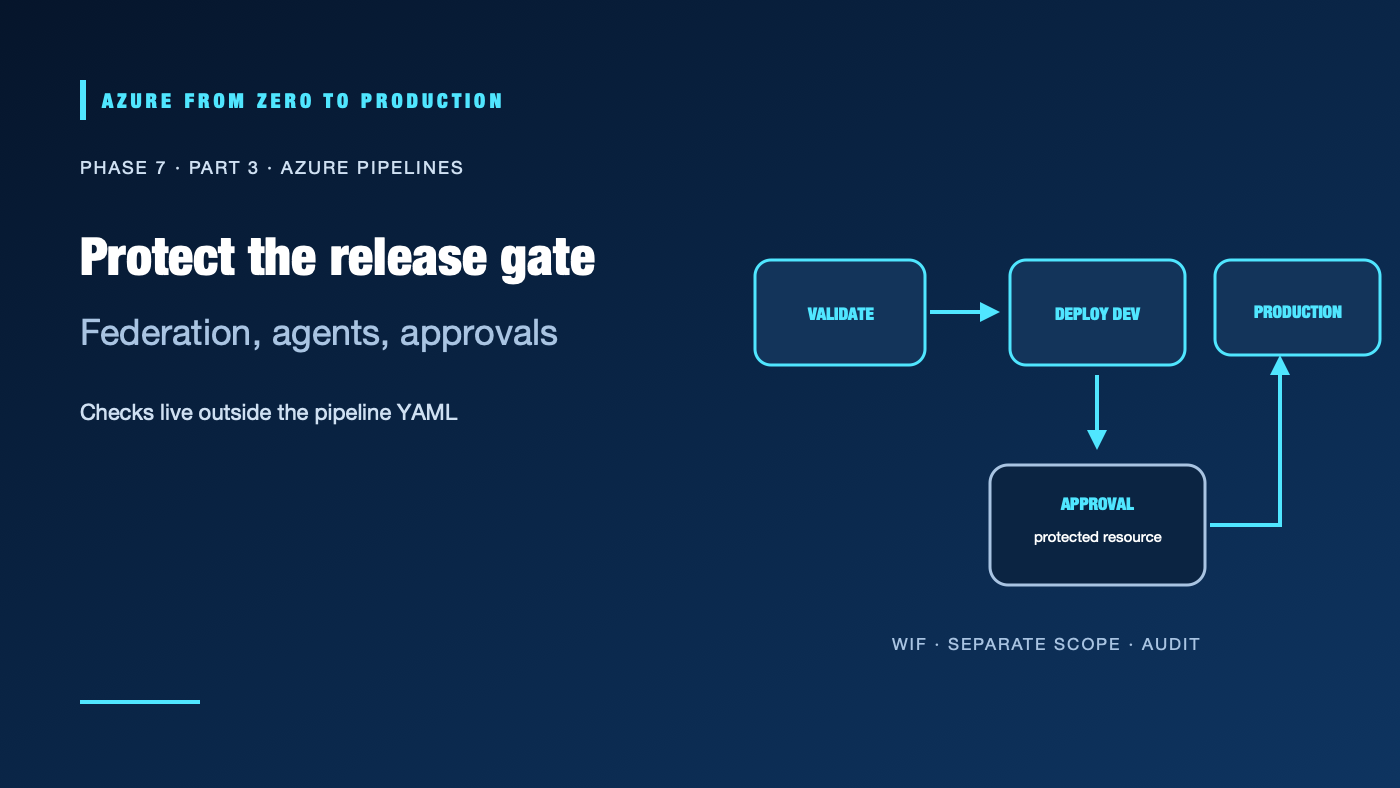
A YAML pipeline can say “deploy to production,” but a contributor who can edit that YAML should not be the only person who can approve the deployment. Azure Pipelines separates pipeline logic from checks on protected resources. Combined with a workload-identity-federated Azure Resource Manager service connection, that separation gives teams short-lived authentication and an approval boundary outside the repository.
What you’ll learn
- Identify Azure Repos, YAML pipelines, agents, artifacts, service connections, and environments.
- Configure a service connection that uses workload identity federation (WIF).
- Separate Azure authentication from Azure RBAC authorization.
- Require approval and checks on an environment or service connection.
- Choose between Microsoft-hosted and self-hosted agents.
Prerequisites
- Basic Git, YAML, Azure RBAC, and resource-group concepts.
- An Azure DevOps organization and project with pipeline permissions.
- An Azure subscription and permission to configure a scoped service connection; an administrator may need to create the Entra application or managed identity.
- No Azure resources are created by the sample pipeline; Azure DevOps parallel jobs and real deployment resources may incur charges.
The service connection is a trust boundary
Azure Pipelines organizes work into pipelines, stages, jobs, and tasks. A job runs on an agent. The Azure Resource Manager service connection supplies the task with an Azure identity. That identity’s federated credential trusts the Azure DevOps issuer and the intended project/pipeline context. Azure RBAC then authorizes the operation at its assigned scope.
Prefer WIF over a client secret for new Azure connections. Azure DevOps can configure an app registration automatically in scenarios where the creator has sufficient permission; Microsoft’s current guidance says the automatic option requires subscription Owner access. Do not grant Owner just to make setup convenient. Ask an authorized administrator to create a federated service connection with the narrow role and scope the pipeline needs, or use an appropriately scoped managed identity when supported.
Azure DevOps documentation also describes a public-cloud issuer transition: new applicable WIF connections use the Microsoft Entra issuer, while the legacy Azure DevOps issuer is scheduled to retire on July 1, 2027. Verify the issuer and exact subject shown by the service connection before configuring a federated credential. The retirement has cloud and connection-type exceptions; do not assume every tenant uses the same format.
Approvals belong to protected resources
Environments can record deployment history and target resources. Approvals and checks on Azure Pipelines environments, service connections, repositories, and other protected resources are managed by resource owners outside the pipeline YAML. The pipeline pauses before the stage that consumes a protected resource until its checks pass. This prevents a YAML-only condition from being the sole production gate.
Use a production environment with explicit approvers, branch-control checks, and a reasonable timeout. Limit who can administer service connections and change environment checks. A pipeline author should not approve their own risky change when separation of duties is required.
Hosted versus self-hosted agents
- Microsoft-hosted agents are convenient, maintained, and isolated per job. They are a strong default for public endpoints and standard build tools; each job starts from a clean image.
- Self-hosted agents can reach private endpoints or use specialized hardware, but the operator owns patching, network egress, tool supply, concurrency, and cleanup.
- A persistent self-hosted runner can retain files, credentials, or processes between jobs. Prefer ephemeral agents for privileged builds and isolate untrusted pull requests from deployment agents.
- Private-network access is not a reason to run untrusted code on a machine that has production credentials.
Hands-on: separate validation and deployment stages
This YAML assumes an Azure Resource Manager service connection named sc-azure-dev-wif. Configure a dev environment and a production environment in Azure DevOps, then add an approval/check to production using the environment’s Approvals and checks settings. For Azure Repos Git, configure pull-request validation through branch policies; the YAML pr trigger is not supported for Azure Repos Git.
trigger:
  branches:
    include:
      - main

pool:
  vmImage: ubuntu-24.04

stages:
  - stage: Validate
    jobs:
      - job: Tests
        steps:
          - checkout: self
          - script: |
              npm ci
              npm test
            displayName: Test the application

  - stage: DeployDev
    dependsOn: Validate
    condition: succeeded()
    jobs:
      - deployment: DeployDevApp
        environment: dev
        strategy:
          runOnce:
            deploy:
              steps:
                - checkout: self
                - task: AzureCLI@2
                  displayName: Deploy to development
                  inputs:
                    azureSubscription: sc-azure-dev-wif
                    scriptType: bash
                    scriptLocation: inlineScript
                    inlineScript: |
                      set -euo pipefail
                      az account show --output table
                      az containerapp update \
                        --name "$AZURE_CONTAINER_APP" \
                        --resource-group "$AZURE_RESOURCE_GROUP" \
                        --image "$AZURE_IMAGE_DIGEST" \
                        --output none
                  env:
                    AZURE_CONTAINER_APP: $(containerAppName)
                    AZURE_RESOURCE_GROUP: $(resourceGroupName)
                    AZURE_IMAGE_DIGEST: $(imageDigest)

  - stage: DeployProduction
    dependsOn: DeployDev
    condition: succeeded()
    jobs:
      - deployment: DeployProductionApp
        environment: production
        strategy:
          runOnce:
            deploy:
              steps:
                - checkout: self
                - task: AzureCLI@2
                  displayName: Promote the verified image
                  inputs:
                    azureSubscription: sc-azure-prod-wif
                    scriptType: bash
                    scriptLocation: inlineScript
                    inlineScript: |
                      set -euo pipefail
                      az containerapp update \
                        --name "$AZURE_CONTAINER_APP" \
                        --resource-group "$AZURE_RESOURCE_GROUP" \
                        --image "$AZURE_IMAGE_DIGEST" \
                        --output none
                  env:
                    AZURE_CONTAINER_APP: $(prodContainerAppName)
                    AZURE_RESOURCE_GROUP: $(prodResourceGroupName)
                    AZURE_IMAGE_DIGEST: $(imageDigest)
The sample’s variables represent an image digest created by an earlier build stage; do not accept it from an untrusted pull-request title or comment. AzureCLI@2 uses the selected service connection to authenticate. The connection is not a secret store, and a successful login does not grant access beyond the service principal or managed identity’s Azure roles.
✅ Checkpoint: A validation failure prevents DeployDev; DeployProduction depends on a successful dev stage and pauses at the separately configured production environment checks.
Security and operational design
Use a different service connection or identity for production where practical. Scope dev and production identities to separate resource groups and give the production app’s managed identity its own data-plane permissions. Avoid granting subscription Contributor if the task only updates one application. Keep service connection administration separate from ordinary pipeline editing.
Pipeline artifacts should be immutable and traceable to a commit. Retain test, approval, and deployment records. Use explicit stage dependencies and conditions; avoid broad always() conditions that can deploy after validation failed. A deployment environment records history but is not a backup or rollback mechanism.
Troubleshooting
- Service connection fails to authenticate: Compare the connection’s issuer, subject, and audience with the federated credential; check whether the connection is using the current issuer format.
AzureCLI@2logs in but resource update is denied: Authentication succeeded; add only the missing Azure RBAC action at the app’s intended scope.- Automatic WIF setup requests Owner: Stop rather than granting Owner for convenience. Ask an administrator to configure a manual or managed-identity WIF connection with scoped permissions.
- Production stage does not wait for approval: Confirm the deployment job targets the protected
productionenvironment and that the approval check is configured on the resource actually consumed. - PR validation never starts in Azure Repos: Configure a branch-policy build validation rule; the YAML
prtrigger is for supported external repository providers, not Azure Repos Git. - Self-hosted job sees files from a previous run: Replace persistent privileged agents with isolated or ephemeral workers and review caches and workspace cleanup.
Cost and production considerations
Microsoft-hosted agents consume included or paid parallel-job capacity depending on the organization. Self-hosted agents incur VM, storage, network, maintenance, and security costs. Azure deployment costs are driven by the target services, not by whether a pipeline deployed them. Keep build artifacts and logs only as long as needed for diagnosis, compliance, and rollback.
Five-pillar readiness checklist
- Reliability: Require health checks and make rollback artifacts available.
- Security: Use WIF, scoped service connections, separate prod identities, and resource-owned approval checks.
- Cost Optimization: Select the smallest useful agent and avoid idle self-hosted pools.
- Operational Excellence: Maintain pipeline templates, environment ownership, logs, and clear recovery instructions.
- Performance Efficiency: Measure queue time, build duration, artifact size, and app warm-up.
Cleanup
The example created no Azure resources. Remove only lab-owned service connections, federated credentials, environments, and agent pools after confirming no other pipeline depends on them. Keep audit records required by your organization.
Key takeaways
- WIF removes a stored service-principal secret; it does not remove Azure RBAC.
- Do not grant subscription Owner solely for automatic service-connection setup.
- Put production approval checks on protected resources, outside YAML.
- Use branch policies for Azure Repos Git pull-request validation.
- Treat self-hosted agents as privileged infrastructure.
Next: DevSecOps for Azure workloads.
Series navigation: Previous: GitHub Actions and Azure · Current: Phase 7, Part 3 · Next: DevSecOps