A VM owner snapshots a disk and calls it a backup. A database administrator protects a database but has never restored it. Both teams have copies; neither has proof they can recover the service within the required time.
What you’ll learn
- Compare Azure Managed Disks, Azure Files, and Blob Storage.
- Distinguish snapshots from application-consistent backups.
- Explain Recovery Services vault and Backup vault responsibilities at a high level.
- Build a restore test around recovery point and recovery time objectives.
- Inspect existing recovery vaults without changing them.
Where this fits
Module 20, Phase 5, Part 2. Read Blob Storage first. Next: Azure SQL or PostgreSQL?.
Prerequisites
- Basic Azure VM and storage knowledge.
- Azure CLI 2.91.0+ and Reader access for the exercise.
- No resources are created; cost is none.
Match the storage abstraction
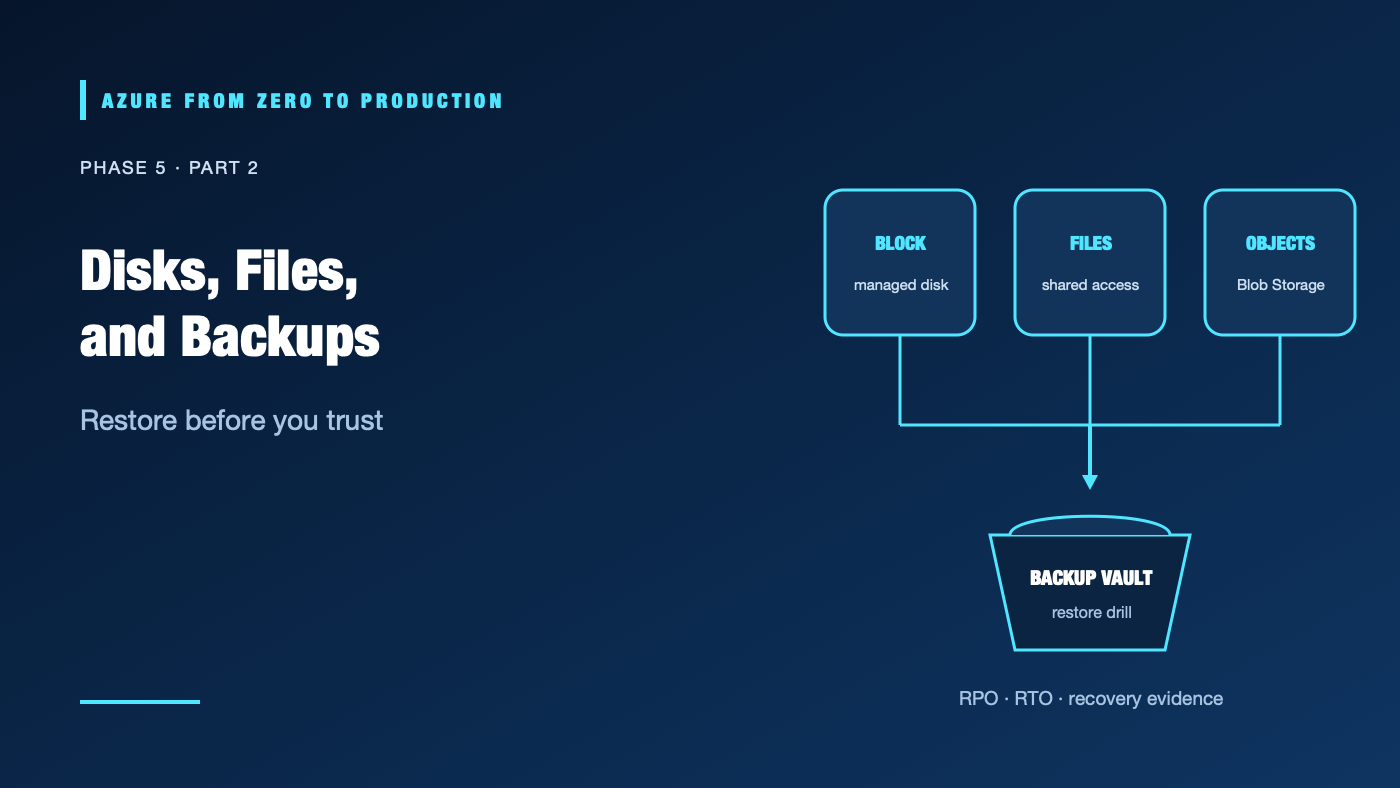
- Managed Disks provide block storage for Azure VMs. Choose performance and redundancy based on I/O, latency, and durability needs. A disk snapshot captures a point-in-time disk state, but it does not automatically quiesce an application or protect all related resources.
- Azure Files provides managed SMB/NFS file shares for shared file access patterns, subject to protocol, networking, and identity requirements.
- Blob Storage provides object storage through APIs; it is not a drop-in shared filesystem unless a specific protocol/feature is configured.
Don’t use a VM disk to share files among multiple independent systems when a file service or object store is a better fit. Don’t assume a file share is a database or that snapshots are always application-consistent.
Backup is a recovery system
Azure Backup uses policies and vaults to protect supported workloads. A backup policy defines schedule and retention. Vault type and workload determine the supported configuration, isolation, soft delete, immutability, and restore options. Azure Site Recovery is for disaster-recovery replication/failover; backup and DR solve different problems.
For every system, define:
- Recovery point objective (RPO): how much recent data the business can lose.
- Recovery time objective (RTO): how long the service can be unavailable.
- Retention and legal requirements.
- Recovery permissions and separation of duties.
- A restore test, including application validation and network/DNS cutover.
A backup that cannot be restored, decrypted, or authorized in the recovery environment is not a usable recovery plan.
Hands-on: inventory recovery vaults (read only)
RESOURCE_GROUP="<EXISTING_RESOURCE_GROUP>"
az backup vault list --resource-group "$RESOURCE_GROUP" \
  --query "[].{name:name, location:location, type:properties.vaultType}" \
  --output table
If the resource group contains no vault, that does not prove backups are absent; check the correct scope and the workload’s protection configuration.
✅ Checkpoint: Identify the vault and location, then document where you would verify protected items, policy, last recovery point, and restore permissions.
Security, cost, and production
Protect backups from accidental deletion and ransomware using supported immutability, soft-delete, and vault security options. Separate backup administration from workload administration. Encrypt data and monitor policy/restore failures. Test that the recovery identity has access without granting broad production rights.
Costs can include disk capacity, snapshots, protected instances, backup storage, transactions, egress, and retained recovery points. Retention and redundancy choices often dominate long-term spend. Verify current workload support, vault constraints, and regional pricing.
Troubleshooting
- Backup job fails: Check policy association, vault permissions, provider state, workload agent/extension, and service health.
- Restore point is older than expected: Review schedule, retention, last successful job, and source workload changes.
- Restored VM cannot start: Check disk/VM generation, networking, boot diagnostics, extensions, and encryption dependencies.
- Files restore but application is inconsistent: Use application-aware backup or quiesce the workload; validate transaction consistency.
- Vault deletion is blocked: Remove protected items and recovery points according to retention and soft-delete policy; do not disable safeguards blindly.
- Snapshot costs grow: Inspect orphaned and incremental snapshots, retention, and disk lifecycle.
- Recovery is slower than RTO: Rehearse restore time, data transfer, DNS, access approval, and failover steps.
Five-pillar readiness checklist
- Reliability: Set RPO/RTO and run restore drills with application owners.
- Security: Separate backup permissions and protect recovery points from deletion.
- Cost Optimization: Review snapshots, retention, redundancy, and protected instance inventory.
- Operational Excellence: Alert on failed jobs and record recovery evidence.
- Performance Efficiency: Measure backup windows, restore throughput, and service startup time.
Cleanup
No Azure resources were created. No cleanup is needed.
Key takeaways
- Disks, files, and blobs offer different data access models.
- A snapshot is not automatically an application-consistent backup.
- Backup and disaster recovery are complementary, not interchangeable.
- RPO and RTO must be validated by restore drills.
- Retained recovery points can continue to incur cost.
Next: Azure SQL or PostgreSQL? Choose and Operate a Relational Database.
Series navigation: Previous: Azure Blob Storage · Current: Phase 5, Part 2 · Next: Relational Databases