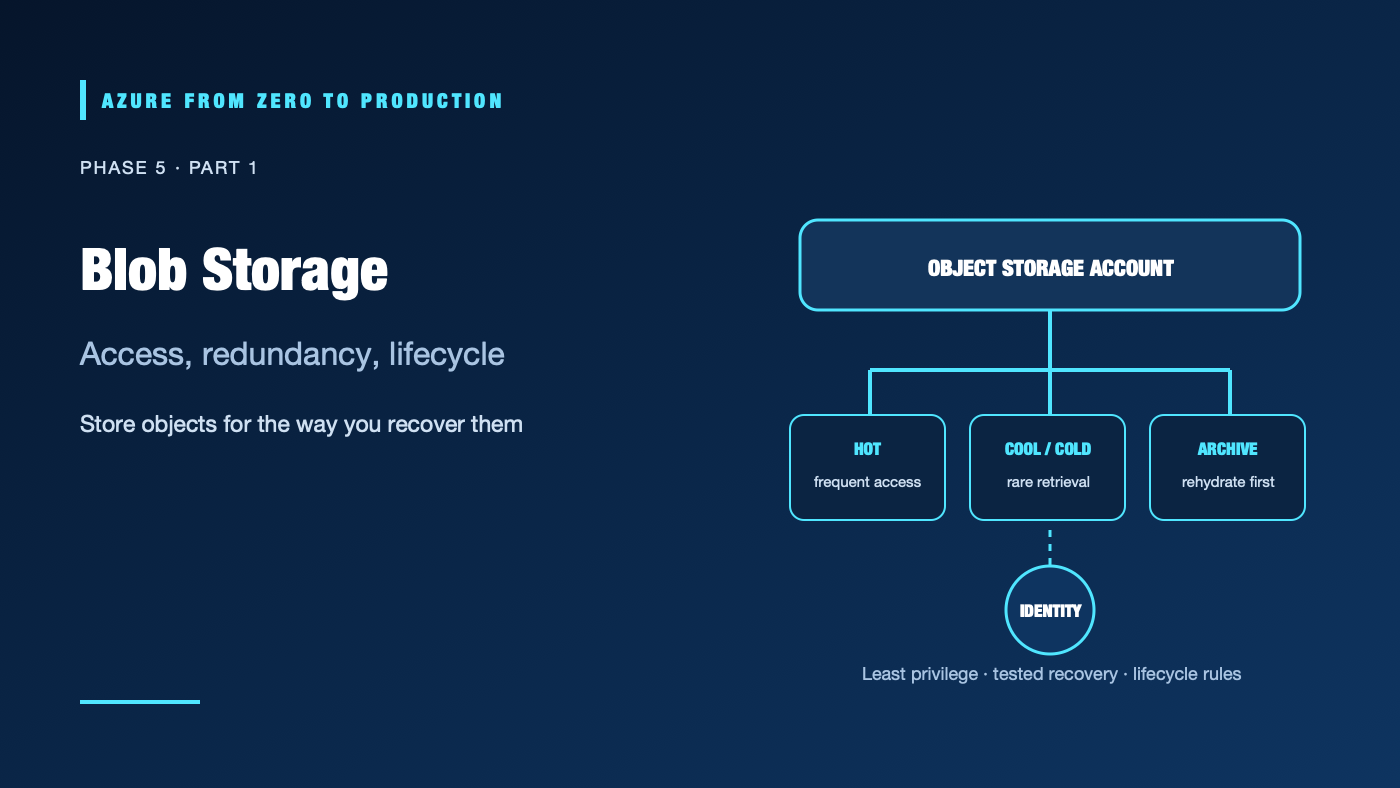
A team archives old exports to a cool tier, then needs them every day. The capacity charge falls, but retrieval, transactions, and early-deletion charges rise. Object storage cost and risk depend on access patterns, redundancy, identity, and retention—not on storage size alone.
What you’ll learn
- Explain storage accounts, containers, and blobs.
- Compare hot, cool, cold, archive, and current automated tiering options.
- Choose redundancy and lifecycle policies from recovery requirements.
- Use Microsoft Entra ID and data-plane roles instead of storage keys.
- Inspect storage account configuration with a read-only command.
Where this fits
Module 19 and Phase 5, Part 1. Phase 4 covered compute; this phase covers durable data. Next: Disks, Files, and Backups.
Prerequisites
- Basic Azure resource-group and data-storage concepts.
- Azure CLI 2.91.0+ and Reader access for the optional exercise.
- No resources are created; cost is none.
Blob Storage is object storage
An Azure Storage account supplies a namespace and shared settings. A container groups blobs, and a blob stores an object. Blob Storage fits unstructured data such as images, documents, backups, logs, and analytics files. It is not a POSIX filesystem or a relational database, though hierarchical namespace can add directory semantics for analytics workloads.
Access tiers are an economics decision
- Hot: Frequent access; higher storage cost, typically lower access cost.
- Cool: Infrequent online access; lower storage cost, higher access charges, and a minimum recommended retention period.
- Cold: Rare online access when low-latency retrieval is still needed; higher access costs and a longer minimum retention period.
- Archive: Offline storage with rehydration delay and retrieval charges; intended for data that can wait.
- Smart tier: Where supported, automatically moves eligible data among supported online tiers based on usage. Review eligibility, policy behavior, and prices before relying on automation.
Tier availability, minimum retention periods, and rehydration behavior can change. Model reads, writes, listing, early deletion, retrieval, replication, and data transfer—not only per-GB-month prices.
Redundancy protects specific failure domains
LRS keeps copies in one physical datacenter. ZRS synchronously replicates across availability zones in a region. GRS/GZRS replicate to a secondary region; read-access variants can provide secondary reads. Geo-replication does not guarantee that your application automatically fails over or that every account type supports the same behavior.
Storage redundancy is not a backup strategy. Accidental overwrite, malicious deletion, or corrupted application data can replicate. Combine redundancy with versioning, soft delete, immutability where required, and tested backup/restore.
Identity and data access
Azure RBAC roles authorize management operations. Blob data access uses data-plane roles such as Storage Blob Data Reader or Storage Blob Data Contributor, scoped as narrowly as possible. A storage account key has broad account-level power; avoid using it in application settings. Shared access signatures are delegated credentials that need strict scope, lifetime, and handling.
Hands-on: inspect storage account settings
RESOURCE_GROUP="<EXISTING_RESOURCE_GROUP>"
az storage account list --resource-group "$RESOURCE_GROUP" \
  --query "[].{name:name, sku:sku.name, kind:kind, location:location, publicAccess:publicNetworkAccess}" \
  --output table
This reads management-plane metadata; it does not prove that your identity can read blobs.
✅ Checkpoint: Identify the account’s SKU and public-network setting. Do not copy internal account names or network details into a public issue.
Security, cost, and production choices
Disable anonymous blob access unless there is a reviewed public-content requirement. Prefer Entra ID, private endpoints for private workloads, and narrowly scoped data roles. Apply immutability only with explicit retention/legal requirements; locked policies can prevent deletion.
Cost includes stored capacity, transactions, retrieval, early deletion, replication, private endpoints, data transfer, and monitoring. Archive reduces capacity cost but adds retrieval delay and charges. Verify current regional prices and access-tier minimums.
Troubleshooting
- Upload returns 403: Check tenant, token, storage data-plane role, firewall, and target container.
- Reader can list the account but not blobs: Management-plane Reader is not a blob data role.
- Unexpected bill after tier change: Inspect retrieval and early-deletion operations, transaction counts, and transfer.
- Archive object is unavailable: Rehydrate it to an online tier and wait for the service operation to complete.
- Lifecycle policy did not move data: Check filters, prefix/tags, last-modified age, policy status, blob type, and supported tier transitions.
- Application still uses account keys: Trace configuration and code paths; replace key auth with a managed identity and test the data role.
- Deleted object cannot be restored: Verify soft-delete/versioning configuration and retention window before deletion; replicated copies are not point-in-time backups.
Five-pillar readiness checklist
- Reliability: Define redundancy and recovery behavior; test restore separately.
- Security: Use Entra ID, disable anonymous access, and scope data-plane roles.
- Cost Optimization: Use lifecycle policies only after modeling retrieval and retention.
- Operational Excellence: Monitor policy actions, failures, capacity, and restore tests.
- Performance Efficiency: Measure throughput, transaction patterns, object size, and client concurrency.
Cleanup
No Azure resources were created. No cleanup is needed.
Key takeaways
- A storage account contains containers; containers contain blobs.
- Tiering trades storage cost against retrieval cost and latency.
- Redundancy is not a backup.
- Management Reader does not automatically grant blob reads.
- Use identity-based access and verify lifecycle behavior.
Next: Disks, Files, and Backups: Restore Before You Trust.
Series navigation: Previous: Deploy a Containerized API · Current: Phase 5, Part 1 · Next: Disks, Files, and Backups