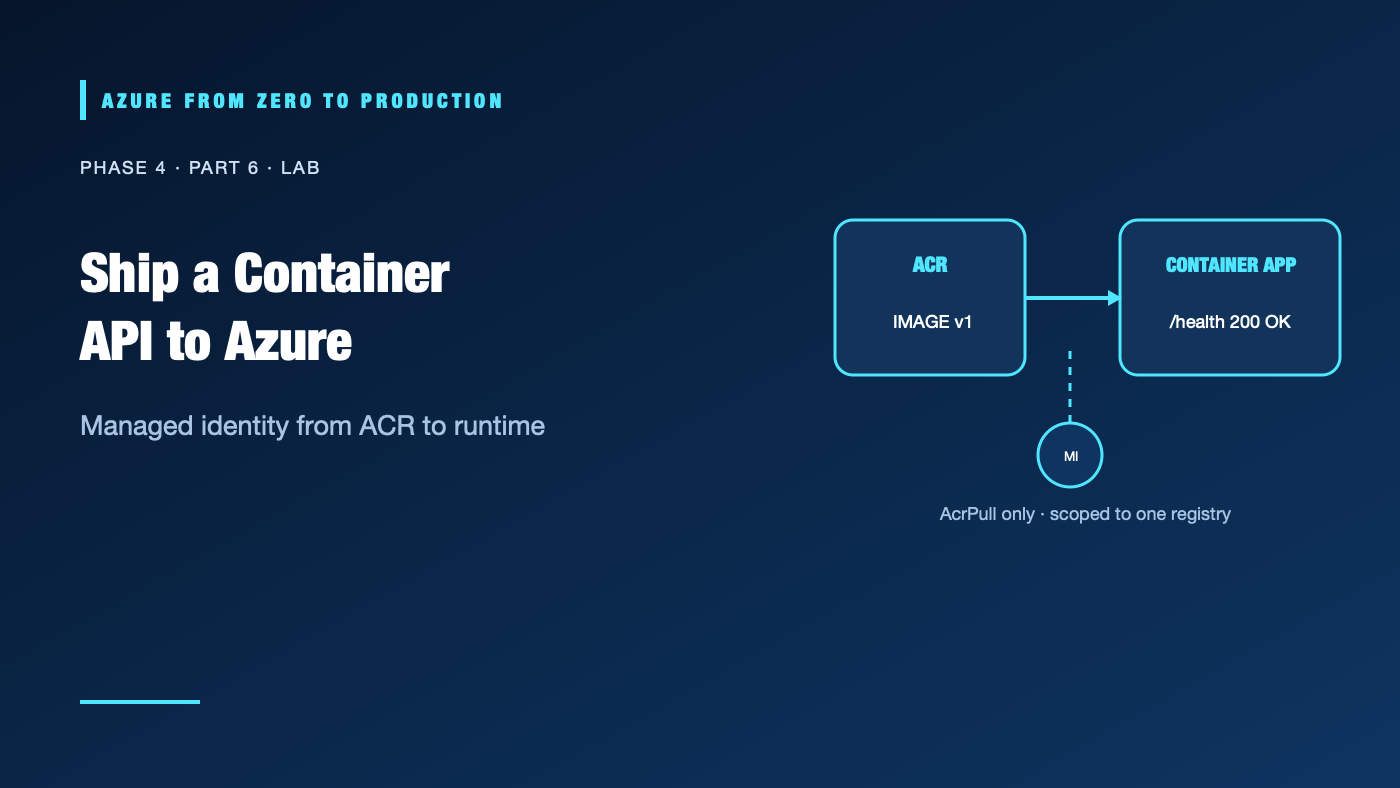
A container image that works on a laptop can still fail in Azure because the registry is private, the app listens on the wrong port, or the runtime has no permission to pull the image. This lab builds a small API in Azure Container Registry (ACR), deploys it to Azure Container Apps, and verifies its health endpoint, logs, and revision.
The lab creates billable Azure resources. Use a development subscription, follow the cleanup, and do not deploy production data. The commands have been checked against Azure CLI 2.91.0 help but have not been run against a live subscription.
What you’ll build
- A dedicated resource group, Basic ACR, Container Apps environment, and app.
- A tiny HTTP service exposing
/healthon port 8080. - A user-assigned managed identity with ACR pull access only.
- An externally reachable Container App for this temporary test.
- A validated health response, console logs, and active revision.
Prerequisites
- An Azure development subscription and permission to create resource groups, ACR, user-assigned identities, Container Apps, and environments.
- Azure RBAC permissions to assign
AcrPullat the new registry scope. This requires a role withMicrosoft.Authorization/roleAssignments/write, such as User Access Administrator or Role Based Access Control Administrator; Contributor alone is insufficient. Microsoft.App,Microsoft.ContainerRegistry, andMicrosoft.ManagedIdentityproviders registered.- Azure CLI 2.91.0 or later, Bash,
curl,uuidgen, andmktemp. - A region that supports Container Apps and the chosen ACR SKU. Verify current availability and quotas.
- Estimated time: 45–75 minutes.
- Cost: the registry, Container Apps environment/replicas, image build, logs, public ingress, and outbound data can incur charges. Delete resources immediately after testing.
Architecture
Your terminal --az acr build--> Azure Container Registry
                                      ^
                                      | AcrPull scoped to this registry
                                      |
Container App <-- managed identity --+
     |
     +-- HTTPS ingress --> /health on port 8080
     +-- revision and console logs
The managed identity is the app’s workload identity. It is not your human CLI identity. The CLI identity builds and publishes the image; the app identity pulls it at runtime. Neither identity needs a registry password.
Step 1: Select and validate your subscription
az login
az account list --query "[?state=='Enabled'].{name:name, isDefault:isDefault}" --output table
az account set --subscription "<YOUR_DEVELOPMENT_SUBSCRIPTION_ID_OR_NAME>"
az account show --query "{name:name, id:id, tenantId:tenantId}" --output table
Stop if this is not the intended development subscription.
Step 2: Create a small API image
Keep all commands in the same Bash session so variables remain available.
set -euo pipefail
SUFFIX="$(uuidgen | tr -d '-' | tr '[:upper:]' '[:lower:]' | cut -c1-8)"
LOCATION="eastus"
RESOURCE_GROUP="rg-aca-lab-${SUFFIX}"
ACR_NAME="acrazlearn${SUFFIX}"
IDENTITY_NAME="mi-aca-pull-${SUFFIX}"
ENVIRONMENT_NAME="cae-api-${SUFFIX}"
APP_NAME="ca-api-${SUFFIX}"
IMAGE_TAG="sample-api:v1"
SOURCE_DIR="$(mktemp -d)"

cat > "$SOURCE_DIR/server.py" <<'PY'
from http.server import BaseHTTPRequestHandler, HTTPServer
import json


class Handler(BaseHTTPRequestHandler):
    def do_GET(self):
        if self.path != "/health":
            self.send_error(404)
            return
        body = json.dumps({"status": "ok"}).encode()
        self.send_response(200)
        self.send_header("Content-Type", "application/json")
        self.send_header("Content-Length", str(len(body)))
        self.end_headers()
        self.wfile.write(body)


HTTPServer(("0.0.0.0", 8080), Handler).serve_forever()
PY

cat > "$SOURCE_DIR/Dockerfile" <<'DOCKER'
FROM python:3.12-slim
WORKDIR /app
COPY server.py .
USER 10001
EXPOSE 8080
CMD ["python", "server.py"]
DOCKER

az group create --name "$RESOURCE_GROUP" --location "$LOCATION" \
  --tags purpose=learning lab=container-apps --output none

az acr create --resource-group "$RESOURCE_GROUP" --name "$ACR_NAME" \
  --location "$LOCATION" --sku Basic --admin-enabled false \
  --role-assignment-mode rbac --output none

az acr build --registry "$ACR_NAME" --image "$IMAGE_TAG" "$SOURCE_DIR"
ACR_LOGIN_SERVER="$(az acr show --resource-group "$RESOURCE_GROUP" \
  --name "$ACR_NAME" --query loginServer --output tsv)"
The build runs in ACR, so a local Docker daemon is not required. The sample is intentionally minimal; production images should use a reviewed base, dependency checks, immutable digest references, and a tested vulnerability-management policy.
✅ Checkpoint: ACR reports the sample-api:v1 image, and its login server ends in .azurecr.io.
Step 3: Create a pull identity and grant narrow access
Managed identity image pulls require the registry to accept Microsoft Entra ARM-audience tokens. Check the registry setting; if it is disabled, an authorized registry administrator can enable it.
ARM_AUTH_STATUS="$(az acr config authentication-as-arm show \
  --registry "$ACR_NAME" --query status --output tsv)"
if [ "$ARM_AUTH_STATUS" != "enabled" ]; then
  az acr config authentication-as-arm update \
    --registry "$ACR_NAME" --status enabled
fi

az identity create --resource-group "$RESOURCE_GROUP" \
  --name "$IDENTITY_NAME" --location "$LOCATION" --output none
IDENTITY_ID="$(az identity show --resource-group "$RESOURCE_GROUP" \
  --name "$IDENTITY_NAME" --query id --output tsv)"
IDENTITY_PRINCIPAL_ID="$(az identity show --resource-group "$RESOURCE_GROUP" \
  --name "$IDENTITY_NAME" --query principalId --output tsv)"
ACR_ID="$(az acr show --resource-group "$RESOURCE_GROUP" \
  --name "$ACR_NAME" --query id --output tsv)"

ROLE_ASSIGNMENT_ID="$(az role assignment create \
  --assignee-object-id "$IDENTITY_PRINCIPAL_ID" \
  --assignee-principal-type ServicePrincipal \
  --role AcrPull --scope "$ACR_ID" --query id --output tsv)"
The assignment is scoped to this lab registry, not the subscription. If the registry uses repository-level ABAC permissions instead of the classic registry RBAC model, assign the corresponding repository reader role and condition required by that model.
✅ Checkpoint: az role assignment list --scope "$ACR_ID" --query "[?principalId=='$IDENTITY_PRINCIPAL_ID'].roleDefinitionName" --output tsv includes AcrPull.
Step 4: Deploy the app with its managed identity
az containerapp env create --resource-group "$RESOURCE_GROUP" \
  --name "$ENVIRONMENT_NAME" --location "$LOCATION"

az containerapp create --resource-group "$RESOURCE_GROUP" \
  --name "$APP_NAME" --environment "$ENVIRONMENT_NAME" \
  --image "${ACR_LOGIN_SERVER}/${IMAGE_TAG}" \
  --ingress external --target-port 8080 \
  --user-assigned "$IDENTITY_ID" \
  --registry-server "$ACR_LOGIN_SERVER" \
  --registry-identity "$IDENTITY_ID" \
  --min-replicas 1 --max-replicas 1 --output none
The identity is attached to the app and separately selected for registry authentication. The minimum of one replica makes this learning endpoint responsive but can incur ongoing compute charges until cleanup.
✅ Checkpoint: The app has an active revision and reports an external HTTPS FQDN:
FQDN="$(az containerapp show --resource-group "$RESOURCE_GROUP" \
  --name "$APP_NAME" --query properties.configuration.ingress.fqdn \
  --output tsv)"
printf 'https://%s\n' "$FQDN"
Step 5: Verify health, logs, and revision
curl --fail --show-error --retry 10 --retry-delay 5 \
  --retry-connrefused "https://${FQDN}/health"

az containerapp logs show --resource-group "$RESOURCE_GROUP" \
  --name "$APP_NAME" --type console --tail 20

az containerapp revision list --resource-group "$RESOURCE_GROUP" \
  --name "$APP_NAME" --output table
Expected health response:
{"status": "ok"}
✅ Checkpoint: The endpoint returns HTTP 200 with the JSON body, logs show the request, and the latest revision is active.
Security and cost notes
- This temporary app uses external ingress so the endpoint can be tested from a browser or terminal. Do not expose sensitive endpoints this way; production APIs need authentication and deliberate ingress boundaries.
- The user-assigned identity has only
AcrPullat one registry. It does not have permission to change registry content or deploy Azure resources. - The terminal identity created the image and assigned the role; keep those operator permissions separate from the app identity.
- The example uses a mutable tag for convenience. Production should deploy a reviewed immutable digest and define an image update process.
- ACR Basic, build operations, Container Apps replicas, environment logging, egress, and public ingress can all incur charges. Budgets alert; they do not stop the resources.
Troubleshooting
- ACR build fails: Check the Dockerfile/context path, build logs, registry quota, and source files.
- Image pull is unauthorized: Verify ARM token support, role assignment scope, identity attachment, registry identity selection, and role propagation.
- Role assignment exists but pull still fails: Allow time for role propagation, inspect the app’s selected identity, and create a fresh revision after access is available.
- App revision fails to provision: Inspect system logs, image tag, CPU/memory, ingress target port, and environment readiness.
- Health endpoint times out: Check the app FQDN, external ingress, target port 8080, active revision, and container startup logs.
- Health responds 404: Request
/healthexactly; the sample returns 404 for other paths. - Logs are empty: Confirm the revision is running, generate a request, and query console rather than system logs.
- Unexpected ACR permission error: Check whether the registry uses RBAC or repository ABAC; use the least-privilege role that matches its authorization mode.
- Costs continue after testing: Delete the dedicated resource group and check for the role assignment if cleanup was interrupted.
Five-pillar readiness checklist
- Reliability: Add readiness/liveness behavior and test a revision rollback.
- Security: Authenticate the API, use managed identity, scan images, and avoid admin credentials.
- Cost Optimization: Limit replicas, monitor registry/environment charges, and clean up immediately.
- Operational Excellence: Capture image digest, revision, build output, logs, and rollback steps.
- Performance Efficiency: Measure cold start, request latency, concurrency, and resource limits.
Cleanup
First revoke the role assignment, then delete the dedicated group. Verify the group name before deletion:
printf 'Role assignment: %s\nResource group: %s\n' \
  "$ROLE_ASSIGNMENT_ID" "$RESOURCE_GROUP"
az role assignment delete --ids "$ROLE_ASSIGNMENT_ID"
az group show --name "$RESOURCE_GROUP" --query "{name:name, location:location}" --output table
Only if the group is lab-owned and contains no needed resources, delete it:
az group delete --name "$RESOURCE_GROUP" --yes --no-wait
Confirm completion later with az group exists --name "$RESOURCE_GROUP". Remove the local sample files when done:
cd /
rm -f "$SOURCE_DIR/Dockerfile" "$SOURCE_DIR/server.py"
rmdir "$SOURCE_DIR"
Do not delete a shared resource group. If the shell session is lost before cleanup, find the tagged rg-aca-lab-* group and verify its contents before removing it.
Key takeaways
- Build and publish the image separately from runtime image pulls.
- The app’s managed identity needs a narrowly scoped registry pull role.
- A successful revision still needs a working route, target port, and health check.
- External ingress and a one-replica minimum are temporary lab choices, not production defaults.
- Remove the role assignment and billable resources after testing.
Next: Azure Blob Storage: Access, Redundancy, and Lifecycle Explained.
Series navigation: Previous: App Service or Functions · Current: Phase 4, Part 6 · Next: Azure Blob Storage (planned)