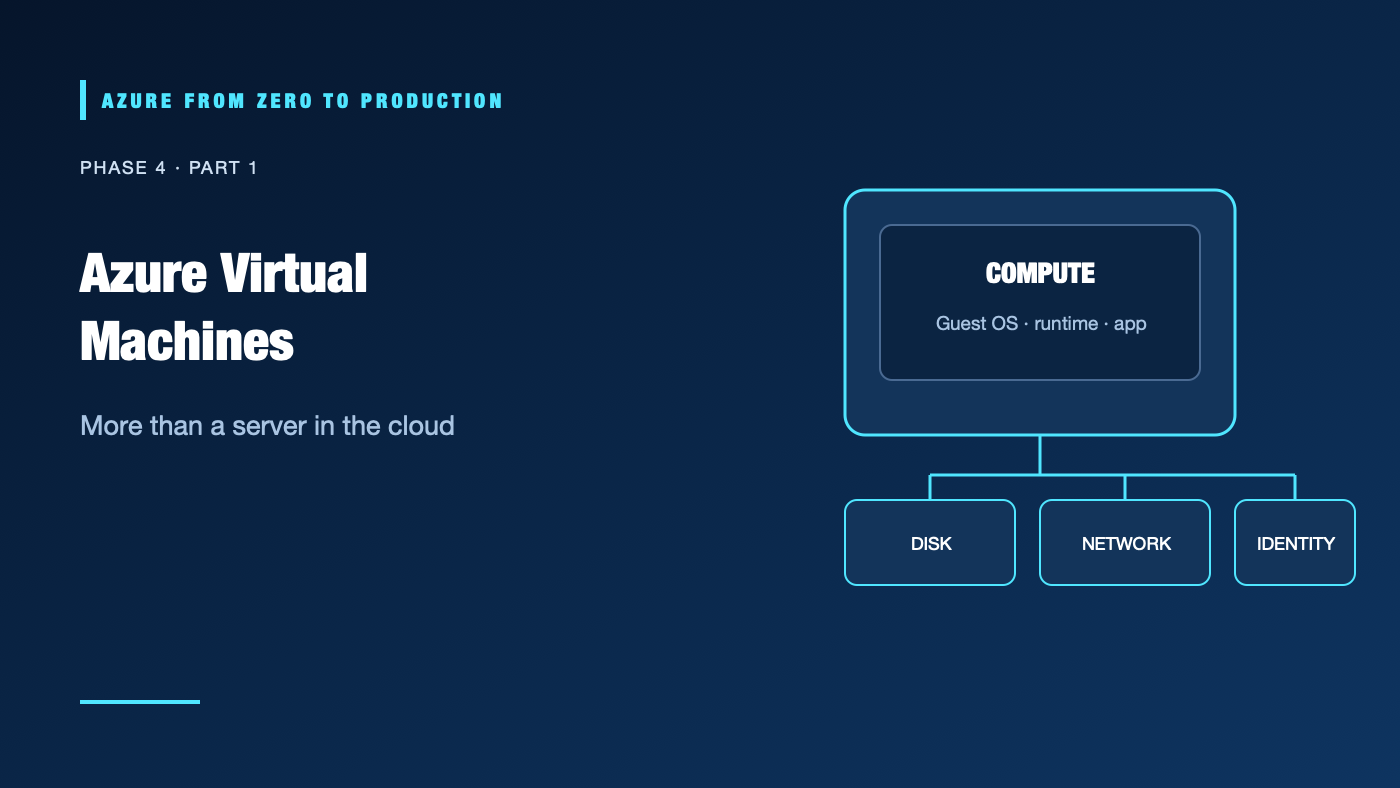
A team lifts a legacy service into a virtual machine and expects the cloud provider to keep the operating system patched, the disk backed up, and the application available. Azure supplies compute infrastructure; it does not operate the guest OS for you. The VM is a flexible choice, but it transfers real operational work to your team.
What you’ll learn
- Identify the resources and billing dimensions behind an Azure VM.
- Choose a VM size, image, disk, and availability model using workload needs.
- Distinguish VM power states, including stopped from deallocated.
- Secure VM administration with private access and managed identity.
- Inspect available VM sizes with a read-only Azure CLI command.
Where this fits
Module 14 and Phase 4, Part 1. Phase 3 covered network paths; this phase chooses where workloads execute. Next: Handle Traffic Spikes with Azure VM Scale Sets.
Prerequisites
- Basic Azure resource-group, networking, and CLI knowledge.
- Azure CLI 2.91.0+ and Reader access for the optional exercise.
- No Entra roles, data-plane roles, or deployment permissions needed.
- Cost: none for the read-only exercise; no VM is created.
What an Azure VM includes
An Azure VM is a compute resource attached to supporting resources: a virtual network interface, operating-system disk, optional data disks, and often public or private IP resources. Azure supplies the hypervisor and physical infrastructure. You administer the guest operating system, packages, runtime, firewall, application, and patching policy.
Azure VM
├── Compute size + image
├── OS disk + optional data disks
├── Network interface -> subnet / NSG / routes
└── Optional public IP, diagnostics, backup, identity
Choose the machine, not just the price
An image defines an operating-system baseline. A VM size controls vCPU, memory, and other hardware characteristics. Compare expected load, memory pressure, disk throughput, network performance, and available quotas. Sizes and availability vary by region and subscription. A size appearing in a list does not guarantee quota or capacity.
Managed disks have performance and redundancy tiers. Separate OS, data, and temporary data according to durability requirements. Temporary disk contents are not durable storage. Backups and snapshots need their own retention, access, and restore plan.
Availability and maintenance
Availability zones, availability sets, and VM scale sets solve different availability and fleet-management problems. A single VM is a single instance of application capacity even if its disk is highly durable. For service continuity, design multiple instances, health checks, and data recovery.
Azure manages physical hosts and maintenance operations, but you still need to monitor and patch the guest OS. Use Azure Update Manager or a tested configuration-management approach. Boot diagnostics, serial console, and VM extensions can help operate a machine, but extensions run with significant VM privileges and should be governed.
Power state is not billing state
Stopping an OS from inside the VM can leave the VM allocated; compute charges can continue. A VM stopped/deallocated through Azure releases compute allocation, but attached disks and other resources can still incur charges. Never assume “stopped” means “free.” Confirm the displayed power state and review all attached resources.
Hands-on: compare sizes in a region
This command is read-only and lists size metadata for a region:
LOCATION="eastus"
az vm list-sizes --location "$LOCATION" \
  --query "[].{name:name, vCPUs:numberOfCores, memoryMB:memoryInMB}" \
  --output table
Use the output to compare candidate sizes, then check current regional availability, quota, and workload limits before deployment.
✅ Checkpoint: You can explain why a size listing is not a capacity guarantee and name the resources that remain billable after deallocation.
Security and cost
- Prefer private administration through Azure Bastion or an approved VPN; do not expose SSH/RDP broadly.
- Use Microsoft Entra sign-in where supported, just-in-time access where appropriate, and a managed identity for Azure API access.
- Do not store credentials in custom data, scripts, VM extensions, or images.
- Cost includes compute while allocated, disks, snapshots, IPs, backup, monitoring, and network transfer. Reservations and savings plans change billing commitments; they do not reduce operational responsibility.
- Verify VM SKU availability, Trusted Launch defaults, and current prices before implementation.
Troubleshooting
- VM creation fails with quota error: Check family and regional quota, then request an approved increase or select an available size.
- VM starts but application is unreachable: Inspect NIC/subnet NSGs, routes, guest firewall, listener, and DNS in order.
- SSH/RDP stopped working: Verify VM state, access path, source restrictions, and guest OS health; do not open all source addresses.
- Disk full or slow: Check disk capacity, SKU, IOPS/throughput limits, filesystem usage, and temporary-disk assumptions.
- Unexpected charges after shutdown: Confirm the VM is deallocated and inspect disks, public IP, backup, and monitoring resources.
- Extension fails: Check extension status, identity/permissions, outbound connectivity, and guest agent health; avoid rerunning unsafe scripts blindly.
- Boot fails after patching: Use boot diagnostics and recovery methods, restore from a tested backup, and investigate the update ring.
Five-pillar readiness checklist
- Reliability: Use tested backup/restore and multiple instances where downtime is unacceptable.
- Security: Harden images, patch regularly, restrict management access, and use managed identities.
- Cost Optimization: Right-size, deallocate nonproduction VMs, and include disks and networking in estimates.
- Operational Excellence: Automate configuration, patching, monitoring, and recovery runbooks.
- Performance Efficiency: Measure CPU, memory, disk, and network bottlenecks before resizing.
Cleanup
No Azure resources were created. No cleanup is needed.
Key takeaways
- Azure provides the VM infrastructure; you own the guest OS and application operations.
- The VM is only one item in a resource and cost chain.
- A stopped VM may still be allocated; deallocated VMs still have billable dependencies.
- A VM-size listing is not a capacity or quota guarantee.
- Use VMs when OS-level control is worth the patching and operating burden.
Next: Handle Traffic Spikes with Azure VM Scale Sets.
Series navigation: Previous: Build a Private Azure Network · Current: Phase 4, Part 1 · Next: VM Scale Sets