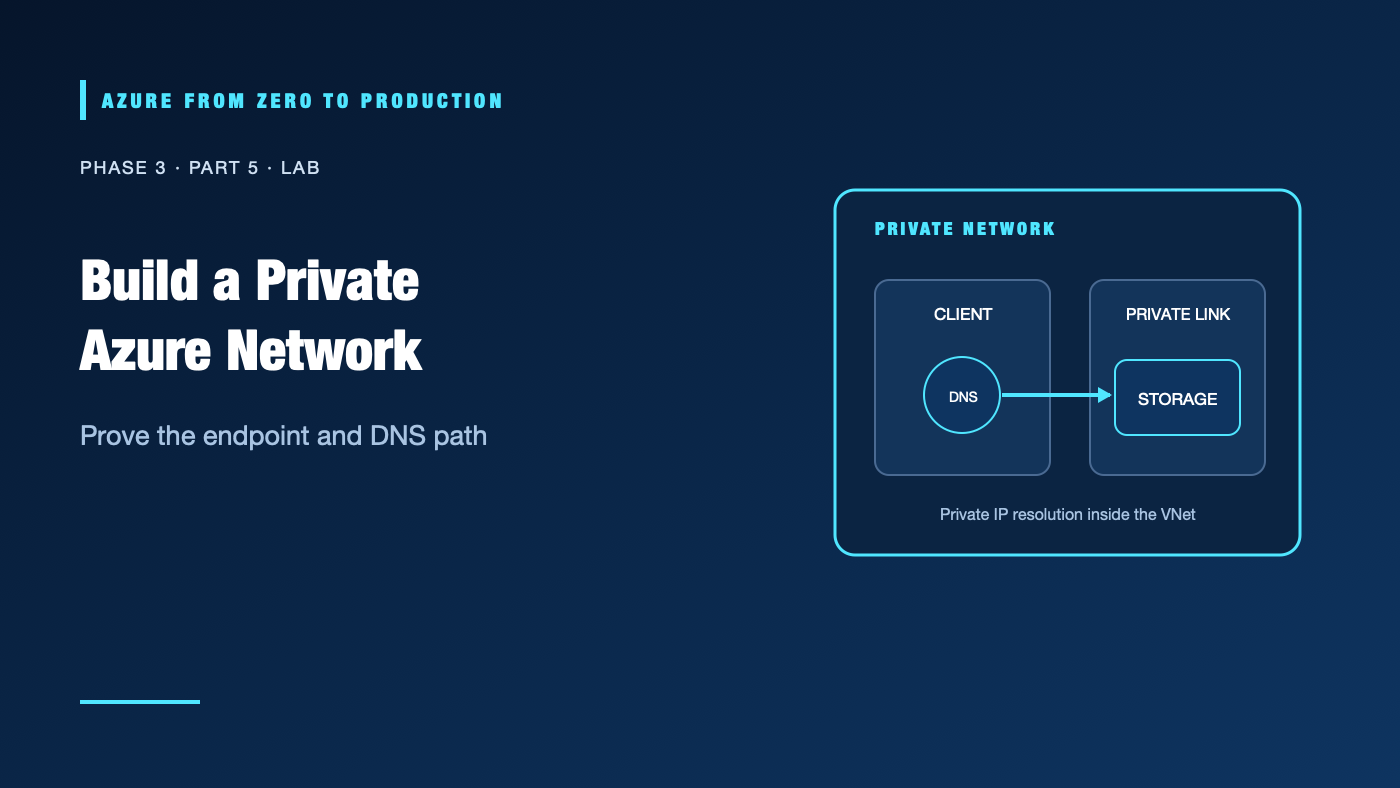
A private endpoint can look correct in the portal and still fail from the application. This lab makes the network path observable: an isolated VNet, an endpoint subnet, a storage account with public access disabled, and a linked private DNS zone. You will test name resolution from a host inside the VNet and compare it with a client outside.
This lab creates Azure resources and may incur charges. Use an approved development subscription, keep the deployment short, and follow cleanup in order. The commands have not been executed against a live subscription.
What you’ll build
- A resource group and VNet with separate client and private-endpoint subnets.
- A small Linux test VM in the client subnet, with SSH restricted to your specified public IPv4 CIDR.
- A Storage account with public network access disabled.
- A Private Link endpoint for the Blob service.
- The documented Private DNS zone linked to the VNet.
- DNS checks from an existing VM/client inside the VNet and from outside.
Prerequisites
- An Azure development subscription and permission to create resource groups, VNets, storage accounts, private endpoints, and DNS links.
- Azure RBAC: Contributor at the temporary resource group for resource creation; role-assignment permissions are not needed.
- Permission to create a small Linux VM and public IP for the test client. SSH is allowed only from a public IPv4 CIDR you specify; do not use
0.0.0.0/0. - Azure CLI 2.91.0 or later, Bash,
uuidgen, andnslookupordigon the test host. Microsoft.NetworkandMicrosoft.Storageproviders registered; registration may require an administrator.- Estimated time: 45–75 minutes.
- Cost: the storage account, private endpoint, DNS/private-link usage, VM, public IP, and network transfer can incur charges. Verify current prices and regional VM-size availability before starting.
Architecture and boundaries
Outside client                         VNet: 10.42.0.0/16
  service public DNS                         |
  public network access disabled              +-- client subnet 10.42.1.0/24
                                               |      test host resolves private IP
                                               |
                                               +-- private-endpoint subnet 10.42.2.0/24
                                                      |
                                                      +--> Storage Blob private endpoint
                                                            |
                                                            +--> Storage account

Private DNS zone privatelink.blob.core.windows.net
       linked to VNet; normal blob hostname resolves to endpoint IP inside the VNet
DNS and authorization are independent. This lab validates the private network/DNS path; it does not grant a principal blob data access. A DNS response from the public namespace is not proof of public access.
Step 1: Select and validate the subscription
az login
az account list --query "[?state=='Enabled'].{name:name, isDefault:isDefault}" --output table
az account set --subscription "<YOUR_DEVELOPMENT_SUBSCRIPTION_ID_OR_NAME>"
az account show --query "{name:name, id:id, tenantId:tenantId}" --output table
Stop if the selected subscription is not the approved development environment.
Step 2: Define names and create the network
TRUSTED_SSH_CIDR="<YOUR_PUBLIC_IPV4>/32"
SUFFIX="$(uuidgen | tr -d '-' | tr '[:upper:]' '[:lower:]' | cut -c1-8)"
LOCATION="eastus"
RESOURCE_GROUP="rg-private-net-${SUFFIX}"
VNET_NAME="vnet-private-${SUFFIX}"
CLIENT_SUBNET="snet-client"
PE_SUBNET="snet-private-endpoints"
STORAGE_ACCOUNT="stpriv${SUFFIX}"
PRIVATE_DNS_ZONE="privatelink.blob.core.windows.net"
VM_NAME="vm-dns-test-${SUFFIX}"
NSG_NAME="nsg-dns-test-${SUFFIX}"
: "${TRUSTED_SSH_CIDR:?Set TRUSTED_SSH_CIDR to your public IPv4 address with /32}"

az group create --name "$RESOURCE_GROUP" --location "$LOCATION" \
  --tags purpose=learning lab=private-network --output none

az network vnet create --resource-group "$RESOURCE_GROUP" \
  --name "$VNET_NAME" --location "$LOCATION" \
  --address-prefixes 10.42.0.0/16 \
  --subnet-name "$CLIENT_SUBNET" --subnet-prefixes 10.42.1.0/24 \
  --output none

az network vnet subnet create --resource-group "$RESOURCE_GROUP" \
  --vnet-name "$VNET_NAME" --name "$PE_SUBNET" \
  --address-prefixes 10.42.2.0/24 \
  --private-endpoint-network-policies Disabled --output none

az network nsg create --resource-group "$RESOURCE_GROUP" \
  --name "$NSG_NAME" --location "$LOCATION" --output none
az network nsg rule create --resource-group "$RESOURCE_GROUP" \
  --nsg-name "$NSG_NAME" --name "allow-ssh-from-my-ip" \
  --priority 100 --direction Inbound --access Allow --protocol Tcp \
  --source-address-prefixes "$TRUSTED_SSH_CIDR" \
  --destination-port-ranges 22 --output none
az network vnet subnet update --resource-group "$RESOURCE_GROUP" \
  --vnet-name "$VNET_NAME" --name "$CLIENT_SUBNET" \
  --network-security-group "$NSG_NAME" --output none

az vm create --resource-group "$RESOURCE_GROUP" --name "$VM_NAME" \
  --location "$LOCATION" --image Ubuntu2204 --size Standard_B1s \
  --vnet-name "$VNET_NAME" --subnet "$CLIENT_SUBNET" \
  --public-ip-address "pip-${VM_NAME}" --public-ip-sku Standard \
  --admin-username azureuser --generate-ssh-keys --nsg-rule NONE \
  --output none
VM_PUBLIC_IP="$(az vm list-ip-addresses --resource-group "$RESOURCE_GROUP" \
  --name "$VM_NAME" \
  --query "[0].virtualMachine.network.publicIpAddresses[0].ipAddress" \
  --output tsv)"
Replace <YOUR_PUBLIC_IPV4> with your current public IPv4 address before running this step. Do not use 0.0.0.0/0. Verify the CIDR ranges do not overlap with any network that will connect to this lab. Private endpoint network policy syntax and service requirements can change; consult current CLI help and documentation if the command rejects the option.
✅ Checkpoint: az network vnet show reports 10.42.0.0/16 and two distinct subnets; the VM’s SSH rule contains only your trusted CIDR.
Step 3: Create a storage account and private endpoint
The name must be globally unique, lowercase, and within Azure Storage naming constraints. If the generated name is unavailable, choose another unique suffix.
az storage account create --resource-group "$RESOURCE_GROUP" \
  --name "$STORAGE_ACCOUNT" --location "$LOCATION" \
  --sku Standard_LRS --kind StorageV2 \
  --allow-blob-public-access false \
  --public-network-access Disabled \
  --min-tls-version TLS1_2 \
  --output none

STORAGE_ID="$(az storage account show --resource-group "$RESOURCE_GROUP" \
  --name "$STORAGE_ACCOUNT" --query id --output tsv)"

az network private-endpoint create --resource-group "$RESOURCE_GROUP" \
  --name "pe-blob-${SUFFIX}" --location "$LOCATION" \
  --vnet-name "$VNET_NAME" --subnet "$PE_SUBNET" \
  --private-connection-resource-id "$STORAGE_ID" \
  --group-id blob --connection-name "conn-blob-${SUFFIX}" \
  --output none
Check the endpoint connection state before testing. If it is pending, an authorized owner of the target resource must approve it.
✅ Checkpoint: The private endpoint is approved and its NIC has an address from 10.42.2.0/24.
Step 4: Add private DNS and link the VNet
az network private-dns zone create --resource-group "$RESOURCE_GROUP" \
  --name "$PRIVATE_DNS_ZONE" --output none

PRIVATE_DNS_ZONE_ID="$(az network private-dns zone show \
  --resource-group "$RESOURCE_GROUP" --name "$PRIVATE_DNS_ZONE" \
  --query id --output tsv)"

az network private-dns link vnet create --resource-group "$RESOURCE_GROUP" \
  --zone-name "$PRIVATE_DNS_ZONE" --name "link-${SUFFIX}" \
  --virtual-network "$VNET_NAME" --registration-enabled false \
  --output none

az network private-endpoint dns-zone-group create \
  --resource-group "$RESOURCE_GROUP" \
  --endpoint-name "pe-blob-${SUFFIX}" \
  --name "zone-group" \
  --private-dns-zone "$PRIVATE_DNS_ZONE_ID" \
  --zone-name "blob" --output none
The DNS zone group links the endpoint to the private zone and maintains the endpoint record. Query the normal storage account hostname; do not hard-code the private IP.
Step 5: Prove name resolution from both locations
From your computer, connect to the test VM. The NSG permits SSH only from the CIDR you supplied:
ssh "azureuser@${VM_PUBLIC_IP}" \
  "nslookup '${STORAGE_ACCOUNT}.blob.core.windows.net'"
The answer chain from the VM should lead to a private IP assigned to the endpoint. Compare it with the endpoint NIC:
az network private-endpoint show --resource-group "$RESOURCE_GROUP" \
  --name "pe-blob-${SUFFIX}" \
  --query "customDnsConfigs[].{fqdn: fqdn, ips: ipAddresses}" --output table
From your computer (outside the VNet), query the same hostname with nslookup "${STORAGE_ACCOUNT}.blob.core.windows.net" and inspect the answer. Then attempt service access only with an identity and data-plane permissions you are authorized to use. With public network access disabled, the public route should not provide service access. DNS answers alone do not prove access or denial.
✅ Checkpoint: Inside the VNet, the storage FQDN resolves to the private endpoint IP. The outside client does not resolve to that private endpoint address, and the storage public network path is disabled. A network timeout/denial is not a substitute for verifying the account’s network setting.
Permissions and security notes
- The role that creates these resources is Azure RBAC control-plane access at the resource group.
- Reading or writing blob data requires a separate data-plane role, such as an appropriate Storage Blob Data role.
- Private connectivity does not authorize a user or workload.
- Do not enable public access to make the test pass. Fix the resolver, endpoint approval, route, or service authorization instead.
- Avoid committing command output that contains subscription or private network details.
Cost and production options
The storage account and private endpoint can incur charges even when idle. A test VM, Bastion, NAT Gateway, firewall, and data transfer add costs. Confirm current pricing and delete the lab when finished. This lab does not include an NSG, VM, Bastion, or NAT Gateway; add them only in a separately cost-reviewed exercise.
Production needs resilient DNS forwarding, documented address allocation, monitoring, service authorization, availability planning, and validation from all intended client networks. Do not create a second endpoint to the same service in the same private DNS zone without checking current guidance; conflicting records can break resolution.
Troubleshooting
- Storage account name is unavailable: Choose another globally unique lowercase name and update the variable before creating dependent resources.
- Private endpoint is pending: Confirm the target-resource connection approval and the creator’s permissions.
- DNS returns a public answer inside the VNet: Verify the DNS link, zone group, client resolver, and any custom DNS forwarding.
- DNS returns a private IP but connection fails: Check endpoint approval, route reachability, service configuration, and client-side network filtering.
- Outside client can still access data: Verify the account’s public network setting and any alternate authorized network paths; DNS alone is not an access control.
- Blob request returns 403: Network path may be working; check Entra tenant, token, storage data role, and container-level authorization.
- The lab VNet overlaps an existing network: Stop before peering or VPN connection. Rebuild with an unused address range; overlapping routes are not repaired by DNS.
Five-pillar readiness checklist
- Reliability: Validate private DNS and endpoint health from every required network.
- Security: Keep public network access disabled and grant data roles separately.
- Cost Optimization: Delete endpoint and storage resources promptly; avoid optional gateways for this proof.
- Operational Excellence: Capture endpoint state, DNS answer, storage network setting, and cleanup confirmation.
- Performance Efficiency: Test from a representative client and avoid unnecessary cross-region paths.
Cleanup
The lab’s network, VM, public IP, NSG, endpoint, DNS zone, and storage account are all in the temporary resource group. Verify the group name before deletion:
printf 'Resource group to remove: %s\n' "$RESOURCE_GROUP"
az group show --name "$RESOURCE_GROUP" --query "{name:name, location:location}" --output table
After confirming it is lab-owned and contains no needed resources, delete it:
az group delete --name "$RESOURCE_GROUP" --yes --no-wait
Check completion later with az group exists --name "$RESOURCE_GROUP". Do not delete a shared group. This lab created no tenant-level identity objects or role assignments.
Key takeaways
- Private endpoint creation does not automatically configure every client’s DNS.
- The normal service hostname should resolve to the private endpoint address inside the intended network.
- A private IP path and blob data authorization are separate.
- Disable public access deliberately and verify the service setting directly.
- Resource-group deletion is the final cleanup only after confirming the group is lab-only.
Next: Azure Virtual Machines: More Than a Server in the Cloud.
Series navigation: Previous: DNS and Load Balancing · Current: Phase 3, Part 5 · Next: Azure Virtual Machines (planned)