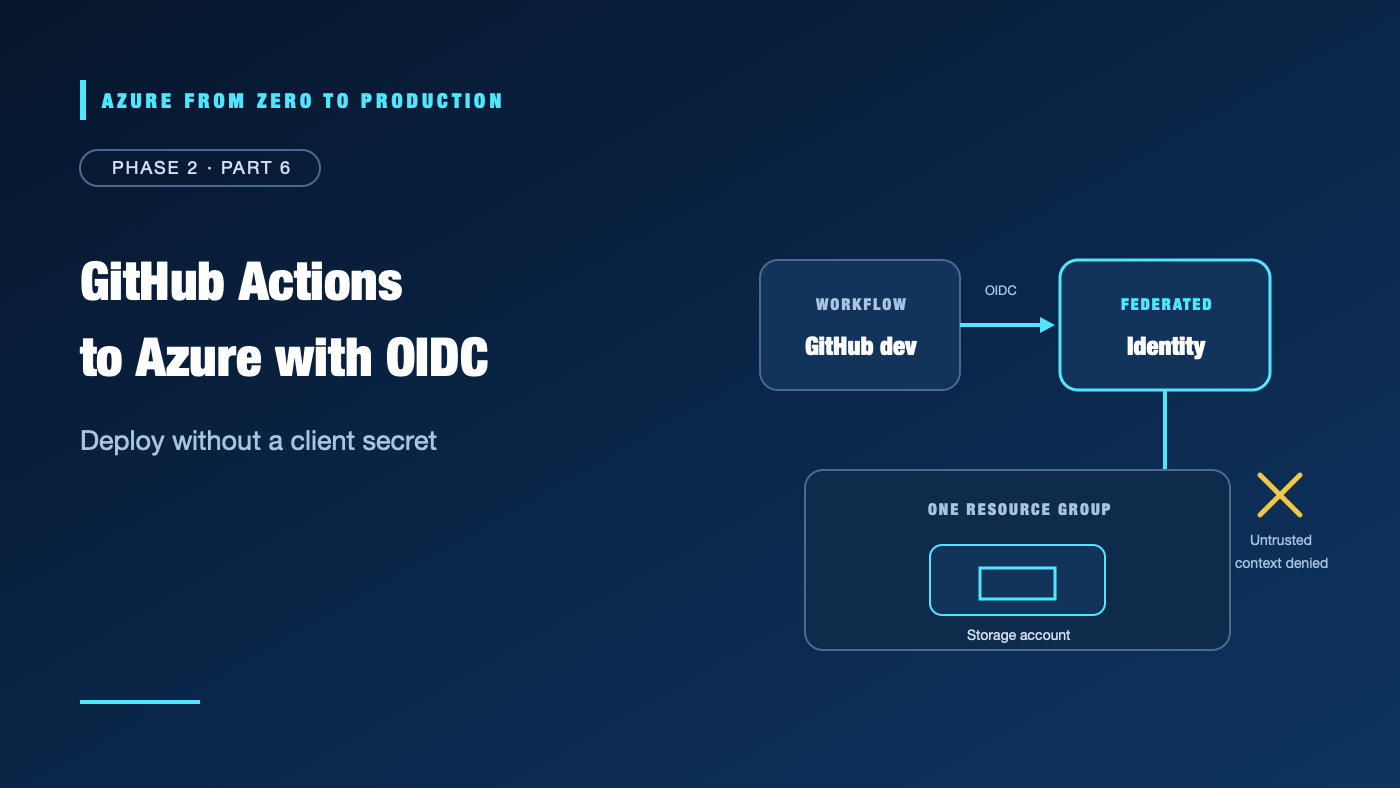
An application secret in GitHub can outlive the workflow that needed it. If copied or logged, it may allow access until someone notices and rotates it. In this lab, a GitHub Actions job exchanges a signed OIDC token for a short-lived Azure token. The federated trust accepts only one repository’s dev environment, and the identity can manage storage accounts only in one temporary resource group.
The lab creates a user-assigned managed identity, a federated identity credential, a role assignment, and one storage account. It also runs a negative test from a workflow without the trusted environment. The storage account may incur charges while it exists; delete it when finished.
What you’ll learn
- Create an environment-scoped federated identity credential for GitHub Actions.
- Assign a managed identity a storage-management role at one resource-group scope.
- Deploy a storage account using OIDC without storing a client secret.
- Verify that a workflow outside the trusted environment cannot authenticate.
- Remove the role assignment, identity, storage account, and GitHub configuration in dependency order.
What you’ll build
- A new GitHub repository with a protected
devenvironment. - A temporary Azure resource group.
- A user-assigned managed identity trusted by one GitHub OIDC subject.
- A
Storage Account Contributorassignment scoped to that resource group only. - A GitHub Actions workflow that creates a storage account without an Azure client secret.
- A negative sign-in test from a workflow that is not in the trusted environment.
GitHub job (environment: dev)
        |
        | OIDC token: exact issuer + subject + audience
        v
Microsoft Entra ID validates federated credential
        |
        | short-lived access token
        v
User-assigned managed identity
        |
        | Storage Account Contributor, one resource group
        v
One temporary Azure Storage account
Prerequisites
- An Azure development subscription and permission to create a resource group.
- Permission to create a user-assigned managed identity and federated credential, such as an appropriate Managed Identity Contributor or Contributor assignment at the lab resource group.
- Permission to assign the
Storage Account Contributorrole at the lab resource group. Contributor alone cannot create role assignments; an access administrator withMicrosoft.Authorization/roleAssignments/writeis needed. Microsoft.ManagedIdentityandMicrosoft.Storageresource providers available in the subscription. Provider registration can require separate subscription permissions; ask an administrator if a provider is not registered.- An Azure CLI 2.91.0 or later installation, Bash,
uuidgen, and Git. - A GitHub account with permission to create a repository, create an environment, configure variables, and run workflows. Use a public repository for the lab or a private repository on a plan that supports environment branch restrictions.
- GitHub environment branch restrictions require an eligible GitHub plan for the repository visibility. Verify current GitHub plan availability; if the plan cannot protect the environment, do not treat the environment name alone as a branch restriction.
- About 45–60 minutes.
Cost: The identity and role assignment do not run compute, but the storage account and any storage operations may incur charges. Check current prices, run the lab briefly, and delete the resource group afterward. GitHub Actions usage may also count against your plan. Azure budgets alert; they do not cap charges.
Before you start
Create a new GitHub repository for this lab, then create an environment named dev in Settings → Environments. Configure it to allow deployments only from your intended branch (for example main). Consider requiring a reviewer. Protect repository membership and workflow-file changes; anyone who can alter a trusted workflow may be able to use its Azure identity.
For newly created GitHub repositories on or after July 15, 2026, the default OIDC subject includes immutable owner and repository IDs. This lab creates a new repository, so it constructs the subject from GitHub’s repository API. If you reuse an older repository, inspect its current subject format and configure exactly that value instead; do not copy this lab’s subject blindly.
Run the Azure setup commands in one Bash terminal so the shell variables stay available. Replace only the subscription name or ID in Step 1; the remaining names are generated.
Step 1: Select and validate the Azure subscription
Sign in and display enabled subscriptions:
az login

az account list \
  --query "[?state=='Enabled'].{Name:name, IsDefault:isDefault}" \
  --output table
Set the intended development subscription:
az account set --subscription "<YOUR_DEVELOPMENT_SUBSCRIPTION_NAME_OR_ID>"
az account show --query "{Name:name, State:state}" --output table
Choose a supported region. eastus is an example, not a guarantee of availability or quota:
AZURE_REGION="eastus"
Confirm resource-provider registration:
az provider show --namespace Microsoft.ManagedIdentity --query registrationState --output tsv
az provider show --namespace Microsoft.Storage --query registrationState --output tsv
If a required provider is not registered, stop and ask an authorized subscription administrator to register it. Do not broaden your own role just to bypass a provider-registration restriction.
✅ Checkpoint: The selected subscription is the intended development subscription, and the needed resource providers are registered.
Step 2: Create a temporary resource group and managed identity
Generate names with lowercase letters and digits:
SUFFIX="$(uuidgen | tr -d '-' | tr '[:upper:]' '[:lower:]' | cut -c1-8)"
RESOURCE_GROUP="rg-oidc-${SUFFIX}"
IDENTITY_NAME="mi-gh-oidc-${SUFFIX}"
STORAGE_ACCOUNT="stghoidc${SUFFIX}"

az group create \
  --name "$RESOURCE_GROUP" \
  --location "$AZURE_REGION" \
  --tags purpose=learning owner=training lab=github-oidc \
  --output none

az identity create \
  --name "$IDENTITY_NAME" \
  --resource-group "$RESOURCE_GROUP" \
  --location "$AZURE_REGION" \
  --output none
Storage account names must be globally unique and follow Azure naming rules. If the generated name is unavailable, create a new random suffix and update the shell variable before continuing.
Set the identifiers used by Azure and GitHub:
CLIENT_ID="$(az identity show --name "$IDENTITY_NAME" --resource-group "$RESOURCE_GROUP" --query clientId --output tsv)"
PRINCIPAL_ID="$(az identity show --name "$IDENTITY_NAME" --resource-group "$RESOURCE_GROUP" --query principalId --output tsv)"
TENANT_ID="$(az account show --query tenantId --output tsv)"
SUBSCRIPTION_ID="$(az account show --query id --output tsv)"
RESOURCE_GROUP_ID="$(az group show --name "$RESOURCE_GROUP" --query id --output tsv)"

printf 'Identity: %s\nResource group: %s\n' "$IDENTITY_NAME" "$RESOURCE_GROUP"
The client ID and tenant/subscription IDs are identifiers, not credentials. The principal ID identifies the managed identity’s service principal for Azure RBAC. Do not print or store access tokens.
✅ Checkpoint: The temporary resource group and managed identity exist, and the shell variables are populated.
Step 3: Create the GitHub OIDC trust
Set the exact repository owner and repository name. Use the gh command-line tool, authenticated to GitHub, to derive the immutable subject for this newly created repository:
GH_OWNER="<YOUR_GITHUB_OWNER>"
GH_REPO="<YOUR_REPOSITORY_NAME>"

GITHUB_SUBJECT="$(gh api "repos/${GH_OWNER}/${GH_REPO}" \
  --jq '"repo:\(.owner.login)@\(.owner.id)/\(.name)@\(.id):environment:dev"')"

printf 'Trusted subject: %s\n' "$GITHUB_SUBJECT"
The printed value should identify exactly your owner, repository, and dev environment. Confirm it against GitHub’s OIDC subject-claim documentation and the repository’s current settings. If using a repository that retains the traditional format, the subject resembles repo:OWNER/REPOSITORY:environment:dev; set GITHUB_SUBJECT to the exact claim GitHub issues.
Create the federated identity credential on the user-assigned identity:
az identity federated-credential create \
  --name github-dev-environment \
  --identity-name "$IDENTITY_NAME" \
  --resource-group "$RESOURCE_GROUP" \
  --issuer "https://token.actions.githubusercontent.com" \
  --subject "$GITHUB_SUBJECT" \
  --audiences "api://AzureADTokenExchange" \
  --output none
The trust has one issuer, one exact subject, and the Azure token exchange audience. Do not use wildcard subjects or add extra repositories to make a mismatch disappear.
Step 4: Grant access to one resource group
Assign the identity the built-in Storage Account Contributor role only at the temporary resource-group scope:
az role assignment create \
  --assignee-object-id "$PRINCIPAL_ID" \
  --assignee-principal-type ServicePrincipal \
  --role "Storage Account Contributor" \
  --scope "$RESOURCE_GROUP_ID" \
  --output none
This role lets the deployment manage storage accounts in the lab group; it does not grant role-assignment administration, and it does not grant broad access to other subscription resource groups. Review the current built-in role definition before using this pattern in production.
✅ Checkpoint: The role assignment uses the managed identity’s principal ID and the resource group’s full scope—not the subscription scope.
Step 5: Add GitHub repository variables
Open the repository’s Settings → Secrets and variables → Actions → Variables settings and add these repository variables (not secrets):
AZURE_CLIENT_ID= the value of$CLIENT_IDAZURE_TENANT_ID= the value of$TENANT_IDAZURE_SUBSCRIPTION_ID= the value of$SUBSCRIPTION_IDAZURE_RESOURCE_GROUP= the value of$RESOURCE_GROUPAZURE_STORAGE_ACCOUNT= the value of$STORAGE_ACCOUNTAZURE_REGION= the value of$AZURE_REGION
To print values for copying, run this in the same terminal:
printf 'AZURE_CLIENT_ID=%s\nAZURE_TENANT_ID=%s\nAZURE_SUBSCRIPTION_ID=%s\nAZURE_RESOURCE_GROUP=%s\nAZURE_STORAGE_ACCOUNT=%s\nAZURE_REGION=%s\n' \
  "$CLIENT_ID" "$TENANT_ID" "$SUBSCRIPTION_ID" "$RESOURCE_GROUP" "$STORAGE_ACCOUNT" "$AZURE_REGION"
These are identifiers and configuration values, not credentials. Repository-level variables are intentional: the negative-test job omits the dev environment but still needs the non-secret identifiers to reach Azure Login and prove that the federation trust rejects its subject. The workflow does not use a client secret or storage account key.
Step 6: Add the deployment workflow
Create .github/workflows/deploy-azure.yml in the repository:
name: Deploy lab storage account

on:
  workflow_dispatch:

permissions:
  contents: read

jobs:
  deploy:
    runs-on: ubuntu-latest
    environment: dev
    permissions:
      contents: read
      id-token: write
    steps:
      - name: Sign in to Azure with OIDC
        uses: azure/login@v2
        with:
          client-id: ${{ vars.AZURE_CLIENT_ID }}
          tenant-id: ${{ vars.AZURE_TENANT_ID }}
          subscription-id: ${{ vars.AZURE_SUBSCRIPTION_ID }}

      - name: Create a storage account with anonymous blob access disabled
        env:
          STORAGE_ACCOUNT: ${{ vars.AZURE_STORAGE_ACCOUNT }}
          RESOURCE_GROUP: ${{ vars.AZURE_RESOURCE_GROUP }}
          AZURE_REGION: ${{ vars.AZURE_REGION }}
        run: |
          az storage account create \
            --name "$STORAGE_ACCOUNT" \
            --resource-group "$RESOURCE_GROUP" \
            --location "$AZURE_REGION" \
            --sku Standard_LRS \
            --kind StorageV2 \
            --https-only true \
            --allow-blob-public-access false \
            --min-tls-version TLS1_2 \
            --output none

          az storage account show \
            --name "$STORAGE_ACCOUNT" \
            --resource-group "$RESOURCE_GROUP" \
            --query "{Name:name, Location:primaryLocation, HttpsOnly:enableHttpsTrafficOnly, BlobPublicAccess:allowBlobPublicAccess}" \
            --output table
The dev environment must match the subject in the federated credential. The environment’s deployment branch rule separately limits which branch can run the job. The workflow permission id-token: write allows token issuance; Azure resource permissions come from the RBAC assignment.
For production, pin Actions to verified commit SHAs using an approved maintenance process. The version tag is shown for readability; verify the current azure/login guidance before relying on any action version.
Commit and push the workflow to the branch permitted by the dev environment, then run it with Actions → Deploy lab storage account → Run workflow.
✅ Checkpoint: The run completes Azure login, creates the storage account in the lab group, and prints its safe configuration properties. No secret is configured in GitHub.
Step 7: Prove a workflow outside the environment is rejected
The trusted federated subject contains environment:dev. A job that does not declare environment: dev receives a different subject, so Entra should reject its token exchange.
For a negative test, create a temporary workflow such as .github/workflows/test-untrusted-context.yml on the allowed branch. It should request id-token: write and run the same azure/login@v2 step with the same repository variables, but omit the job’s environment: dev line. Do not add any Azure resource operation to this test. Run it manually:
name: Test untrusted OIDC context

on:
  workflow_dispatch:

permissions:
  contents: read

jobs:
  must-not-authenticate:
    runs-on: ubuntu-latest
    permissions:
      contents: read
      id-token: write
    steps:
      - name: Expect Azure login to be rejected
        uses: azure/login@v2
        with:
          client-id: ${{ vars.AZURE_CLIENT_ID }}
          tenant-id: ${{ vars.AZURE_TENANT_ID }}
          subscription-id: ${{ vars.AZURE_SUBSCRIPTION_ID }}
✅ Negative checkpoint: The Azure login step fails because the untrusted subject does not match the federated credential. The successful dev workflow still runs. If this test authenticates successfully, stop and remove the identity’s federated credential while investigating the trust configuration.
Delete the temporary negative-test workflow after the test. Do not make its expected failure a required check for normal deployments.
Troubleshooting
- The federated credential is created, but Azure Login rejects the token: Compare issuer, audience, and the exact
subclaim. New repositories use immutable subject formats by default; use GitHub’s repository IDs. - The GitHub API command cannot read the repository: Confirm
gh auth status, owner/repository spelling, and permission to view the repository. Do not guess its numeric IDs. - Identity creation fails: Check resource-provider registration, subscription context, region availability, and the caller’s permission on the resource group.
- Role assignment creation is denied: The caller needs role-assignment write permission at the resource-group scope. Contributor alone is insufficient.
- Azure login succeeds but storage creation is denied: Verify the identity principal ID,
Storage Account Contributorrole, resource-group scope, and role propagation. - Storage account name is unavailable: Generate a new suffix, update
STORAGE_ACCOUNTin the setup shell and GitHub environment variable, then rerun the workflow. - Policy denies the storage account: Inspect applicable policy assignments, allowed locations, and required storage settings. Do not weaken a subscription-wide policy for this lab.
- The environment job never starts: Check the repository’s GitHub plan, environment branch/tag restrictions, required reviewers, and selected run branch.
- A private or public workflow can authenticate unexpectedly: Review all federated credentials on the identity and the actual GitHub subject claim. Remove unused credentials and re-run the negative test.
Security review
- Identity: The workflow receives a short-lived token; no client secret or storage key is stored.
- Trust: The issuer is GitHub Actions and the subject is one repository’s
devenvironment. GitHub environment branch rules provide the separate branch constraint. - Authorization: Storage Account Contributor is scoped to one temporary resource group.
- Data exposure: The storage account disallows anonymous blob access and requires HTTPS with TLS 1.2. No blob or secret is created.
- Repository: Restrict who can change workflows and environment settings. Pin Actions to verified SHAs before production use.
- Monitoring: Retain GitHub run evidence and review Azure Activity Log entries for the created storage account and role assignment.
Production-readiness checklist
- Reliability: Keep a documented recovery and identity-revocation path; test the deployment workflow from its approved runner and environment.
- Security: Protect the repository and environment, use exact federation claims, pin Actions to verified SHAs, and scope RBAC to required operations and resources.
- Cost Optimization: Use short-lived lab resources, alert on spend, and verify that storage and GitHub Actions usage are removed or stopped after testing.
- Operational Excellence: Record the identity owner, trust subject, RBAC scope, deployment approval, and cleanup evidence; monitor successful and denied authentication attempts.
- Performance Efficiency: Keep the workflow focused on the required deployment and avoid unnecessary resources, data transfers, and repeated provisioning.
Cost and production considerations
The storage account may incur charges based on stored data, transactions, redundancy, and data transfer. The lab selects Standard locally redundant storage and creates no blobs, but do not assume the account is free. Delete it immediately after testing and verify that the resource group is empty.
Do not copy the temporary identity, resource group, or branch protection configuration into production without a review. Production workflows should separate plan from deployment permissions, pin actions, require appropriate approvals, keep the federated subject narrow, and use the smallest role and scope that the deployment needs. Avoid broad role assignments merely to make a deployment succeed.
Cleanup
First remove the temporary negative-test workflow from GitHub and disable further runs of the deployment workflow. Then return to the same Bash terminal where the variables were set and remove the Azure access and resources in dependency order:
az role assignment delete \
  --assignee-object-id "$PRINCIPAL_ID" \
  --role "Storage Account Contributor" \
  --scope "$RESOURCE_GROUP_ID"

az storage account delete \
  --name "$STORAGE_ACCOUNT" \
  --resource-group "$RESOURCE_GROUP"

az identity delete \
  --name "$IDENTITY_NAME" \
  --resource-group "$RESOURCE_GROUP"

az group delete \
  --name "$RESOURCE_GROUP" \
  --yes
The federated credential is attached to the user-assigned identity and is removed when that identity is deleted. Removing the role assignment before deleting the identity makes the access cleanup explicit. Deleting the resource group removes remaining lab-owned resources. Confirm deletion in the portal or with az group exists --name "$RESOURCE_GROUP"; the expected result is false.
Finally, delete the six repository variables from GitHub’s Actions settings, remove the deployment workflow if the repository was created only for this lab, and remove any temporary branch. Do not delete shared resources or identities.
Key takeaways
- OIDC replaces a stored Azure client secret with a short-lived token exchange.
- The federated credential must match the workflow issuer, subject, and audience exactly.
- GitHub environment protection rules restrict branches separately from the OIDC subject.
- Federation authenticates the job; the scoped Azure RBAC role authorizes storage creation.
- A negative test should prove that the same identity cannot be used outside its trusted workflow context.
- Cleanup must remove the role assignment and billable storage resource as well as the managed identity and GitHub configuration.
References
- Configure OpenID Connect in Azure — GitHub Docs
- OpenID Connect reference and immutable subject claims — GitHub Docs
- Authenticate to Azure from GitHub Actions by OpenID Connect — Microsoft Learn
- Create trust between a user-assigned managed identity and an external identity provider — Microsoft Learn
- Azure built-in roles: Storage Account Contributor — Microsoft Learn
- Create an Azure Storage account — Microsoft Learn
- Azure Storage pricing — Microsoft Azure
What’s next
Phase 2 is complete. Continue with Connection Timed Out: Networking Fundamentals for Azure, the first article in Phase 3.
Series navigation
- ← Previous: Azure Policy and Defender for Cloud: Guardrails That Scale
- → Next: Connection Timed Out: Networking Fundamentals for Azure
- 📚 Full series roadmap
Disclaimer: Azure and GitHub features, claims, permissions, plans, and pricing change. Verify current documentation before implementation.