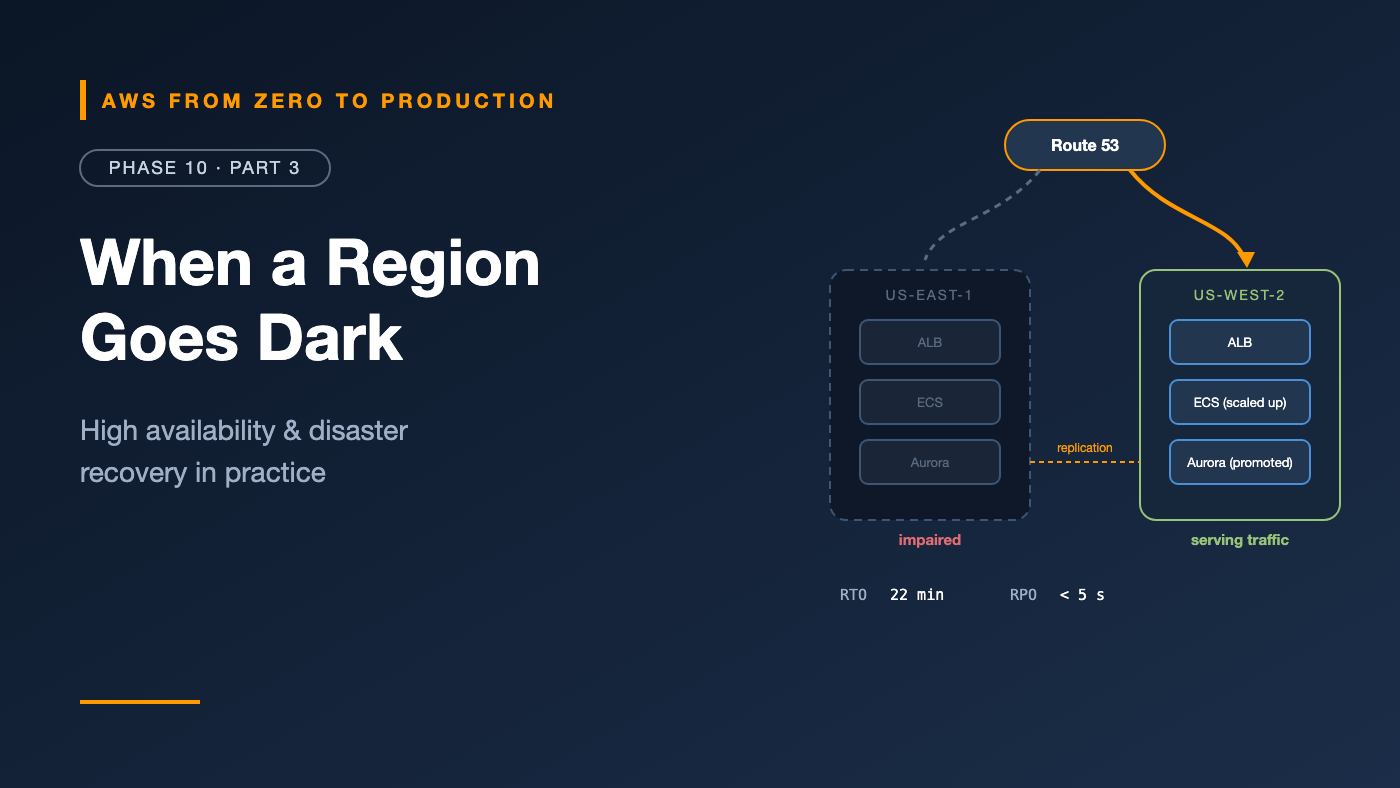
AWS from Zero to Production — Phase 10, Part 3 of 4 · See the full series roadmap
In Phase 8, you learned the theory: RTO, RPO, and four disaster recovery strategies.
This article is the practice. We’ll take the orders platform you’ve built across this series and ask, layer by layer: what happens if this fails? An instance. An Availability Zone. An entire Region. A bad deployment. Someone deleting the database.
Then we’ll decide — with numbers — how much protection is worth paying for.
What you’ll walk away with
- ⚠️ The hidden single-AZ risks in “highly available” architectures
- 🏢 A multi-AZ checklist for every layer
- 🌍 Cross-Region replication for data, images, secrets, and keys
- 🗄️ Database failover options and what they really cost in downtime
- 🧭 Route 53 failover and Application Recovery Controller
- 💾 Backup strategies and recovery testing
- 🎯 How to choose RTO and RPO per workload
- 📖 DR runbooks
- 💸 The math behind cost vs. availability
Availability, in numbers
Availability is usually expressed in nines:
Availability   Downtime per year   Downtime per month
99%            ~3.65 days          ~7.3 hours
99.9%          ~8.8 hours          ~43.8 minutes
99.95%         ~4.4 hours          ~21.9 minutes
99.99%         ~52.6 minutes       ~4.4 minutes
99.999%        ~5.3 minutes        ~26 seconds
Dependencies multiply
If a request depends on components in series, their availabilities multiply:
Load balancer 99.99% × app 99.9% × database 99.95% ≈ 99.84%
The system is less available than its weakest part. Redundancy — components in parallel — is how you go up:
Two independent copies at 99.9% each: 1 − (0.001 × 0.001) = 99.9999%
That’s the whole idea behind multi-AZ: independent copies, so one failing doesn’t take the service down. (Real copies aren’t fully independent, so the real number is lower — but the principle holds.)
Single-AZ risks hiding in plain sight
Many architectures look multi-AZ on a diagram, but have a single-AZ dependency somewhere:
- One NAT gateway for all private subnets. Lose its AZ, and every private subnet loses outbound access — including pulls from ECR.
- A single-AZ database. “We’ll turn on Multi-AZ later.”
- An ECS service with all tasks in one AZ because only one subnet was configured.
- An EBS volume holding shared state — EBS lives in one AZ.
- A self-managed cache, queue, or bastion on a single instance.
- Capacity that only works at full strength — not statically stable (Phase 8).
Exercise: For each component, ask: “If this AZ disappeared right now, what would break?” Write down every answer.
Multi-AZ, layer by layer
For the orders platform:
Layer             Multi-AZ setup
DNS               Route 53 (global, highly available by design)
Load balancer     ALB in subnets across 2-3 AZs
Compute           ECS tasks spread across AZs; enough capacity to lose one AZ
Outbound access   One NAT gateway per AZ, each private subnet routed to its own
Database          RDS Multi-AZ (or Aurora with a replica in another AZ)
Cache             ElastiCache with replicas and automatic failover across AZs
Queues / events   SQS, SNS, EventBridge (multi-AZ by default)
Object storage    S3 Standard (multi-AZ by default)
Secrets / config  Secrets Manager, Parameter Store (Regional services)
Most of this is configuration, not new architecture. Multi-AZ is the best value in availability: big protection for modest cost.
Cross-Region replication
For Regional disasters — or regulatory requirements — data must exist in a second Region. Everything the application needs to run must be there too.
Data
- S3 Cross-Region Replication — with Replication Time Control for a predictable SLA.
- Aurora Global Database — storage-based replication to secondary Regions with typically very low lag, and managed switchover and failover.
- DynamoDB global tables — multi-Region, multi-active tables.
- RDS cross-Region read replicas — promote to a standalone primary during a disaster.
- AWS Backup cross-Region copies — for backup-and-restore strategies.
Everything else people forget
- Container images: ECR cross-Region replication.
- Secrets: Secrets Manager replica secrets.
- Encryption keys: KMS multi-Region keys, so data encrypted in one Region can be decrypted in another.
- AMIs: copied to the recovery Region.
- Infrastructure: the same Terraform or CloudFormation, deployable to the second Region — and tested there.
- Configuration: Parameter Store values, feature flags, and environment variables.
- Certificates: ACM certificates in each Region — they don’t replicate.
- Quotas: service limits in the recovery Region must be high enough for production load.
Watch out: Replication also replicates mistakes. A bad
DELETEor a corrupting bug reaches the second Region in seconds. Cross-Region replication protects against Regional failure; backups — with point-in-time recovery and immutable vaults — protect against data corruption and deletion. You need both.
Database failover
What actually happens — and how long it takes:
- RDS Multi-AZ (instance): automatic failover to the standby, typically within one to two minutes. Same endpoint; clients reconnect.
- RDS Multi-AZ DB cluster: faster failover, with readable standbys.
- Aurora: promotes a replica, typically in under a minute. Same cluster endpoint.
- Aurora Global Database: switchover (planned, no data loss) or failover (unplanned) to a secondary Region — minutes, with RPO typically measured in seconds.
- RDS cross-Region replica: manual promotion; RTO depends on your runbook and automation.
Make applications failover-friendly
- Reconnect on connection errors, with backoff.
- Keep DNS TTLs short in connection pools — don’t cache resolved IPs forever.
- Use RDS Proxy to make failovers smoother for clients.
- Test failover —
aws rds reboot-db-instance --force-failoveron a Multi-AZ instance — and measure.
Route 53 failover
DNS is how users find the healthy Region (Phase 3):
api.example.com   failover PRIMARY    -> ALB us-east-1   health check: /health
api.example.com   failover SECONDARY  -> ALB us-west-2   health check: /health
- Health checks monitor each endpoint — or a CloudWatch alarm that represents the whole Region’s health.
- Short TTLs — 60 seconds or less — so clients switch quickly.
- Latency-based routing with health checks for active-active: users go to the closest healthy Region.
Amazon Application Recovery Controller (ARC)
Automatic DNS failover can flap — failing over and back on noisy health checks — or fail over when it shouldn’t. ARC adds control:
- Routing controls: simple on/off switches for each Region’s traffic, backed by a highly available data plane. Fail over by flipping a switch — even when parts of AWS are impaired.
- Readiness checks: continuously verify that the recovery Region has matching capacity, quotas, and configuration.
- Zonal shift: move traffic away from an impaired AZ for supported load balancers — and zonal autoshift can do it automatically.
Backup strategies
Backups protect against what replication can’t: deletion, corruption, ransomware, and bad deployments.
- Automated backups with point-in-time recovery for databases (Phase 5).
- AWS Backup plans with tag-based selection across services.
- Cross-Region copies for Regional disasters.
- Cross-account copies to a locked-down backup account.
- Vault Lock for immutability.
- Retention tiers: daily for 35 days, monthly for a year, yearly for seven — whatever your requirements say.
Recovery testing
Untested recovery is a guess (Phase 8). Build a testing calendar:
Monthly    Restore a database backup; run validation queries; record time
Quarterly  Force an RDS failover; zonal shift an ALB; measure impact
Twice/yr   Full Regional failover game day in staging; fail back
Ongoing    AWS Backup restore testing; ARC readiness checks; FIS experiments
Each test produces two numbers — actual RTO and actual RPO — and a list of things that went wrong. That list is the most valuable output.
Choosing RTO and RPO
Not every workload deserves the same protection. Tier them:
Tier   Example                     RTO          RPO          Strategy
1      Checkout, payments API      < 15 min     < 1 min      Warm standby / active-active
2      Orders admin, internal API  < 4 hours    < 15 min     Pilot light
3      Analytics, reporting        < 24 hours   < 24 hours   Backup and restore
4      Dev and test                days         days         Rebuild from IaC
Questions to set the tier:
- What’s the revenue impact per hour of downtime?
- Are there contractual SLAs or regulations?
- What’s the reputational cost?
- Can the business work around it temporarily?
Then check the cost of the strategy against the impact it prevents.
DR runbooks
A disaster recovery runbook is a tested, step-by-step plan:
Runbook: Regional failover — orders platform (Tier 1)

Trigger:  us-east-1 impaired > 15 min (Health Dashboard + alarms), approved by incident commander
Owner:    on-call platform engineer

1. Confirm the recovery Region is ready (ARC readiness checks green)
2. Fail over Aurora Global Database to us-west-2
3. Scale ECS service in us-west-2 to production capacity
4. Flip ARC routing control: us-east-1 OFF, us-west-2 ON
5. Verify: smoke tests, dashboards, error rates
6. Communicate: status page, stakeholders
7. Monitor; plan failback once us-east-1 recovers (reverse the steps)

Last tested: 2026-09-14 (staging) — actual RTO 22 min
Store runbooks where responders can find them during an outage — not only in a system hosted in the failed Region. Automate steps with Systems Manager Automation or Step Functions where you can.
Cost vs. availability
Every extra nine costs more — usually much more:
- Multi-AZ: roughly doubles some resources — a standby database, extra NAT gateways, spare capacity. For most production workloads, clearly worth it.
- Pilot light: replicated data plus minimal infrastructure in a second Region.
- Warm standby: a scaled-down but running copy — often a significant fraction of production cost.
- Active-active: close to double the infrastructure, plus engineering complexity for data consistency.
Worked example (illustrative):
  Downtime cost:            $20,000 per hour
  Expected Regional outage: ~4 hours every 2 years without DR  -> ~$40,000/year risk
  Warm standby cost:        ~$3,000/month                      -> $36,000/year
In this example, warm standby roughly breaks even on direct costs — before counting reputation and SLA penalties. For a Tier 3 workload with $500/hour impact, the same spend would make no sense.
Rule: Let the business impact decide the strategy — not the engineering team’s enthusiasm, and not fear.
Common mistakes
- One NAT gateway in a “multi-AZ” VPC.
- Replication without backups — replicating corruption to every Region.
- Forgetting secrets, keys, images, certificates, and quotas in the recovery Region.
- Long DNS TTLs on failover records.
- Automatic Regional failover with no human check, flapping on noisy health checks.
- Runbooks stored only in the primary Region.
- Never failing back — or never testing it.
Key takeaways
- Availabilities multiply in series and improve in parallel — that’s why redundancy works.
- Hunt down single-AZ dependencies; multi-AZ is the best-value protection.
- Cross-Region recovery needs data and images, secrets, keys, certificates, config, and quotas.
- Replication protects against Regional failure; backups protect against corruption and deletion.
- Use Route 53 health checks and ARC routing controls for controlled failover.
- Tier workloads by business impact, test recovery regularly, and keep runbooks reachable.
Quick self-check
Test yourself before moving on:
- Three components in series are each 99.9% available. Roughly what’s the system availability?
- Why isn’t cross-Region replication a substitute for backups?
- Name three things besides data that must exist in the recovery Region.
- What does an ARC routing control give you that automatic DNS failover doesn’t?
Answers
- About 99.7% (0.999³).
- Replication copies deletions and corruption too; backups let you go back in time.
- Any three of: container images, secrets, KMS keys, AMIs, certificates, configuration, IaC, and quotas.
- A deliberate, reliable switch — failover when a human decides, without flapping.
What’s next
In Part 4, we finish the architecture phase with money: cost and performance optimization — rightsizing, Savings Plans, Spot, storage tiers, NAT and data transfer costs, serverless and database tuning, Compute Optimizer, anomaly detection, and FinOps.
Has your team ever done a real Regional failover? How did it go? Tell me in the comments.