AWS from Zero to Production — Phase 10, Part 4 of 4 · See the full series roadmap
Read an AWS bill carefully, and it tells you how a system was designed.
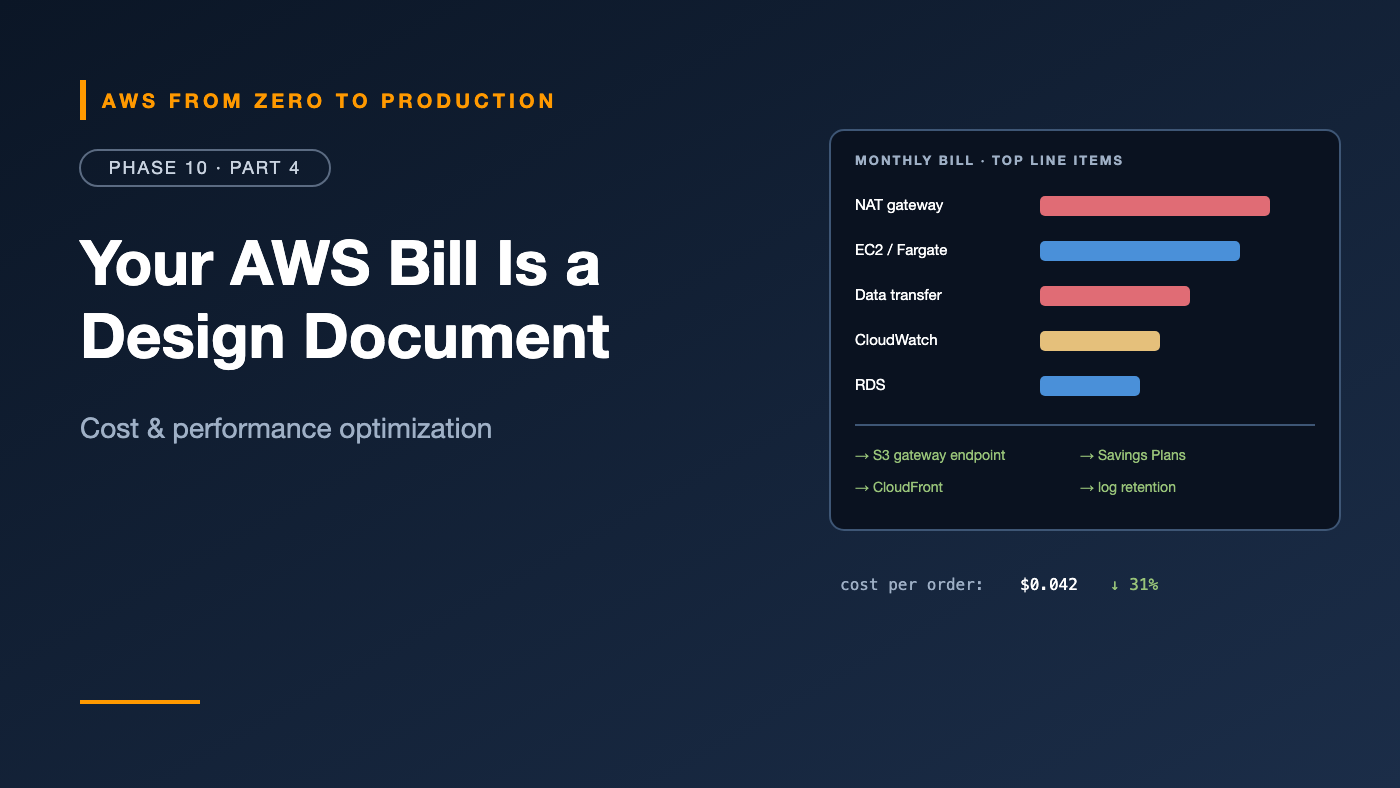
A huge NAT gateway line says private workloads pull everything through the internet — including S3. Cross-AZ data transfer says chatty services talk across zones. A CloudWatch line bigger than compute says someone logs every request at debug level. On-Demand everywhere says nobody’s committed to anything. And a long tail of tiny charges says resources were created and forgotten.
Cost is an architecture property, like latency or availability. This article shows you how to read the bill, fix the biggest problems first, and build habits that keep costs under control as you grow.
What you’ll walk away with
- 📏 Rightsizing with AWS Compute Optimizer
- 💳 Savings Plans, Reserved Instances, and Spot
- 🧊 S3 storage optimization
- 🚪 NAT gateway and data transfer costs
- 📊 CloudWatch cost controls
- ⚡ Serverless and database cost tuning
- 🚨 Cost Anomaly Detection
- 🏷️ FinOps: tagging, reporting, and unit economics
Start with visibility
You can’t optimize what you can’t see (Phase 1):
- Cost Explorer: group by service, account, Region, usage type, and tags.
- Cost allocation tags: activate tags like
Project,Environment, andTeamso costs can be attributed. - Data Exports (Cost and Usage Report 2.0): line-item billing data in S3 — query it with Athena (Phase 9) for anything Cost Explorer can’t answer.
- Budgets: alerts before costs surprise you.
Then focus on the top five line items. That’s where most of the money is.
Rightsizing
Most workloads are over-provisioned — sized for a peak that never came, or by guessing.
AWS Compute Optimizer analyzes utilization and recommends better configurations for:
- EC2 instances and Auto Scaling groups
- EBS volumes
- Lambda function memory
- ECS services on Fargate
- RDS and Aurora databases
- Commercial software licenses
Typical findings: an m5.2xlarge averaging 8% CPU could be an m7g.large; a Fargate task with 2 GB of memory never uses more than 400 MB; a gp2 volume should be gp3.
Order matters: Rightsize first, then commit with Savings Plans. Otherwise, you lock in discounts on capacity you don’t need.
Graviton
Moving to Graviton (Arm) instances — for EC2, Fargate, Lambda, RDS, ElastiCache, and more — often delivers better price-performance with little or no code change. It’s one of the most reliable wins available.
Commitment discounts
Savings Plans
Commit to a consistent amount of compute spend — in dollars per hour — for one or three years:
- Compute Savings Plans: apply automatically across EC2 (any family, size, Region, OS), Fargate, and Lambda. Up to 66% off On-Demand. The most flexible.
- EC2 Instance Savings Plans: for a specific instance family in a Region. Higher discounts — up to 72% — less flexibility.
- Database Savings Plans: for supported database services, where available.
Reserved Instances
Still the commitment model for several services — like RDS, ElastiCache, OpenSearch, and Redshift provisioned clusters. Check which commitment option each service supports.
How much to commit
- Commit to your steady baseline — the usage that’s there at 3 a.m. on a Sunday.
- Leave peaks to On-Demand and Spot.
- Use Cost Explorer’s recommendations and coverage reports.
- Commit in layers over time, rather than one big purchase.
Spot Instances
Spare EC2 capacity at up to 90% off, with a two-minute interruption notice (Phase 4):
- Great for: stateless workers, CI/CD runners, batch jobs, big data (EMR task nodes), containers (Fargate Spot, EKS with Karpenter), and dev environments.
- Diversify across many instance types and AZs.
- Handle interruptions gracefully: checkpoint work, drain tasks, use queues.
A typical mix: Savings Plans for the baseline, On-Demand for steady peaks, Spot for everything interruptible.
S3 storage optimization
- Lifecycle rules to move data to colder classes and expire it (Phase 5).
- Intelligent-Tiering when access patterns are unknown — it moves objects automatically.
- Expire noncurrent versions and incomplete multipart uploads.
- S3 Storage Lens shows usage and activity across accounts and buckets — find the buckets with old, cold data still in Standard.
- Compress and convert analytics data to Parquet (Phase 9) — less storage and less scanned.
NAT gateway cost optimization
NAT gateways charge per hour and per GB processed — and they’re a frequent top-five line item.
- Add free S3 and DynamoDB gateway endpoints — traffic to those services stops flowing through NAT.
- Add interface endpoints for heavily used services, like ECR, CloudWatch Logs, and Secrets Manager — when their cost is lower than the NAT processing they replace. Do the math per service.
- Keep traffic in the same AZ: route each private subnet to the NAT gateway in its own AZ — cross-AZ traffic to a NAT gateway costs extra and is less resilient.
- Find the talkers: VPC Flow Logs show which instances or tasks send the most traffic through NAT.
- Use IPv6 with an egress-only internet gateway for outbound IPv6 traffic, where your dependencies support it.
- Centralize egress for many VPCs, through a shared egress VPC (Phase 3).
Data transfer costs
Data transfer is the most misunderstood part of the bill:
Generally free:      data IN from the internet; within the same AZ (private IPs)
Charged:             between AZs (each direction); between Regions;
                     OUT to the internet; through NAT gateways
Often cheaper:       OUT through CloudFront vs. directly from EC2/ALB/S3
Ways to reduce it:
- CloudFront in front of public content and APIs — often lower egress pricing, plus caching.
- Keep chatty services in the same AZ where possible, and avoid unnecessary cross-AZ hops — while still running across AZs for resilience.
- Compress responses and payloads.
- Avoid cross-Region traffic unless it’s needed for DR or users.
- VPC endpoints instead of public endpoints through NAT.
CloudWatch cost controls
From Phase 8:
- Retention on every log group.
- No debug logging in production by default.
- Infrequent Access log class for logs you rarely query.
- Avoid high-cardinality custom metric dimensions.
- Scope Logs Insights queries by time range and log groups.
- Review alarms and dashboards — delete what nobody uses.
Serverless cost optimization
- Tune Lambda memory: more memory means more CPU, which often means shorter runs and lower cost. Use AWS Lambda Power Tuning to find the sweet spot.
- Use
arm64(Graviton) for Lambda — lower price per GB-second. - Provisioned concurrency only where cold starts truly hurt.
- Filter events at the source (Phase 10, Part 1) so functions aren’t invoked for nothing.
- Batch SQS and Kinesis records.
- API Gateway HTTP APIs instead of REST APIs when you don’t need REST-only features.
- Step Functions Express workflows for high-volume, short workflows.
- Watch for runaway loops — like recursive S3 or SQS triggers — which can burn money fast. Lambda’s recursive loop detection helps.
Database rightsizing
- Rightsize instances with Compute Optimizer and Database Insights — many databases are oversized “just in case.”
- Graviton instance classes.
- Aurora I/O-Optimized vs. Standard: I/O-Optimized has no per-I/O charges and is often cheaper for I/O-heavy workloads.
- Aurora Serverless v2 for variable workloads, scaling down — or to zero — when idle.
- Stop dev and test databases outside working hours — or use Serverless v2.
- Reserved Instances for steady production databases.
- Delete old manual snapshots, and keep an eye on extended support charges for old engine versions.
- DynamoDB: on-demand for spiky traffic; provisioned with auto scaling — and reserved capacity — for steady traffic; Standard-IA table class for rarely accessed tables.
Cost Anomaly Detection
AWS Cost Anomaly Detection uses machine learning to spot unusual spending — a sudden spike in NAT processing, a forgotten GPU instance, a runaway Lambda loop:
- Create monitors — by service, account, cost category, or tag.
- Set alert thresholds — by dollar amount or percentage.
- Get alerts through email or SNS, with a root cause analysis.
It’s free to use, and it catches what monthly budget alerts find too late.
FinOps: tagging and reporting
FinOps is the practice of bringing financial accountability to cloud spending — engineering, finance, and product working together.
Tagging
A small, enforced tag set:
Project       orders
Environment   prod | staging | dev
Team          platform | data | payments
CostCenter    CC-1042
- Apply with
default_tagsin Terraform (Phase 6) and tag policies in AWS Organizations. - Activate them as cost allocation tags.
- Use cost categories to group costs by business unit or product — even for resources that can’t be tagged.
Reporting
- Showback: each team sees its own costs, monthly.
- Chargeback: costs are billed back to team budgets.
- Unit economics: cost per order, per customer, or per 1,000 API calls. If cost per order falls while total cost rises with growth, that’s success — not a problem.
Habits that stick
- A monthly cost review of the top line items and the biggest changes.
- Cost in the design review: “What will this cost at 10× traffic?”
- Cleanup automation: delete unattached EBS volumes, old snapshots, idle load balancers, and unused Elastic IPs.
- Budgets per account and team, with alerts.
A prioritized checklist
If you do nothing else, do these — roughly in order of effort vs. impact:
- Turn on Cost Anomaly Detection and budgets.
- Activate cost allocation tags.
- Add S3 and DynamoDB gateway endpoints.
- Set log retention everywhere.
- Delete idle and orphaned resources.
- Rightsize with Compute Optimizer; move to Graviton.
- Buy Compute Savings Plans for the baseline.
- Use Spot for interruptible work.
- Add lifecycle rules and Intelligent-Tiering to S3.
- Put CloudFront in front of public traffic.
Common mistakes
- Buying Savings Plans before rightsizing.
- S3 traffic through NAT gateways.
- Cross-AZ chatter nobody measured.
- No tags, so nobody knows who owns what.
- Logs at debug level, kept forever.
- Dev environments running 24/7.
- Treating cost as finance’s problem instead of an engineering design input.
Key takeaways
- Read the bill like an architecture review; fix the top line items first.
- Rightsize first, then commit: Savings Plans for the baseline, Spot for the interruptible.
- Gateway endpoints, same-AZ routing, and CloudFront cut NAT and data transfer costs.
- Tune Lambda memory, use Graviton, and filter events early.
- Rightsize databases, stop idle ones, and choose the right Aurora and DynamoDB modes.
- Cost Anomaly Detection, tags, showback, and unit economics make cost everyone’s job.
Quick self-check
Test yourself before moving on:
- Why rightsize before buying Savings Plans?
- What’s the fastest, free way to cut NAT gateway charges for S3 traffic?
- Which Savings Plan covers EC2, Fargate, and Lambda?
- Total AWS cost rose 30% while orders doubled. Good or bad?
Answers
- Otherwise you commit to capacity you don’t need.
- An S3 gateway endpoint.
- Compute Savings Plans.
- Good — cost per order fell. Unit economics tell the real story.
What’s next
Phase 11 brings AI to the platform: machine learning and generative AI fundamentals, then AWS AI services — Amazon Bedrock, SageMaker, and more — ending with a hands-on retrieval-augmented generation (RAG) app.
What’s the biggest cost win your team ever found? Share it in the comments.