AWS from Zero to Production — Phase 9, Part 7 of 11 · See the full series roadmap
A batch pipeline tells you what happened yesterday.
That’s fine for a monthly finance report. It’s useless for fraud detection, a live operations dashboard, inventory that must stay accurate as orders pour in, or an alert that a payment provider just started failing.
Streaming processes data as it happens — in seconds, not hours. It’s powerful, and it’s genuinely harder than batch: data arrives out of order, consumers fall behind, and “process each event exactly once” turns out to be a deep question.
This article covers the AWS streaming toolkit and the concepts you need to use it well.
What you’ll walk away with
- 🌊 Streaming architecture: producers, streams, and consumers
- 🧵 Kinesis Data Streams: shards, capacity, and retention
- 🚒 Amazon Data Firehose: streaming into S3, Redshift, and more
- 🧠 Amazon Managed Service for Apache Flink
- 🪵 Amazon MSK — managed Apache Kafka
- ✅ Checkpointing and delivery guarantees
- 🪟 Windowing and late-arriving events
- ⚡ Lambda stream processing and schema management
Streaming architecture
Producers               Stream                    Consumers
(apps, devices,  --->   (ordered, durable,  --->  (processing, storage,
 CDC, logs)              replayable log)           alerts, ML)
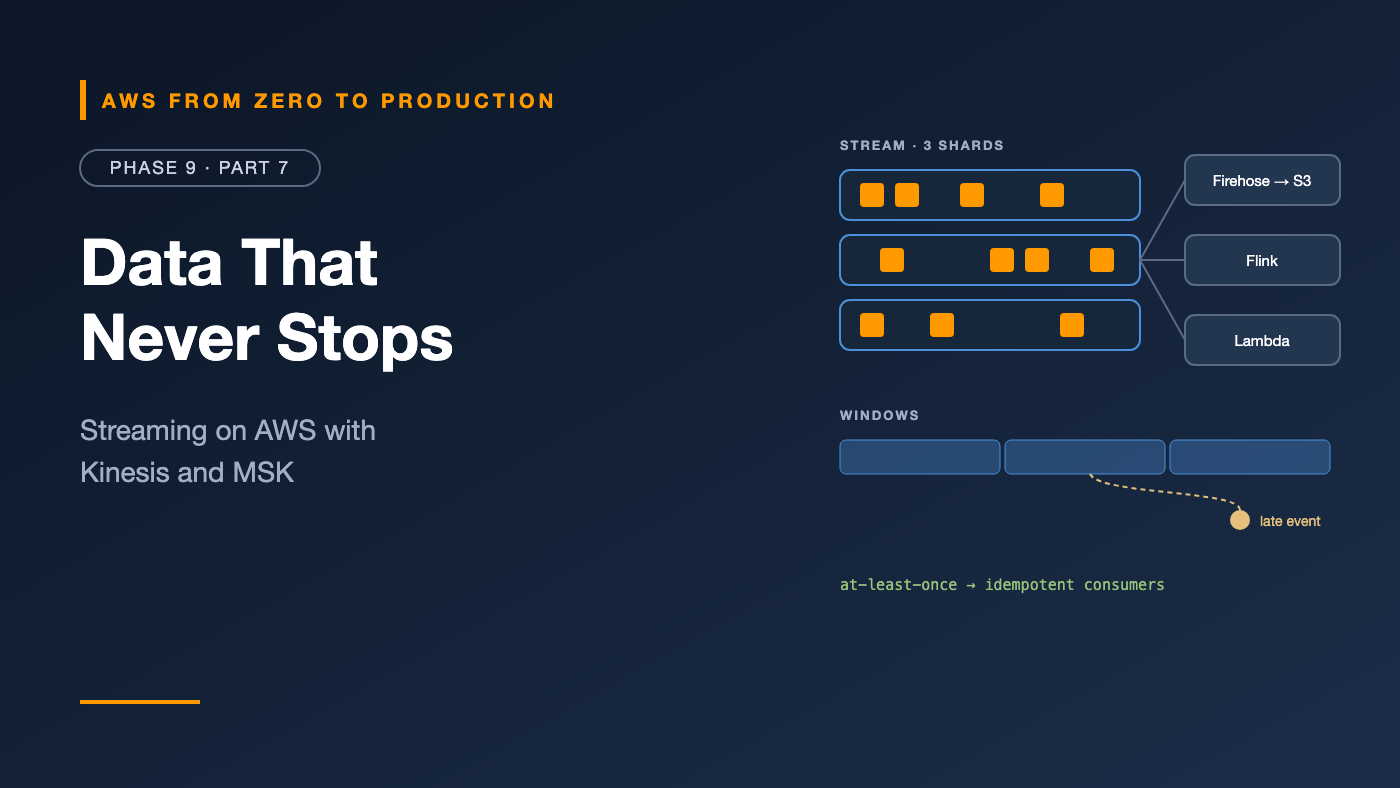
The stream is a durable, ordered, replayable log. Unlike a queue (Phase 4), reading an event doesn’t remove it. Many consumers can read the same stream independently, each tracking its own position — and replay from an earlier point if needed.
Common patterns
- Ingest to the lake: stream to S3 for analytics, with minutes of latency.
- Real-time analytics: aggregate events over time windows for live dashboards.
- Event-driven reactions: detect conditions — fraud, anomalies, thresholds — and act immediately.
- Change data capture: stream database changes to downstream systems (Part 9).
Amazon Kinesis Data Streams
Kinesis Data Streams is a fully managed streaming service.
Shards and partition keys
- A stream is made of shards — units of capacity.
- Each record has a partition key. Kinesis hashes it to choose a shard.
- Order is guaranteed within a shard — so all events for one order or customer stay in order if they share a partition key.
Each shard supports roughly 1 MB/s or 1,000 records/s in, and 2 MB/s out shared across standard consumers.
Watch out: A low-cardinality partition key — like
country— creates hot shards, just like hot partitions in DynamoDB.
Capacity modes
- On-demand: Kinesis scales shards automatically. Pay per GB. The best default.
- Provisioned: you choose the shard count. Cheaper for steady, predictable throughput.
Retention
- Default 24 hours, extendable up to 365 days.
- Longer retention means consumers can replay further back — for example, to reprocess after fixing a bug.
Consumers
- Shared throughput consumers split each shard’s read capacity.
- Enhanced fan-out gives each consumer its own dedicated throughput per shard, with lower latency.
aws kinesis put-record \
  --stream-name orders-events \
  --partition-key "order-A17" \
  --data "$(echo -n '{"order_id":"A17","status":"PAID"}' | base64)"
Amazon Data Firehose
Amazon Data Firehose (formerly Kinesis Data Firehose) is the easiest way to deliver streaming data to storage:
- Destinations: S3, Redshift, OpenSearch, Splunk, HTTP endpoints, Apache Iceberg tables, and more.
- Buffering: collects records by size or time before writing — which helps avoid the small-file problem.
- Format conversion: JSON to Parquet or ORC, using a Glue catalog schema.
- Dynamic partitioning: writes to S3 prefixes based on record content, like
order_date=2026-10-31/. - Transformation: optional Lambda processing per batch.
- Fully managed: no shards, no consumers to run.
Kinesis Data Streams (or direct PUT)
    -> Firehose (buffer, convert to Parquet, partition by date)
    -> s3://acme-lake-raw/events/order_date=2026-10-31/
Firehose delivers in near real time — seconds to minutes, depending on buffering — which is perfect for feeding the lake.
Amazon Managed Service for Apache Flink
For real-time computation — aggregations, joins between streams, pattern detection — you need a stream processor.
Amazon Managed Service for Apache Flink (formerly Kinesis Data Analytics) runs Apache Flink applications without managing servers:
- Write applications in Java, Scala, Python, or SQL.
- Stateful processing — running totals, sessions, and deduplication — with automatic checkpoints to recover state after failures.
- Exactly-once state consistency within Flink.
- Event-time processing with watermarks for out-of-order data.
- Sources and sinks for Kinesis, MSK, S3, and more.
- Studio notebooks for interactive development.
Amazon MSK: managed Apache Kafka
Amazon Managed Streaming for Apache Kafka (MSK) runs Apache Kafka — the most widely used open-source streaming platform.
- Topics split into partitions — Kafka’s equivalent of shards. Order is guaranteed within a partition.
- Consumer groups share partitions among consumers.
- MSK Provisioned: choose broker types and counts. MSK Serverless: capacity managed for you.
- MSK Connect: runs Kafka Connect connectors — like Debezium for CDC, or an S3 sink.
- IAM authentication, TLS, and encryption at rest.
Kinesis or MSK?
- Kinesis: AWS-native, simpler, deep integration with Lambda and Firehose, and less to operate.
- MSK: Kafka APIs and ecosystem, portability, existing Kafka skills or applications, and very high throughput.
Producers and consumers
Producers
- Batch records to reduce request overhead — the Kinesis Producer Library and Kafka producers do this.
- Choose partition keys for both ordering and even distribution.
- Retry with backoff on throttling, and handle partial failures in batch puts.
Consumers
- Track position in the stream — checkpointing.
- Scale with the number of shards or partitions — one consumer per shard or partition is the parallelism ceiling.
- Watch lag:
GetRecords.IteratorAgeMillisecondsin Kinesis, or consumer lag in Kafka. Rising lag means consumers can’t keep up.
Checkpointing
A checkpoint records how far a consumer has read — the sequence number in Kinesis, or the offset in Kafka.
- After a crash, the consumer resumes from its last checkpoint.
- Checkpoint after processing — or you’ll lose records.
- Records processed after the last checkpoint but before the crash will be processed again.
That last point leads directly to delivery guarantees.
Delivery guarantees
- At most once: each record is processed zero or one times. Fast, but data can be lost. Rarely acceptable.
- At least once: every record is processed, but some may be processed twice after failures. The default for most AWS streaming services.
- Exactly once: each record affects the result exactly once. Achievable within systems like Flink, but end-to-end exactly-once requires cooperation from the sink.
The practical answer: idempotency
Design consumers so processing a record twice has the same effect as once:
- Upsert by a unique key instead of inserting.
- Store processed event IDs and skip duplicates.
- Use conditional writes — like DynamoDB conditions — or Iceberg
MERGE.
Rule: Assume at-least-once, and make consumers idempotent. It’s simpler and more robust than chasing exactly-once everywhere.
Windowing
Streaming aggregations happen over windows of time:
- Tumbling windows: fixed, non-overlapping — “orders per minute.”
- Sliding (hopping) windows: fixed size, overlapping — “orders in the last 5 minutes, updated every minute.”
- Session windows: grouped by activity, closed after a gap of inactivity — “a user’s browsing session.”
Tumbling (1 min):  |--A--|--B--|--C--|
Sliding (5m/1m):   |-----A-----|
                      |-----B-----|
Session (gap 10m): |-- activity --|   gap   |-- activity --|
Late-arriving events
Events don’t always arrive in order. A phone goes offline, then sends an hour of events at once.
- Event time: when the event happened — usually what you want.
- Processing time: when it reached your system.
Stream processors like Flink use watermarks — “I believe I’ve seen all events up to time T” — to decide when a window can close, and allowed lateness to accept stragglers.
What to do with very late events:
- Update the result, if your sink supports it.
- Send them to a side output for reconciliation.
- Let batch fix it: many architectures run a nightly batch job over the lake to correct real-time results.
Stream retention
Retention determines how far back you can replay:
- Kinesis: 24 hours by default, up to 365 days.
- Kafka/MSK: configurable by time or size, per topic — and tiered storage for long, cheap retention.
- Long-term history belongs in the lake: Firehose to S3 gives you replayable history forever, at S3 prices.
Lambda stream processing
Lambda can consume Kinesis, DynamoDB Streams, MSK, and self-managed Kafka through event source mappings (Phase 4):
- Lambda polls shards and invokes your function with batches.
- Batch size and batching window trade latency against efficiency.
- Parallelization factor — up to 10 concurrent batches per Kinesis shard — while preserving order per partition key.
- Error handling: bisect batch on error to isolate bad records, maximum retry attempts, maximum record age, and an on-failure destination (SQS or SNS) for records that can’t be processed.
- Partial batch responses report only the failed records.
Watch out: By default, a failing record blocks its shard — Lambda keeps retrying the same batch until the records expire. Always configure retries, record age limits, and an on-failure destination.
Schema management
Streams outlive the code that writes to them. When a producer changes the shape of events, every consumer is affected.
- Use the Glue Schema Registry (or Confluent-compatible registries with MSK) to version schemas.
- Prefer Avro or Protobuf with enforced compatibility modes —
BACKWARDlets consumers on the new schema read old data. - Treat event schemas as public APIs: version them, document them, and never break them silently.
Common mistakes
- Hot partition keys that overload one shard.
- Non-idempotent consumers that double-count after retries.
- Checkpointing before processing, losing records.
- Lambda consumers with no error handling, blocking a shard for a day.
- Ignoring consumer lag until data is hours behind.
- Tiny files in S3 from writing every event individually.
- Streaming everything when hourly batch would be simpler and enough.
Key takeaways
- Streams are durable, ordered, replayable logs that many consumers can read.
- Kinesis Data Streams orders events per shard; choose partition keys carefully.
- Firehose delivers streams to S3 and other stores, with buffering and Parquet conversion.
- Managed Flink handles stateful, event-time processing; MSK brings the Kafka ecosystem.
- Assume at-least-once delivery, and make consumers idempotent.
- Use windows and watermarks for time-based results, and plan for late data.
Quick self-check
Test yourself before moving on:
- How do you keep all events for one order in sequence in Kinesis?
- Which service delivers a stream into S3 as partitioned Parquet with no code?
- A consumer crashes after processing records but before checkpointing. What happens on restart?
- What should a Lambda Kinesis consumer have, so one bad record doesn’t block a shard?
Answers
- Use the order ID as the partition key, so they land on the same shard.
- Amazon Data Firehose.
- Those records are processed again — so consumers must be idempotent.
- Bisect on error, retry and record age limits, and an on-failure destination.
What’s next
In Part 8, we answer “who runs the pipeline?”: orchestration with Step Functions, MWAA (Apache Airflow), EventBridge Scheduler, and Glue workflows — DAGs, retries, idempotency, backfills, and observability.
Kinesis or Kafka — which does your team run, and why? Tell me in the comments.