AWS from Zero to Production — Phase 8, Part 4 of 5 · See the full series roadmap
“Is this a good architecture?”
It’s a hard question to answer without a shared definition of good. One engineer optimizes for cost. Another for latency. A third for security. A fourth just wants fewer pages at night. Reviews turn into opinion contests.
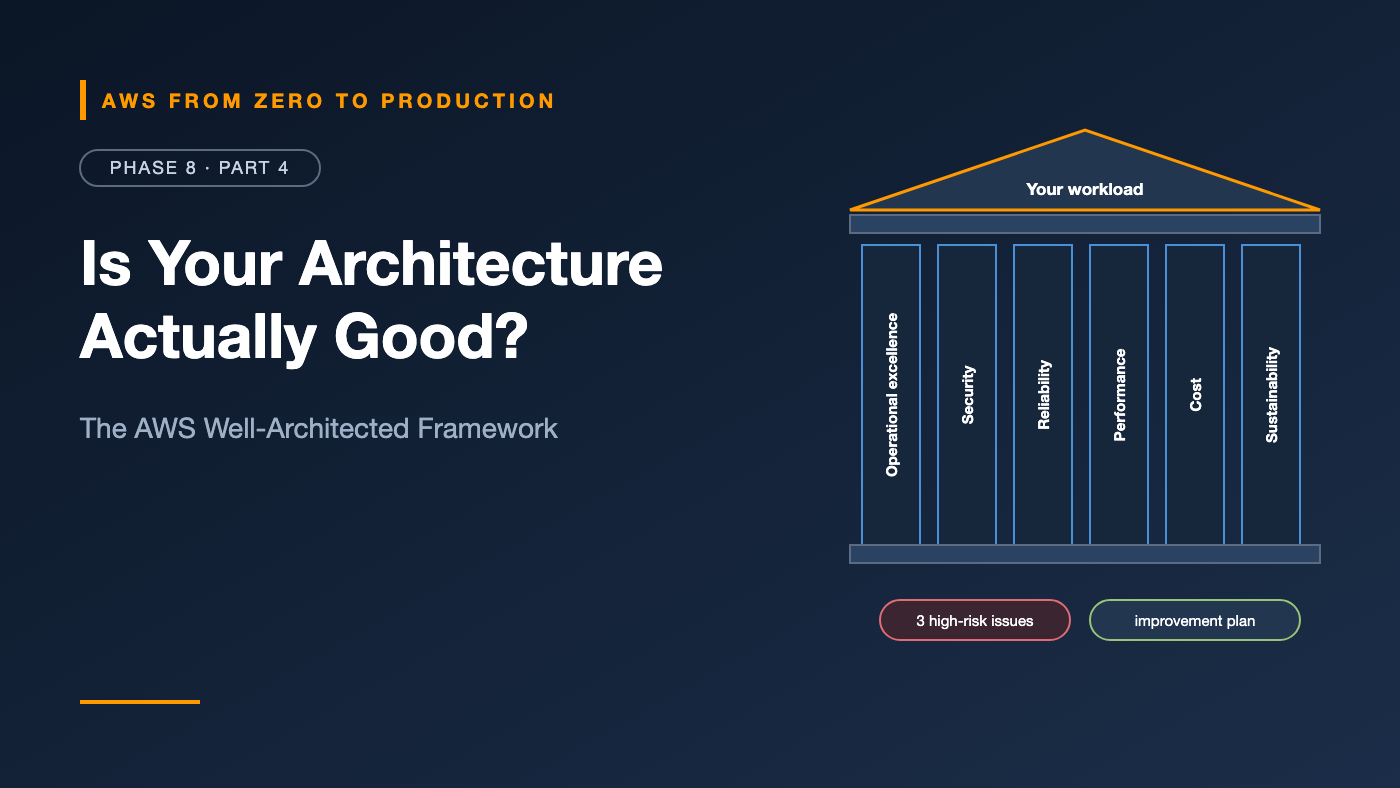
The AWS Well-Architected Framework gives teams that shared definition. It’s built from what AWS has learned from reviewing a very large number of customer architectures, organized into six pillars, each with design principles and specific questions.
It’s not a certification or a checklist to pass. It’s a structured way to find risks — and decide which ones to fix first.
What you’ll walk away with
- 🏛️ The six pillars, and the design principles behind each
- ⚖️ How the pillars trade off against each other
- 🧰 The AWS Well-Architected Tool and lenses
- 🗣️ How to run a workload review
- 🗺️ Turning high-risk issues into an improvement plan
The six pillars at a glance
Operational excellence   Run and improve the workload effectively
Security                 Protect data, systems, and assets
Reliability              Perform correctly and recover from failure
Performance efficiency   Use resources efficiently as demand changes
Cost optimization        Deliver value at the lowest price point
Sustainability           Minimize environmental impact
You’ve already worked on every one of them in this series. This article connects the dots.
1. Operational excellence
Run the workload well, and keep getting better at it.
Design principles include:
- Perform operations as code — infrastructure, runbooks, and deployments (Phases 6 and 7).
- Make frequent, small, reversible changes (Phase 7).
- Refine operations procedures frequently — runbooks updated after every incident.
- Anticipate failure — game days and pre-mortems.
- Learn from all operational events — blameless postmortems (Part 3).
- Use managed services to reduce operational burden.
- Implement observability for actionable insights (Part 1).
Example question: How do you know your workload is healthy?
2. Security
Protect information, systems, and assets.
Design principles include:
- Implement a strong identity foundation — least privilege, no long-lived credentials (Phase 2).
- Maintain traceability — CloudTrail, Config, and logs (Part 2).
- Apply security at all layers — network, compute, application, and data (Phases 3–5).
- Automate security best practices — guardrails and pipeline gates (Phase 7).
- Protect data in transit and at rest — TLS and KMS (Phase 2).
- Keep people away from data — automation instead of manual access.
- Prepare for security events — incident response plans and practice.
Example question: How do you manage identities for people and machines?
3. Reliability
Perform the intended function correctly and consistently — and recover from failure.
Design principles include:
- Automatically recover from failure — health checks, Auto Scaling, and alarms that act.
- Test recovery procedures — DR drills and fault injection (Part 3).
- Scale horizontally to reduce the impact of any single failure.
- Stop guessing capacity — use elasticity.
- Manage change through automation — IaC and pipelines.
Example question: How do you back up data? And: How do you test reliability?
4. Performance efficiency
Use computing resources efficiently to meet requirements — as demand and technology change.
Design principles include:
- Democratize advanced technologies — use managed services instead of building your own.
- Go global in minutes — CloudFront and multi-Region where it helps users.
- Use serverless architectures to remove capacity management.
- Experiment more often — benchmark instance types, Graviton, and caching.
- Consider mechanical sympathy — choose the data store and compute that fit the access pattern (Phase 5).
Example question: How do you select the best-performing architecture?
5. Cost optimization
Deliver business value at the lowest price point.
Design principles include:
- Implement cloud financial management — someone owns cost (Phase 10).
- Adopt a consumption model — pay for what you use; turn off what you don’t.
- Measure overall efficiency — cost per order, per customer, or per request.
- Stop spending money on undifferentiated heavy lifting — managed services.
- Analyze and attribute expenditure — tags and cost allocation (Phase 1).
Example question: How do you decommission resources?
6. Sustainability
Minimize the environmental impact of running workloads.
Design principles include:
- Understand your impact — the AWS Customer Carbon Footprint Tool.
- Establish sustainability goals.
- Maximize utilization — right-size, and avoid idle resources.
- Adopt more efficient hardware and software — like Graviton processors.
- Use managed services — shared infrastructure is more efficient.
- Reduce the downstream impact — less data transferred, stored, and processed.
Good news: most sustainability improvements are also cost improvements.
The pillars trade off
You can’t maximize everything at once:
- Reliability vs. cost: Multi-AZ, multi-Region, and static stability cost more.
- Security vs. operational speed: approval gates slow deployments.
- Performance vs. cost: provisioned concurrency and bigger instances cost more.
- Cost vs. sustainability vs. reliability: idle standby capacity costs money and energy — but it’s what makes failover instant.
Well-Architected doesn’t decide for you. It makes the trade-offs explicit, so the business decides on purpose — not by accident.
The AWS Well-Architected Tool
The AWS Well-Architected Tool is a free service in the AWS console for running reviews:
- Define a workload — its name, environment, Regions, and accounts.
- Answer the questions for each pillar, choosing which best practices you follow.
- Get results — high-risk issues (HRIs) and medium-risk issues (MRIs), with links to guidance.
- Save a milestone — a snapshot of the review, so you can track progress over time.
- Generate an improvement plan — prioritized actions.
Lenses
Lenses add questions for specific technologies and industries, such as:
- Serverless Applications
- SaaS
- Data Analytics
- Machine Learning and Generative AI
- Container Build
- Industry lenses, like Financial Services
You can also create custom lenses with your organization’s own standards — and share them across accounts.
Running a workload review
A practical recipe:
Before
- Pick one workload with clear boundaries — like “the orders API and its database.”
- Gather an architecture diagram, IaC repositories, dashboards, and recent incident reports.
- Invite the people who build and run it, plus a facilitator, and security and finance if possible.
During — about two to four hours
- Go pillar by pillar. Answer honestly — the point is to find risks, not pass a test.
- When nobody knows the answer, that’s a finding.
- Capture notes and links in the tool.
After
- Review the HRIs and MRIs.
- Prioritize by business impact and effort — not everything needs fixing.
- Put the top items in the team’s backlog, with owners.
- Save a milestone, and review again in three to six months.
Risk identification and remediation
Not every risk is worth fixing right away. For each one, decide:
- Remediate: fix it — the default for high risks with reasonable effort.
- Mitigate: reduce the impact or likelihood — for example, an alarm and runbook instead of full redundancy.
- Accept: document why the risk is acceptable for now, who decided, and when to revisit it — just like vulnerability exceptions in Phase 7.
Typical first-review findings for a workload like the one in this series:
- No tested restore → schedule restore testing (Phase 5).
- Single NAT gateway → one per AZ, or accept and document.
- Database not Multi-AZ → enable Multi-AZ for production.
- No runbooks linked from alarms → write them (Part 3).
- No cost allocation tags → add tags and a monthly review (Phase 10).
Tip: AWS Trusted Advisor and Security Hub automatically flag many of the same issues, and the Well-Architected Tool can show related Trusted Advisor checks alongside the questions.
Common mistakes
- Treating the review as an audit, so people give the “right” answers instead of true ones.
- Reviewing the whole company at once instead of one workload.
- Fixing every finding, instead of prioritizing.
- Never re-reviewing, so the milestone is a one-time snapshot.
- Ignoring trade-offs — maximizing one pillar at the expense of the business.
Key takeaways
- Six pillars: operational excellence, security, reliability, performance efficiency, cost optimization, and sustainability.
- Each pillar has design principles and questions that surface risks.
- The pillars trade off; make the trade-offs explicit.
- The free Well-Architected Tool runs reviews, adds lenses, and tracks milestones.
- Review one workload with the people who run it, then prioritize, fix, and re-review.
Quick self-check
Test yourself before moving on:
- Name the six pillars.
- What does the Well-Architected Tool produce after a review?
- What’s a lens?
- You found 25 high-risk issues. Do you fix all of them now?
Answers
- Operational excellence, security, reliability, performance efficiency, cost optimization, and sustainability.
- High- and medium-risk issues, milestones, and an improvement plan.
- An additional set of questions for a specific technology, industry, or your own standards.
- No. Prioritize by impact and effort; remediate, mitigate, or consciously accept each one.
What’s next
In Part 5, the Phase 8 lab: build a CloudWatch dashboard — as code — for the orders service, with traffic, errors, latency, ECS capacity, load balancer health, application logs, and RDS performance. Then break the database and watch it light up.
Has your team ever run a Well-Architected review? What surprised you? Tell me in the comments.