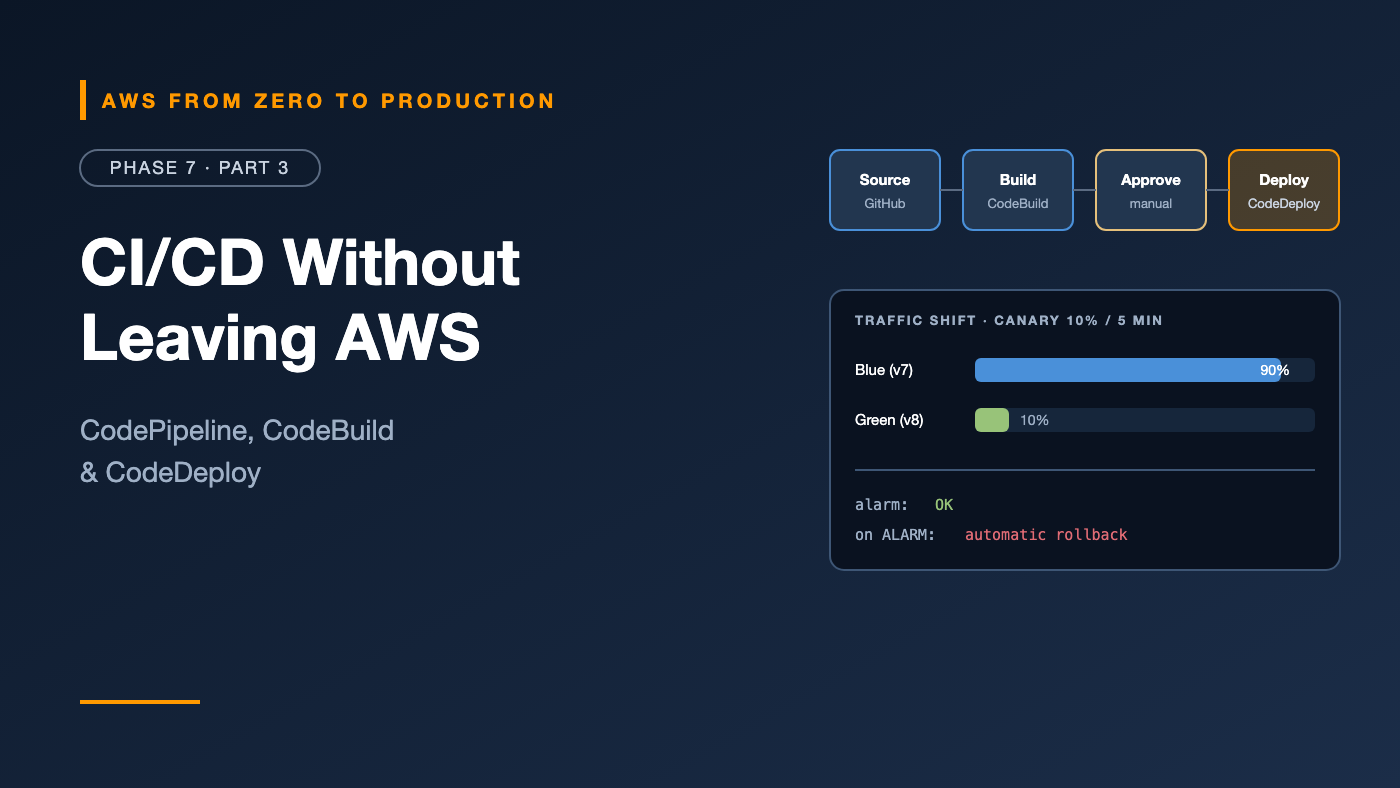
AWS from Zero to Production — Phase 7, Part 3 of 5 · See the full series roadmap
Some teams can’t — or don’t want to — run deployments from outside AWS.
Maybe compliance requires that production deployments run inside the production account. Maybe builds need private network access to internal package registries. Maybe the organization already standardizes on AWS for everything, including audit trails.
For those teams, AWS has its own CI/CD toolchain:
- AWS CodeBuild — runs builds and tests
- AWS CodeDeploy — deploys to EC2, on-premises servers, Lambda, and ECS
- AWS CodePipeline — orchestrates stages from source to production
This article explains each one, how they fit together, and how they compare with GitHub Actions.
What you’ll walk away with
- 🏗️ CodeBuild and the
buildspec.yml - 🚚 CodeDeploy: deployment groups, AppSpec files, and lifecycle hooks
- 🔵🟢 ECS blue-green and Lambda traffic shifting
- 🔗 CodePipeline stages, actions, artifacts, and triggers
- ✅ Approval stages and deployment notifications
- ⚖️ AWS-native CI/CD vs. GitHub Actions
AWS CodeBuild
CodeBuild is a fully managed build service. It runs your commands in a fresh container and bills by the minute.
- Managed images for common languages, or your own image from ECR.
- Compute types from small to large, on Linux, Arm, Windows, or GPU — and Lambda compute for fast, short builds.
- VPC support, so builds can reach private resources.
- IAM service role for permissions — no stored keys.
- Reports for test results and code coverage.
- Can even act as a self-hosted runner for GitHub Actions, running jobs inside your AWS account.
The buildspec
A buildspec.yml in your repository defines the build:
version: 0.2

env:
  variables:
    REPO_NAME: orders

phases:
  install:
    runtime-versions:
      python: 3.12
    commands:
      - pip install -r requirements.txt -r requirements-dev.txt

  pre_build:
    commands:
      - pytest -q --junitxml=reports/junit.xml
      - ACCOUNT_ID=$(aws sts get-caller-identity --query Account --output text)
      - REGISTRY=$ACCOUNT_ID.dkr.ecr.$AWS_DEFAULT_REGION.amazonaws.com
      - aws ecr get-login-password | docker login --username AWS --password-stdin $REGISTRY
      - IMAGE_TAG=$(echo $CODEBUILD_RESOLVED_SOURCE_VERSION | cut -c1-12)

  build:
    commands:
      - docker build -t $REGISTRY/$REPO_NAME:$IMAGE_TAG .

  post_build:
    commands:
      - docker push $REGISTRY/$REPO_NAME:$IMAGE_TAG
      - printf '[{"name":"orders","imageUri":"%s"}]' $REGISTRY/$REPO_NAME:$IMAGE_TAG > imagedefinitions.json

reports:
  unit-tests:
    files: [reports/junit.xml]
    file-format: JUNITXML

artifacts:
  files:
    - imagedefinitions.json
- Phases run in order:
install,pre_build,build,post_build. - Artifacts are passed to the next pipeline stage — here, the
imagedefinitions.jsonfile that tells ECS which image to deploy. - Environment variables can come from Parameter Store or Secrets Manager, through the
parameter-storeandsecrets-managersections.
Docker builds need privileged mode enabled on the CodeBuild project.
AWS CodeDeploy
CodeDeploy automates deployments to:
- EC2 and on-premises servers — in-place or blue-green
- AWS Lambda — gradual traffic shifting between versions
- Amazon ECS — blue-green with two target groups
Key concepts
- Application: a name for what you deploy.
- Deployment group: where and how — target instances, the ECS service or Lambda function, the deployment configuration, alarms, and rollback settings.
- Deployment configuration: the speed — like
AllAtOnce,HalfAtATime,Canary10Percent5Minutes, orLinear10PercentEvery1Minute. - AppSpec file: what to deploy, and which lifecycle hooks to run.
Automatic rollback
A deployment group can roll back automatically when:
- the deployment fails, or
- a CloudWatch alarm fires during the deployment.
That second one is powerful: tie it to your error-rate alarm, and a bad release rolls itself back.
Lambda deployments with traffic shifting
For Lambda, CodeDeploy shifts traffic between two versions behind an alias:
Canary10Percent5Minutes:
  10% of traffic -> version 8, 90% -> version 7
  wait 5 minutes, watching alarms
  100% -> version 8

Linear10PercentEvery1Minute:
  +10% every minute until 100%
With AWS SAM, it’s just a few lines:
OrdersFunction:
  Type: AWS::Serverless::Function
  Properties:
    AutoPublishAlias: live
    DeploymentPreference:
      Type: Canary10Percent5Minutes
      Alarms:
        - !Ref OrdersErrorAlarm
      Hooks:
        PreTraffic: !Ref PreTrafficCheckFunction
Hooks run validation functions before and after traffic shifts. If a hook fails or the alarm fires, CodeDeploy shifts traffic back.
ECS blue-green deployments
You have two ways to do blue-green on ECS:
Built into ECS
ECS now supports native blue-green deployments — plus linear and canary — with lifecycle hooks and a bake time, without CodeDeploy. For new services, start here.
With CodeDeploy
The longer-established option. The ECS service uses the CODE_DEPLOY deployment controller:
- Two target groups — blue and green — and a production listener, plus an optional test listener.
- CodeDeploy starts green tasks, routes test traffic to them, runs your hooks, then shifts production traffic — all at once, linearly, or as a canary.
- The original tasks stay up until the termination wait time ends, so rollback is instant.
An AppSpec for ECS:
version: 0.0
Resources:
  - TargetService:
      Type: AWS::ECS::Service
      Properties:
        TaskDefinition: <TASK_DEFINITION>
        LoadBalancerInfo:
          ContainerName: orders
          ContainerPort: 8080
Hooks:
  - AfterAllowTestTraffic: "arn:aws:lambda:us-east-1:111122223333:function:orders-smoke-test"
AWS CodePipeline
CodePipeline connects everything into stages:
Source      GitHub (via CodeConnections) or Amazon ECR or S3
   |
Build       CodeBuild: test, build, push image
   |
Staging     Deploy to ECS (staging)
   |
Approval    Manual approval, with SNS notification
   |
Production  Deploy to ECS (production)
- Stages contain actions: source, build, test, approval, deploy, and invoke (like Lambda or Step Functions).
- Artifacts flow between actions through an S3 bucket the pipeline manages.
- Cross-account deployments: a pipeline in a tooling account can deploy into dev and prod accounts by assuming roles there.
Pipeline type V2
Use the V2 pipeline type. It adds:
- Triggers filtered by branch, Git tag, or file path — so a change to
docs/doesn’t trigger a deployment. - Pipeline-level variables.
- Per-execution pricing based on action minutes, instead of a flat monthly fee per pipeline.
- Stage-level rollback and conditions.
Connecting to GitHub
AWS CodeConnections (formerly CodeStar Connections) links CodePipeline to GitHub, GitLab, or Bitbucket through an installed app — again, no stored personal tokens.
Approval stages
A manual approval action pauses the pipeline until someone approves or rejects it:
- Sends an SNS notification with a link and custom message — like a link to the staging URL.
- IAM controls who can approve.
- Times out after seven days if nobody acts.
Deployment notifications
Teams need to know when deployments start, succeed, or fail:
- Notification rules on pipelines, builds, and deployments send events to SNS or to chat channels through Amazon Q Developer in chat applications (formerly AWS Chatbot) — Slack, Microsoft Teams, and Amazon Chime.
- EventBridge receives every state change from CodePipeline, CodeBuild, and CodeDeploy, so you can route events anywhere — a Lambda function, a ticketing system, or a dashboard.
{
  "source": ["aws.codepipeline"],
  "detail-type": ["CodePipeline Pipeline Execution State Change"],
  "detail": { "state": ["FAILED"] }
}
AWS-native CI/CD vs. GitHub Actions
Choose AWS-native when
- Deployments must run inside your AWS accounts, for compliance or network reasons.
- You want CodeDeploy’s traffic shifting with alarm-based rollback for EC2, Lambda, or ECS.
- You want everything audited in CloudTrail and controlled by IAM.
Choose GitHub Actions when
- Your code and developers already live in GitHub.
- You want a huge ecosystem of actions and simple YAML next to the code.
- You deploy to more than just AWS.
Or combine them
A common hybrid: GitHub Actions for CI — tests, scans, and building the image — and CodePipeline or CodeDeploy for the production deployment, triggered by a new image in ECR. Or GitHub Actions jobs running on CodeBuild-hosted runners inside your VPC.
Common mistakes
- Forgetting privileged mode for Docker builds in CodeBuild.
- Using V1 pipelines for new work.
- No alarm-based rollback on CodeDeploy deployment groups.
- Over-permissive CodeBuild service roles.
- Approval stages with no context — approvers need a link to what they’re approving.
- No failure notifications, so broken pipelines go unnoticed.
Key takeaways
- CodeBuild runs builds defined in
buildspec.yml, with IAM roles and optional VPC access. - CodeDeploy deploys to EC2, Lambda, and ECS with configurable speed and alarm-based rollback.
- Lambda deployments shift traffic between versions behind an alias.
- ECS blue-green is available natively or through CodeDeploy.
- CodePipeline V2 orchestrates stages, with triggers, approvals, and cross-account deployments.
- Native and GitHub-based CI/CD can be combined.
Quick self-check
Test yourself before moving on:
- What file defines a CodeBuild build?
- How can a CodeDeploy deployment roll back automatically, even if it “succeeded”?
- What does
Canary10Percent5Minutesdo for a Lambda function? - What does CodePipeline use to connect to GitHub without storing a token?
Answers
buildspec.yml.- By attaching CloudWatch alarms to the deployment group.
- Sends 10% of traffic to the new version for 5 minutes, then 100% if alarms stay healthy.
- AWS CodeConnections.
What’s next
In Part 4, we make the pipeline a security control: SAST, dependency scanning, container and IaC scanning, secret scanning, Amazon Inspector, SBOMs, artifact signing, and policy as code.
Does your team use AWS-native CI/CD, GitHub Actions, or both? Tell me why in the comments.