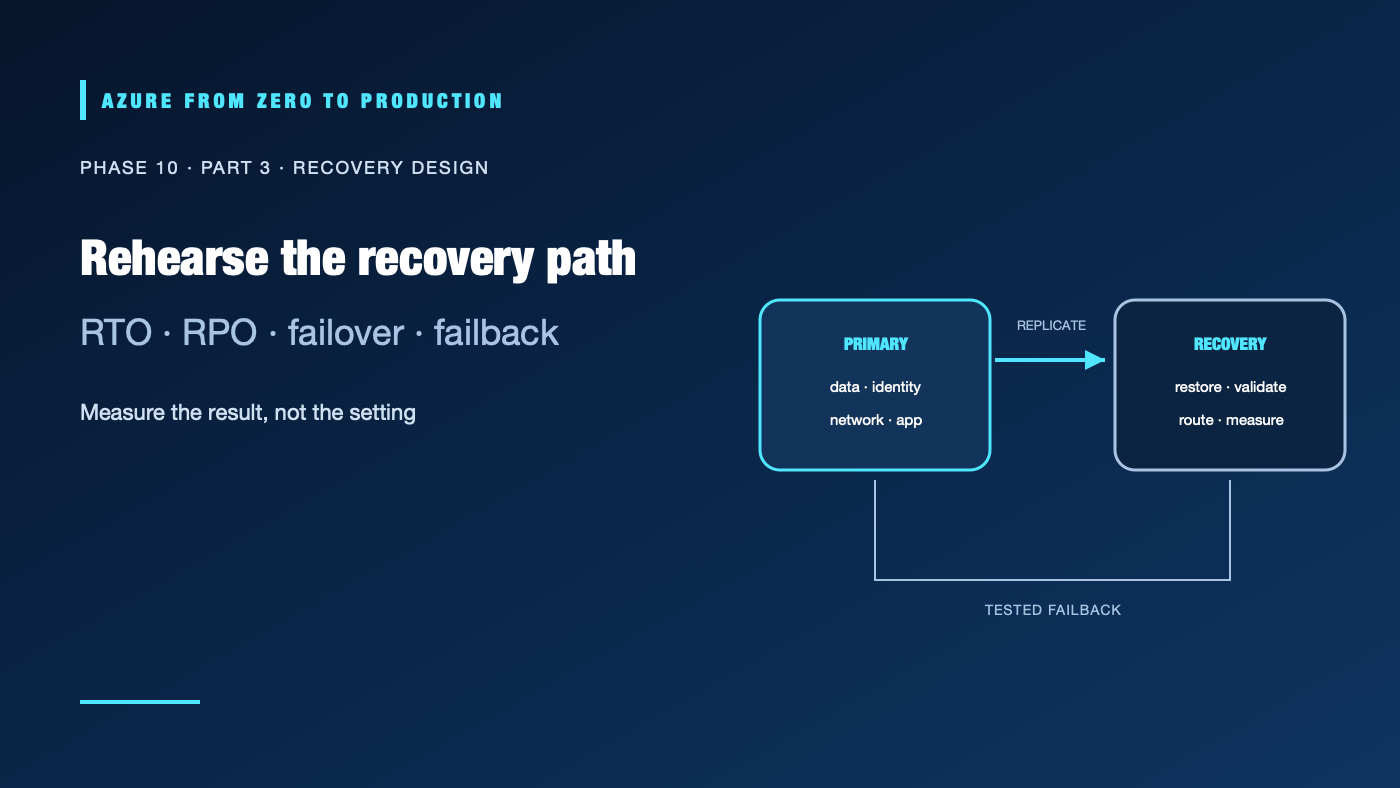
An application deployed in Azure is not automatically resilient to a zone or regional outage. Different services replicate and fail over differently; some require a customer decision, some have service-managed redundancy, and some need a separate recovery deployment. A region pair alone does not copy every resource or move every dependency. Recovery must be designed and tested for the workload, not inferred from the location of its resources.
What you’ll learn
- Define recovery time objective (RTO) and recovery point objective (RPO).
- Distinguish zone, regional, service, and workload failure domains.
- Choose backup, replication, Azure Site Recovery, or application-level failover.
- Plan failover order, data consistency, failback, and recovery evidence.
- Run a bounded recovery drill and record measured results.
Prerequisites
- Basic Azure regions/zones, identity, networking, data storage, and monitoring concepts.
- No subscription is required for the design exercise.
- Replication, standby capacity, backup storage, and recovery tests can incur ongoing and one-time charges.
Define the target before choosing a service
RTO is the target time to restore a service after an outage. RPO is the maximum acceptable data loss measured in time. Establish both from business impact and data semantics. An application with a 15-minute RPO may need a different replication design from one that cannot lose a committed transaction.
Map failure domains:
- Process/instance: restart, health probe, and autoscaling behavior.
- Availability zone: independent power/network/location failure within a region, when the service and region support zones.
- Region: loss of a geographic Azure region or access to a regional service.
- Dependency/control plane: identity, DNS, key management, network, deployment, or a third-party service fails while compute remains available.
- Human/configuration: an accidental delete, bad release, compromised identity, or corrupted data replicates to the standby.
High availability aims to continue service through some failures. Disaster recovery restores service after a larger outage or data-loss event. Backups and replication address different failure modes; neither alone is a complete recovery plan.
Choose service-specific protection
Use zonal or zone-redundant options when the service supports them and the workload’s dependencies can use them. A zone design is not a regional recovery plan.
For regional recovery, verify every service’s replication and failover model. Some services require a paired-region selection, customer-triggered failover, replicated configuration, or application changes. Region pairs do not automatically replicate all customer data or guarantee that capacity and dependencies are available in the secondary region.
- Azure Backup provides workload-specific backup and restore capabilities. Define retention, immutability/soft-delete protections where appropriate, and isolated restore tests.
- Azure Site Recovery supports replication and orchestrated recovery for supported workloads such as virtual machines; it is not a universal replication feature for every Azure resource.
- Application/data replication can reduce recovery time but introduces consistency, conflict, lag, and failback decisions. Test the actual data path.
- Rebuild from infrastructure as code can restore stateless components, but still requires data, identity, secrets, network, DNS, and quota recovery.
Confirm source/target support, region availability, service tier, encryption/key access, and recovery permissions against current service documentation. Do not write a single global “fail over Azure” runbook.
Write the recovery sequence
Document who can declare an incident and invoke failover. Identify the sequence for identity and access, network/DNS, secrets/certificates, data stores, queues, compute, and user traffic. State how the team detects stale replicas, prevents split brain, and avoids accepting writes in two regions unless the application supports conflict resolution.
Define when to fail back. A secondary that has accepted writes may be the new source of truth. Failback can require data reconciliation, re-seeding, or a planned maintenance window. Preserve the old environment until the new primary is stable and data consistency is confirmed.
Drill, measure, and improve
Start with a tabletop exercise, restore into an isolated environment, or a planned failover test supported by the service. State the affected resources, operators, expected user impact, stop conditions, and rollback. Record observed RTO and RPO, not just a successful portal status.
A useful drill proves that the team can obtain the required identity and keys, reach the recovered endpoint, validate data, route traffic, and notify users. Capture gaps as owned remediation items. Repeat after architectural changes and on a schedule that matches the business risk.
✅ Checkpoint: For one workload, list the primary and recovery regions, zone strategy, RTO/RPO, protected data, failover owner, split-brain prevention, measured restore result, and failback condition.
Next: Use cost and performance as architecture signals.
Series navigation: Previous: Distributed systems and APIs · Current: Phase 10, Part 3 · Next: Cost and performance architecture