AWS from Zero to Production — Phase 11, Part 2 of 3 · See the full series roadmap
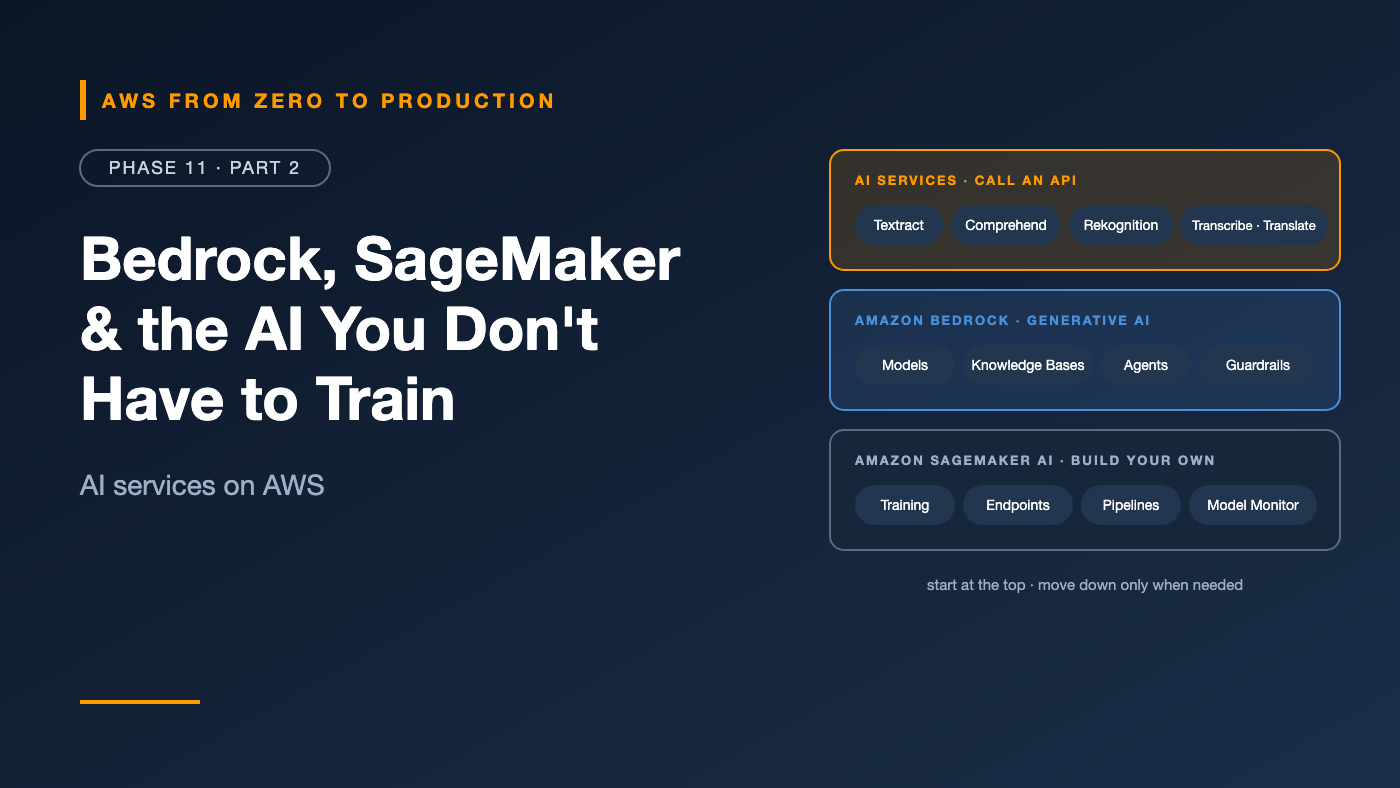
AWS offers AI at three levels — and the most common mistake is starting at the wrong one.
A team spends three months building and training a custom model to extract invoice fields — when Amazon Textract does it with one API call. Another team builds its own chatbot infrastructure from scratch — when Amazon Bedrock provides models, retrieval, and safety controls as managed services. A third tries to make a general-purpose LLM predict churn from tabular data — when a classic model in SageMaker would be cheaper, faster, and more accurate.
This article maps the AWS AI landscape so you start at the right level.
What you’ll walk away with
- 🗺️ The three layers of AI on AWS
- 🪨 Amazon Bedrock: one API for many foundation models
- 🎯 How to select a foundation model
- 📚 Bedrock Knowledge Bases — managed RAG
- 🤖 Bedrock Agents — models that take actions
- 🛡️ Bedrock Guardrails
- 🔬 Amazon SageMaker for custom models
- 🧰 Textract, Comprehend, Rekognition, Transcribe, and Translate
Three layers of AI on AWS
Layer                         What you do                      Examples
AI services                   call an API, no ML expertise     Textract, Comprehend, Rekognition,
                                                               Transcribe, Translate
Generative AI platform        choose a model, add your data,   Amazon Bedrock (models, Knowledge
                              guardrails, and tools            Bases, Agents, Guardrails)
ML platform                   build, train, and deploy your    Amazon SageMaker
                              own models
Start at the top. Move down only when the layer above can’t do the job.
Amazon Bedrock
Amazon Bedrock is a fully managed service for building with foundation models through a single API.
- Many models, one API: models from Amazon (like Amazon Nova and Titan), Anthropic, Meta, Mistral AI, Cohere, AI21 Labs, and others — text, chat, embeddings, and image models.
- Serverless: no GPUs to manage. Pay per token on demand, or use batch inference for lower cost, or provisioned throughput for guaranteed capacity.
- Private by design: your prompts and outputs aren’t used to train the base models, and data can stay in your Region. Use VPC endpoints (PrivateLink) to keep traffic off the internet.
- IAM-controlled and logged in CloudTrail. Optional model invocation logging captures prompts and responses to S3 or CloudWatch for audit.
The Converse API
One request format for every chat model:
import boto3

bedrock = boto3.client("bedrock-runtime")

response = bedrock.converse(
    modelId="us.amazon.nova-lite-v1:0",  # check model and inference profile availability in your Region
    system=[{"text": "You are a concise assistant for an e-commerce operations team."}],
    messages=[{"role": "user", "content": [{"text": "Summarize this incident in two sentences: ..."}]}],
    inferenceConfig={"maxTokens": 300, "temperature": 0.2},
)

print(response["output"]["message"]["content"][0]["text"])
print(response["usage"])  # input and output tokens — what you pay for
Switching models is mostly a matter of changing modelId.
Inference profiles: Many models are invoked through cross-Region inference profiles — IDs like
us.oreu.prefixes — which route requests across Regions in a geography for more throughput. Check the model’s availability and profile ID in your Region.
Foundation model selection
There’s no single best model. Choose by your task, against these criteria:
- Quality on your actual task — not just public benchmarks.
- Latency — time to first token and total response time.
- Cost — price per input and output token, multiplied by your volume.
- Context window — how much text it can consider at once.
- Modalities — text, images, documents, video.
- Features — tool use, structured output, and supported languages.
- Regional availability and data residency requirements.
How to choose
- Build a small evaluation set: 50–200 real questions with good reference answers.
- Try two or three candidate models — from small and cheap to large and capable.
- Score them — with Bedrock model evaluation (automatic metrics, human review, or LLM-as-a-judge).
- Pick the smallest model that meets your quality bar. It’s usually much cheaper and faster.
Engineer’s note: Use different models for different steps. A small, fast model can classify or route requests; a larger one handles the hard reasoning.
Bedrock Knowledge Bases: managed RAG
Knowledge Bases implement the RAG pipeline from Part 1 as a managed service:
Data sources            Ingestion                     Vector store
S3, web crawler,   ->   parse, chunk, embed      ->   OpenSearch Serverless, Aurora pgvector,
Confluence,             (managed, incremental sync)   S3 Vectors, and others
SharePoint,
Salesforce
- Chunking strategies: fixed-size, hierarchical, semantic, or none.
- Parsing: advanced parsing for PDFs with tables and figures.
- Metadata filtering: restrict retrieval by attributes — like department or document type.
RetrieveAPI: returns the relevant chunks — use your own prompt and model.RetrieveAndGenerateAPI: retrieves, prompts the model, and returns an answer with citations.- Reranking models can reorder results for better relevance.
You’ll build one in Part 3.
Bedrock Agents: models that take actions
An agent uses a foundation model to plan and act: it breaks a request into steps, calls tools, and uses the results.
User: "Where's my order A17, and can you change the delivery address?"

Agent:
  1. Calls getOrderStatus(orderId=A17)        -> "in warehouse"
  2. Checks policy in the Knowledge Base      -> "address changes allowed before dispatch"
  3. Calls updateAddress(orderId=A17, ...)    -> success
  4. Responds with confirmation
- Action groups define tools — an OpenAPI schema or function definitions — backed by Lambda functions.
- Knowledge Bases can be attached for retrieval.
- Session memory, user confirmation for sensitive actions, and trace output showing each reasoning step.
For running agents in production at scale — with any framework — Amazon Bedrock AgentCore provides managed runtime, memory, identity, gateway, and observability services.
Watch out: An agent with tools can do things. Give its Lambda functions least-privilege IAM roles, validate every parameter, require confirmation for consequential actions, and never let the model alone decide authorization.
Bedrock Guardrails
Guardrails apply safety and privacy policies to model inputs and outputs:
- Content filters: hate, insults, sexual content, violence, misconduct — and prompt attacks like jailbreaks and prompt injection — with configurable strength.
- Denied topics: “Don’t give investment advice.”
- Word filters: block specific words or phrases, including profanity.
- Sensitive information filters: block or mask PII — emails, phone numbers, card numbers — and custom regex patterns.
- Contextual grounding checks: flag responses that aren’t supported by the retrieved source content, or aren’t relevant to the question — a direct defense against hallucination in RAG.
- Automated Reasoning checks: validate responses against formal rules you define.
Attach a guardrail to model invocations, Knowledge Base queries, and agents — or call the ApplyGuardrail API to check any text, even from models outside Bedrock.
Amazon SageMaker AI
Amazon SageMaker AI is the platform for building, training, and deploying your own ML models:
- SageMaker Studio: an IDE for ML — notebooks, experiments, and pipelines.
- Training jobs: run training on managed instances, including GPUs, and shut down automatically when finished. Managed Spot Training cuts cost for interruptible training.
- Built-in algorithms and popular frameworks: XGBoost, PyTorch, TensorFlow, and scikit-learn.
- JumpStart: pre-trained models — including open-weight foundation models — to deploy or fine-tune.
- Real-time endpoints: low-latency APIs, with auto scaling.
- Serverless inference: for spiky or low traffic.
- Asynchronous inference: for large payloads and long processing.
- Batch transform: score whole datasets offline.
- MLOps: SageMaker Pipelines for workflows, the Model Registry for versions and approvals, Model Monitor for data and quality drift, and Clarify for bias and explainability.
When to use SageMaker
- Tabular prediction — churn, fraud, demand forecasting — on your own data.
- Specialized models that foundation models handle poorly or too expensively.
- Fine-tuning or hosting open-weight models with full control over the infrastructure.
Ready-made AI services
No ML expertise needed — just an API call.
Amazon Textract
Extracts text, forms (key-value pairs), and tables from scanned documents and PDFs. Queries let you ask for specific fields — “What is the invoice total?” — and specialized APIs handle invoices, receipts, and identity documents.
Amazon Comprehend
Natural language processing for text:
- Entities — people, places, organizations, dates
- Key phrases and sentiment
- Language detection
- PII detection and redaction
- Custom classification and custom entities trained on your examples
Amazon Rekognition
Image and video analysis: labels (objects and scenes), text in images, content moderation, face detection and comparison, and custom labels for your own categories.
Amazon Transcribe
Speech to text — batch and streaming — with speaker identification, custom vocabularies, automatic language identification, and PII redaction. Call analytics adds sentiment and conversation insights for contact centers.
Amazon Translate
Neural machine translation across many languages, with custom terminology for product names and domain terms, and batch translation of documents.
Combining them
Support call recording (S3)
  -> Transcribe (speech to text, PII redacted)
  -> Comprehend (sentiment, entities)
  -> Bedrock (summary + suggested follow-up)
  -> stored with the ticket
Each step is one managed service — and the pipeline is orchestrated with Step Functions (Phase 9).
Security and cost essentials
- Least-privilege IAM: allow only specific models —
bedrock:InvokeModelon specific model ARNs — and specific Knowledge Bases and guardrails. - Private connectivity: VPC endpoints for Bedrock and SageMaker.
- Encryption: KMS for Knowledge Base data, training data, model artifacts, and logs.
- Logging: CloudTrail for API calls; model invocation logging when you need prompt and response audit — and protect those logs, because they may contain sensitive data.
- Cost controls: track tokens per feature, choose the smallest model that works, cache repeated answers, use batch inference for offline work, and set budgets and anomaly alerts.
Common mistakes
- Training a custom model for a problem an AI service already solves.
- Choosing the biggest model by default, without an evaluation set.
- No guardrails on customer-facing generative AI.
- Agents with broad permissions, or no confirmation step for consequential actions.
- Logging prompts with sensitive data to unprotected locations.
- Ignoring token costs until usage grows.
Key takeaways
- Start with AI services, then Bedrock, then SageMaker — move down only when needed.
- Bedrock provides many foundation models through one API, privately and serverlessly.
- Pick models with your own evaluation set; prefer the smallest one that meets the bar.
- Knowledge Bases deliver managed RAG; Agents add tools; Guardrails add safety and grounding checks.
- SageMaker AI is for training, fine-tuning, and hosting your own models with full MLOps.
- Textract, Comprehend, Rekognition, Transcribe, and Translate solve common problems with one API call.
Quick self-check
Test yourself before moving on:
- You need to extract totals and line items from scanned invoices. Which service?
- Which Bedrock API returns an answer with citations from a Knowledge Base?
- Which Guardrails feature helps detect hallucinated answers in RAG?
- When would you choose SageMaker over Bedrock?
Answers
- Amazon Textract (with the invoice/expense analysis API).
RetrieveAndGenerate.- Contextual grounding checks.
- To train, fine-tune, or host your own models — like tabular prediction on your data, or open-weight models with full control.
What’s next
In Part 3, the Phase 11 lab: build a retrieval-augmented generation app that reads documents from S3, indexes them with a Bedrock Knowledge Base, and answers questions with citations — protected by Guardrails and least-privilege IAM.
Which AWS AI service has saved your team the most time? Tell me in the comments.